Repository navigation
Timers alarms and notes
Some things SayOVA can always do, without any permission and without switching anything on: timers, alarms, notes, the time and the battery, and — if you like — searching the web. For everything that reads the watch's sensors or your data, see Watch features.
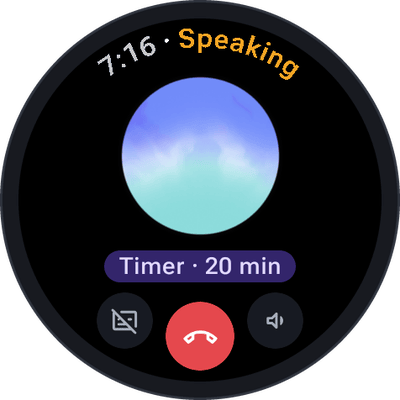
"Set a timer for 12 minutes." · "Tea timer, four minutes." · "Timer for an hour and a half."
SayOVA starts the timer in the watch's own clock app, so it rings and shows like any other timer — even after the conversation has ended. You see Timer · 12 min under the orb and in the transcript. Timers can run from one second to 24 hours, and a name ("tea") is shown in the clock app.
"Wake me at 6:30." · "Set an alarm for 7 tomorrow." · "Alarm at 6:30 on weekdays." · "Every Saturday at 9, alarm called swimming."
An alarm rings at the next time it is due. Say the days for an alarm that repeats every week — weekdays, weekends or any days you like. The alarm is set in the watch's clock app and shows as Alarm · 6:30 · Mon–Fri.

"Show my timers." · "Open my alarms."
Android lets apps start timers and set alarms, but not look at, pause, change or delete them. So for that, SayOVA opens the clock app on its timers or alarms page, where you do it with a tap. The conversation ends for it. SayOVA tells you so instead of pretending it turned something off.
To know when your next alarm rings, ask "When does my alarm ring?" — that is the Next alarm watch feature.
"Note: buy oat milk and basil." · "Make a note that the parking spot is on level 3, row F."
SayOVA saves the note in the history, marked with ✎ in the conversation, so you find it again with the conversation it belongs to. Send it to your phone from there to keep it in any notes app.

"What's the time in Tokyo?" · "What's today's date?" · "How much battery is left?"
SayOVA knows the watch's time, date, time zone and battery level.
"What's the latest news on the Artemis mission?" · "Is the hardware store open on Sunday?" · "Who won the match last night?"
For anything current — news, opening hours, prices, results, events — SayOVA searches the web and answers with what it found. You see Searching the web… while it does, and Searched the web in the transcript. With Gemini this is Google Search; with OpenAI a separate web search request with your key, which adds a little to the cost.
Web search is on by default. Turn it off under Settings → Web search; SayOVA then answers only from what the model knows, which may be out of date for recent events.
"Thanks, bye!" · "That's all." · "Stop."
Say goodbye and SayOVA hangs up by itself after a short farewell.