Repository navigation
Costs and budget
SayOVA itself is a one-time purchase. Talking is billed by your provider, with your own key, for what you actually use — and SayOVA shows you exactly what that is, so there are no surprises.
| Provider | Model in SayOVA | Approximate cost |
|---|---|---|
Fast (gemini-3.8-live) |
1–2 ¢ per minute | |
Thorough (gemini-3.8-live-extended-thinking) |
1–2 ¢ per minute, plus about ½ ¢ of thinking for a hard question | |
| OpenAI |
Fast (gpt-realtime-2.1-mini) |
2–5 ¢ per minute |
| OpenAI |
Best (gpt-realtime-2.1) |
6–11 ¢ per minute |
A typical question with a short answer costs well under a cent with Gemini. Longer conversations cost a little more per minute, because the model hears the whole conversation so far with every answer. Listening to a voice sample costs less than 1 ¢, once per voice.
With Settings → Show cost on (the default), the running cost appears under the orb next to the time: 1:24 · ~2 ¢ · Wi-Fi. The history shows each conversation's cost too.
 |
 |
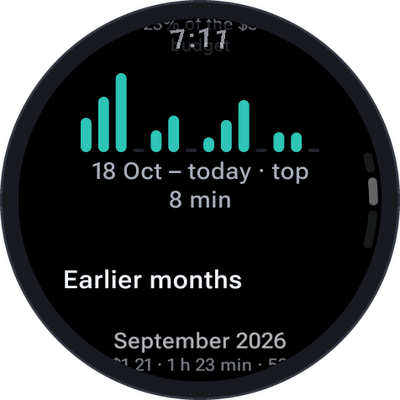 |
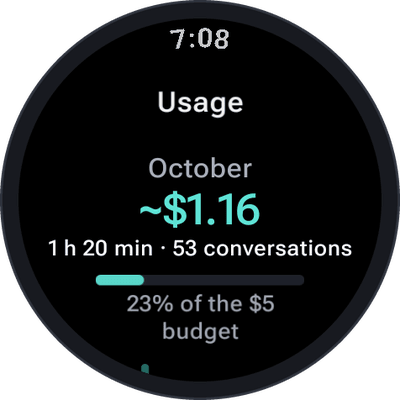
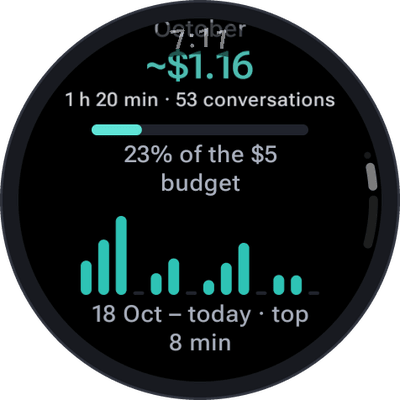
Open them with a tap on the line under the orb on the home screen, or under Settings → Usage & costs:
- This month — cost, talk time and number of conversations, and with a budget, how much of it is used.
- The last two weeks — talk time per day as a chart.
- Earlier months — each month's cost and talk time.
- All time — everything together, with the average per conversation and per minute.
The statistics are kept on the watch apart from the history: they stay complete when the history is short or switched off, and contain nothing of what was said — only dates, time and cost.
Note: all amounts are estimates from the usage your provider reports and its published prices, in US dollars. Your provider's bill is what counts — check it at Google AI Studio or the OpenAI platform.
 |
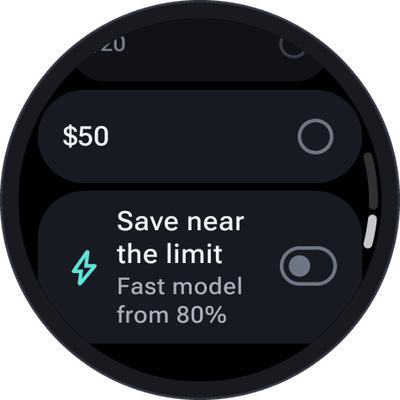 |
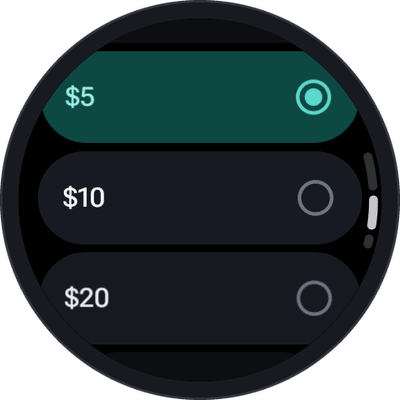
Set one under Settings → Monthly budget: off, $1, $2, $5, $10, $20 or $50. Then:
| When | What happens |
|---|---|
| From 80% | The home screen shows the month's cost against the budget in amber, the statistics show a bar, and a short note appears if you cross the mark during a conversation. |
| Save near the limit on | From 80% on, SayOVA talks with the cheaper Fast model (shown as Near the budget · Fast). |
| Budget reached | The line turns coral. Before every new conversation SayOVA asks: "$5.02 of $5 spent this month. Talk anyway?" — a running conversation carries on. |
The budget starts again on the first of every month. It is a reminder, not a hard stop — for a hard limit, set one at your provider as well (API keys).
SayOVA's complication can show the month's cost against your budget as a ring or bar, in the watch-face slots that show a value.