Repository navigation
Interpreter
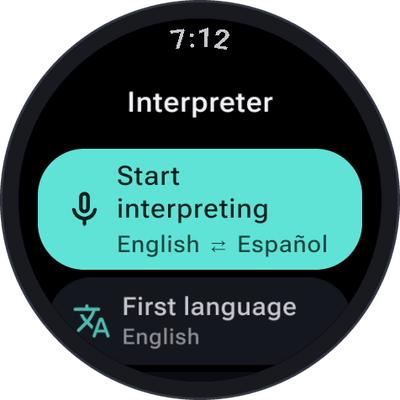
Two people, two languages, one watch. In interpreter mode SayOVA doesn't answer — it says everything in the other language: what you say in yours, it repeats in theirs, and what they answer, it repeats in yours. Both sides appear as text, so you can read along.
 |
 |
 |
- On the home screen, tap the interpreter button (left, the translate icon).
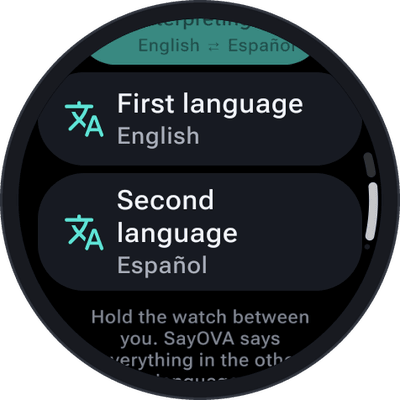
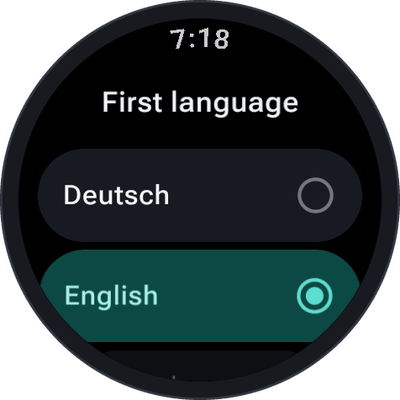
- Check the two languages. Tap First language or Second language to change one.
- Tap Start interpreting and hold the watch between you — on your wrist, arm stretched out a little, or take it off and put it on the table.
- Take turns speaking. SayOVA recognises which of the two languages it hears and says it in the other.
- Hang up with the red button as usual.
The language pair is remembered for next time. Until you choose, it is your watch's language and English (or English and Spanish on an English watch).
Under the orb, the language pair takes the place of the network: 0:42 · EN ⇄ ES · ~1 ¢.
21 languages, in any pair:
| Arabic (العربية) | Hindi (हिन्दी) | Russian (Русский) |
| Chinese (中文) | Indonesian (Bahasa Indonesia) | Spanish (Español) |
| Dutch (Nederlands) | Italian (Italiano) | Swedish (Svenska) |
| English | Japanese (日本語) | Thai (ไทย) |
| French (Français) | Korean (한국어) | Turkish (Türkçe) |
| German (Deutsch) | Polish (Polski) | Ukrainian (Українська) |
| Greek (Ελληνικά) | Portuguese (Português) | Vietnamese (Tiếng Việt) |
- Speak in short pieces — a sentence or two — and pause. SayOVA starts as soon as you stop, and short turns make the conversation flow.
- In a noisy place, switch on push-to-talk and tap the orb for each turn.
- With the sound off, SayOVA only shows the translation as text — handy for reading it to someone or showing them the watch.
- Interpreting costs the same per minute as a normal conversation. The Fast models are quick enough and the cheapest.
- Interpreted conversations go to the history like any other, with both languages.