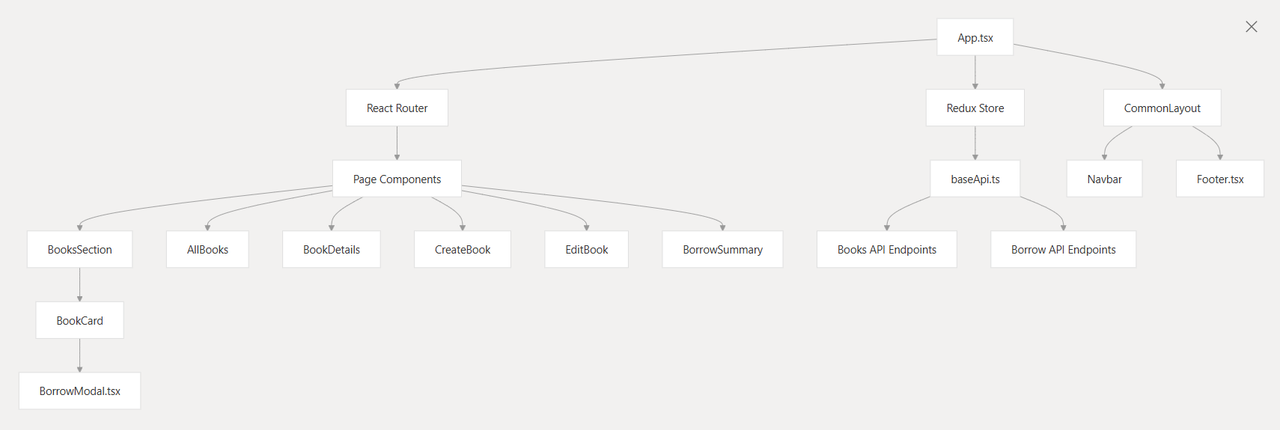
The Library Management System follows a layered architecture pattern with clear separation between the presentation layer, state management, and API communication. The system is built as a single-page application (SPA) with client-side routing and centralized state management.
Visit the live client site at Client Side Visit the live server site at Server Side
The Library Management System provides a RESTful API for managing library operations including:
-
Book Management: Complete CRUD operations for books with metadata including title, author, genre, ISBN, and availability tracking
-
Borrowing Operations: Creating borrow records with automatic inventory management and due date tracking
-
Inventory Control: Automatic updates to book availability and copy counts during borrowing operations
The system is designed as a backend service that can be consumed by frontend applications, mobile apps, or other services requiring library management functionality.
The following diagram illustrates the high-level architecture mapping to actual code entities:
The system is built using modern JavaScript technologies with TypeScript for type safety:
- React.js
- Redux
- Shadcn UI Library
- Node.js
- Express
- MongoDB
- Mongoose
- Typescript
- ts-node-dev
- ESLint
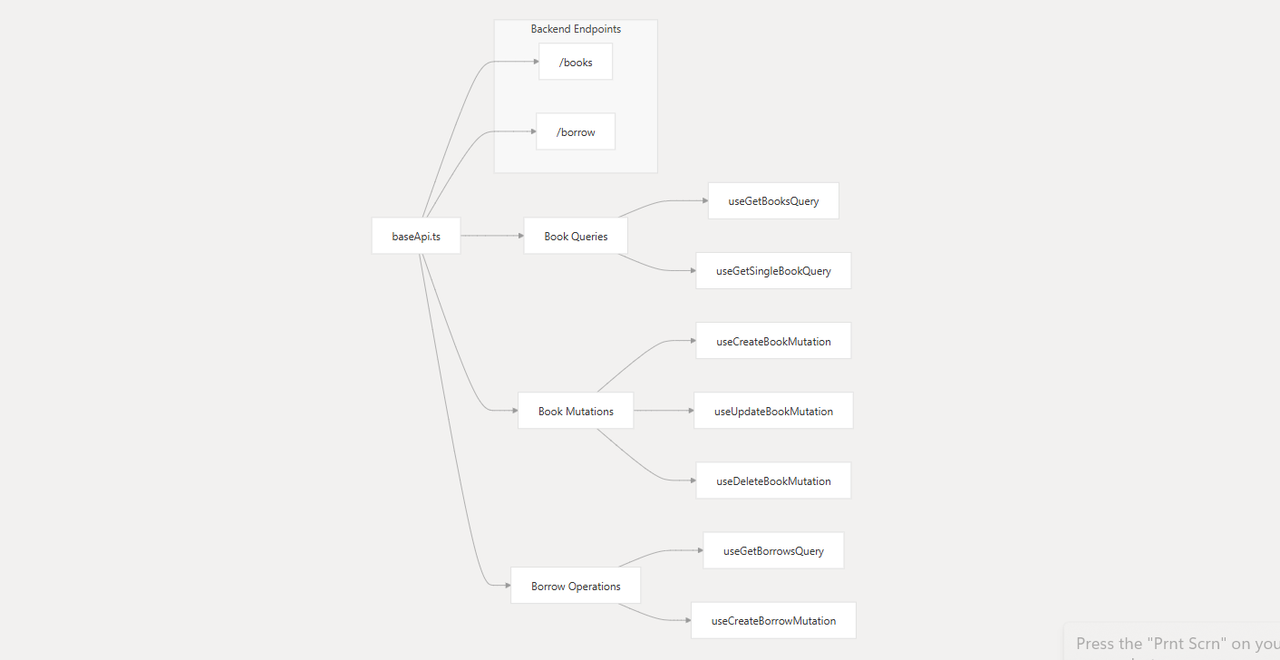
The system exposes two main API categories through specific route patterns:
-
Clone the Repositories:
# Client Side:
git clone https://github.com/DeveloperImran1/Assignment-4.git
cd Assignment-4
-
Install Dependencies:
npm install
-
Start the Development Server:
npm run dev
-
Build for Production:
npm run build
-
Deploy to vercel:
vercel website to build and deploy
- Create a
.envfile in the root of your client project and add the following variables:
MongoDB Credentials
VITE_SERVER_API_URL=your_base_api

If you'd like to contribute to this project, please fork the repository and use a feature branch. Pull requests are welcome.