Releases: DingYaoYao/sms-to-pc
Releases · DingYaoYao/sms-to-pc
Release list
码上来 v1.5

码上来 v1.5
手机收到的短信和验证码,立刻出现在电脑上。局域网加密直连,不经过任何服务器。
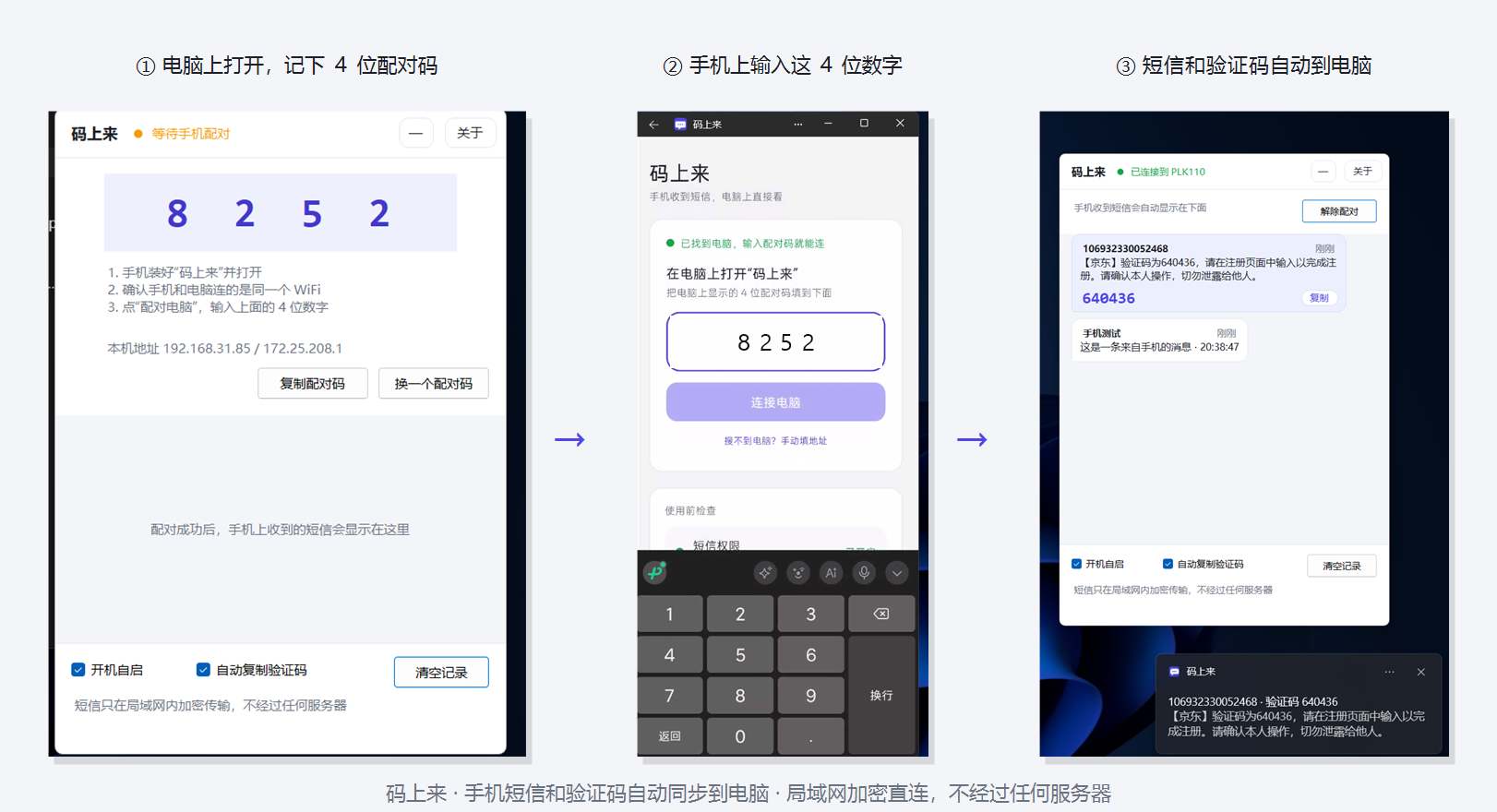
三步就能用起来:电脑上打开 → 手机上输入 4 位配对码 → 短信和验证码自动到电脑。
下载
- mashanglai-v1.5-windows-x64.exe —— Windows 10/11 (x64),免安装,双击即用
- mashanglai-v1.5-android.apk —— Android 8.0+,传到手机点击安装
上手三步
- 电脑上运行 exe,窗口右下角会显示一个 4 位配对码
- 手机上装好 APK,打开后按提示授予短信权限和后台运行权限
- 手机上输入那 4 位数字;之后收到的短信会自动出现在电脑上,验证码自动进剪贴板
说明
- 手机和电脑需要连同一个 WiFi(不需要联网)
- 首次运行 Windows 防火墙会弹提示,请允许"专用网络"
- 使用教程(图文):https://github.com/DingYaoYao/sms-to-pc#使用教程
- 项目主页:https://github.com/DingYaoYao/sms-to-pc
- 国内镜像(蓝奏云):https://wwbjs.lanzoue.com/b0mcu44gj 密码:2dq1