



A datum is a piece of information.
Datum is a PowerShell module that aggregates configuration data from multiple sources in a hierarchical model, letting you define generic defaults (Roles) and specific overrides (per Node, Location, Environment) without repeating yourself. While designed primarily for DSC Configuration Data, Datum can be used anywhere hierarchical data lookup and merging is useful.
Datum works with PowerShell 5.1 and PowerShell 7+.
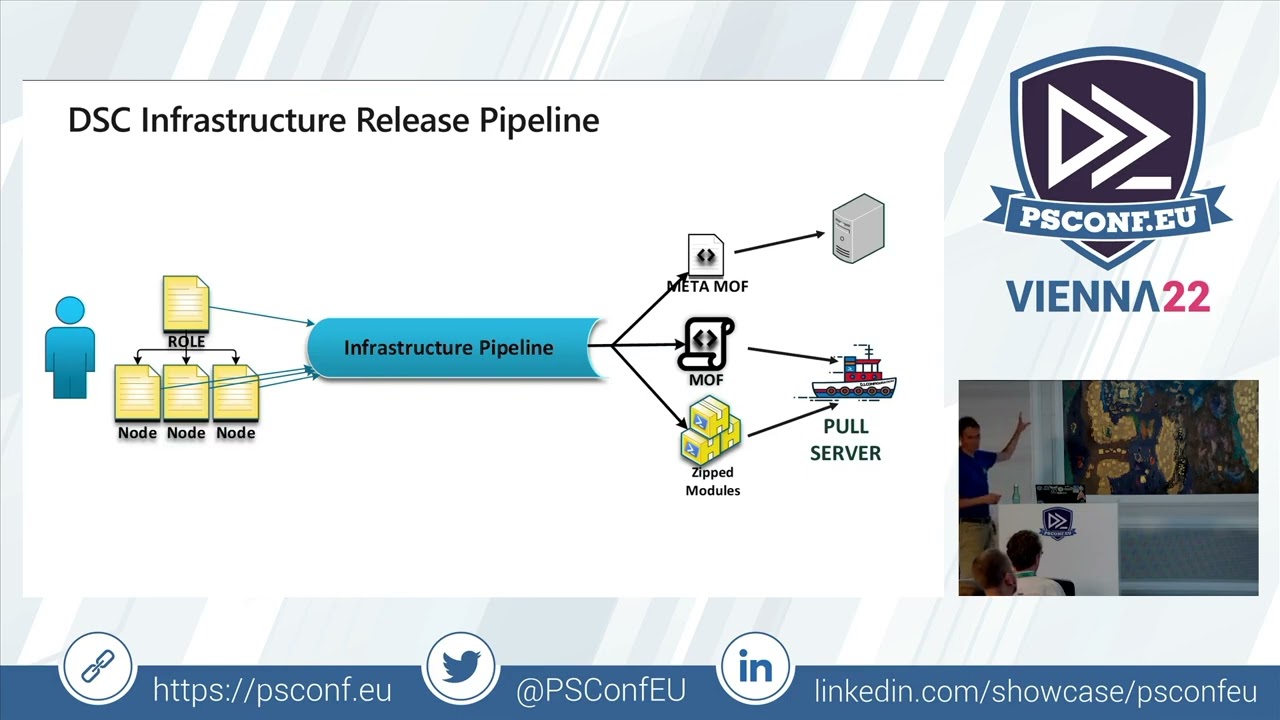
To see it in action, watch the PSConfEU session by Raimund Andree: the video recording and the DSC Workshop repository.
- Datum
- Table of Contents
- 1. Installation
- 2. Why Datum?
- 3. Getting Started & Concepts
- 4. Intended Usage
- 5. Under the Hood
- 6. Public Functions
- 7. Further Reading
- 8. Origins
Install-Module -Name datum -Scope CurrentUserDatum requires the powershell-yaml module, which will be installed automatically as a dependency.
For encrypted credentials (PSCredential stored in YAML):
Install-Module -Name Datum.ProtectedData -Scope CurrentUserFor dynamic expression evaluation in data files:
Install-Module -Name Datum.InvokeCommand -Scope CurrentUserThis module enables you to easily manage a Policy-Driven Infrastructure using Desired State Configuration (DSC), by letting you organise Configuration Data in a hierarchy adapted to your business context, and injecting it into Configurations based on the Nodes and the Roles they implement.
This approach allows you to raise cattle instead of pets, while facilitating the management of Configuration Data (the Policy for your infrastructure) and providing defaults with the flexibility of specific overrides, per layer, based on your environment.
Configuration Data is composed in a customisable hierarchy with data stored on the file system in YAML, JSON, or PSD1 format — enabling the use of version control systems such as git.
The approach follows models developed by the Puppet, Chef, and Ansible communities:
Datum is used in production to manage hundreds of machines and is actively maintained.
The key concept: a Datum hierarchy is blocks of data (nested hashtables) organised in layers, so that a subset of data can be overridden by a block from a higher-precedence layer.
Given two layers — Per Node Overrides (most specific) and Generic Role Data (most generic):
# Generic layer (RoleData/Data.yml)
Data1:
  Property11: DefaultValue11
  Property12: DefaultValue12

Data2:
  Property21: DefaultValue21
  Property22: DefaultValue22
You override selectively in the node layer:
# NodeOverride/Data.yml
Data2:
  Property21: NodeOverrideValue21
  Property22: NodeOverrideValue22
The resulting merged data for Data2 uses the override, while Data1 retains its defaults:
Data1:
  Property11: DefaultValue11
  Property12: DefaultValue12

Data2:
  Property21: NodeOverrideValue21
  Property22: NodeOverrideValue22
On the file system:
C:\Demo
|   Datum.yml
+---NodeOverride
|       Data.yml
\---RoleData
        Data.yml
The Datum.yml defines the precedence order (most specific first):
ResolutionPrecedence:
  - NodeOverride\Data
  - RoleData\Data
Lookup the merged data per key:
Import-Module datum
$Datum = New-DatumStructure -DefinitionFile .\Demo\Datum.yml

Resolve-NodeProperty -PropertyPath 'Data1' -DatumTree $Datum
# Name                           Value
# ----                           -----
# Property11                     DefaultValue11
# Property12                     DefaultValue12

Resolve-NodeProperty -PropertyPath 'Data2' -DatumTree $Datum
# Name                           Value
# ----                           -----
# Property21                     NodeOverrideValue21
# Property22                     NodeOverrideValue22
Note:
Lookupis a built-in alias forResolve-NodeProperty, andResolve-DscPropertyis another alias. All three are interchangeable.
Static overrides return the same data for every lookup. To make overrides relative to a Node's metadata:
- A node named DSCFile01 has the role FileServer and is in Frankfurt.
- The Role defines default data for Data1 and Data2.
- Because DSCFile01 is in Frankfurt, use Data2 from the Frankfurt location instead.
Demo2
|   Datum.yml
+---Locations
|       Frankfurt.yml
|       Singapore.yml
\---Roles
        FileServer.yml
# FileServer.yml
Data1:
  Property11: RoleValue11
  Property12: RoleValue12

Data2:
  Property21: RoleValue21
  Property22: RoleValue22
# Frankfurt.yml
Data2:
Property21: Frankfurt Override Value21
Property22: Frankfurt Override Value22Define nodes with metadata:
$DSCFile01 = @{
    NodeName = 'DSCFile01'
    Location = 'Frankfurt'
    Role     = 'FileServer'
}

$DSCWeb01 = @{
    NodeName = 'DSCWeb01'
    Location = 'Singapore'
    Role     = 'WebServer'
}
Configure Datum.yml with variable substitution using Node properties:
# Datum.yml
ResolutionPrecedence:
  - 'Locations\$($Node.Location)'
  - 'Roles\$($Node.Role)'
Now lookups are Node-aware:
$Datum = New-DatumStructure -DefinitionFile .\Datum.yml

# DSCFile01 is in Frankfurt - gets the Frankfurt override for Data2
Lookup 'Data2' -Node $DSCFile01 -DatumTree $Datum
# Property21: Frankfurt Override Value21
# Property22: Frankfurt Override Value22

# DSCWeb01 is in Singapore - no override, gets the Role default
Lookup 'Data2' -Node $DSCWeb01 -DatumTree $Datum
# Property21: RoleValue21
# Property22: RoleValue22The overall goal, better covered in Infrastructure As Code by Kief Morris, is to enable a team to "quickly, easily, and confidently adapt their infrastructure to meet the changing needs of their organization".
We define our Infrastructure in a set of Policies: human-readable documents describing the intended result in structured, declarative data — the Configuration Data.
A scalable implementation regroups:
- A Role defining configurations to include along with their data
- Nodes implementing that role
- Configurations (DSC Composite Resources) included in the role
# FileServer.yml
Configurations:
  - FileSystemObjects
  - RegistryValues

WindowsFeatures:
  Names:
    - File-Services

FileSystemObjects:
  Items:
    - DestinationPath: C:\Test
      Type: Directory
    - DestinationPath: C:\Test\Test1File1.txt
      Type: File
      Contents: Some test data

RegistryValues:
  Values:
    - Key: HKEY_LOCAL_MACHINE\SYSTEM\CurrentControlSet\Services\W32Time\Parameters
      ValueName: NtpServer
      ValueData: pool.ntp.org,0x9
      ValueType: String
      Ensure: Present
      Force: true
Adding a new file or registry value to the list is self-documenting and does not require deep DSC knowledge.
Define the node with the least amount of uniqueness:
# DSCFile01.yml
NodeName: DSCFile01
Environment: Dev
Role: FileServer
Location: Frankfurt
Baseline: ServerConfiguration FileSystemObjects {
Param(
$Items
)
Import-DscResource -ModuleName PSDesiredStateConfiguration
foreach ($Item in $Items) {
if (!$Item.Ensure) { $Item.add('Ensure', 'Present') }
$executionName = "FileSystemObject_$($Item.DestinationPath -replace '[:\\]', '_')"
Get-DscSplattedResource -ResourceName File -ExecutionName $executionName -Properties $Item
}
}The root configuration dynamically processes each node. This file does not need to change — it uses what is in $ConfigurationData:
configuration "RootConfiguration"
{
    Import-DscResource -ModuleName PSDesiredStateConfiguration
    Import-DscResource -ModuleName CommonTasks

    node $ConfigurationData.AllNodes.NodeName {
        (Lookup 'Configurations').Foreach{
            $ConfigurationName = $_
            $Properties = $(Lookup $ConfigurationName -DefaultValue @{})
            Get-DscSplattedResource -ResourceName $ConfigurationName -ExecutionName $ConfigurationName -Properties $Properties
        }
    }
}

RootConfiguration -ConfigurationData $ConfigurationData -Out "$BuildRoot\BuildOutput\MOF\"Although Datum was primarily targeted at DSC Configuration Data, it can be used in any context where hierarchical lookup and merge makes sense.
The Datum hierarchy, similar to Puppet's Hiera, is defined in a Datum.yml file at the base of the config data tree.
Datum comes with a built-in File Provider that supports YAML, JSON, and PSD1 formats. External store providers can be created as PowerShell modules.
A branch of the Datum Tree is defined within the DatumStructure section of Datum.yml:
DatumStructure:
  - StoreName: AllNodes
    StoreProvider: Datum::File
    StoreOptions:
      Path: "./AllNodes"
Instantiate the tree:
$Datum = New-DatumStructure -DefinitionFile Datum.ymlThis creates a hashtable with a key AllNodes using the internal command New-DatumFileProvider -Path "./AllNodes".
You can define multiple root branches, potentially using different store providers:
DatumStructure:
  - StoreName: AllNodes
    StoreProvider: Datum::File
    StoreOptions:
      Path: "./AllNodes"
  - StoreName: Roles
    StoreProvider: Datum::File
    StoreOptions:
      Path: "./Roles"
  - StoreName: Environment
    StoreProvider: Datum::File
    StoreOptions:
      Path: "./Environment"
  - StoreName: Locations
    StoreProvider: Datum::File
    StoreOptions:
      Path: "./Locations"
  - StoreName: Baselines
    StoreProvider: Datum::File
    StoreOptions:
      Path: "./Baselines"
  - StoreName: Global
    StoreProvider: Datum::File
    StoreOptions:
      Path: "./Global"
Store providers abstract the underlying data storage and format, providing consistent key/value lookups. The built-in File Provider uses the dot notation for access:
$Datum.AllNodes.Dev.DSCFile01.NodeName # returns 'DSCFile01'Data stored in different formats (YAML, JSON, PSD1) is unified under this same access pattern.
The Datum.yml defines a ResolutionPrecedence — an ordered list of prefixes from most specific to most generic:
ResolutionPrecedence:
  - 'AllNodes\$($Node.Environment)\$($Node.NodeName)'
  - 'Environment\$($Node.Environment)'
  - 'Locations\$($Node.Location)'
  - 'Roles\$($Node.Role)'
  - 'Baselines\Security'
  - 'Baselines\$($Node.Baseline)'
  - 'Baselines\DscLcm'
A lookup for a property path (e.g. 'Configurations') tries each prefix:
$Datum.AllNodes.($Node.Environment).($Node.NodeName).Configurations
$Datum.Environment.($Node.Environment).Configurations
$Datum.Locations.($Node.Location).Configurations
$Datum.Roles.($Node.Role).Configurations
$Datum.Baselines.Security.Configurations
$Datum.Baselines.($Node.Baseline).Configurations
$Datum.Baselines.DscLcm.Configurations
By default, the first value found is returned (MostSpecific strategy). Merge strategies can change this behaviour.
Node metadata drives which paths are resolved:
# DSCFile01.yml
NodeName: DSCFile01
Environment: Dev
Role: FileServer
Location: Frankfurt
Baseline: Server
The $Node variable is substituted into the ResolutionPrecedence paths at lookup time, so each node resolves different data paths.
Datum identifies 4 data types for merge purposes:
| Type | Description |
|---|---|
| BaseType | Scalar values (string, int, bool, PSCredential, DateTime, etc.) |
| Hashtable | Hashtables or Ordered Dictionaries |
| baseType_array | Arrays of scalars (IEnumerable, excluding string, that cannot be cast as [hashtable[]]) |
| hash_array | Arrays of hashtables (IEnumerable that can be cast as [hashtable[]]) |
Set a global default and per-key overrides in Datum.yml:
default_lookup_options: MostSpecific

lookup_options:
  Configurations:
    merge_basetype_array: Unique
  FileSystemObjects:
    merge_hash: deep
  FileSystemObjects\Items:
    merge_hash_array: UniqueKeyValTuples
    merge_options:
      tuple_keys:
        - DestinationPath
  RegistryValues:
    merge_hash: deep
  RegistryValues\Values:
    merge_hash_array: UniqueKeyValTuples
    merge_options:
      tuple_keys:
- Key| Preset Name | merge_hash | merge_baseType_array | merge_hash_array | knockout_prefix |
|---|---|---|---|---|
MostSpecific / First |
MostSpecific | MostSpecific | MostSpecific | - |
hash / MergeTopKeys |
hash | MostSpecific | MostSpecific | -- |
deep / MergeRecursively |
deep | Unique | DeepTuple | -- |
For fine-grained control:
lookup_options:
  <KeyName>:
    merge_hash: MostSpecific | hash | deep
    merge_basetype_array: MostSpecific | Sum | Unique
    merge_hash_array: MostSpecific | Sum | DeepTuple | UniqueKeyValTuples
    merge_options:
      knockout_prefix: '--'
      tuple_keys:
        - Name
- Version- MostSpecific / First: Return the most specific array (no merge).
- Sum / Add: Concatenate reference and difference arrays.
- UniqueKeyValTuples: Merge arrays, de-duplicating by
tuple_keys. - DeepTuple / DeepItemMergeByTuples: Merge arrays, matching items by
tuple_keysand deep-merging matching items' properties.
Keys starting with ^ are treated as regex patterns:
lookup_options:
  ^LCM_Config\\.*: deep
Exact key matches are always preferred over regex matches.
If you want merged data below a top-level key, you must declare merge strategies at each level of the hierarchy. For example:
lookup_options:
  FileSystemObjects: deep                   # merge top-level keys
  FileSystemObjects\Items:                  # also merge the nested Items array
    merge_hash_array: UniqueKeyValTuples
    merge_options:
      tuple_keys:
        - DestinationPath
Without the FileSystemObjects: deep entry, a lookup of just FileSystemObjects would return the most specific value without walking down to merge Items.
However, a direct lookup of FileSystemObjects\Items would work because it does not need to walk down.
The knockout prefix (default: --) allows you to remove items from merged results. Prefix a value or key with -- in a higher-precedence layer to remove it from the final result.
Base-type arrays: Remove specific items during merge.
# Baseline (generic layer - Security.yml)
WindowsFeatures:
  Names:
    - Telnet-Client
    - File-Services

# Role override (specific layer - FileServer.yml)
WindowsFeatures:
  Names:
    - -Telnet-Client     # Knocks out 'Telnet-Client' from the merged result
    - File-Services
Result: File-Services only (the knockout item, prefixed with --, and the matching original are both removed).
Hashtable keys: Remove keys during hash merge by prefixing the key with --.
Hash arrays: Remove items from arrays of hashtables using tuple key matching with the knockout prefix.
Get-DatumRsop computes the Resultant Set of Policy for nodes — the fully resolved, merged configuration data after all hierarchy layers are applied.
Build the $AllNodes array from the Datum tree. The following pattern works regardless of whether your AllNodes directory is flat (AllNodes/<NodeName>.yml) or nested by environment (AllNodes/<Environment>/<NodeName>.yml — as used by DscWorkshop):
$Datum = New-DatumStructure -DefinitionFile .\Datum.yml
$AllNodes = @(
    foreach ($property in $Datum.AllNodes.psobject.Properties) {
        $node = $Datum.AllNodes.($property.Name)
        if ($node -is [System.Collections.IDictionary]) {
            @{} + $node
        }
        else {
            foreach ($childProperty in $node.psobject.Properties) {
                @{} + $node.($childProperty.Name)
            }
        }
    }
)
With the $AllNodes array built, compute the RSOP:
# RSOP for all nodes
$rsop = Get-DatumRsop -Datum $Datum -AllNodes $AllNodes

# RSOP for a specific node
$rsop = Get-DatumRsop -Datum $Datum -AllNodes $AllNodes -Filter { $_.NodeName -eq 'DSCFile01' }

# RSOP with source file information (shows which file each value came from)
$rsop = Get-DatumRsop -Datum $Datum -AllNodes $AllNodes -IncludeSource
The RSOP resolves the Configurations key (configurable via -CompositionKey), then resolves each configuration's data.
RSOP results are cached per node name for performance. Use the cache management functions:
# View the current cache
Get-DatumRsopCache

# Clear the cache (needed after data changes)
Clear-DatumRsopCache

# Force recalculation ignoring cache
Get-DatumRsop -Datum $Datum -AllNodes $AllNodes -IgnoreCache
Datum Handlers extend what can be stored and resolved from data files. A handler consists of:
- A Filter function (
Test-<HandlerName>Filter) that identifies values the handler should process - An Action function (
Invoke-<HandlerName>Action) that transforms the value
The module includes a test handler that demonstrates the pattern:
# Datum.yml
DatumHandlers:
  Datum::TestHandler:
    CommandOptions:
      Password: P@ssw0rd
      Test: test
Values matching [TEST=<data>] are processed by the test handler.
The Datum.ProtectedData module encrypts PSCredential objects into YAML. Values prefixed with [ENC= are decrypted at lookup time:
SomeCredential: '[ENC=<encrypted blob>]'When resolved with the correct encryption key, this returns a [PSCredential] object.
The Datum.InvokeCommand module enables dynamic PowerShell expressions in data files:
# Values wrapped in [x= ... =] are evaluated as PowerShell at lookup time
ComputedValue: '[x= { Get-Date } =]'
Configure in Datum.yml:
DatumHandlers:
  Datum.InvokeCommand::InvokeCommand:
    SkipDuringLoad: true
The SkipDuringLoad: true setting ensures the expression is only evaluated during lookup, not when the data file is first loaded.
Create a module with two functions:
Test-<YourHandlerName>Filter— Returns$trueif the handler should process the inputInvoke-<YourHandlerName>Action— Transforms the value
Declare it in Datum.yml:
DatumHandlers:
  YourModuleName::YourHandlerName:
    CommandOptions:
      Param1: Value1
The action function's parameters are automatically populated from:
CommandOptionsdefined inDatum.yml- Available variables (
$Datum,$InputObject,$Node,$PropertyPath, etc.)
| Function | Description |
|---|---|
New-DatumStructure |
Creates a Datum hierarchy from a Datum.yml file or a hashtable definition. Entry point for all Datum operations. |
Resolve-Datum |
Resolves a property path through the hierarchy with merge strategy support. Core lookup engine. |
Resolve-NodeProperty |
DSC-friendly wrapper around Resolve-Datum. Adds default value handling and automatic datum store fallback. Aliases: Lookup, Resolve-DscProperty |
Merge-Datum |
Merges two datum objects using the configured merge strategy. Called internally by Resolve-Datum. |
| Function | Description |
|---|---|
Get-DatumRsop |
Computes the Resultant Set of Policy for nodes. Supports -Filter, -IncludeSource, -IgnoreCache. |
Get-DatumRsopCache |
Returns the current RSOP cache contents. |
Clear-DatumRsopCache |
Clears the RSOP cache. |
| Function | Description |
|---|---|
New-DatumFileProvider |
Creates a File Provider instance for a given path. Used internally by New-DatumStructure. |
Get-FileProviderData |
Reads and parses a data file (YAML, JSON, PSD1). Includes an internal file cache. |
ConvertTo-Datum |
Converts input objects to Datum-compatible format, applying handlers. |
Get-DatumSourceFile |
Returns the relative source file path for a datum value (used in RSOP source tracking). |
| Function | Description |
|---|---|
Get-MergeStrategyFromPath |
Resolves the merge strategy for a given property path from configured strategies. |
Resolve-DatumPath |
Walks a path stack through the datum tree to resolve a value. |
| Function | Description |
|---|---|
Test-TestHandlerFilter |
Built-in test handler filter. Matches strings like [TEST=<data>]. |
Invoke-TestHandlerAction |
Built-in test handler action. Returns diagnostic information. |
- Datum.yml Reference — Complete configuration file reference
- Merging Strategies — Detailed guide to all merge behaviours with examples
- Datum Handlers — How to use and build data handlers (including
$Filevariable, cross-datum references, and encrypted credentials) - RSOP — Resultant Set of Policy: computing and testing merged node data
- Composing DSC Roles — The Roles & Configurations model for DSC
- DSC Code Layers — Understanding the layered DSC composition model
- Cmdlet Reference — Detailed reference for all public functions
- DSC Workshop Repository — Complete reference implementation using Datum with a 7-layer hierarchy, Global data stores, Baselines pattern, encrypted credentials, and dynamic expressions
- DscConfig.Demo — Composite DSC resources used with DSC Workshop
- Infrastructure As Code by Kief Morris
- The DSC Configuration Data Problem by Gael Colas
In 2014, Steve Murawski (then at Stack Exchange) led the way by implementing DSC configuration data tooling and open-sourced it on PowerShell.Org's GitHub. Dave Wyatt contributed the Credential store. After these contributors moved on, the project stalled.
Gael Colas refreshed this work for PowerShell 5, drawing inspiration from Steve's pointer to Chef's Databags and from Puppet's Hiera to create the hierarchical model that Datum uses today.