Repository navigation
Sessions and History
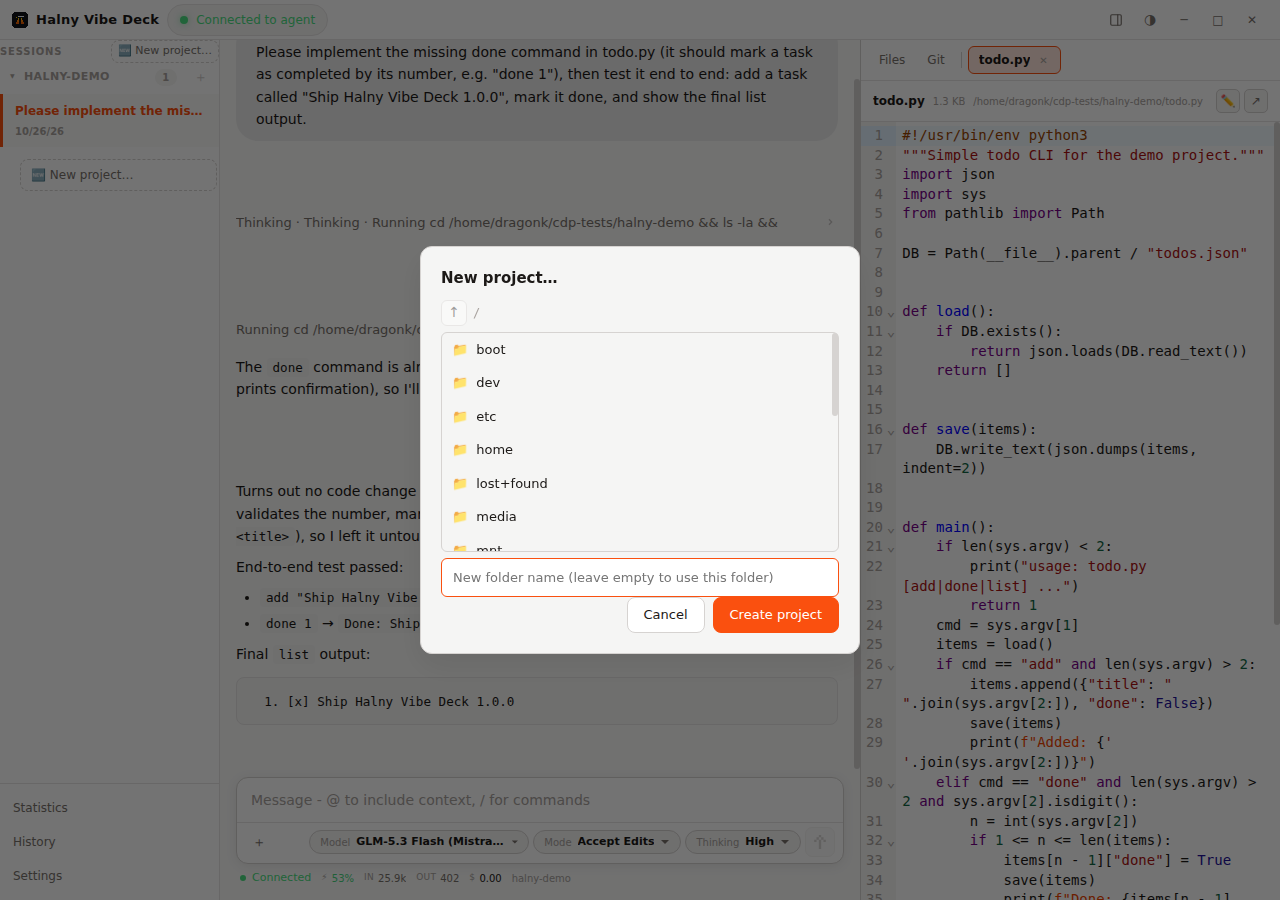
The sidebar groups sessions by working directory (project). Press + to start a new session — the picker lets you browse local folders, pick recent ones, or start on a remote SSH location. Each project keeps its own sessions; collapsed states are remembered.
- Clicking a session loads a preview (title, tokens, cost) instantly — without touching the agent
- Sending a prompt or choosing Reactivate performs a real resume: the session replays its full history and you continue where you left off
- Resume works after restarting the app, after the CLI updates, and for sessions months old (as long as the logs exist on disk)
Every session remembers its own model, mode and thinking level — switch between sessions and the chips in the input bar restore the right values. Custom agents and models from your CLI config appear in the pickers.
The status line shows live session metrics: context window usage, cache hit ratio, tokens/s and running cost (prices from your model config, including cached-input pricing).
- All sessions, newest first, with time filters (30/90/180 days/all)
- Search by title or full message content (the search scans session logs on disk)
- Hide sessions or whole projects (context menu) and restore them later from History — nothing is deleted from disk
- Click a historical session to reactivate it in the chat view
Prompts typed while the agent is working are queued and sent automatically; a send-now button lets you push them immediately.