This document provides a guide on how to modify our 2D game in Unity. We'll cover setting up the UI, adding music, implementing animations, and organizing C# scripts effectively.
- Canvas Setup:
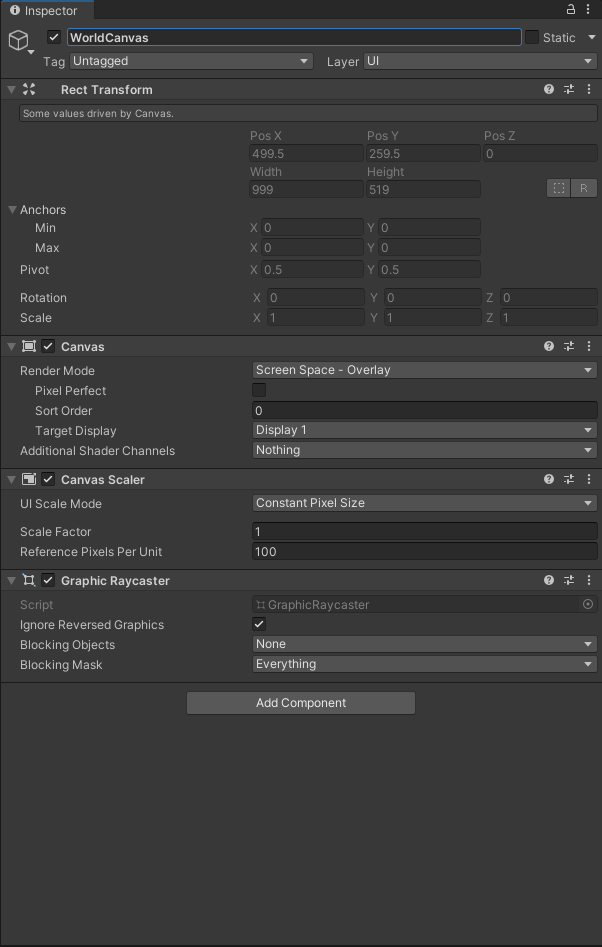
- Create a Canvas: Right-click in the Hierarchy > UI > Canvas.
- Adjust Canvas settings (e.g., Render Mode, Screen Space).
-
UI Elements:
- Add UI elements (buttons, text, images) to the Canvas.
- Customize their appearance and positioning using RectTransform.
-
Event Handling:
- Attach scripts to UI elements to handle events (e.g., button clicks).
- Use Unity's EventSystem for input management.
- Import Audio:
- Import audio files (e.g., .mp3, .wav) into your Unity project.
-
Audio Source:
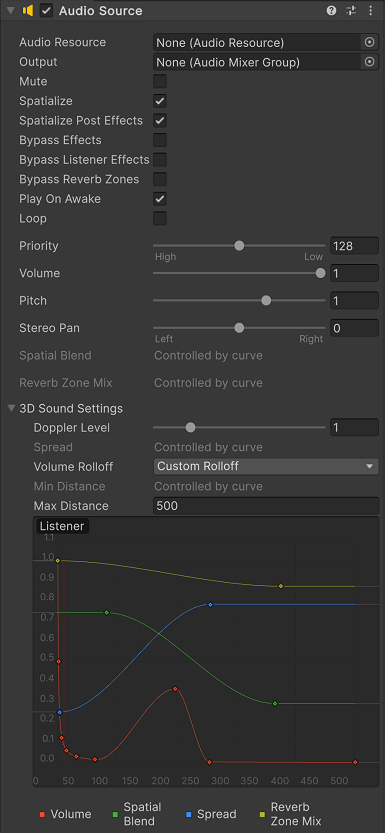
- Attach an AudioSource component to a GameObject in your scene.
- Assign the audio clip to the AudioSource.
-
Script Control:
- Use C# scripts to control when and how the music plays.
- Implement features like volume control and looping.
- Sprite Animation:
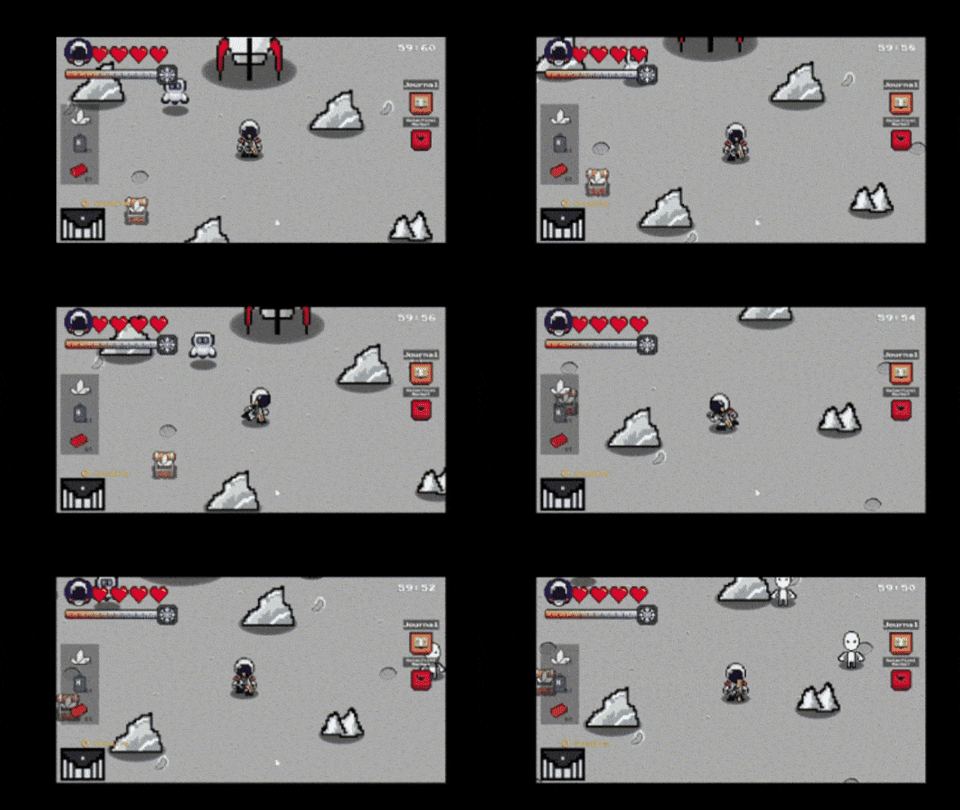
- Create sprite animations using Unity's Animation window.
- Use spritesheets or individual frames for animations.
-
Animator Controller:
- Set up Animator Controllers for characters or objects.
- Define animation states and transitions.
-
Scripted Animation:
- Control animations through scripts (e.g., triggering animations on specific events).
-
Script Organization:
- Create C# scripts for game logic and interactions.
- Organize scripts into folders based on functionality (e.g., Player, UI, GameLogic).
-
Player Movement Script:
public class PlayerMovement : MonoBehaviour
{
    public float speed = 5f;

    void Update()
    {
        float horizontalInput = Input.GetAxis("Horizontal");
        float verticalInput = Input.GetAxis("Vertical");

        Vector3 movement = new Vector3(horizontalInput, verticalInput, 0f) * speed * Time.deltaTime;
        transform.Translate(movement);
    }
}
To improve our game further, we plan to implement the following features:
- More Levels: Introduce new levels with increasing difficulty and diverse environments.
- Better Trade Options: Enhance the trading system with more items, better pricing algorithms, and varied trading partners.
- More Difficult Enemies: Add a variety of tougher enemies with unique abilities and behaviors.
- More Weapons: Expand the arsenal available to players, including unique and powerful weapons.
- More Items: Introduce new items for players to collect, use, and trade.
- More Exploration Options: Increase the exploration opportunities with new areas, hidden secrets, and interactive elements.