Releases: EaeDave/ai-usagebar
Release list
ai-usagebar tray for Windows v0.1.1-tray

Windows system-tray widget for ai-usagebar (Claude/GPT/GLM/OpenRouter/DeepSeek usage).
Download
ai-usagebar-tray-win-x64.zip — unzip and run ai-usagebar-tray.exe. Self-contained (no .NET install needed). Bundles the Rust backend (ai-usagebar.exe).
What's new in v0.1.1
- Config error/status messages from the bundled backend now show the resolved Windows config path (via
directories::ProjectDirs) instead of the hard-coded Unix~/.config/...; the(chmod 600)hint is Unix-only. - The bundle is now built and packaged by CI on a native
windows-latestrunner (previously a manual cross-compile), so each release is reproducible.
Setup
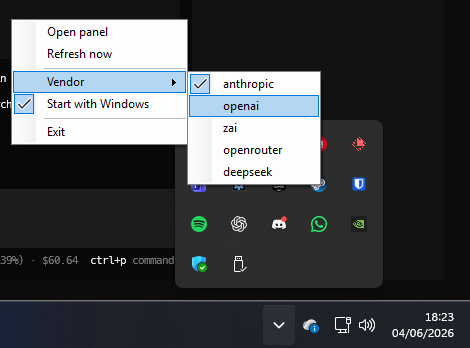
Populate credentials for at least one vendor, e.g. Anthropic at %USERPROFILE%\.claude\.credentials.json (run claude once), or OpenAI/Codex at %USERPROFILE%\.codex\auth.json (run codex login once), then launch the tray. Right-click the tray icon to pick a vendor.
Screenshots
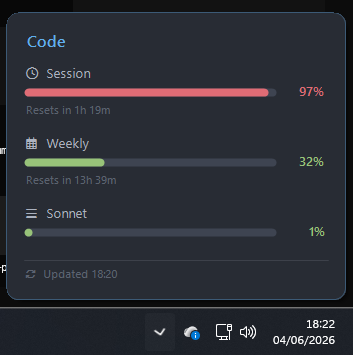
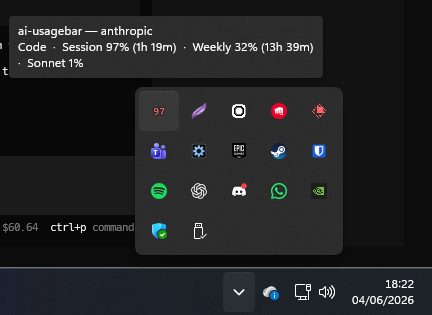
Tray icon shows the primary usage %, with a hover tooltip:
Right-click to switch vendor:
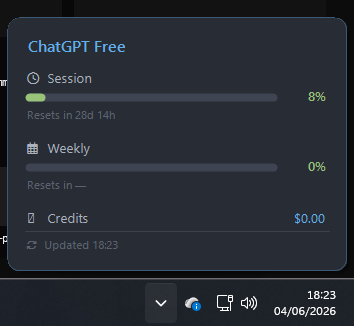
Per-vendor panels (here OpenAI / ChatGPT):
Notes
- Tray shows the primary usage %; left-click for the detail panel.
- Built natively on
windows-latest(Rustx86_64-pc-windows-msvc+ .NET 8 self-contained WinForms).
ai-usagebar tray for Windows v0.1.0

Windows system-tray widget for ai-usagebar (Claude/GPT/GLM/OpenRouter/DeepSeek usage).
Download
ai-usagebar-tray-win-x64.zip - unzip and run ai-usagebar-tray.exe. Self-contained (no .NET install needed). Bundles the Rust backend (ai-usagebar.exe).
Hotfix
- Rebuilt the bundle from
mainafter002c576. - Fixed a Windows tray issue where clicking Refresh now while OpenAI/Codex was still fetching could spawn a second backend process and show
openai: cache lock timeout after 45s. - Added a backend process timeout so a stuck
ai-usagebar.exechild process is cleaned up instead of leaving the tray inloading...indefinitely.
Setup
Populate credentials for at least one vendor, e.g. Anthropic at %USERPROFILE%\.claude\.credentials.json (run claude once), or OpenAI/Codex at %USERPROFILE%\.codex\auth.json (run codex login once), then launch the tray. Right-click the tray icon to pick a vendor.
Screenshots
Tray icon shows the primary usage %, with a hover tooltip:
Right-click to switch vendor:
Per-vendor panels (here OpenAI / ChatGPT):
Notes
- Binaries cross-compiled (Rust x86_64-pc-windows-gnu + .NET self-contained).
- Tray shows the primary usage %; left-click for the detail panel.