- Package Name:
barilyuk.mobilosignal - Minimum Android Version: Android 8 (Oreo)
- Supports Dual SIM Devices
- Completely Offline & Lightweight
💾 Download the Mobilosignal - Android Phone Signal Strength - APK file: https://github.com/Eb43/phonesignalstrength/releases
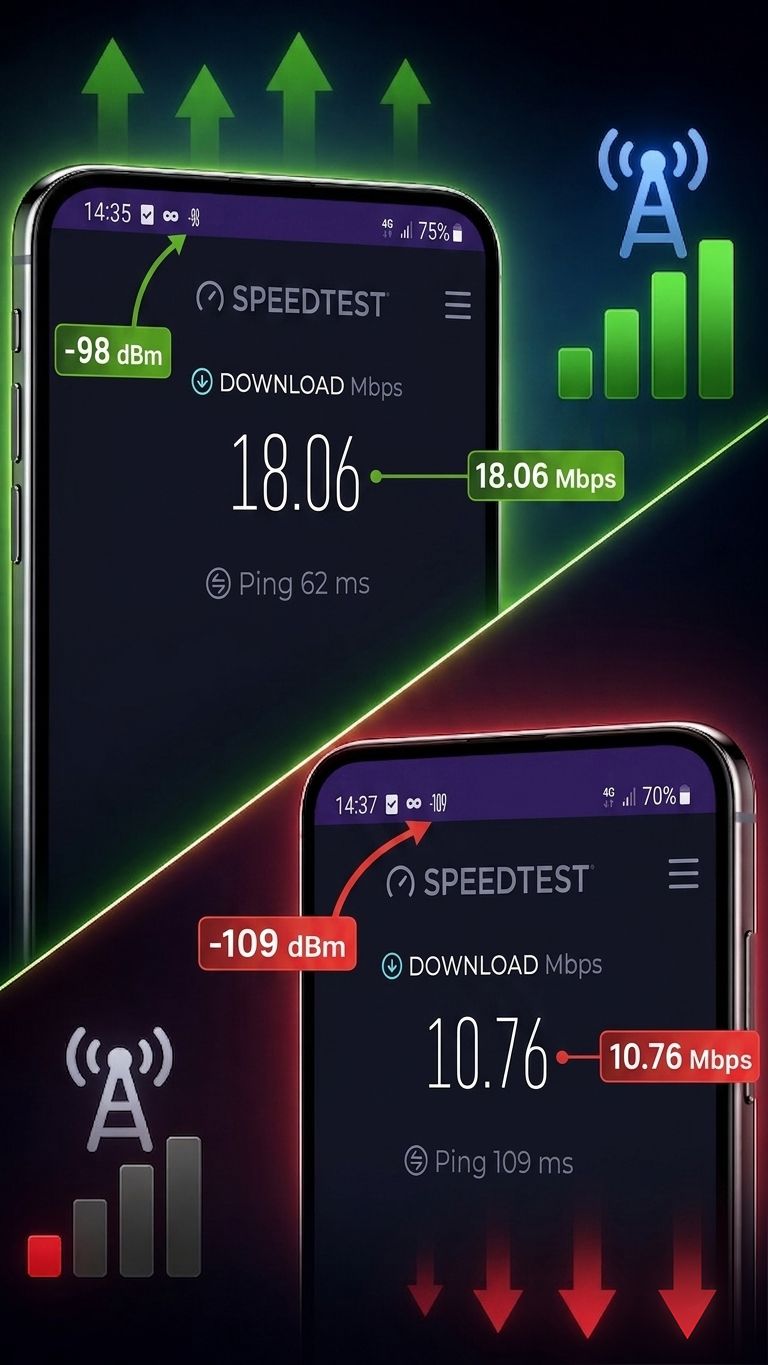
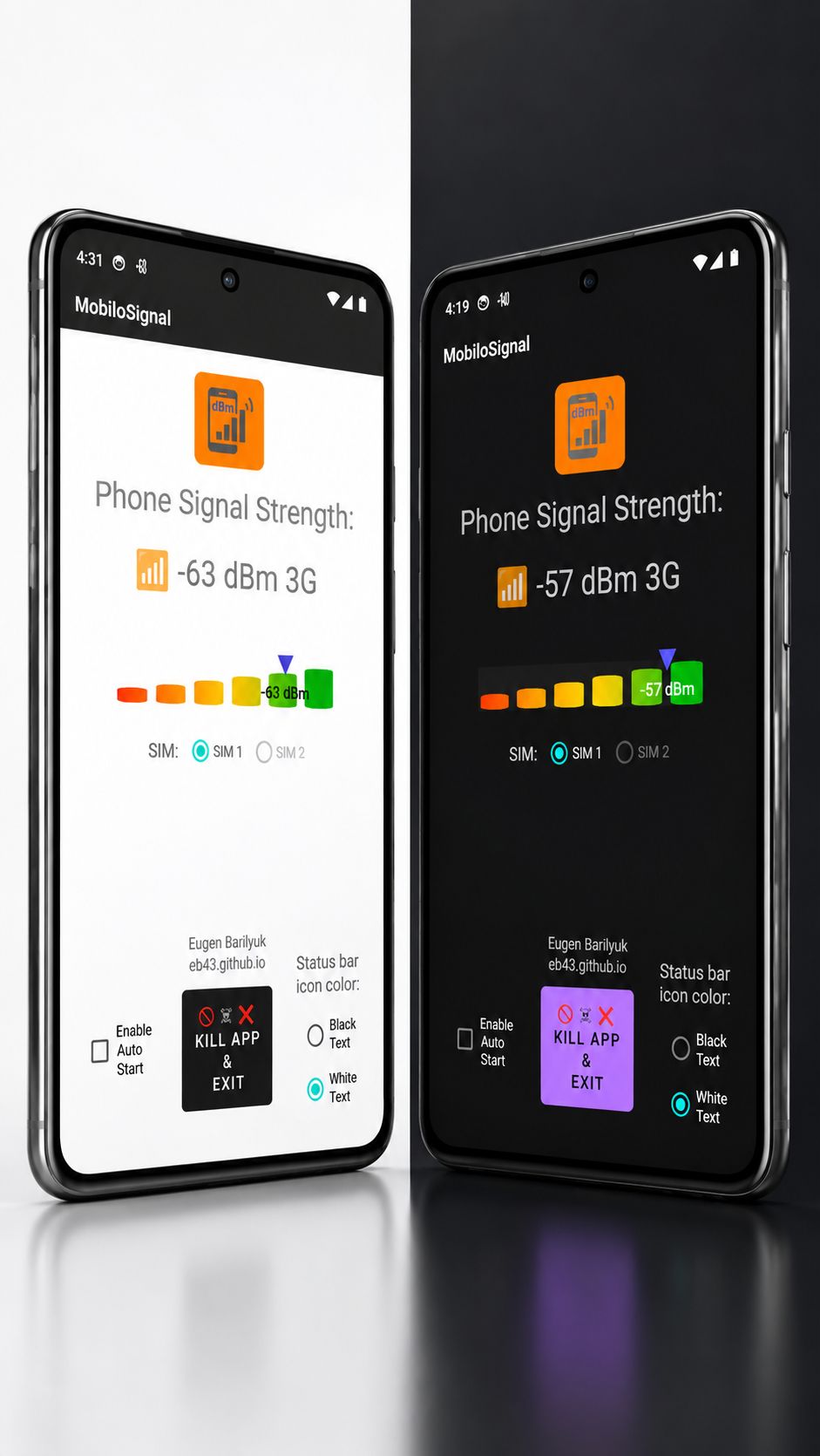
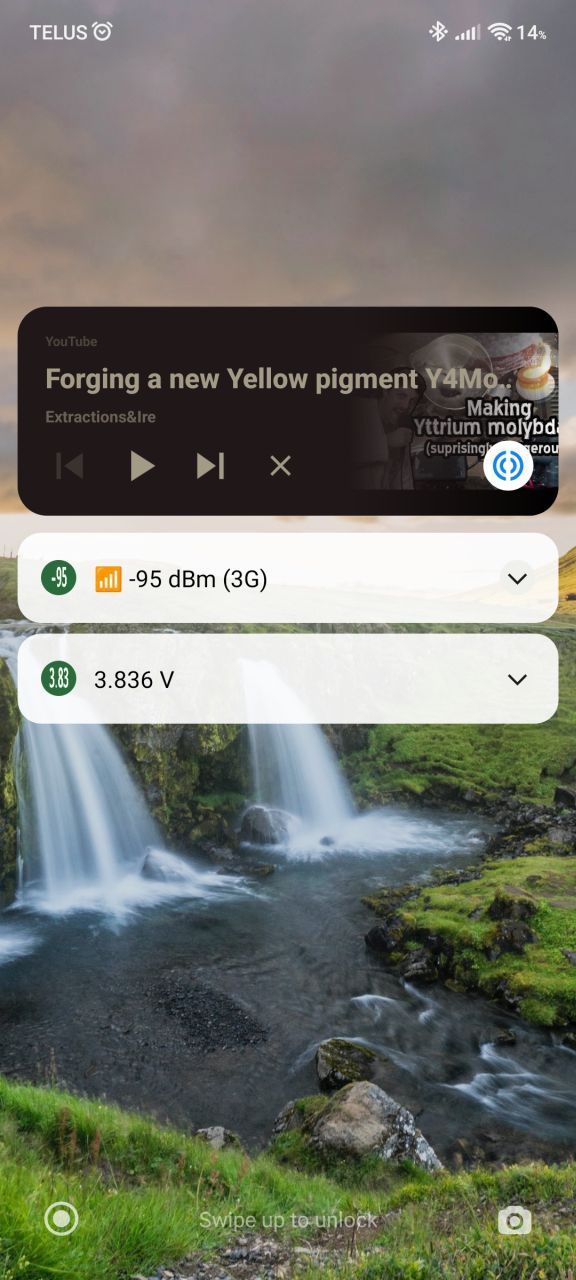
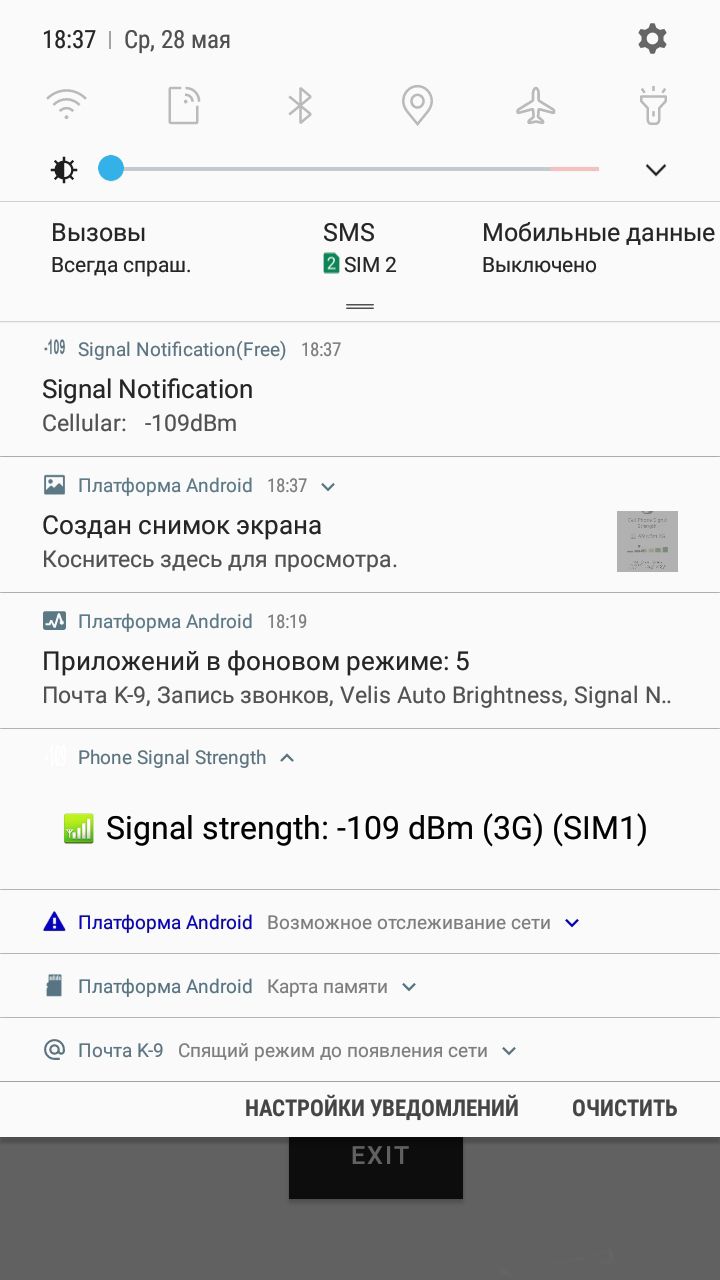
Cell Signal Strength is a simple yet powerful Android app designed to display real-time cellular signal strength in dBm (decibel-milliwatts) — the most accurate and reliable metric for evaluating mobile reception quality. The app visually and numerically represents signal strength and provides user-selectable SIM slot monitoring and status bar customization for maximum usability.
The user interface design allows for any non tech-profound person to understand the displayed value through visual graphic indicator of the signal strength level.
- The app uses the
TelephonyManagerAPI to access cell signal strength data, updated every second. - It runs a background
Service(SignalStrengthService.java) which collects and pushes updates to the UI. - On supported devices, it fetches signal strength separately for SIM 1 and SIM 2.
- The triangle marker on the gradient bar adjusts position according to the dBm value.
📞 Prevent call drops in weak areas
If signal falls below about -105 dBm, voice calls become unstable even if bars are still visible. Seeing this in advance lets you move a few steps before dialing instead of losing the call mid-conversation.

🎮 Avoid lag spikes during mobile gaming
Online games become unstable below roughly -95 dBm. Monitoring this lets you reposition before starting a match instead of dealing with unpredictable lag or disconnects.

🎥 Stable video uploads and streaming
Upload-heavy tasks such as live streaming or sending large videos require stronger signal, typically better than -90 dBm. dBm lets you confirm the connection is sufficient before starting.

🚗 Predict signal loss on daily routes
While commuting, you will notice exact dBm values where signal consistently drops below usable levels. This allows planning calls or downloads outside those zones instead of discovering the problem every day.

🏠 Choose the exact spot for hotspot usage
When using your phone as a hotspot, performance depends directly on signal strength. Moving from -105 dBm to -85 dBm can multiply speed several times. The app shows exactly where that improvement happens.

🔋 Explain sudden battery drain
If your phone sits at -110 dBm for long periods, it continuously boosts transmission power. This is a measurable cause of fast battery drain, not some mysterious background app.

🏢 Find the one place in a building that works
In offices, basements, or elevators, signal can change from -75 dBm to -115 dBm within a few meters. The app helps you locate the one usable spot instead of guessing or walking randomly.

📡 Verify signal improvement objectively exists
After installing a repeater or moving near a window, you can confirm improvement numerically, for example from -108 dBm to -82 dBm, instead of relying on subjective “feels better”.

📶 Decide when to switch to Wi-Fi
If cellular drops below about -100 dBm while Wi-Fi is available, switching avoids slow speeds and packet loss. The decision becomes data-driven instead of reactive.

🔄 Compare network conditions across time
Observe how signal varies during the day. Consistent drops at specific hours indicate tower congestion or load issues rather than physical coverage problems.

⚠ Identify false “full bars” situations
Some phones display high bars even at -95 dBm or worse. Seeing the real value prevents trusting misleading UI and explains why performance does not match what the screen suggests.

📶 Detect unstable signal before drops happen
Signal bars on Android are not standardized and are defined by device manufacturers and carrier configuration. As a result, visually “strong” signal may still correspond to borderline radio conditions (around -95 to -105 dBm). dBm reveals radio signal degradation in real time, allowing you to react before calls drop or data stalls.

⚠ Separate signal problems from network problems
Strong signal (e.g. -70 dBm) with poor internet performance indicates carrier-side congestion. Weak signal (e.g. below -105 dBm) indicates coverage limitations. This distinction prevents incorrect troubleshooting.
Mobilosignal turns your Android phone into a precise signal indicating tool, replacing unreliable signal bars with quantitative data about connectivity and network troubleshooting.
Cell Signal Strength — это простое, но мощное Android-приложение, предназначенное для отображения уровня сигнала сотовой сети в режиме реального времени в дБм (децибел-милливаттах) — самой точной и надежной метрике для оценки качества мобильной связи. Приложение отображает уровень сигнала как численно, так и визуально, а также позволяет пользователю выбирать SIM-карту и настраивать отображение значка в строке состояния для максимального удобства.
Интерфейс приложения разработан таким образом, чтобы любой пользователь, даже не обладающий техническими знаниями, мог легко понять отображаемое значение благодаря графическому индикатору уровня сигнала.
Cell Signal Strength é um aplicativo Android simples, mas poderoso, projetado para exibir a intensidade do sinal celular em tempo real em dBm (decibéis-miliwatts) — a métrica mais precisa e confiável para avaliar a qualidade do sinal móvel. O aplicativo representa o sinal tanto visualmente quanto numericamente, além de permitir ao usuário selecionar o slot do SIM e personalizar o ícone da barra de status para maior usabilidade.
A interface do usuário foi projetada para que qualquer pessoa, mesmo sem conhecimento técnico, possa entender facilmente o valor exibido através do indicador gráfico de intensidade do sinal.
Cell Signal Strength ist eine einfache, aber leistungsstarke Android-App, die die aktuelle Signalstärke des Mobilfunknetzes in dBm (Dezibel-Milliwatt) anzeigt — der genauesten und zuverlässigsten Maßeinheit zur Bewertung der Netzqualität. Die App stellt die Signalstärke sowohl visuell als auch numerisch dar und ermöglicht die Auswahl des SIM-Slots sowie die Anpassung des Statusleistensymbols für maximale Benutzerfreundlichkeit.
Das benutzerfreundliche Design der Oberfläche ermöglicht es auch technisch weniger versierten Personen, die angezeigten Werte dank der grafischen Signalstärkeanzeige leicht zu verstehen.
Cell Signal Strength es una aplicación Android simple pero potente, diseñada para mostrar en tiempo real la intensidad de la señal celular en dBm (decibelios-miliwatts), la métrica más precisa y confiable para evaluar la calidad de la recepción móvil. La app representa la señal de manera visual y numérica, y permite al usuario seleccionar la ranura SIM y personalizar el icono en la barra de estado para una mayor usabilidad.
La interfaz de usuario está diseñada para que cualquier persona, incluso sin conocimientos técnicos, pueda comprender fácilmente el valor mostrado mediante el indicador gráfico del nivel de señal.
Cell Signal Strength 是一款简单但功能强大的 Android 应用程序,用于实时显示蜂窝信号强度,单位为 dBm(分贝毫瓦)——这是评估移动信号质量最准确、最可靠的指标。该应用程序以图形和数值的形式展示信号强度,并提供用户可选择的 SIM 卡槽监控和状态栏图标自定义功能,以实现最大的可用性。
用户界面设计直观,即使是非技术人员也能通过图形化的信号强度指示器轻松理解显示的数值。