Repository navigation
Releases: Elias-Mathisen/feather
Release list
Feather 0.10.5

New iPhone Settings · Version shown on iPhone
View full patch notes: https://feathernotes.app/whats-new
Feather 0.10.4
Calendar · Google, Outlook and iCloud calendars · Smoother task dragging · New date picker
View full patch notes: https://feathernotes.app/whats-new
Feather 0.10.3
Record bar on iPhone · Feather Cloud tab · New tooltips · Lighter syncing
View full patch notes: https://feathernotes.app/whats-new
0.10.2
Record button · More pens · Colour picker · Quick capture from the tray
View full patch notes: https://feathernotes.app/whats-new
0.10.1: Updates that don't give up
Updates that retry · Shorter update notes
View full patch notes: https://feathernotes.app/whats-new
0.10.0: Listen, write by hand, and get things done
Listen, write by hand, and get things done
Feather 0.10 is the biggest update yet. It listens to lectures and meetings and turns them into notes, in any language. You can write by hand with an Apple Pencil, plan your tasks on a board, and pick a theme. There's a formatting toolbar for people who'd rather click than type Markdown. Your notes are still plain files, exactly where you left them.
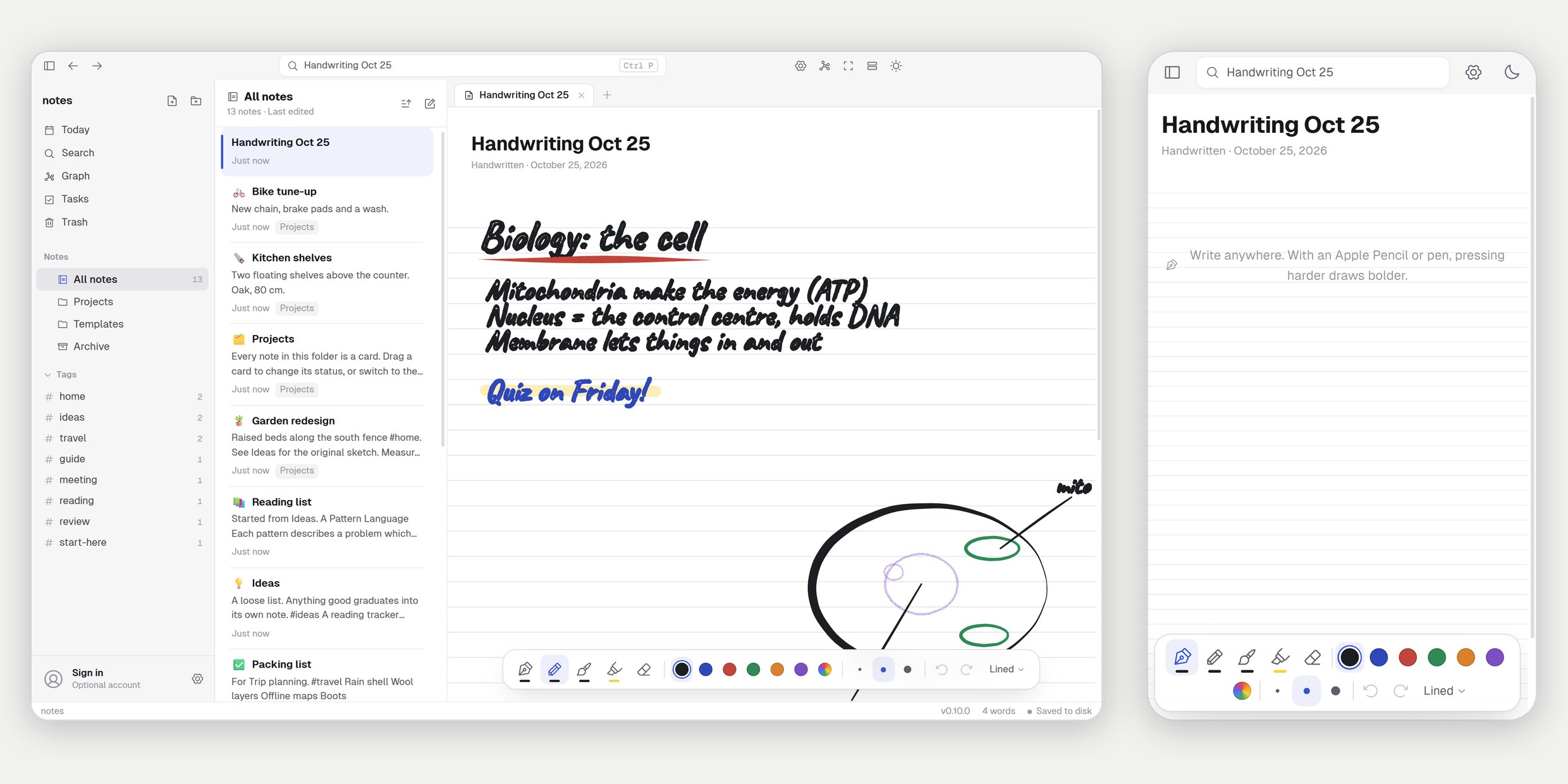
Listen
- One tap to record. Start it from the New tab or the command palette. A slim bar shows a live waveform, the time and the latest words; click them to see the whole transcript.
- Any language. Feather works out which of 99 languages is being spoken as it goes, even when it changes halfway, and writes each one down as it's said.
- On your device. The sound is transcribed on this computer or phone and never leaves it. On a computer with a graphics card it keeps up live. The speech model downloads once, the first time.
- Smart notes. Signed in to a free Feather account, the transcript (never the audio) is turned into notes when you stop. Feather works out whether it was a lecture, a meeting or a voice memo and writes a summary, key points, decisions, and to-dos with due dates, plus tables where they help. Offline? The note is saved now and finished when you're back.
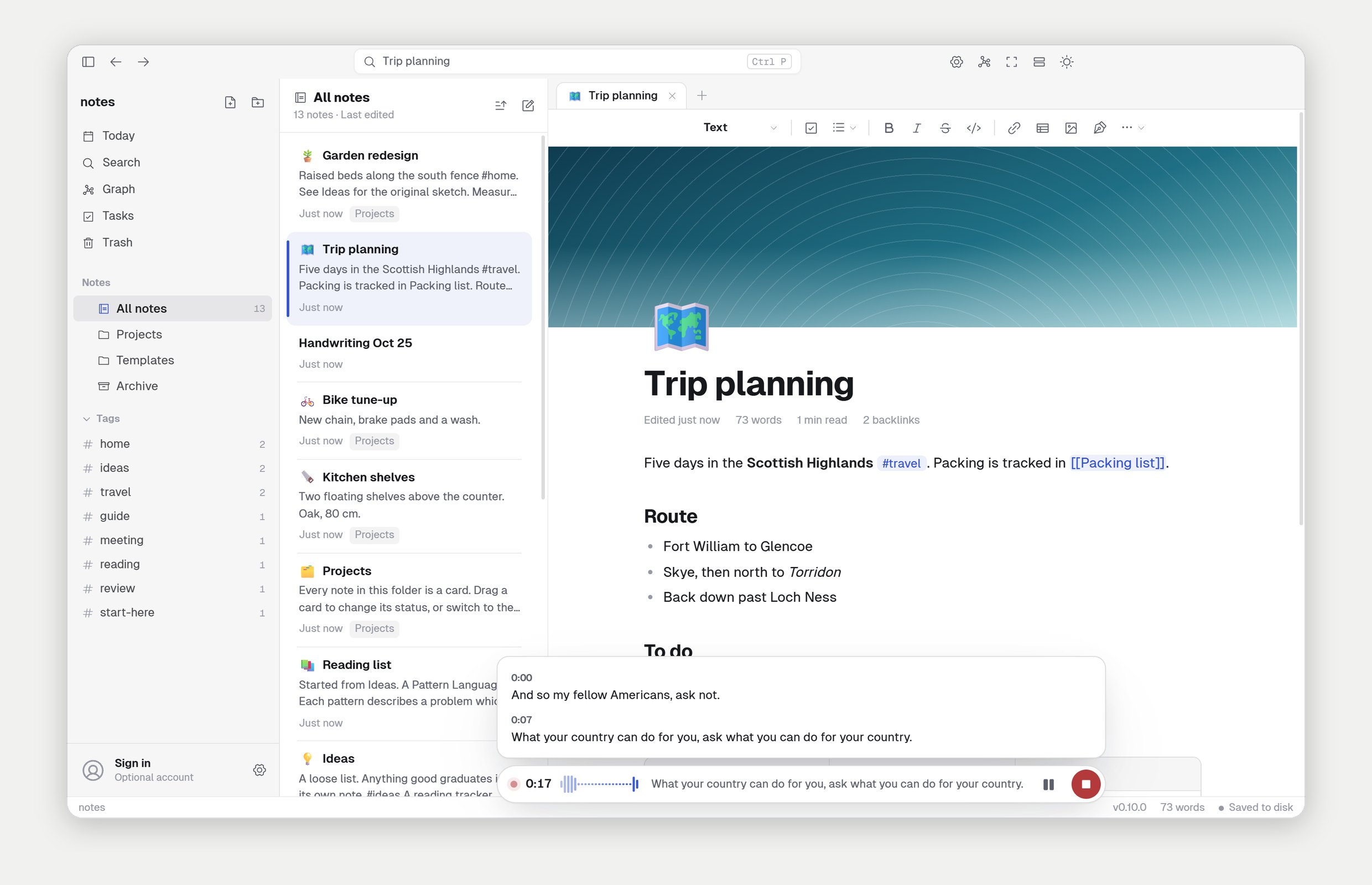
Handwritten notes
A handwritten note is the whole page, like a notebook. Pick Handwriting on the New tab.
- Pen, pencil, brush and highlighter. They feel how hard you press with an Apple Pencil or any pen. The highlighter goes under the ink.
- Any colour, three widths, an eraser (the pen's eraser end works too), undo and redo.
- Lined, grid, dotted or blank paper, switched in the palette. The page grows as you write.
- With a pen, only the pen draws: your finger scrolls and a resting palm is ignored.
Tasks
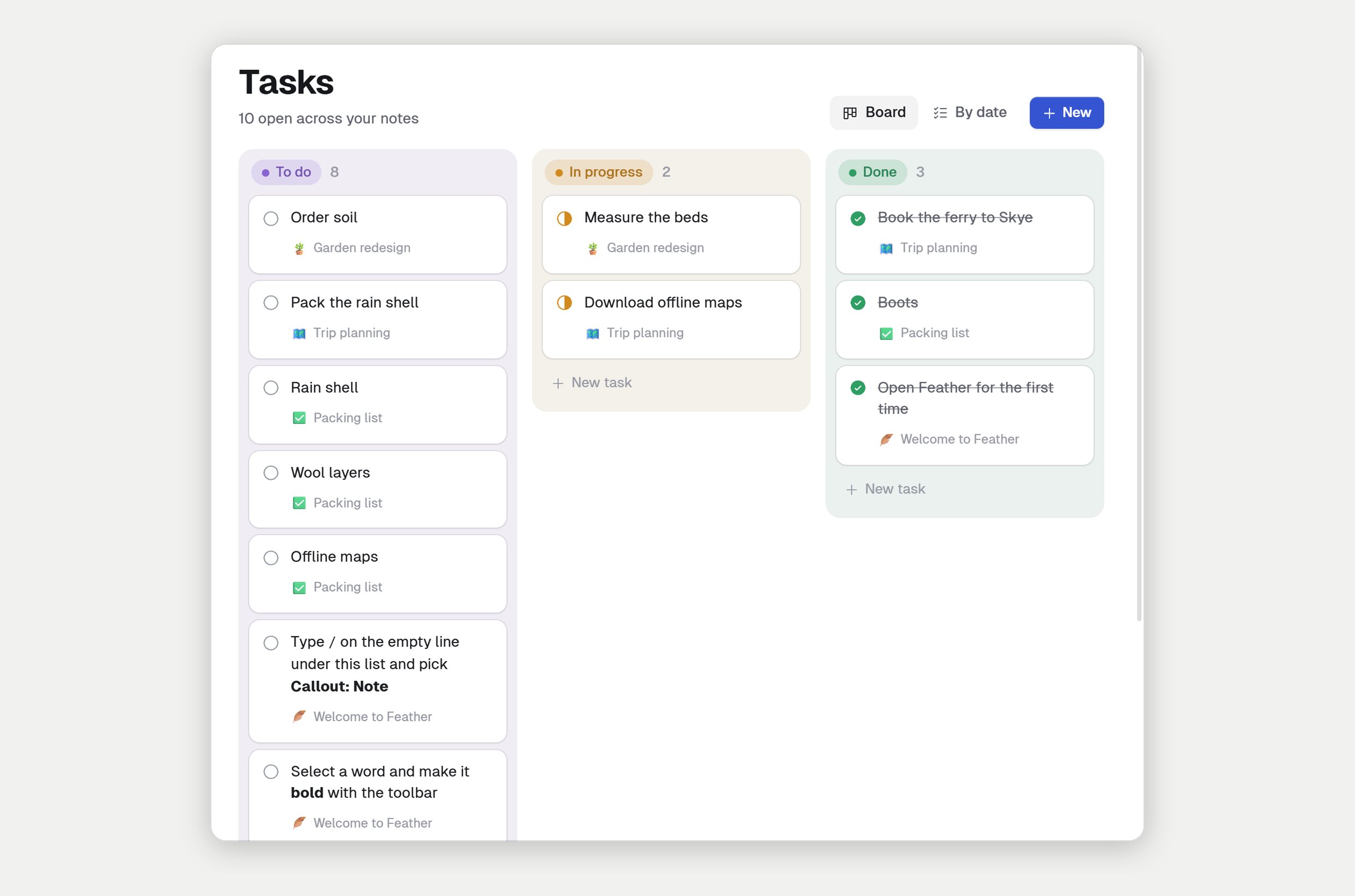
- Every to-do in every note, in one place. See them on a board (To do, In progress, Done) or by when they're due.
- Move a card by dragging it, or with its status button. Add a task right on the board.
- Due dates and reminders. Give a task a date or a reminder, and Feather tells you when it's time, on your computer and your iPhone. Dates are written into the note the way other Markdown apps write them, so they travel with your notes.
Themes
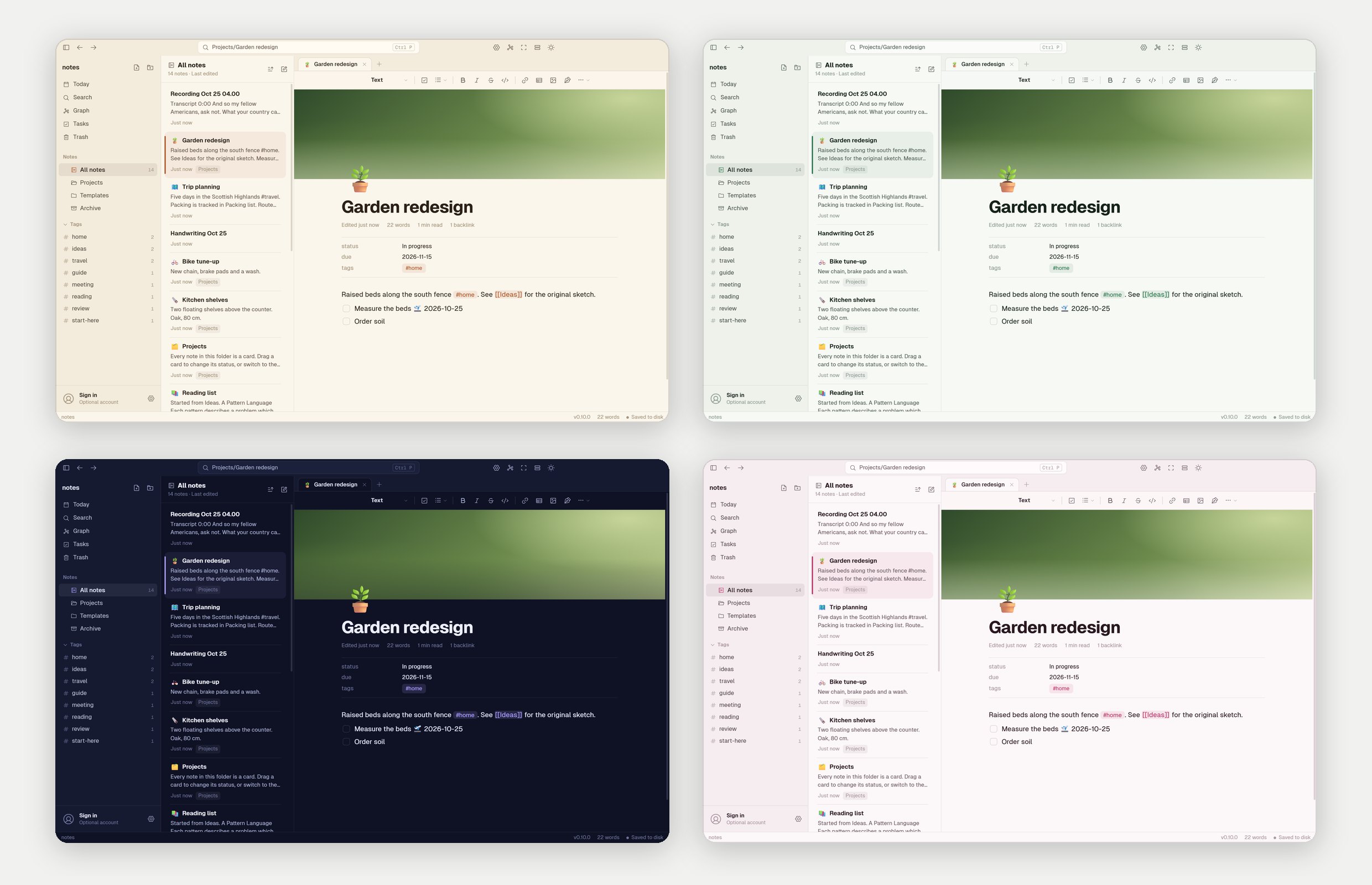
Six themes made by us in Settings → Themes: Sepia, Forest, Fjord, Midnight, Rose and Graphite, each in light and dark. Get one in a click. A theme only changes colours.
A formatting toolbar
Buttons along the top of every note for headings, to-dos, lists, bold, italic, links, tables, pictures and handwriting. Markdown and / work just as before. You can turn it off in Settings → General.
Also new
- Pin, Archive and Trash. Pin notes to the top, archive what's done, and get back anything you deleted for 30 days.
- Import from a Markdown folder, Notion, Evernote, or Apple Notes on a Mac.
- Locked notes. Lock a note with a password. It's encrypted on disk, and nobody can open it without the password, not even Feather.
- Export as PDF, or print a note, pictures and all.
Faster and fixed
- Typing stays quick in very long notes: about 320 ms a key before, 50 to 85 ms now.
- Device sync no longer makes duplicate conflict copies, and doesn't lose an edit made in the middle of a sync.
Read more on feathernotes.app/whats-new. Already have Feather? It updates itself.
0.9.0: Huge Visual Rework!
Huge Visual Rework!
Feather has a new look: white pages, cleaner type and calmer controls. There's a note list with a preview and photo for every note, a brand-new New tab, and the same design on iPhone. Your notes are still plain files, exactly where you left them.
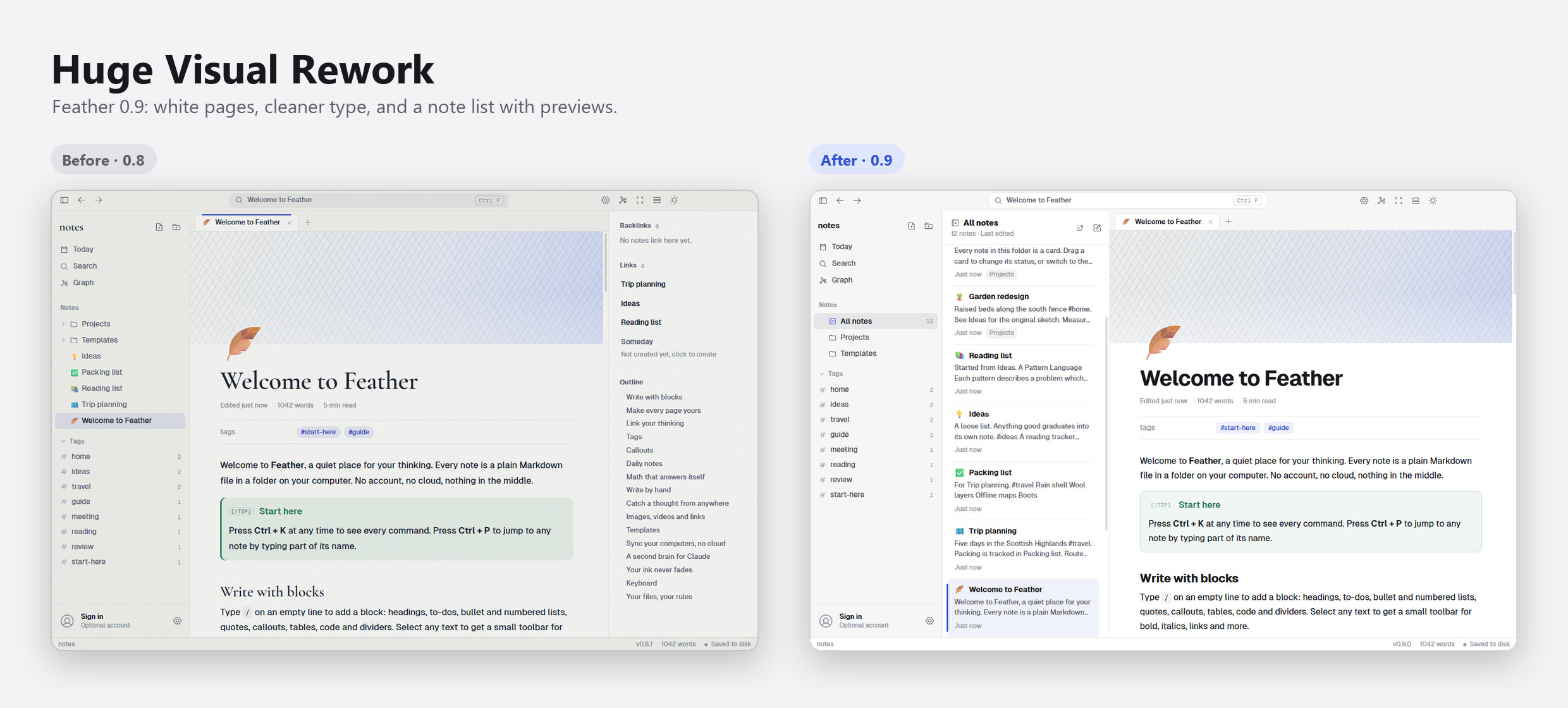
A cleaner look
- White pages, soft grey edges. The note is the brightest thing on screen; the sidebar, tabs and toolbar step back.
- Cleaner type. Titles and headings in a crisp, bold sans, easy to scan at any size.
- Calmer controls. Squared-off buttons, a white floating toolbar for formatting, softer callouts and tags.
- Light and Dark. Both themes were redone, and now go by those names.
- Covers, note icons and your own pictures stay just as they were.
A note list with previews
A new column beside the sidebar shows your notes as cards: the title, a couple of lines of what it says, its first photo and when you last changed it. Pick All notes, a folder or a tag in the sidebar to fill it, and sort by last edited or by name. Prefer the old folder tree? Turn it off in Settings → General → Note list.
A new New tab
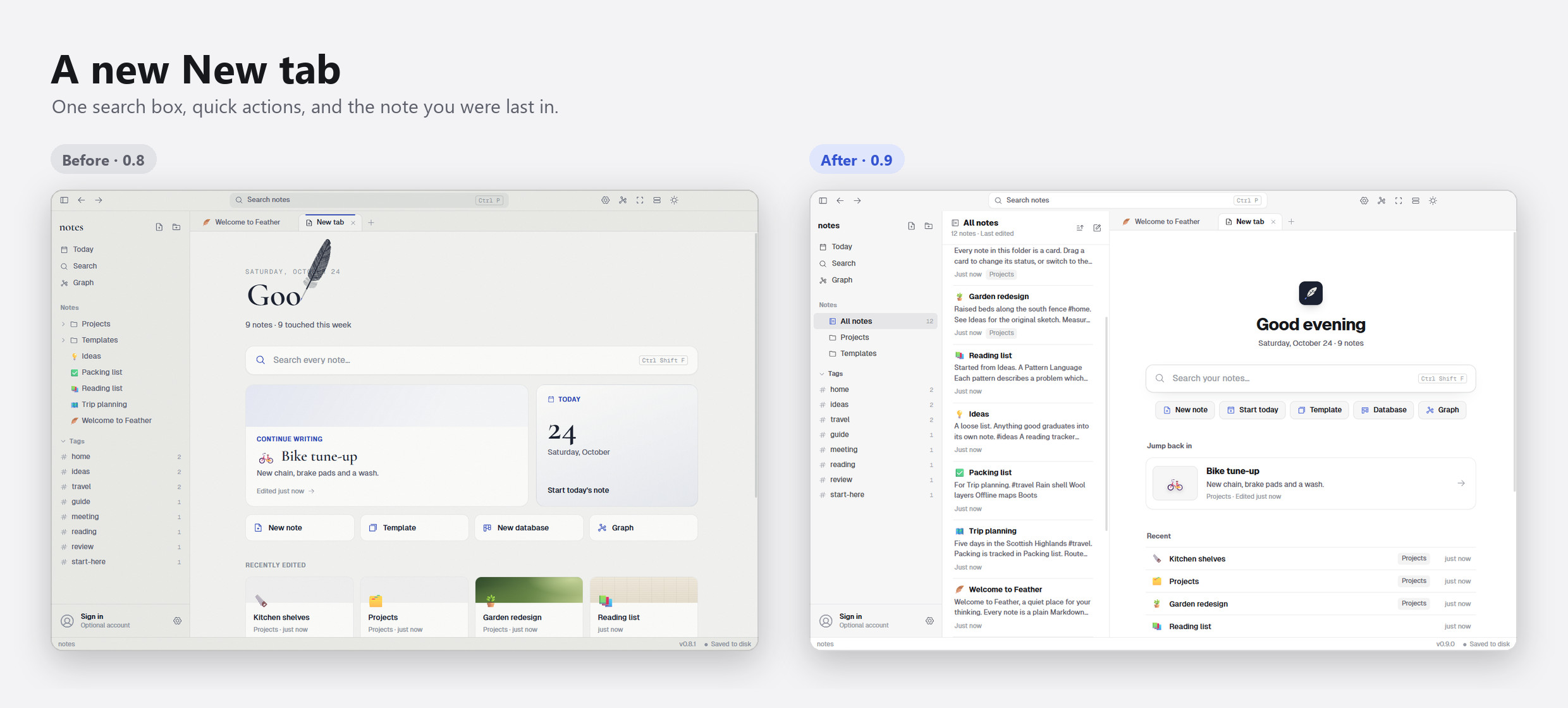
One search box, quick ways to start (today's note shows how many tasks are open), the note you were last in, and a short list of recent notes and tags.
On iPhone too
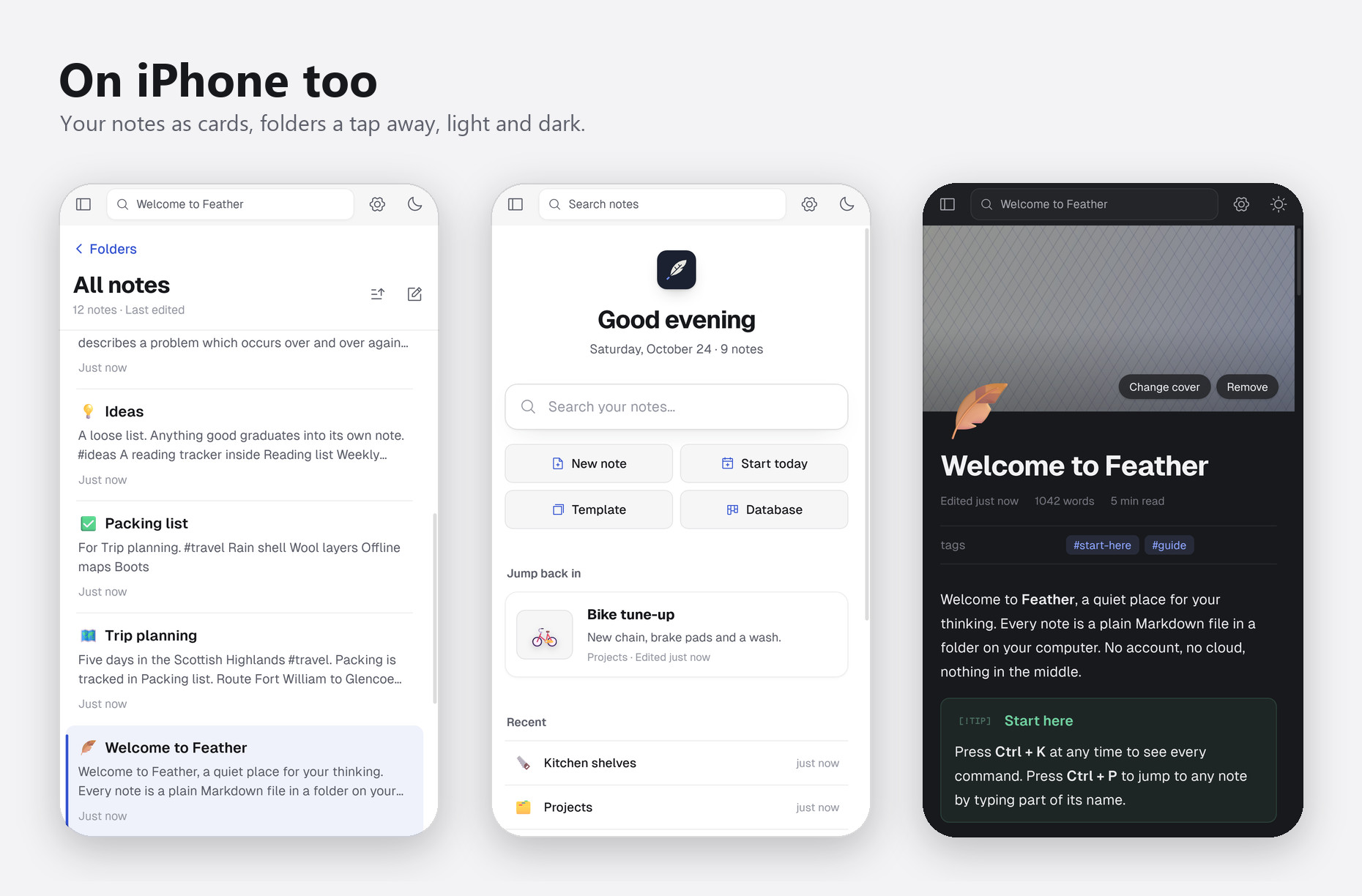
The iPhone app gets the same look. Your notes open as a list of cards, and Folders is one tap away. Long-press a card for its menu.
Also new
- Plugins from a list. Feather's own plugins install in a click from Settings → Plugins: Claude MCP, Find by meaning, Inline math and Device sync. Only plugins made and checked by us.
- Lighter photos. Big photos are made smaller as you add them (at most 2560 px, high-quality JPEG), so notes load fast and take little space. Screenshots stay sharp, and you can turn it off in Settings.
- Feather Cloud is coming. End-to-end encrypted sync on every device. It shows as Coming soon in Plugins and switches on by itself when it opens.
Fixes
- The update notice's icon no longer covers its title.
Read more on feathernotes.app/whats-new. Already have Feather? It updates itself.