Skip to content

Remove onboarding progress bar - #97590

Draft
MelvinBot wants to merge 2 commits into
mainfrom
claude-removeOnboardingProgressBar
Draft

Remove onboarding progress bar#97590
MelvinBot wants to merge 2 commits into
mainfrom
claude-removeOnboardingProgressBar

Conversation

@MelvinBot

Copy link
Copy Markdown
Contributor

Explanation of Change

Per the design decision in the linked issue, we are removing the onboarding progress bar entirely (rather than trying to make the color-only bar pass WCAG 1.4.1). This removes the visual bar and all of its dedicated plumbing:

  • HeaderWithBackButton: removed the progressBarPercentage prop, the progress-bar branch in middleContent, the associated role="progressbar" markup, and the pl0 container style that only applied when the bar was shown.
  • src/styles/index.ts: removed the now-unused headerProgressBarContainer / headerProgressBar / headerProgressBarFill styles.
  • getOnboardingStepCounter: dropped progressBarPercentage from OnboardingStepResult and the two return sites (plus the now-unused maxSuffixLength / maxPrivateSuffixLength helpers used only for that calculation). The step calculator still returns stepCounter, which onboarding back-navigation and isEmployeesFirstStep continue to rely on.
  • Onboarding pages: stopped passing progressBarPercentage/stepCounter to the header so no progress indicator is shown, and removed the useOnboardingStepCounter hook where it became unused (kept in BaseOnboardingEmployees, which still needs it for isEmployeesFirstStep).
  • Removed the now-dead common.progressBarLabel translation key from all locales and the ProgressBar Storybook story.

Scope note for reviewers / @Expensify/design: I interpreted "remove the progress bar entirely" as showing no progress indicator in onboarding (neither the bar nor a "Step X of X" subtitle). If you'd instead prefer to surface the accessible "Step X of X" text in place of the bar, that's a small follow-up — let me know. The generic stepCounter prop on HeaderWithBackButton is untouched and still used by the Two-Factor Auth flow.

⚠️ Local AI tests (lint/typecheck/jest/prettier/storybook/translations/react-compiler) could not be run in this environment — it had no node_modules and dependency installation wasn't permitted in this run. Please rely on CI to validate, and I'll address any failures.

Fixed Issues

$ #77334
PROPOSAL:

Tests

  1. Sign in with a new account to trigger the onboarding flow.
  2. Step through the onboarding screens (purpose, personal details, workspaces, employees, etc.).
  3. Verify no progress bar (the grey/green bar) is shown in the header on any onboarding screen.
  4. Verify the back button and onboarding navigation still work correctly across the flow.
  5. Verify the Two-Factor Auth setup flow (Settings → Security → Two-factor authentication) still shows its "Step X of X" header.
  • Verify that no errors appear in the JS console

Offline tests

Same as tests.

QA Steps

// TODO: These must be filled out, or the issue title must include "[No QA]."

  • Verify that no errors appear in the JS console

PR Author Checklist

  • I linked the correct issue in the ### Fixed Issues section above
  • I wrote clear testing steps that cover the changes made in this PR
    • I added steps for local testing in the Tests section
    • I added steps for the expected offline behavior in the Offline steps section
    • I added steps for Staging and/or Production testing in the QA steps section
    • I added steps to cover failure scenarios (i.e. verify an input displays the correct error message if the entered data is not correct)
    • I turned off my network connection and tested it while offline to ensure it matches the expected behavior (i.e. verify the default avatar icon is displayed if app is offline)
    • I tested this PR with a High Traffic account against the staging or production API to ensure there are no regressions (e.g. long loading states that impact usability).
  • I included screenshots or videos for tests on all platforms
  • I ran the tests on all platforms & verified they passed on:
    • Android: Native
    • Android: mWeb Chrome
    • iOS: Native
    • iOS: mWeb Safari
    • MacOS: Chrome / Safari
  • I verified there are no console errors (if there's a console error not related to the PR, report it or open an issue for it to be fixed)
  • I followed proper code patterns (see Reviewing the code)
    • I verified that comments were added to code that is not self explanatory
    • I verified that any new or modified comments were clear, correct English, and explained "why" the code was doing something instead of only explaining "what" the code was doing.
    • I verified any copy / text that was added to the app is grammatically correct in English. It adheres to proper capitalization guidelines (note: only the first word of header/labels should be capitalized), and is either coming verbatim from figma or has been approved by marketing (in order to get marketing approval, ask the Bug Zero team member to add the Waiting for copy label to the issue)
  • If a new code pattern is added I verified it was agreed to be used by multiple Expensify engineers
  • I followed the guidelines as stated in the Review Guidelines
  • I tested other components that can be impacted by my changes (i.e. if the PR modifies a shared library or component like Avatar, I verified the components using Avatar are working as expected)
  • If a new CSS style is added I verified that:
    • A similar style doesn't already exist
    • The style can't be created with an existing StyleUtils function (i.e. StyleUtils.getBackgroundAndBorderStyle(theme.componentBG))
  • If new assets were added or existing ones were modified, I verified that:
    • The assets are optimized and compressed (for SVG files, run npm run compress-svg)
    • The assets load correctly across all supported platforms.
  • If the PR modifies code that runs when editing or sending messages, I tested and verified there is no unexpected behavior for all supported markdown - URLs, single line code, code blocks, quotes, headings, bold, strikethrough, and italic.
  • If the PR modifies a generic component, I tested and verified that those changes do not break usages of that component in the rest of the App (i.e. if a shared library or component like Avatar is modified, I verified that Avatar is working as expected in all cases)
  • If the PR modifies a component related to any of the existing Storybook stories, I tested and verified all stories for that component are still working as expected.
  • If the PR modifies a component or page that can be accessed by a direct deeplink, I verified that the code functions as expected when the deeplink is used - from a logged in and logged out account.
  • If the PR modifies the UI (e.g. new buttons, new UI components, changing the padding/spacing/sizing, moving components, etc) or modifies the form input styles:
    • I verified that all the inputs inside a form are aligned with each other.
    • I added Design label and/or tagged @Expensify/design so the design team can review the changes.
  • I added unit tests for any new feature or bug fix in this PR to help automatically prevent regressions in this user flow.
  • If the main branch was merged into this PR after a review, I tested again and verified the outcome was still expected according to the Test steps.

Screenshots/Videos

Android: Native
Android: mWeb Chrome
iOS: Native
iOS: mWeb Safari
MacOS: Chrome / Safari

Co-authored-by: Rushat Gabhane <rushatgabhane@users.noreply.github.com>
@codecov

codecov Bot commented Jul 31, 2026

Copy link
Copy Markdown

Codecov Report

❌ Looks like you've decreased code coverage for some files. Please write tests to increase, or at least maintain, the existing level of code coverage. See our documentation here for how to interpret this table.

Files with missing lines Coverage Δ
src/components/HeaderWithBackButton/index.tsx 87.91% <ø> (-1.31%) ⬇️
src/libs/getOnboardingStepCounter.ts 95.23% <ø> (-0.29%) ⬇️
.../OnboardingAccounting/BaseOnboardingAccounting.tsx 95.31% <ø> (-0.21%) ⬇️
...es/OnboardingEmployees/BaseOnboardingEmployees.tsx 91.66% <ø> (-0.27%) ⬇️
...estedFeatures/BaseOnboardingInterestedFeatures.tsx 98.59% <ø> (-0.06%) ⬇️
...gPersonalDetails/BaseOnboardingPersonalDetails.tsx 88.17% <ø> (-0.37%) ⬇️
...sonalTrackGoal/BaseOnboardingPersonalTrackGoal.tsx 95.83% <ø> (-0.33%) ⬇️
...rdingPrivateDomain/BaseOnboardingPrivateDomain.tsx 50.70% <ø> (+0.70%) ⬆️
.../pages/OnboardingPurpose/BaseOnboardingPurpose.tsx 91.54% <ø> (-0.35%) ⬇️
...es/OnboardingWorkEmail/BaseOnboardingWorkEmail.tsx 84.81% <ø> (-0.56%) ⬇️
... and 4 more
... and 9 files with indirect coverage changes

@MelvinBot

Copy link
Copy Markdown
Contributor Author

The only failing check is PR Author Checklist / checklist, and there's no code fix to push for it.

It fails for one reason: PR Author Checklist is not completely filled out. Please check every box to verify you've thought about the item. That's a manual step for the PR author — I won't tick those boxes on your behalf, since they're an attestation that a person reviewed each item (testing on all platforms, screenshots/videos, etc.). Once you complete the checklist in the PR description, this check will pass on the next run.

Good news on the part the PR body flagged as untested: all the automated checks that couldn't be run locally have now passed in CItypecheck, all 8 test jobs, Storybook tests, ESLint check, Oxfmt, React Compiler Compliance, generateTranslations, Check for unused styles, and the perf tests. So the code changes are clean; nothing needs fixing there.

Next step: fill out the PR Author Checklist (and the Tests/QA Steps sections) in the description, then re-run the checklist check.

@rushatgabhane

Copy link
Copy Markdown
Member

@MelvinBot merge main and show web screenshot please

@MelvinBot

Copy link
Copy Markdown
Contributor Author

Looked into the failing checks — every real CI check is green (tests, typecheck, ESLint, Storybook, translations, perf, builds, etc.). The one red check is PR Author Checklist / checklist, which isn't a code or CI failure I can push a fix for.

That check fails only because the checkbox items in the PR Author Checklist section of the description haven't been ticked yet (and the QA Steps still have the // TODO placeholder). Those are human sign-off items — I can't complete them on your behalf.

To make it pass:

  1. Fill out the QA Steps section (or add [No QA] to the PR title if none apply).
  2. Tick the boxes in the PR Author Checklist as you complete them.

Once the checklist is filled out, this check will re-run and pass. Nothing in the code needs changing.

…ngProgressBar

Co-authored-by: Rushat Gabhane <rushatgabhane@users.noreply.github.com>
@MelvinBot

Copy link
Copy Markdown
Contributor Author

✅ Merged main into claude-removeOnboardingProgressBar (merge commit 1f38114, no conflicts) and pushed.

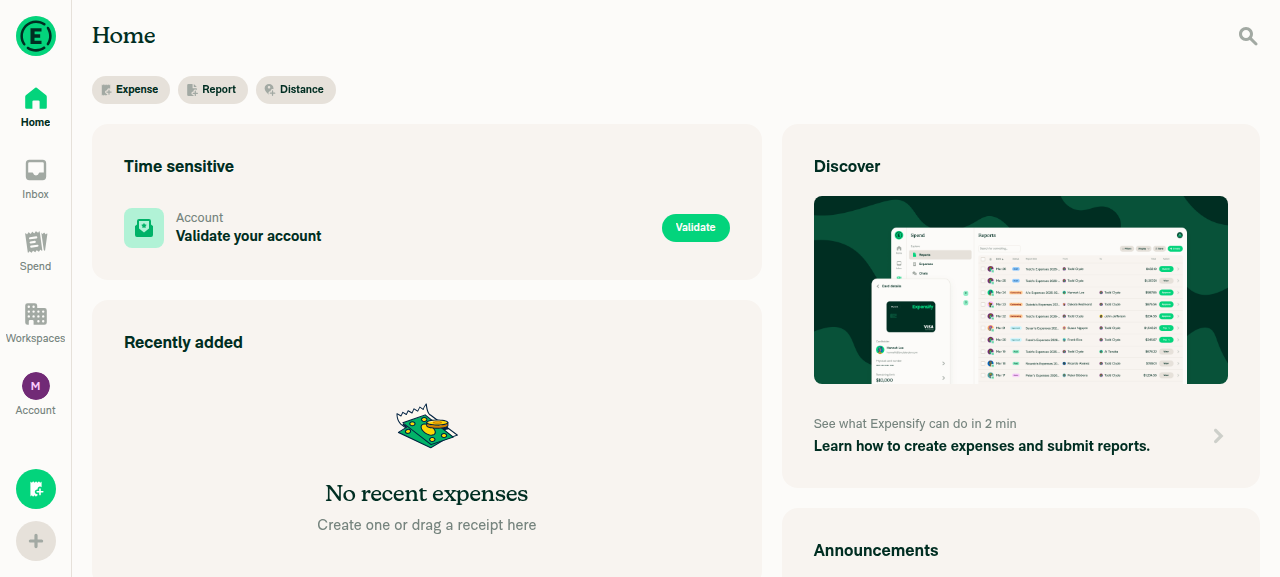
Web screenshot: The onboarding flow isn't reachable in this test session — CI signs in with SKIP_ONBOARDING=true, so the account lands straight on Home and never enters the onboarding wizard where this PR's change lives. I captured the current app state instead; the header shows no progress bar, but this is not a direct verification of the onboarding header change. To see the progress bar's absence in onboarding, it needs to be tested manually with a fresh account (Test step 1: "Sign in with a new account to trigger the onboarding flow").

Home screen after signing in — header has no progress bar (onboarding is skipped for this CI test account)

Home screen after signing in — header has no progress bar

Sign up for free to join this conversation on GitHub. Already have an account? Sign in to comment

Labels

None yet

Projects

None yet

Development

Successfully merging this pull request may close these issues.

2 participants