Tab_Keyenter
Keyenter script.
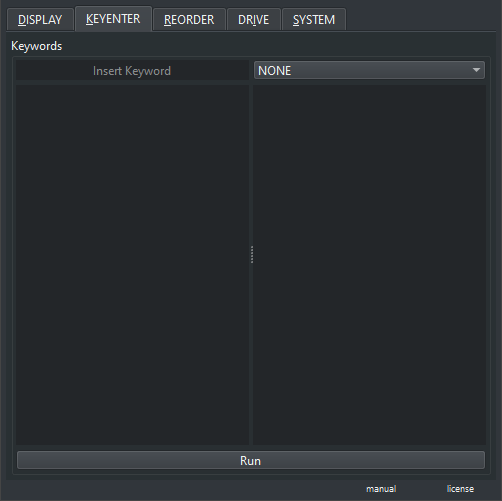
- Insert Keyword : Write keywords to validate them into the list ( spaces will split the strings )
- List Keywords : List of validated keywords ( also used for search auto complete )
-
RMB : Context menu
- Construct from Folder : Add keywords to the list from image files in the directory ( Preview, Grid )
- Remove Selected : Remove highlighted keywords from the list
- Clear List : Clear the entire list
-
Key Mode : Keyword mode
- None : No effect
- Key_Add : Adds a set of keywords with no repetition
- Key_Remove : Removes a set of keywords
- Key_Replace : Replaces all keywords with a new set of keywords
- Key_Clean : Cleans all keywords
- List Files : List of image files to modify
-
RMB : Context menu
- Add Files : Add files to the list
- Remove Selected : Remove highlighted files
- Clear List : Clear the entire list
- Run : Run the Keyenter script using the highlighted keywords and respective mode. Keywords will be added as metadata to the images, so not all images will be eligible to hold metadata by their format and the script will fail on those cases. On the metadata the keywords will be added to the "Keywords" tag.