Repository navigation
Chess
Pre-release
Chess Game
This is a simple chess project that includes basic chess rules and provides a user-friendly interface for players. Below is a brief explanation of how chess is played.
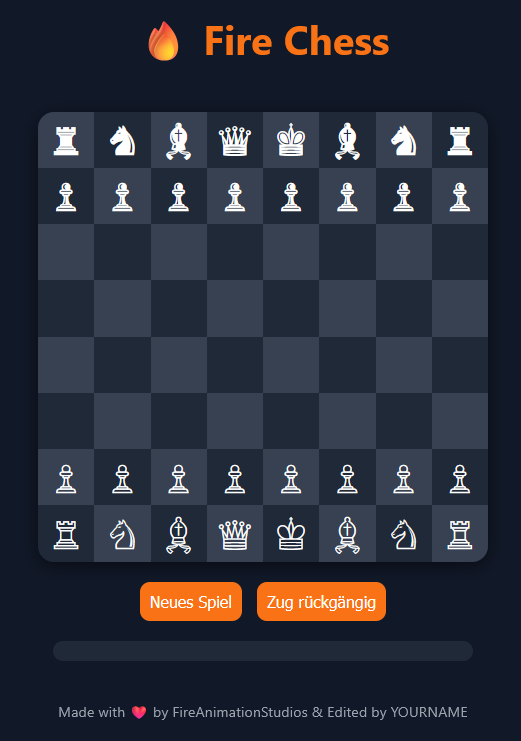
Basic Chess Rules
-
Objective: The goal of chess is to checkmate the opponent's King. This means the king is under threat and cannot escape.
-
Chessboard: The game is played on an 8x8 chessboard with alternating light and dark squares.
-
Piece Moves:
- King: Moves one square in any direction.
- Queen: Moves any number of squares in any direction.
- Rook: Moves any number of squares vertically or horizontally.
- Bishop: Moves any number of squares diagonally.
- Knight: Moves in an "L" shape (two squares in one direction, then one square in a perpendicular direction).
- Pawn: Moves one square forward, but on the first move, it can move two squares. It captures diagonally.
-
Check: When a player's king is under threat, it's called "check." The player must protect the king by either moving it, placing another piece between it and the threat, or capturing the threatening piece.
-
Checkmate: When a player's king is checkmated, the game is over, and the other player wins.
How to Use the Project
1. Download the Project
First, download the project files by either cloning the repository using Git or downloading the ZIP file.
Option 1: Clone with Git
Run the following command in your terminal or command prompt:
git clone https://github.com/FireAnimationStudios/Web-Chess.gitOption 2: Download as ZIP
Go to the GitHub repository and click the "Download ZIP" button. Extract the ZIP file to a directory on your machine.
2. Setting Up the Project on Windows and Linux (Server)
Windows:
-
Install a Web Server (Optional but recommended):
- You can use software like XAMPP or WampServer to quickly set up a local web server.
- Alternatively, if you just want to open the HTML file without a web server, you can simply double-click the
index.htmlfile to view it in your default web browser.
-
Run the Project:
- With XAMPP/WampServer: After installing XAMPP or WampServer, place the project folder inside the web server's root directory (e.g.,
C:\xampp\htdocsfor XAMPP). Then, start the web server and navigate tohttp://localhostin your web browser to see the chess game. - Without a Web Server: Double-click
index.htmlto open it in a web browser.
- With XAMPP/WampServer: After installing XAMPP or WampServer, place the project folder inside the web server's root directory (e.g.,
Linux (Server):
-
Install a Web Server:
-
If you don’t have a web server already installed, you can install Apache (or Nginx). Here’s how to do it on Ubuntu (you can adapt it for other distributions):
-
Install Apache:
sudo apt update
sudo apt install apache2
-
Start Apache:
sudo systemctl start apache2
sudo systemctl enable apache2
-
-
Move Project Files to the Web Server Directory:
- On most Linux servers, the default web server directory is
/var/www/html. You can move your project files there using the following command:sudo cp -r /path/to/your/project/* /var/www/html/
- On most Linux servers, the default web server directory is
-
Set Permissions (if necessary):
- Ensure the web server has the correct permissions to access the files:
sudo chown -R www-data:www-data /var/www/html/
sudo chmod -R 755 /var/www/html/
- Ensure the web server has the correct permissions to access the files:
-
Access the Project:
- Open a web browser and go to the server's IP address or
localhost(if accessing from the server itself) to see the chess game:http://localhost
- Open a web browser and go to the server's IP address or
3. Enjoy the Game!
After setting up, you can now start playing the chess game. If you're using a server setup, others can access the game via the server's public IP address or domain name.
Coming Soon
- Online Multiplayer: Challenge players from around the world to a game of chess in real-time.
- AI with Different Difficulty Levels: Play against a computer opponent with adjustable difficulty settings, ranging from beginner to expert.
© 2025 FireAnimationStudios. All rights reserved.