MPEG H UI manager persistency handling
The MPEG-H persistency handling allows keeping the user personalization settings of a given content and reapplying them when the same content is processed again, e.g., after a commercial break.
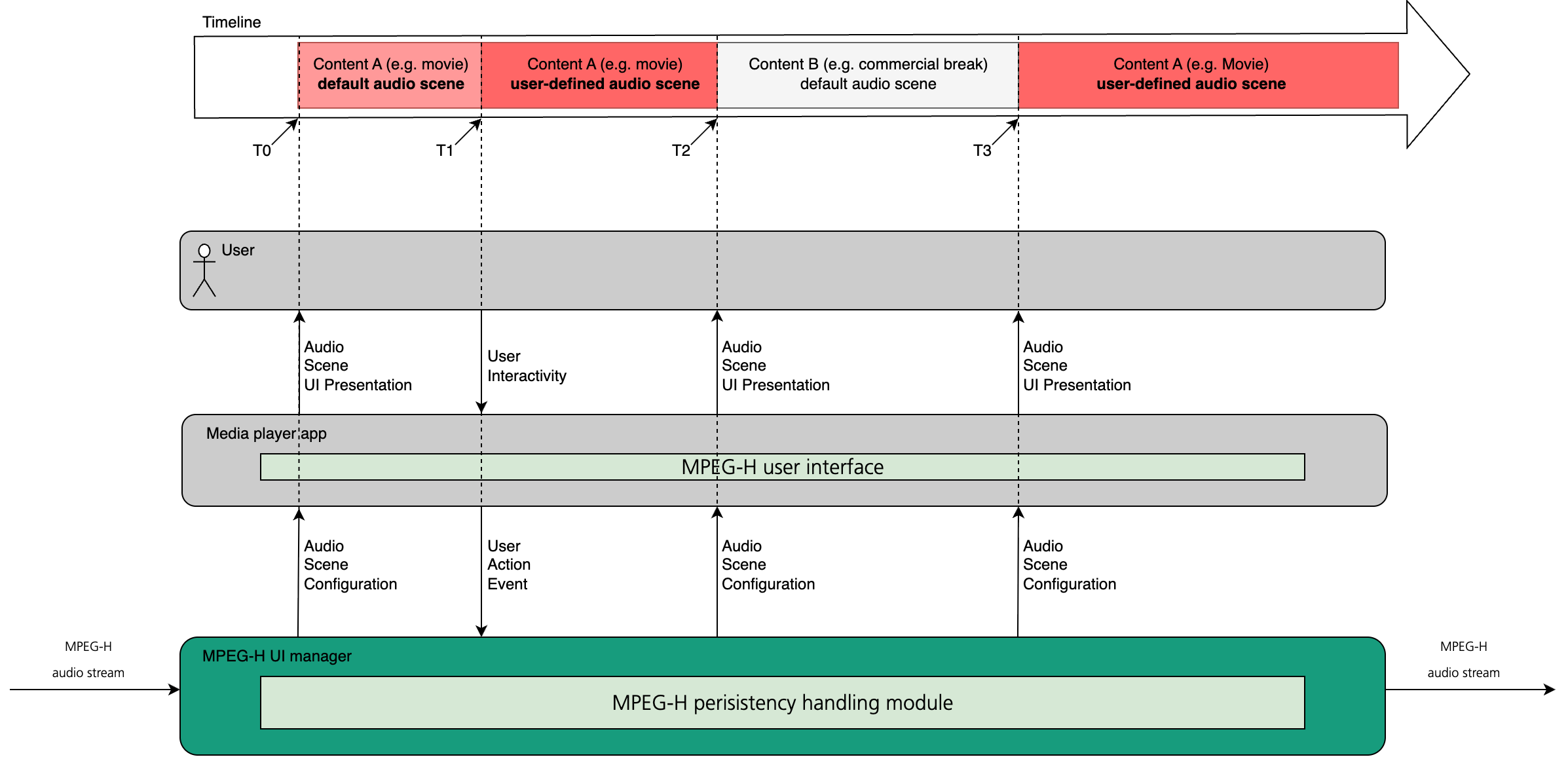
Time points:
- T0: Playback start of the movie content. The audio scene is set to the default state defined by the bitstream metadata.
- T1: The user selects, for example, the "dialogue+" preset and additionally adjusts the prominence of an audio object.
- T2: Commercial break starts. The audio scene of the commercial break is set to the default state defined by its bitstream metadata.
- T3: Playback of the movie content resumes. The MPEG-H persistency handling restores the audio scene according to the user’s previously set personalization settings (in this example: "dialogue+" preset is selected and the prominence of an audio object is set).
- NOTE: Without MPEG-H persistency handling, the audio scene at T3 is set to the default state defined by the bitstream metadata.
The persistency handling uses the content ID (UUID), part of MPEG-H bitstream metadata, to uniquely identify the content and store the associated user-performed personalization settings. The content ID is defined by the content producer during MPEG-H authoring.
The persistency module, implemented in MPEG-H UI manager, stores user personalization settings in a RAM block provided by the calling process. The memory block is organized as a table of MPEG-H UI command entries, where each entry represents one user setting (for example, an object position or a selected preset).
Entries are grouped by MPEG-H content/program ID (UUID). All entries for the same UUID form a linked list. Within a given UI interactivity property type, only the most recent command is kept for a given audio scene element. For example, if the user repeatedly moves an object position slider, only the last position command remains. The overall order of the user’s personalization actions is preserved across the list.
Conceptually, this structure can be viewed as:
hashmap<UUID, list<UI_command_entry>>
The maximum number of stored content/program IDs depends on the memory block size:
max_number_of_stored_programs = (provided_memory_block_size_in_bytes - 10) / 44
The maximum number of UI command entries in the table is then:
max_number_of_ui_commands =
  (provided_memory_block_size_in_bytes - max_number_of_stored_programs * 20) / 8
With a 100,000-byte memory block, the described MPEG-H persistency implementation can handle:
- up to 2,272 MPEG-H content/programs
- up to 6,820 MPEG-H UI command entries (shared pool across all content/programs)
When no free UI command entry slots are available, the module deletes all entries associated with the oldest used content/program ID (i.e., it removes the entire linked list for that UUID).
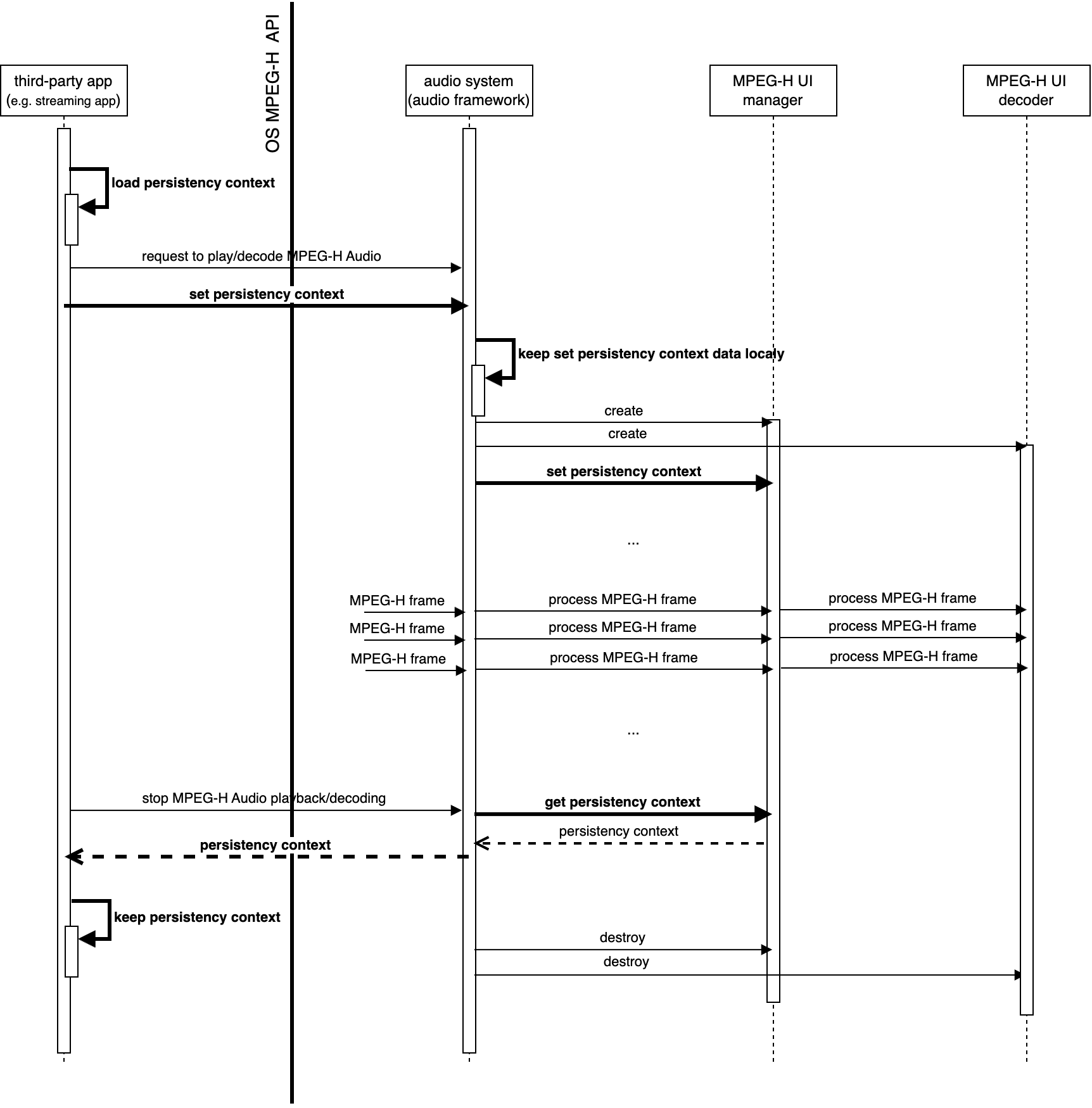
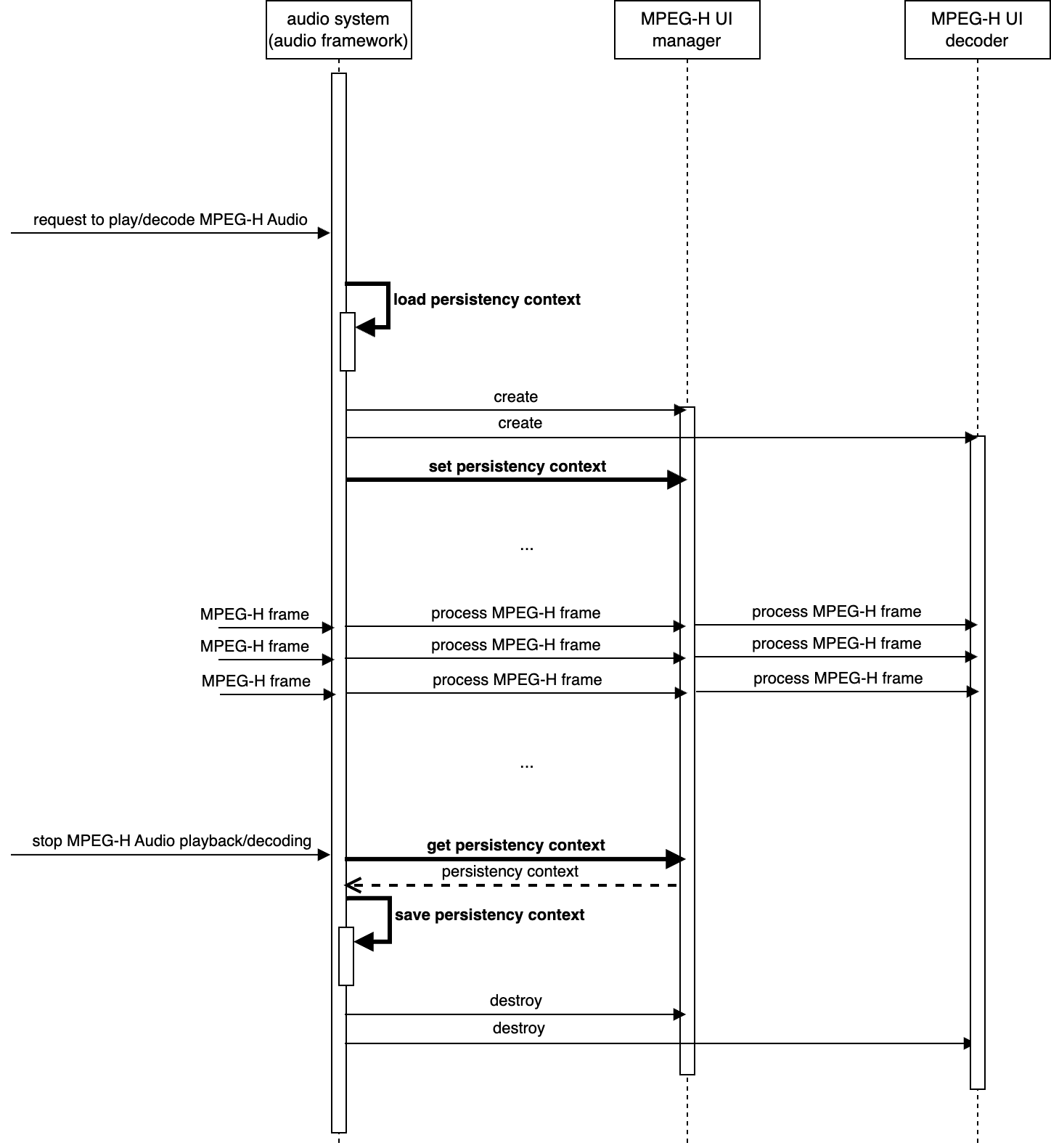
Since the persistency memory block is handeled by the MPEG-H UI manager in RAM, the framework, where the MPEG-H UI manager is integrated, needs to take care to store and load this memory block in/from permanent storage (for example, file system or database) so that the user personalization settings survive across playback sessions.
To achive this the integration framework needs:
- load the previously stored memory block and call the MPEG-H API to set it, before playback/decoding starts
- call the MPEG-H API to retrieve the current persistency memory block and persist it, after playback/decoding finishes
To enable third-party apps to manage MPEG-H personalization persistency, the device OS shall provide APIs to retrieve and set the persistency memory block.