Repository navigation
ECCE 9.4.0

ECCE 9.4.0. Please report problems as issues.
Platforms. Linux (Debian 13; Ubuntu 24.04, RHEL/Rocky 9 and Fedora packages are built on those systems but not tested). Windows 10 and 11. macOS, Apple silicon and Intel: experimental.
Orbitals: Density Map, Density Profile, localised orbitals (#215, #532, #533)
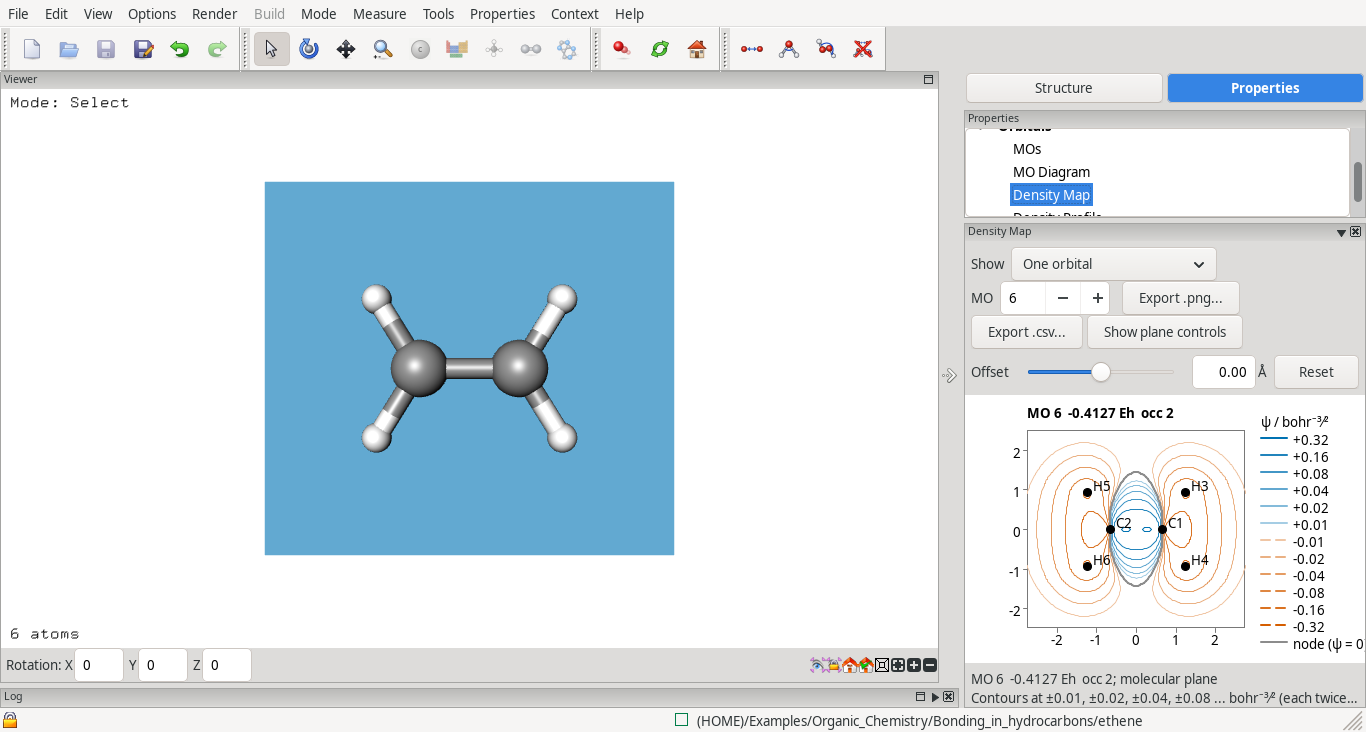
- Density Map (Properties > Density Map): the electron density or one orbital as contours on a plane through three atoms, through two atoms, or parallel to the screen (the default for an atom or a diatomic), moved sideways with an offset. Orbital contours are blue (positive) and orange, dashed (negative), pale for small values and darker for large ones; the nodes (ψ = 0) are drawn as grey lines. The levels follow the plane's largest value, the wheel zooms about the pointer, and the plane is drawn in the 3-D view.
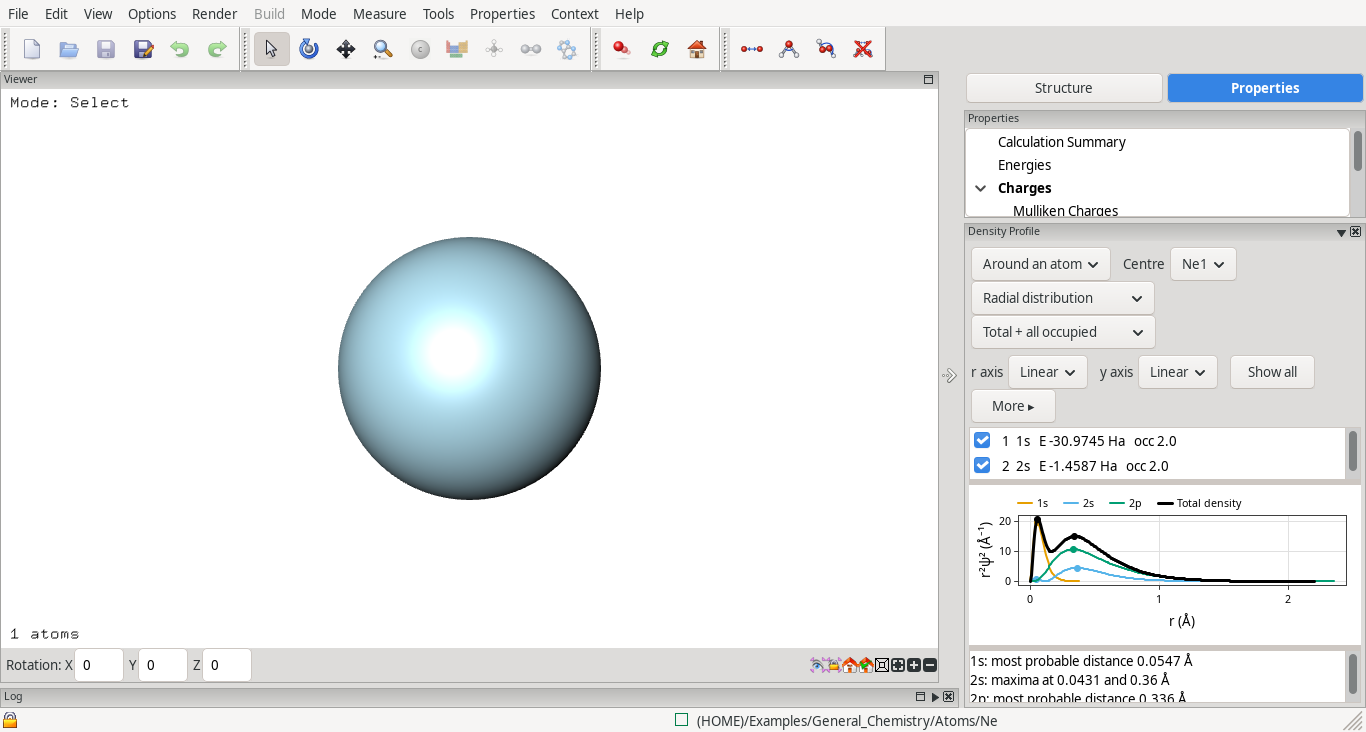
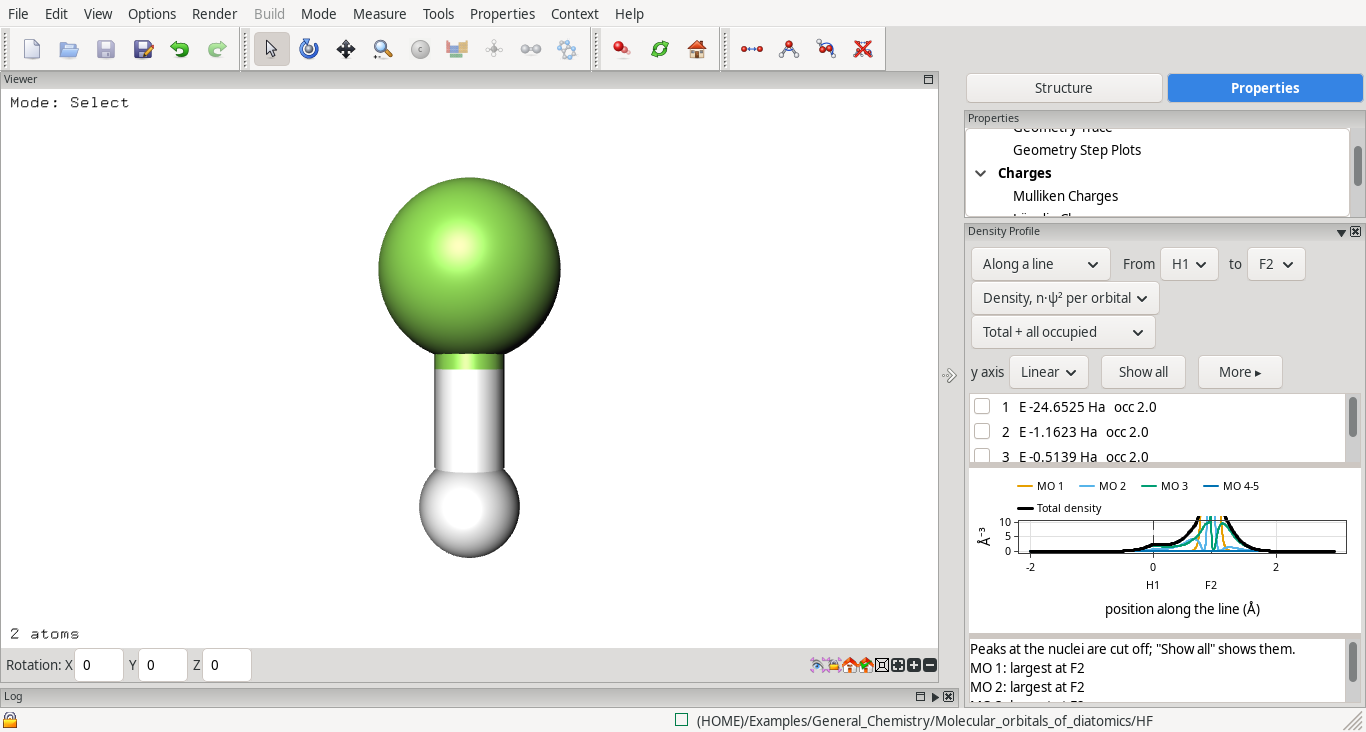
- Density Profile (Properties > Density Profile): the density, ψ² or ψ along a line through two atoms, or the radial distribution around an atom, with each orbital's share. The r axis can be linear, √r or log r, the y axis linear or log; Show all brings back peaks cut off at the nuclei. For an atom the orbitals are named 1s, 2s, 2p…
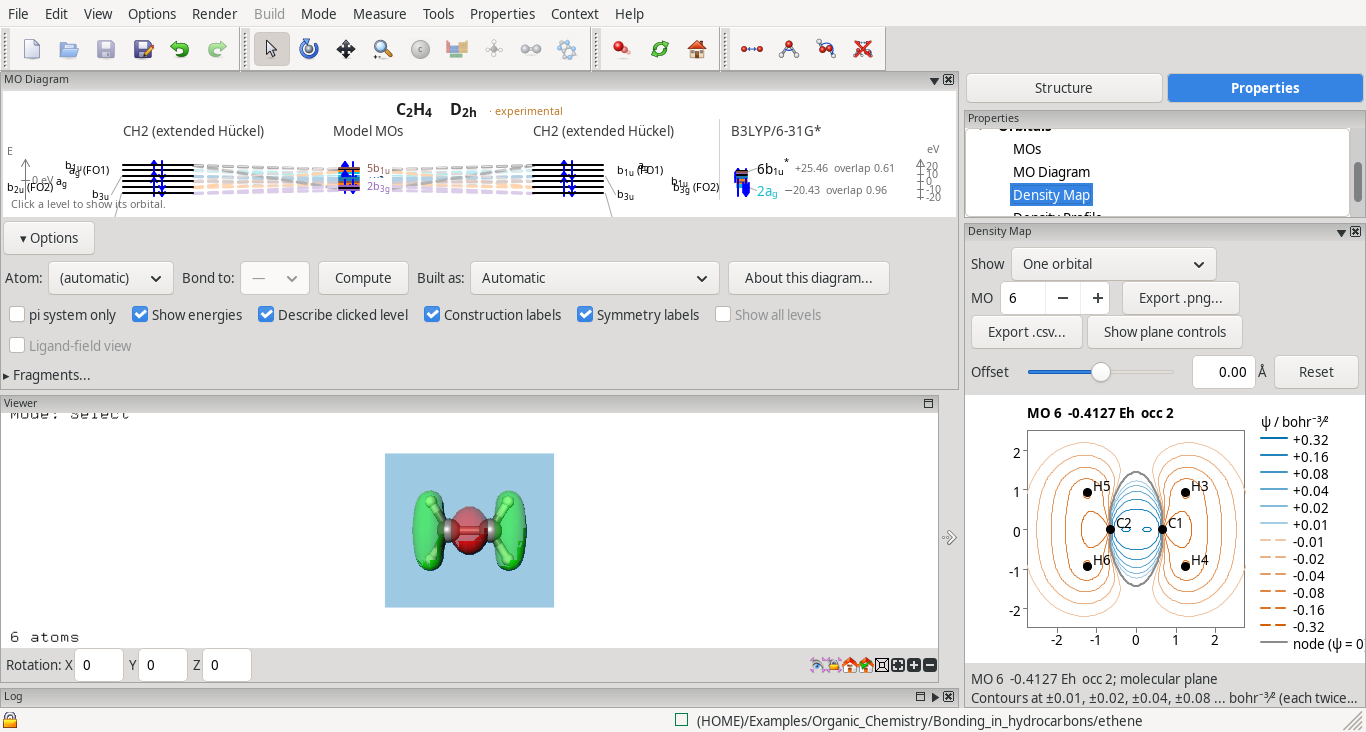
- MO Diagram, Density Map and Density Profile together: dock the MO Diagram outside the right-hand column (for example at the top of the window); then a click on a level shows that orbital in the 3-D view, the map and the profile.
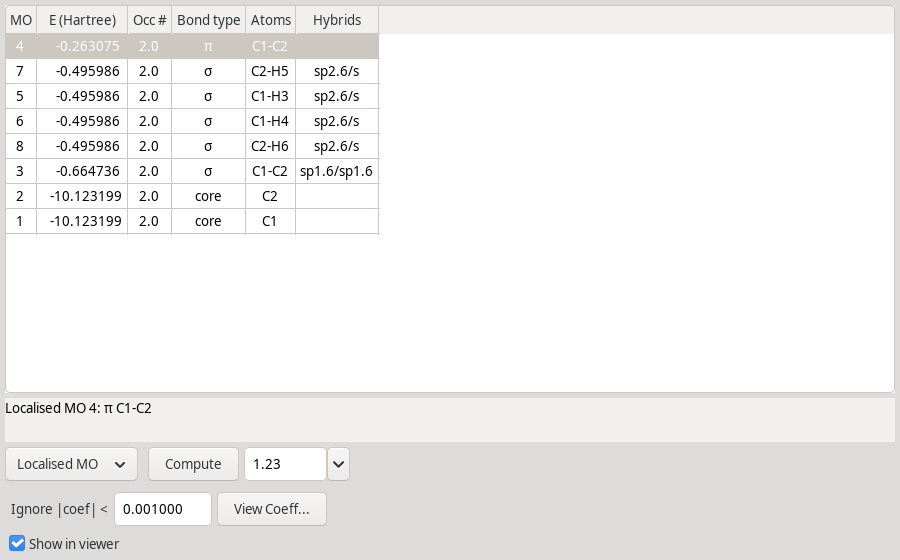
- Localised orbitals (ECCE-QM, Pipek–Mezey): the occupied orbitals as bonds, lone pairs and cores, for closed and open shells (alpha and beta sets), listed in the MOs panel as Localised MO in energy order, lowest at the bottom; click a column heading to sort. The setting is in Runtype Details and is on by default.
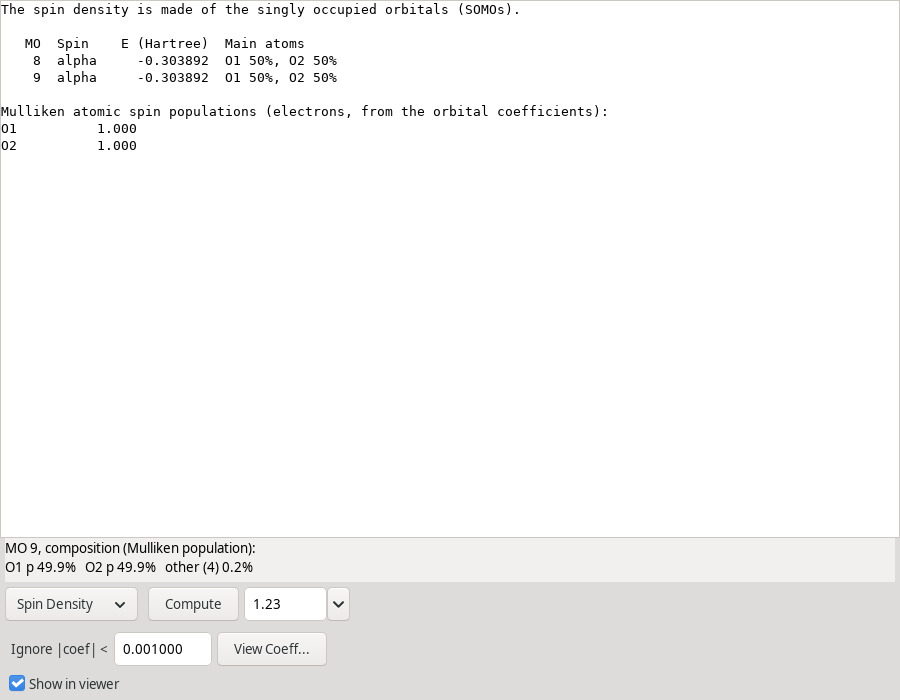
- Spin density for open shells, as a surface in the MOs panel, with a list of the singly occupied orbitals and the Mulliken spin population of each atom.
ECCE-QM
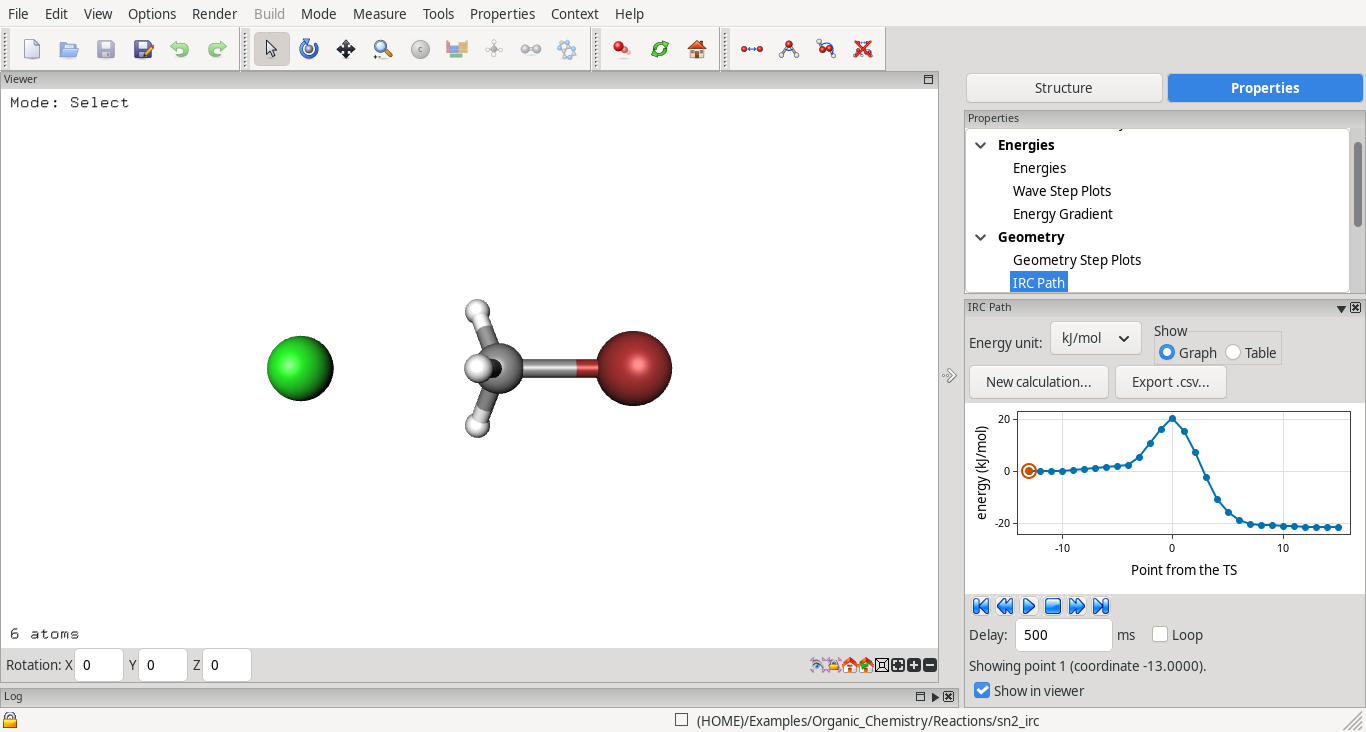
- Transition-state search from one structure (Opt-TS: eigenvector following on an exact starting Hessian, frequencies after) and IRC in both directions, with the IRC Path panel (#452, #509).
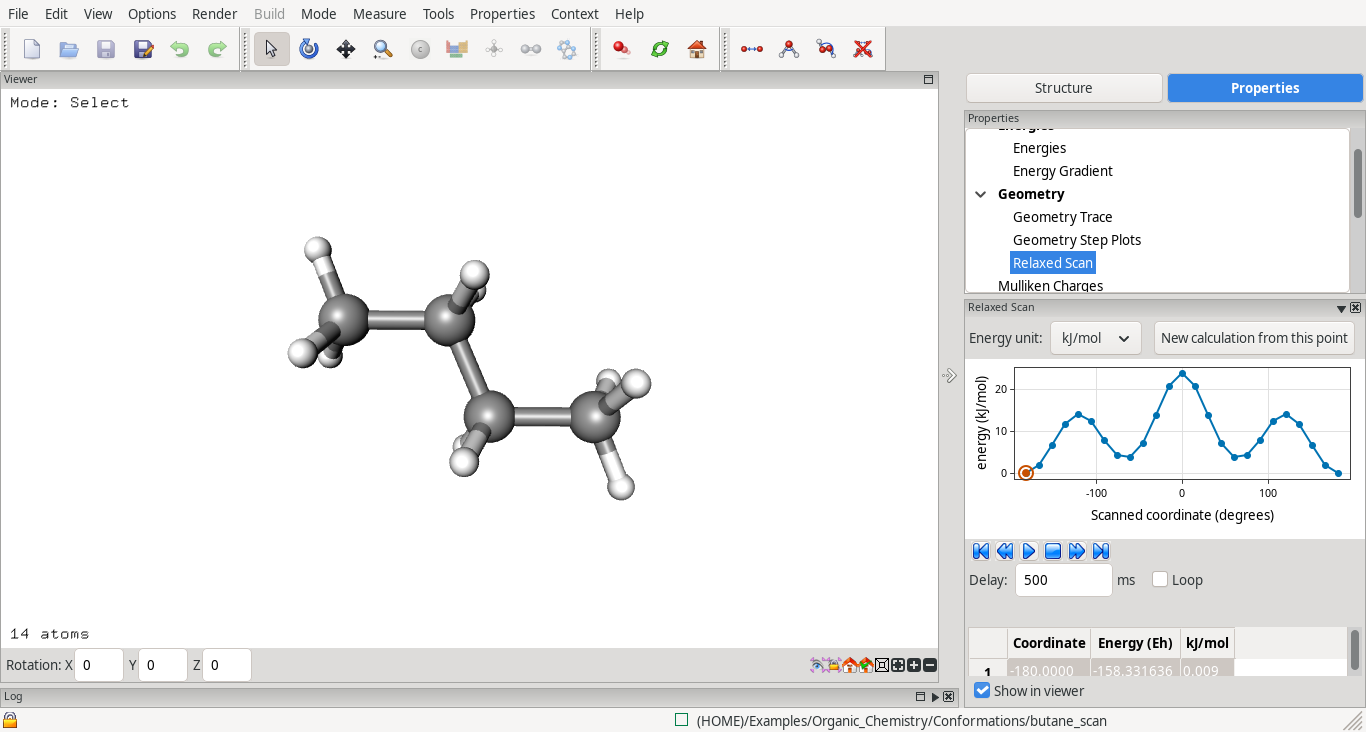
- Relaxed scans of a bond, angle or torsion (#450).
- Analytic Hessian for closed-shell Hartree–Fock, so those frequencies run several times faster (#394, first stage).
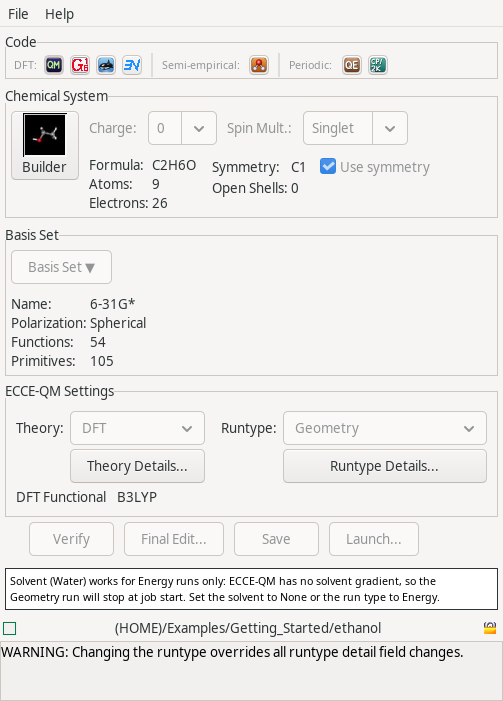
- Implicit solvent (CPCM) for energies, in Theory Details: water, methanol, ethanol, acetonitrile, DMSO, chloroform, toluene and hexane (dielectric constants from the Minnesota Solvent Descriptor Database). Geometry and frequency runs with a solvent are not possible yet; the Calculation Editor and Launch warn about it.
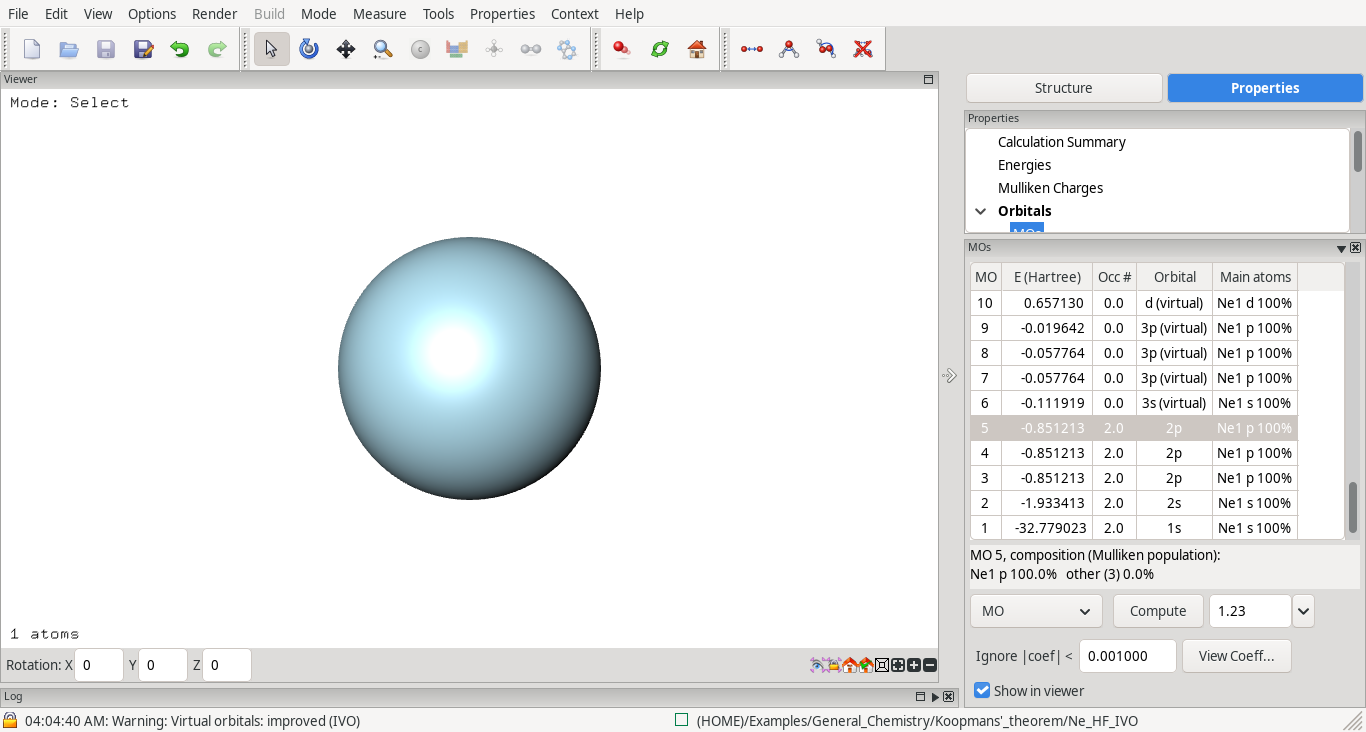
- Improved virtual orbitals (IVO, Hartree–Fock only), so the empty orbitals look like those an excited electron occupies (the 3s and 3p of neon).
- Duplicate with Final Orbitals starts from the source calculation's orbitals, as for Gaussian 16 and NWChem (#407).
Transition states and reaction paths
- Transition states from two calculations (Gaussian 16 QST2/QST3, ORCA NEB-TS) are always offered (TS Search in the Calculation Editor). The atom mapping is computed as the end points are picked, and warnings name end points optimised at another level or a straight path that cannot bend; they go to the notes panel above the log (#419, #464, #468, #503).
- IRC Path panel for ECCE-QM, Gaussian 16 and ORCA: energy in kJ/mol against the reaction coordinate (amu½·bohr), a table, a click on a point shows its structure, New calculation from this point (#452, #535).
- Playback in the IRC Path, Relaxed Scan and Geometry Trace panels: a Delay in milliseconds per step and Loop, which plays forward and back until stopped (#547).
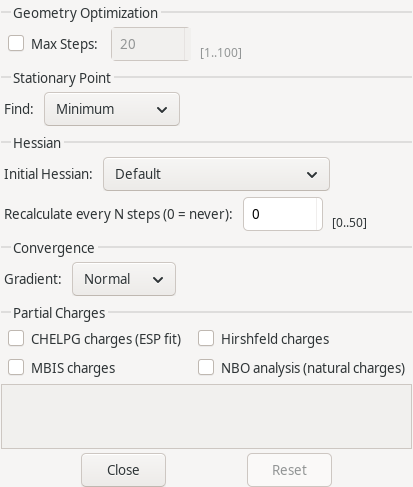
- Initial Hessian for optimisations and transition-state searches: Gaussian 16 CalcFC, CalcAll, ReadFC and RecalcFC; ORCA Calculate, every N steps, or read from the calculation this one was duplicated from (#537, #557).
- ORCA: Find Minimum or Transition State (OptTS) in Runtype Details (#557); NEB iterations shown in the Progress box (#466).
- Symmetry is switched off for transition-state searches, IRC, constraints and scans, with a note (#507).
Spectroscopy
- TD-DFT options in the ORCA and Gaussian 16 editors (number of states, singlets/triplets, Tamm–Dancoff); UV-vis transitions listed as HOMO→LUMO with their weights (#383).
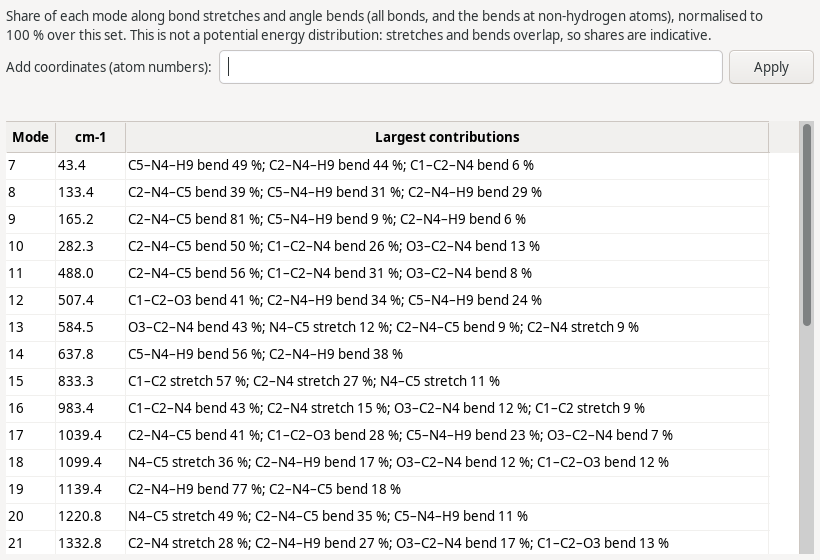
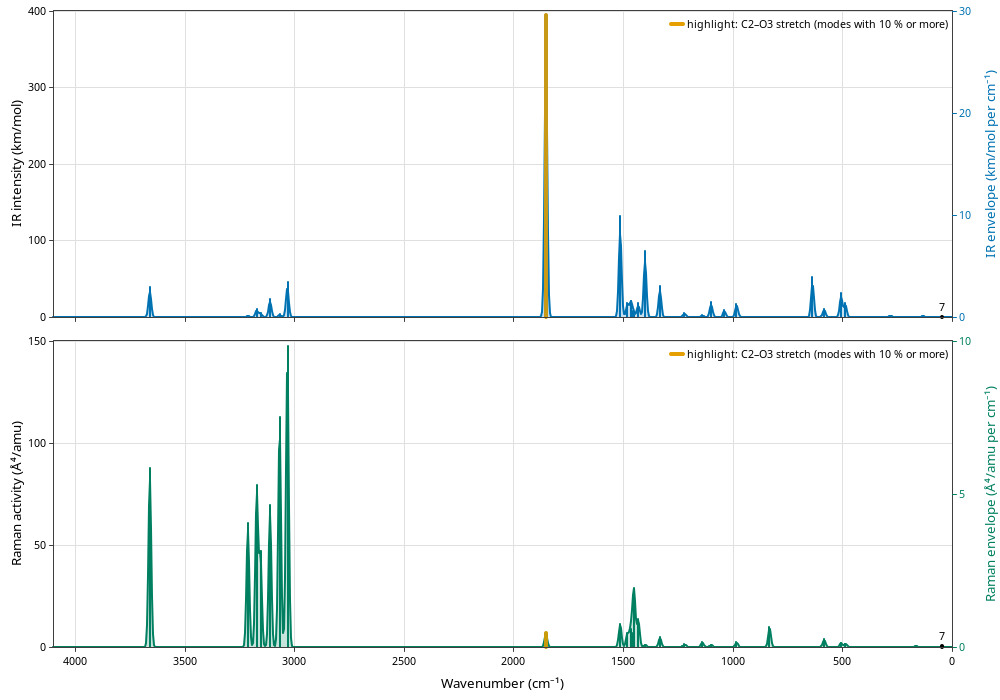
- Vibrations: mode composition by internal coordinates in a Composition window; selecting a bond or group of atoms highlights the bands it takes part in (#486, first stage).
- Compare spectra: the key no longer covers the strongest bands.
Example calculations (#447, #448, #485)
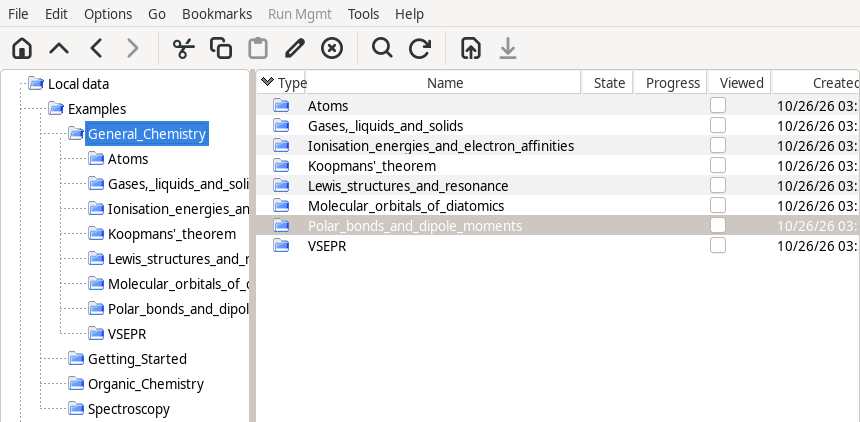
File > Open Example Calculations imports sets of ready-made calculations, sorted by topic, already read in:
- Getting Started: five small calculations with ECCE-QM, MOPAC, NWChem and ORCA, imported at first start.
- Organic Chemistry: bonding in hydrocarbons, conformations (relaxed torsion scans of ethane, butane and N-methylacetamide, both directions), reactions (SN2, Diels–Alder: transition states and IRC).
- Spectroscopy: sulfate coordination, carbonyl compounds, amides and peptides, sugars, small molecules: IR, Raman and orbitals for every calculation.
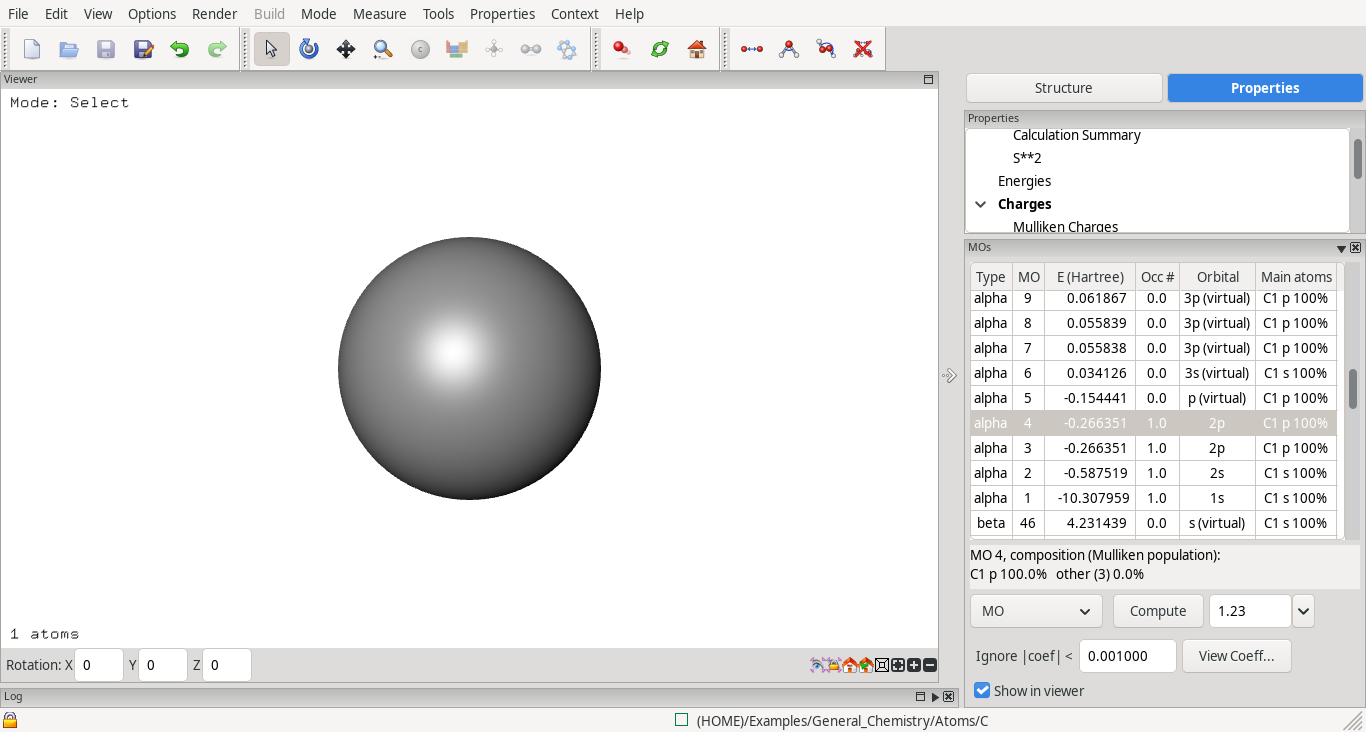
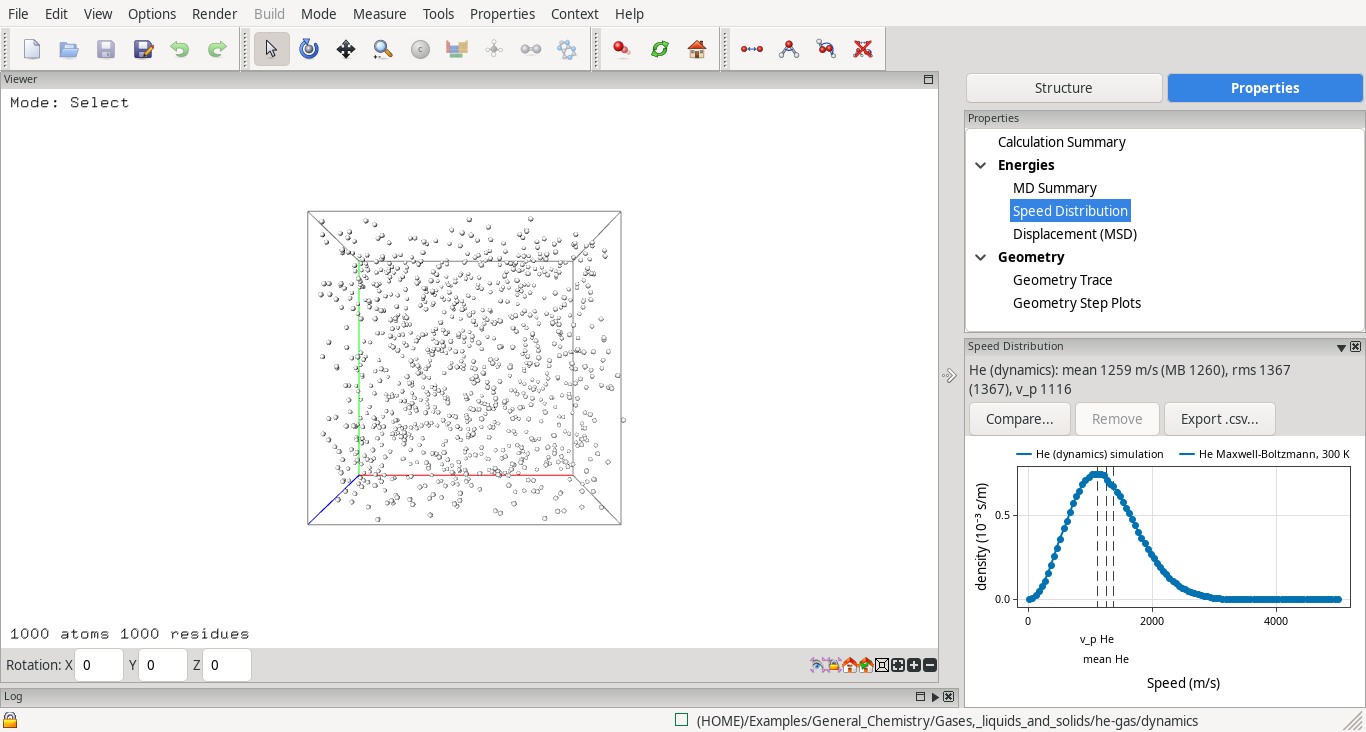
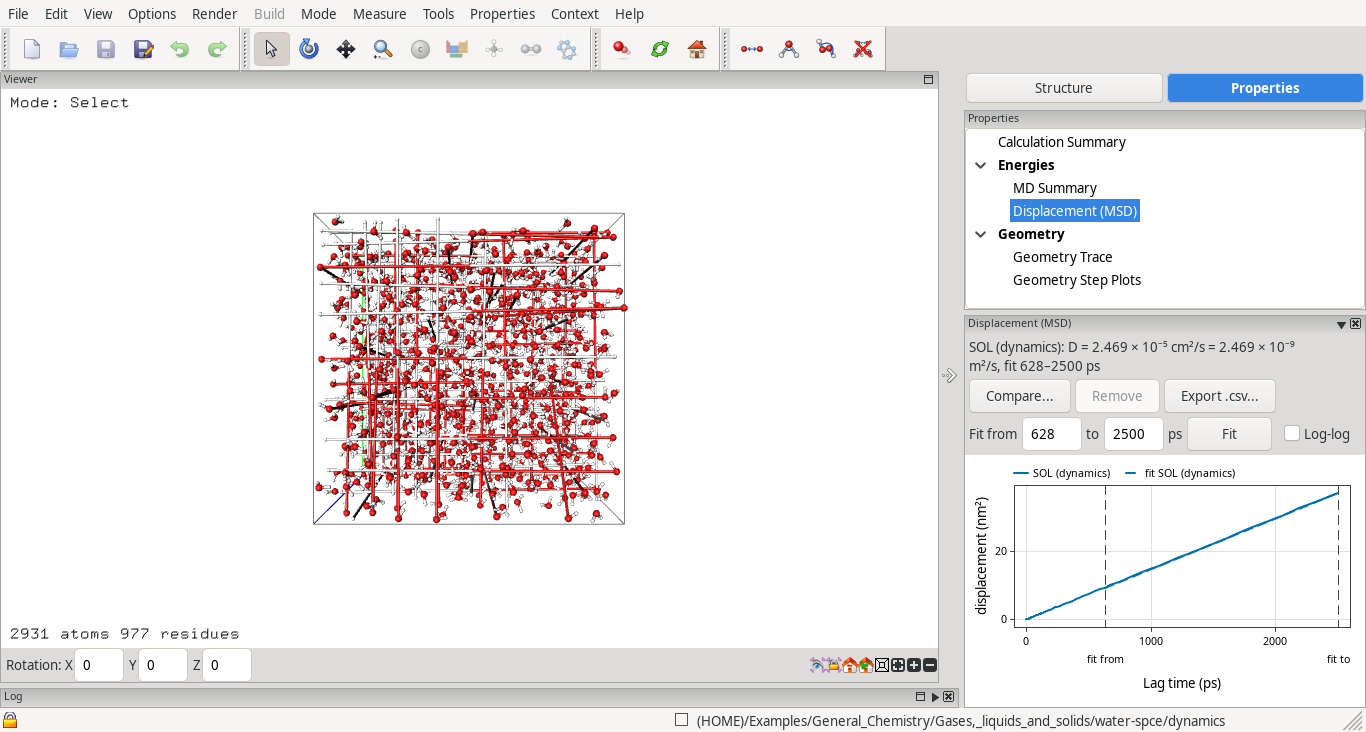
- General Chemistry: atoms (orbitals named 1s, 2s, 2p…), ionisation energies and electron affinities, Koopmans' theorem, molecular orbitals of diatomics, polar bonds and dipole moments, VSEPR, Lewis structures and resonance (94 ECCE-QM calculations); and gases, liquids and solids by molecular dynamics (Ar and He gas, liquid argon, water, decane, NaCl dissolving, ice melting and evaporating), with Speed Distribution (Maxwell–Boltzmann) and Displacement (MSD) panels.
Each example has a note saying what it shows.
Calculation Editor, Launcher and Organizer
- A notes panel above the log collects what the editor wants to tell you: constraints and scans for every run type and whether this code uses them, symmetry, the transition-state warnings, why a calculation is not ready (#456, #461).
- Launch Selected submits several calculations with their stored launch settings (#492).
- Machine Browser: an Allocation mode (Slurm
sshareby default, or a per-machine command) (#494). - One login per compute machine per session on Linux and macOS: ECCE keeps one ssh connection per machine (#487).
- Progress box: small axes on every plot and a force-convergence plot for optimisations (#530); queued jobs no longer show the previous run's progress (#519).
- A failed submit is recorded with the calculation and its reason (#516).
GROMACS
- Ensemble choice (NVE, NVT, NPT) on the Dynamics page; the simulated time shown beside the step counts (#478, #515).
- MD plots: time axis, moving-window average, every logged series selectable in the Geometry Trace (#480, #518); Progress plots grow during the run, dynamics shows average ± SD (#513, #517).
- Structures and trajectories of triclinic (dodecahedral) boxes shown wrapped into the compact cell (#476, #512).
- grompp messages name the editor's tab and field, with the
.mdpkey in brackets (#527). - Duplicate for Rerun works on a study task (#514); a rerun clears the previous run's log and frames;
OMP_NUM_THREADSfollowsmdrun -ntomp(#524).
Viewer and Builder
- Measure toolbar shown by default; measurement labels drawn on top, with units; Å, Löwdin and Hückel written properly (#539).
- 3-D labels keep a fixed pixel size (#538); the corner text is drawn as geometry (#565).
- Shift+wheel zooms only the vertical axis of a plot.
- Structure Library: a Polyoxometalates folder (#405); Builder Bond button (#462).
Windows
- First start no longer waits while antivirus software checks each new ECCE program: the programs are checked in the background once per install, and a start-up card shows until the Organizer opens. On a managed Windows 11 laptop the Organizer now opens in about 7 s instead of about 30 (#522, #444).
Other fixes
- Gaussian 16 with PCM/CPCM keeps its properties for larger molecules (#491); Geometry Trace has one frame per optimisation step (#498).
- Orbitals of calculations with a duplicate 'Imported' basis set draw again (#497).
- A calculation with incomplete metadata opens with a warning instead of closing the Organizer (#489); long values in the Calculation Summary wrap (#490).
- MOPAC imports find their output (#525, #531, #534).
- GTK: no warnings when scrolling the Calculation Summary; windows are raised without window-manager warnings (#565).
Bundled for GROMACS minerals
- atomipy 0.98 and min.ff at commit d12b895 (the newest min.ff renames its parameter files, which ECCE does not follow yet, #364).
Known issues
- Density Map, Density Profile, MOs and MO Diagram on a scan or IRC show the orbitals of the last computed point only; the codes store orbitals for that point alone. The panels say so (#549).
- ECCE-QM: the solvent works for energies only. The LiF gradient is off at the minimum, so its optimisation does not finish (#568).
- ORCA initial Hessian can be read only from the calculation a Duplicate with Final Orbitals was made from.
- GROMACS, CP2K and Quantum ESPRESSO remain experimental. The MO diagram is experimental.
Packages
| System | Files |
|---|---|
| Debian 13 | ecce-client_9.4.0_amd64.deb, ecce-server_9.4.0_amd64.deb |
| Ubuntu 24.04 | ecce-client_9.4.0_ubuntu24.04_amd64.deb, ecce-server_9.4.0_ubuntu24.04_amd64.deb |
| RHEL/Rocky 9 | ecce-client-9.4.0-1.el9.x86_64.rpm, ecce-server-9.4.0-1.el9.x86_64.rpm |
| Fedora | ecce-client-9.4.0-1.fedora.x86_64.rpm, ecce-server-9.4.0-1.fedora.x86_64.rpm |
| macOS 11 or newer (experimental) | ECCE-9.4.0-arm64.dmg (Apple silicon), ECCE-9.4.0-x86_64.dmg (Intel) |
| Windows 10/11 | ECCE-windows-9.4.0.msi (installer) or ECCE-windows-9.4.0.zip |
The client packages are larger than in 9.3.3 (the deb by about 40 MB) because of the new example sets.
Installation: Installing ECCE. Videos: chem4eva on YouTube.