Dev꞉ Push To New Version
Steps 1–6 below can be semi-automated with an AI tool's agent/command mode using the
docs/prompts/mhabit-release-flow.mdprompt. Step 7 can also be done through that prompt, but it always stops to ask for explicit confirmation first. Steps 8–9 and Post-1 stay manual always.
- stable
- beta
- Modify
pubspec.yamland changeversionparam.
Use the
x.y.z+aformat for stable versions andx.y.z+a-prefor beta.
-
Ensure the generated code is up-to-date by executing:
flutter clean
make aio-full
- stable
- beta
Add Release change log in docs/release.md,
Release-CI will use this file to automatically fill in Release description.
You can start from docs/release.template.md and then update it for the target version.
Change SHOULD include:
<previous stable version>...<current version>.
- stable
- beta
Add the release changelog in CHANGELOG.md, keeping its content consistent with docs/release.md.
Optionally, provide a translated changelog in
docs/CHANGELOG/<locale>.md.
- stable
- beta
Metadata required by F-Droid and Google Play must be included in repo along with current tag, with Fastlane-compatible structure and format.
-
F-Droid:
fastlane/metadata/android/<locale>/changelogs- stable
- beta
-
Google Play (
f_storeflavor):android/app/src/f_store/fastlane/metadata/android/<locale>/changelogs- stable
- beta
Update info can be auto-generated from CHANGELOG.md by executing:
scripts/gen_changelogs.shOr copy current version code change log from CHANGELOG.md to {versionCode}.txt
(create a new file if not exist) at fastlane/metadata/android/en-us/changelogs manually.
Optionally, Add translation text at
fastlane/metadata/android/<locale>/changelogs.
- stable
- beta
For stable releases, generate Apple release notes:
scripts/gen_changelogs_darwin.sh
- stable
- beta
Metainfo required by Flathub must be included in repo along with current tag, with AppStream-compatible format.
Update info can be auto-generated by executing:
scripts/gen_flatpak_info.shOr add the following XML block manually:
<!-- insert under "component/releases" and before all other release nodes -->
<release version="{{new-version}}" date="{{yyyy-mm-dd}}">
    <url type="details">https://github.com/FriesI23/mhabit/releases/tag/{{new-version-tag}}</url>
</release>-
Flatpak:
configs/flatpak_builder/io.github.friesi23.mhabit.metainfo.xml -
Flathub:
flatpak/io.github.friesi23.mhabit.metainfo.xml- stable
- beta
Make sure new metainfo can pass Flathub's requirements checks:
flatpak run --command=flatpak-builder-lint org.flatpak.Builder appstream \
  io.github.friesi23.mhabit.metainfo.xml
- stable
- beta
Version tags that can trigger automatic CI builds support the following formats:
- Stable version: 'v[0-9]+.[0-9]+.[0-9]++[0-9]+'
- e.g.:
v1.2.3+45
- e.g.:
- Beta version: 'pre-v[0-9]+.[0-9]+.[0-9]++[0-9]+'-
- e.g:
pre-v1.2.3+45
- e.g:
For more info, see: App Release.
F-Droid periodically scans for specific tag format and its release to perform reproducible builds. For more information, see: metadata/io.github.friesi23.mhabit.yml
AutoUpdateMode: Version
UpdateCheckMode: Tags ^v.*$
UpdateCheckData: pubspec.yaml|version:\s.+\+(\d+)|.|version:\s(.+)\+
Flathub provides a separate repo and requires updates to be submitted after tagging from upstream. For details, see: Update Flathub Manifest
git cbump
# ...
git tag <valid-version-tag>
- stable
- beta
Checking Here: App Release - Github Action
- stable
- beta
After Release CI completes successfully, a Draft release will be generated, Click "Edit" button to open:
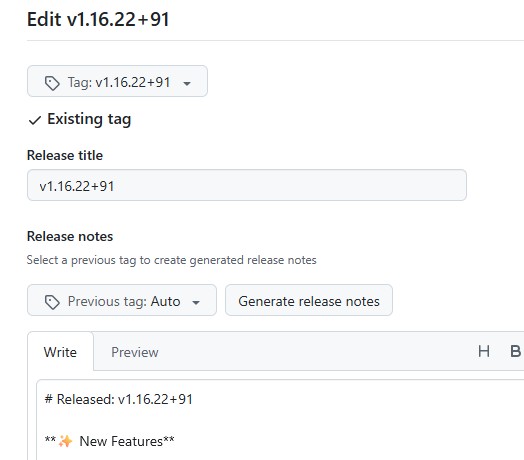
Then following steps below:
- Click
Previous tagand select last Stable version. - Click
Generate Release notes. - Delete everything except
**Full Changelog**section. - Add divider (
---) along with other sections after**Full Changelog**.
Finally, verify that all artifacts exists, then click Publish Release button.
- stable
- beta
Flathub manifest is hosted at flathub/io.github.friesi23.mhabit.
This repo doesn't allow direct commits, so make sure to create new-branch and submit updates via PR. More info see: Flathub - Maintenance.
-
Modify
flatpak-flutter.ymlto ensure the sources in thesourcessection point to the correct version.- type: git url: https://github.com/FriesI23/mhabit.git tag: <new-relesae-tag> commit: <tag's-commit-hashid> disable-submodules: true
-
Generate Manifest by running:
flatpak-flutter flatpak-flutter.yml
-
Make sure new manifest can pass Flathub's requirements checks and be built locally.
flatpak run --command=flatpak-builder-lint org.flatpak.Builder manifest \
  io.github.friesi23.mhabit.yml
flatpak run --command=flathub-build org.flatpak.Builder \
  io.github.friesi23.mhabit.yml
flatpak run --command=flatpak-builder-lint org.flatpak.Builder repo repo
-
Commit to remote and request new PR.
- macOS:
- HomeBrew (Third-party Tap): .github/workflows/update-table-habit.yml
- stable (table-habit)
- beta (table-habit@beta)
- HomeBrew (Third-party Tap): .github/workflows/update-table-habit.yml
- iOS:
- AltStore/SideStore (SideLoaded): .github/workflows/update.yml
- stable (Table Habit)
- beta
- AltStore/SideStore (SideLoaded): .github/workflows/update.yml
- Windows:
- Scoop (Third-party Bucket): .github/workflows/ci.yml
- stable (mhabit)
- beta (mhabit-beta)
- Scoop (Third-party Bucket): .github/workflows/ci.yml
- [2025-07-28] Migrated from:
FriesI23/mhabit/docs/push_to_new_version.md