

Features
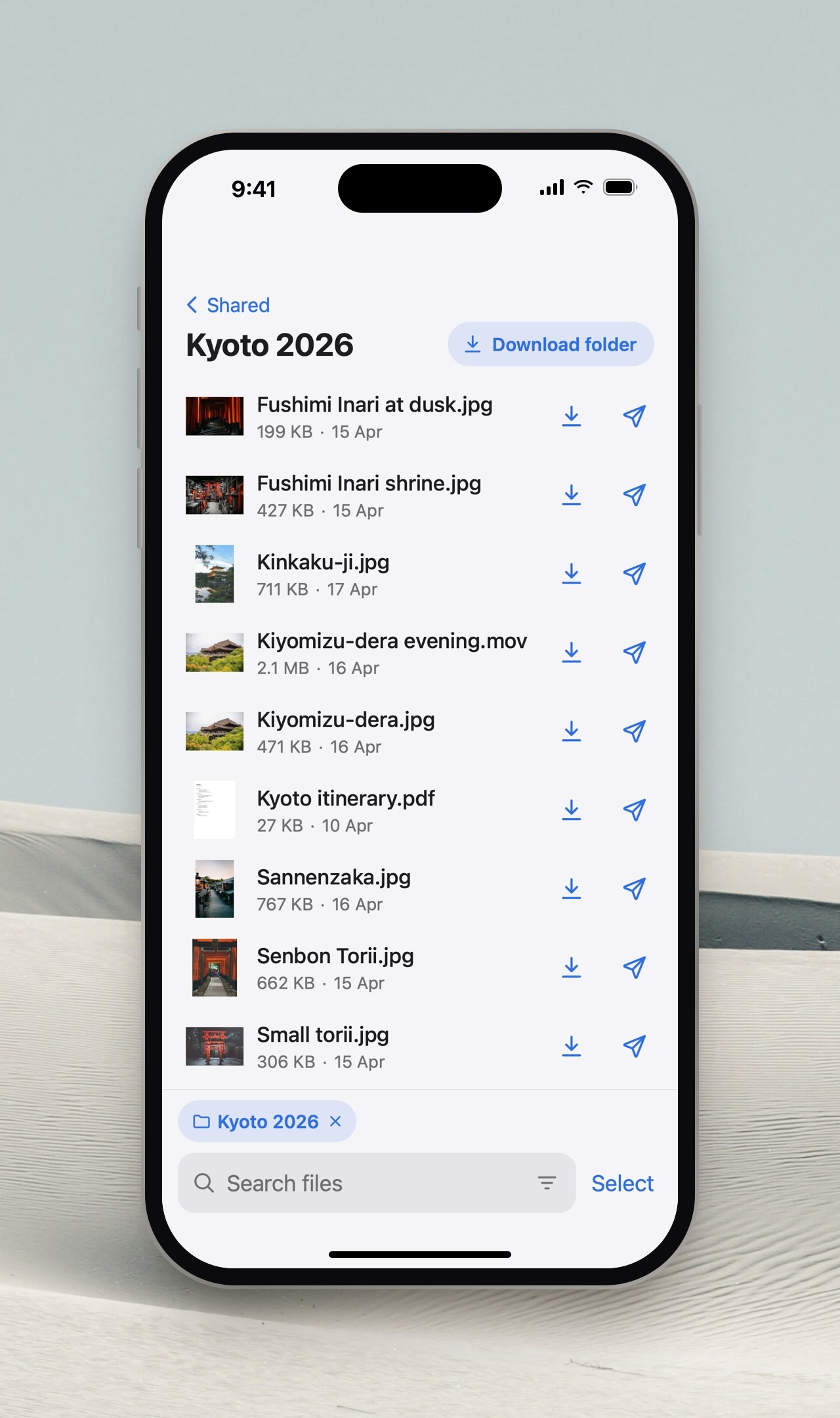
- File server: search this Mac and download its files from a browser on your phone or another computer, over your local network or a VPN like Tailscale
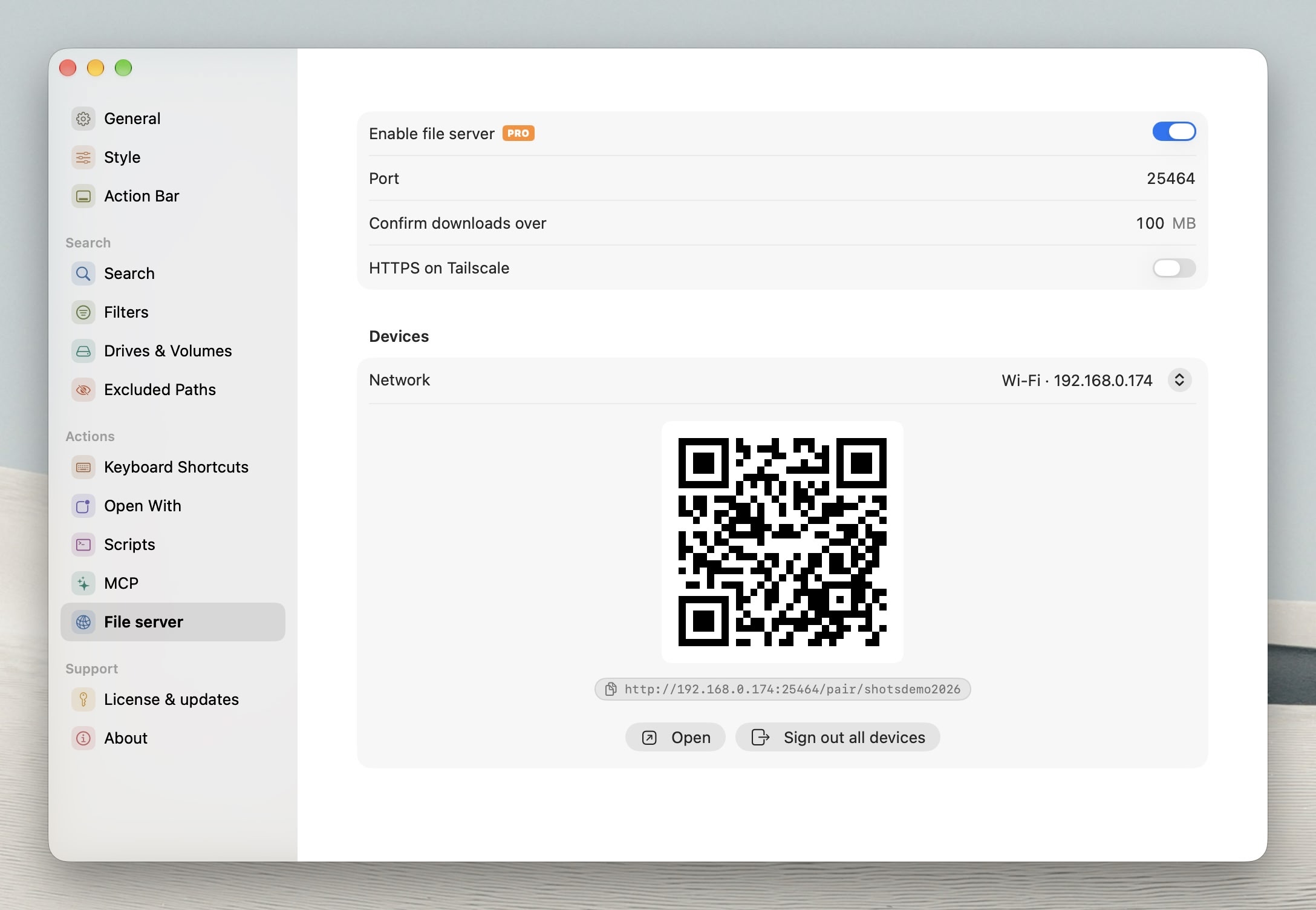
Needs Cling Pro: turn it on in Settings > File server, then scan its QR code or paste its link to sign in
The same search options as the Cling window: scopes, drives, Everything, quick filters and folder filters
Tap Select or glide two fingers down the list to pick files (Select All works too), then download them, zip them, or share a Send Securely link to them
Folders and selections download as ZIPs that pick up where they left off if the connection drops, and videos play without downloading first
On a phone, files open in a viewer: swipe down to close it, sideways to go to the next or previous file
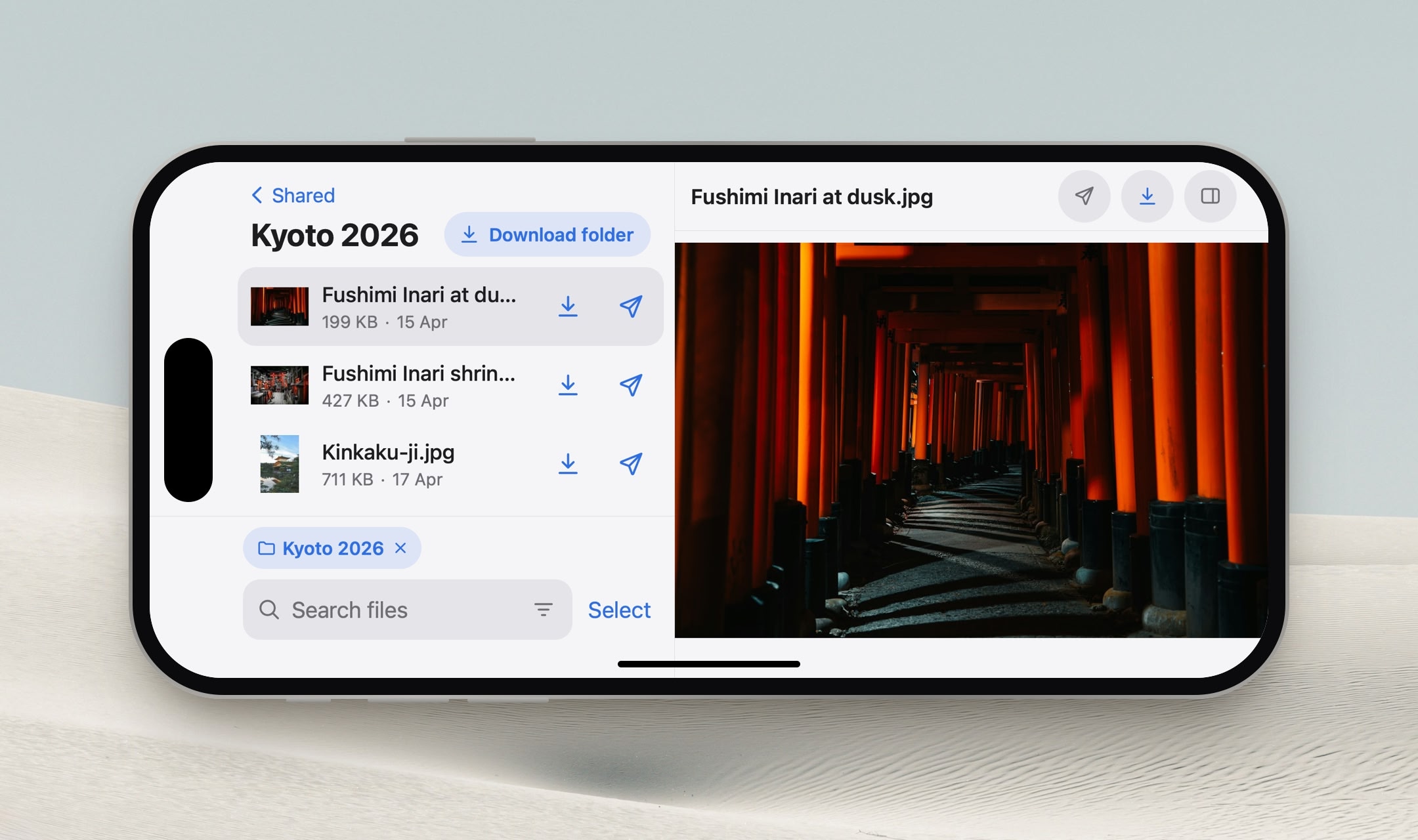
In landscape or a wide browser window, files show in a preview beside the list instead, which can be hidden, and code files are highlighted
Add it to the iPhone Home Screen to use it as an app, with downloads saved through the share sheet and kept on the phone (up to 1 GB in cache)
Downloads over 100 MB ask first, and the size can be changed in Settings > File server
It only answers on private addresses, never on a public one, and with Tailscale it can serve HTTPS on the Mac's Tailscale name
Improvements
- The Everything index leaves out external drives and Time Machine backups, and skips the internal disk's other volumes that are off in Settings > Drives & Volumes