99 Sandbox
Markdown template text here. I've pulled the content from another page but added a few explanations. If my terminology differs from Mary's you should trust her material. I'm going partly from memory here.
These "p" tags are beginning and end of paragraphs. Note how the one on the end has a slash, while the beginning does not.
the "em" tags are for emphasis (italics)
You can combine tabs, like below.
Below are the tools associated with data retrieval in GRIME AI:
The following is an unordered list (ul), with list components (li, these create bullets).
If you look in the bullets above, you'll see "a href" and then a "/a". Those link to the items that start with "<a" below. ALSO, the following line has the h2 header. This is the second in the hierarchy of headers (h1, h2, h3).
The NEON Sites tab allows a user to select a site for image/ data retrieval from one of dozens of NEON sites.
Here's in image:
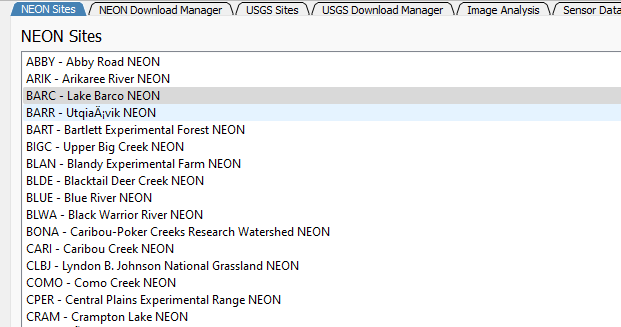 If you drag and drop an image in the GitHub editor, your image text will look like this:

The USGS Sites tab allows a user to select a site for image retrieval from hundreds of sites on the USGS HIVIS network.
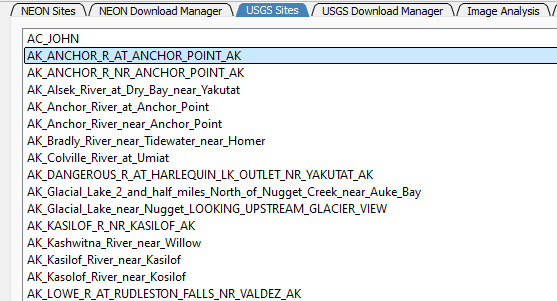
After selecting a site to extract images from using either the NEON or USGS sites list, go to to the corresponding Download Manager tab.