1. Getting Started
First of all. You need a copy of GameMaker Studio 2, you can download it at the GameMaker website or at Steam
You will need an account in GameMaker to use the program, make sure to create one after downloading it.
Once you have GameMaker installed on your machine, refer to the image below.
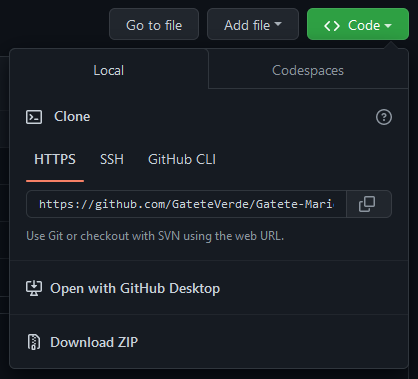
You can download the files as a .ZIP file or you can directly clone the files into your machine if you use a Git Client. (I personally recommend using a Git Client to download the files)
Once you extracted the contents of the .ZIP file, search up on the folder where you put the files and open up the .yyp file. (If you get an error when loading the project, you may need to redownload the .ZIP file and extract again.)
