Repository navigation
Home
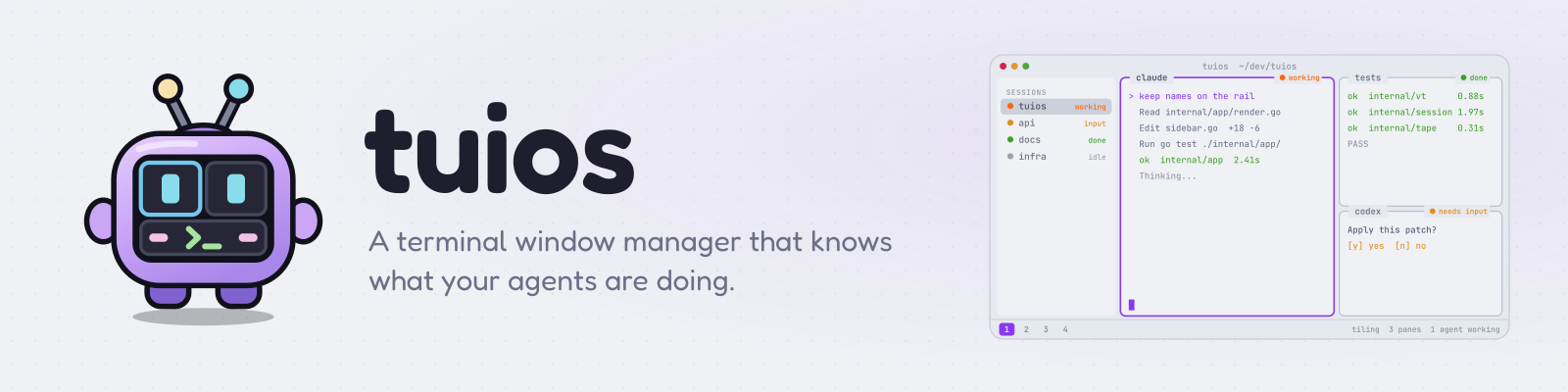
A terminal window manager that knows what your agents are doing.
Docs site · Learn tuios, hands on · Releases · Source
TUIOS runs many shells inside one terminal. Each shell gets its own window. You arrange windows with tiling or by hand, group them into nine workspaces, and detach and come back later without losing anything. Panes that run coding agents report whether the agent is working, idle or waiting for you.
brew install tuios                    # Homebrew
yay -S tuios-bin                      # Arch (AUR)
go install github.com/Gaurav-Gosain/tuios/cmd/tuios@latest
curl -fsSL https://raw.githubusercontent.com/Gaurav-Gosain/tuios/main/install.sh | bash
Then run tuios. Nix, Docker, release binaries and building from source are in Getting Started. Prebuilt binaries are on the releases page.
Coming from v0.10.0? Read Upgrading to v0.10.1. The clock, the prefix badge and the pane environment changed.
Coming from v0.9.3? Read Upgrading to v0.10.0. The theme on Omarchy, the TERM of new sessions, some terminal mode keys and Option characters on macOS changed. Coming from v0.9.2? Read Upgrading to v0.9.3. The default window_size, the daemon socket folder and some security rules changed. Coming from v0.8.4? Read Upgrading to v0.8.5. Coming from v0.8.3? Read Upgrading to v0.8.4. Coming from v0.8.2? Read Upgrading to v0.8.3 first. Every pane now gets herdr's variables, and the scratch terminal keys changed.
- Modal, vim-style: window management mode arranges windows, terminal mode types into one.
- Tiling: BSP by default, plus master-stack, scrolling columns, zoom and nine workspaces.
- Persistent sessions: a daemon owns the shells, so detaching costs nothing and layouts survive a restart.
- Agent aware: panes report agent state and raise alerts, one Inbox collects what agents wait on, and you can review what an agent changed.
- Remote hosts: open sessions and single panes on other machines over ssh.
- Scriptable: a JSON control protocol, CLI verbs, tape scripts and shell hooks.
- A capable terminal: kitty graphics, sixel, the kitty keyboard protocol, copy mode and 342 themes.
| Section | Pages |
|---|---|
| Start here | Introduction · Getting Started · Learn tuios, hands on · Keybindings · Hints · Finding a Pane · TUIOS vs Others |
| Windows and Layout | Layout Modes · BSP Tiling · Session Rail · Themes and Appearance · Configuration |
| Sessions and Machines | Sessions & Daemon Mode · Remote Hosts · Web Terminal |
| Agents | Agents · Inbox and Review · Agent Messaging · Program Status · Worktrees |
| Scripting | Control Protocol · Hooks · Tape Scripting · Project Tapes |
| Recording | Tape Recording · Screenshots · Showkeys Overlay |
| Reference | CLI Reference · Architecture · Library Usage · Contributing · Brand and logo |