Repository navigation
Playlists
The plus menu beside PLAYLISTS:
- saves the current selection, or the whole view when nothing is selected
- creates an empty playlist
- creates a playlist folder
- imports an M3U/M3U8 file
The new-playlist dialog has a Create empty playlist checkbox. The same dialog can place a new playlist directly inside a folder when opened from that folder's context menu.
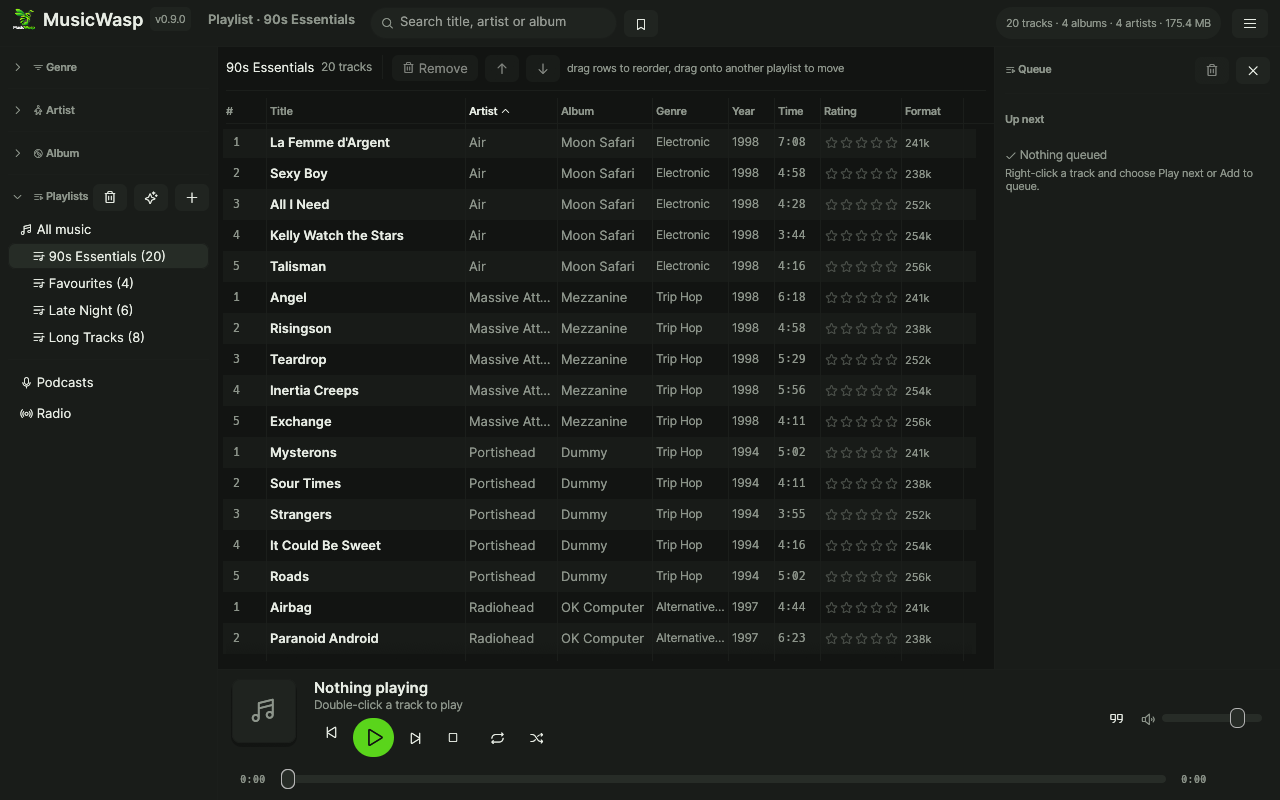
Inside a playlist:
- drag rows to reorder
- use Up / Down or
Alt+Up/Alt+Down - use Remove or
Deleteto remove selected tracks - drag rows onto another playlist to move them
Folders can be nested. Right-click a folder to:
- create a playlist inside it
- create a smart playlist inside it
- create a subfolder
- rename the folder
- delete the folder
Deleting a folder promotes its child playlists, smart playlists and folders one level; it does not delete them. Drag a playlist or a smart playlist onto a folder to move it.
A smart playlist stores a rule set:
- field / operator / value
- match all or any rules
- sort order
- optional limit
Rules are evaluated every time the playlist opens. Supported fields include title, artist, album, genre, year, duration, date added, rating and play count.
Smart playlists live in the same folder tree as manual playlists. Drag one onto a folder to move it, or use Move to folder in its context menu. The context menu also offers Edit rules, Rename, Export M3U and Delete.
Import:
-
.m3uand.m3u8 - relative paths are resolved beside the playlist file
-
file://paths and Windows separators are recognized - missing files are reported and skipped
- new audio files are indexed automatically
Export:
- writes
#EXTM3Uand#EXTINFmetadata - uses absolute track paths
- available from a playlist's right-click menu
- smart playlists export their evaluated tracks at export time
- manual playlist export is also available in the CLI
Dropping M3U files from the file manager imports them.
musicwasp-cli playlist list
musicwasp-cli playlist create "Mix" --ids 1,2,3
musicwasp-cli playlist import ~/Music/mix.m3u8 --folder Roadtrip
musicwasp-cli playlist export 3 ~/Music/roadtrip.m3u8
musicwasp-cli playlist folder-create "Roadtrip"
musicwasp-cli playlist folders