Skip to content
Navigation Menu
Sign in
Appearance settings
Platform
AI CODE CREATION
GitHub Copilot
Write better code with AI
GitHub Copilot app
Direct agents from issue to merge
MCP Registry
Integrate external tools
DEVELOPER WORKFLOWS
Actions
Automate any workflow
Codespaces
Instant dev environments
Issues
Plan and track work
Code Review
Manage code changes
Code Quality
Enforce quality at merge
APPLICATION SECURITY
GitHub Advanced Security
Find and fix vulnerabilities
Code security
Secure your code as you build
Secret protection
Stop leaks before they start
EXPLORE
Why GitHub
Documentation
Blog
Changelog
Marketplace
View all features
Solutions
BY COMPANY SIZE
Enterprises
Small and medium teams
Startups
Nonprofits
BY USE CASE
App Modernization
DevSecOps
DevOps
CI/CD
View all use cases
BY INDUSTRY
Healthcare
Financial services
Manufacturing
Government
View all industries
View all solutions
Resources
EXPLORE BY TOPIC
AI
Software Development
DevOps
Security
View all topics
EXPLORE BY TYPE
Customer stories
Events & webinars
Ebooks & reports
Business insights
GitHub Skills
SUPPORT & SERVICES
Documentation
Customer support
Community forum
Trust center
Partners
View all resources
Open Source
COMMUNITY
GitHub Sponsors
Fund open source developers
PROGRAMS
Security Lab
Maintainer Community
GitHub Stars
Archive Program
REPOSITORIES
Topics
Trending
Collections
Enterprise
ENTERPRISE SOLUTIONS
Enterprise platform
AI-powered developer platform
AVAILABLE ADD-ONS
GitHub Advanced Security
Enterprise-grade security features
Copilot for Business
Enterprise-grade AI features
Premium Support
Enterprise-grade 24/7 support
Pricing
Search
/
Sign in
Sign up
Appearance settings
You signed in with another tab or window.
Reload
to refresh your session.
You signed out in another tab or window.
Reload
to refresh your session.
You switched accounts on another tab or window.
Reload
to refresh your session.
Dismiss alert
{{ message }}
Uh oh!
There was an error while loading.
Please reload this page
.
GreenStep99
/
Backend
Public
Notifications
You must be signed in to change notification settings
Fork
2
Star
0
Code
Issues
2
Pull requests
0
Actions
Projects
Wiki
Security and quality
0
Insights
Additional navigation options
Code
Issues
Pull requests
Actions
Projects
Wiki
Security and quality
Insights
Introduction
Jump to bottom
하물 edited this page
Oct 4, 2022
·
3 revisions
로그인 페이지
회원가입, 로그인
미션 페이지
미션 상세
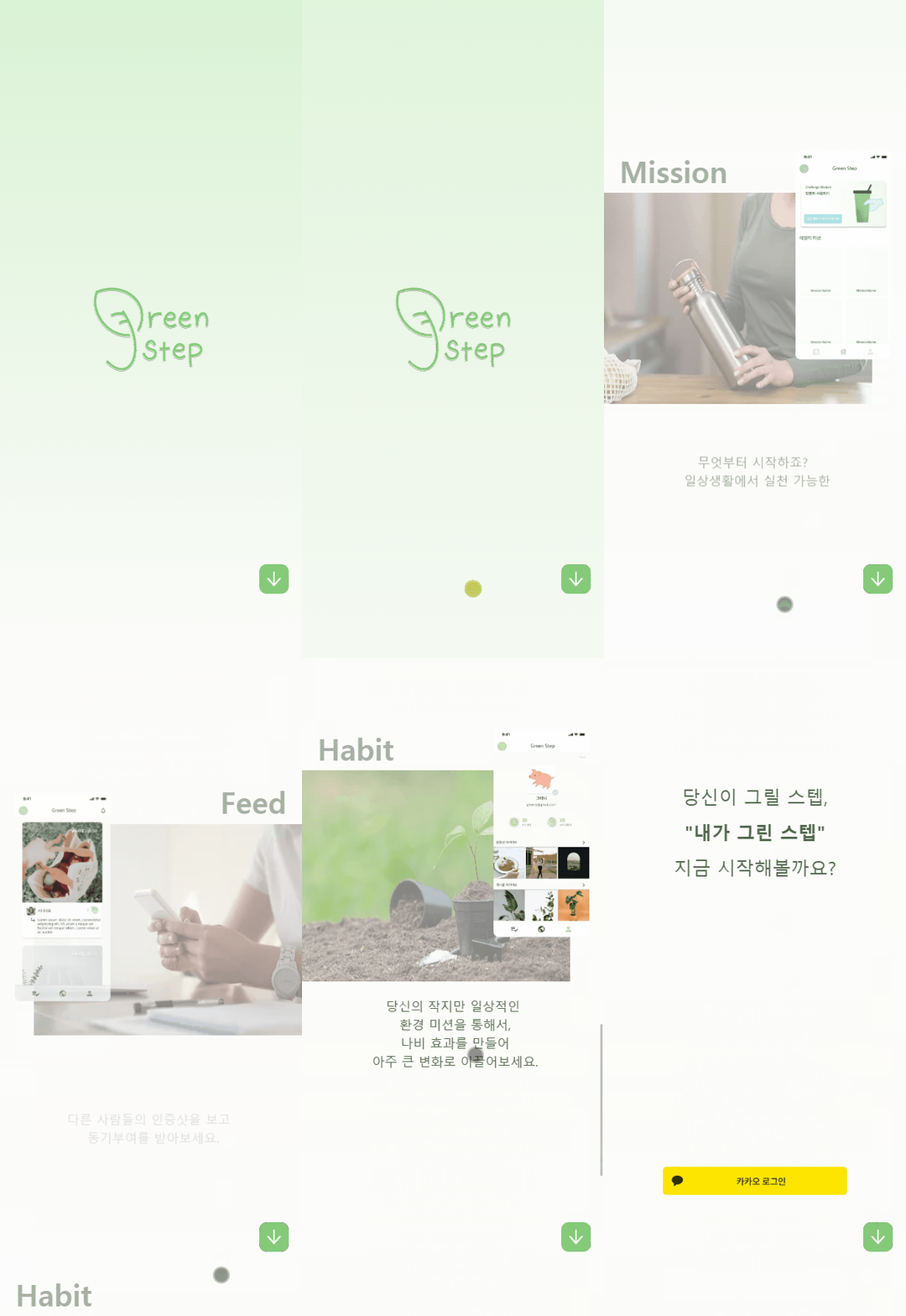
로그인 페이지에서는, 사용자에게 순차적으로 앱의 사용방법과 목적을 알려주게끔 만들었습니다.
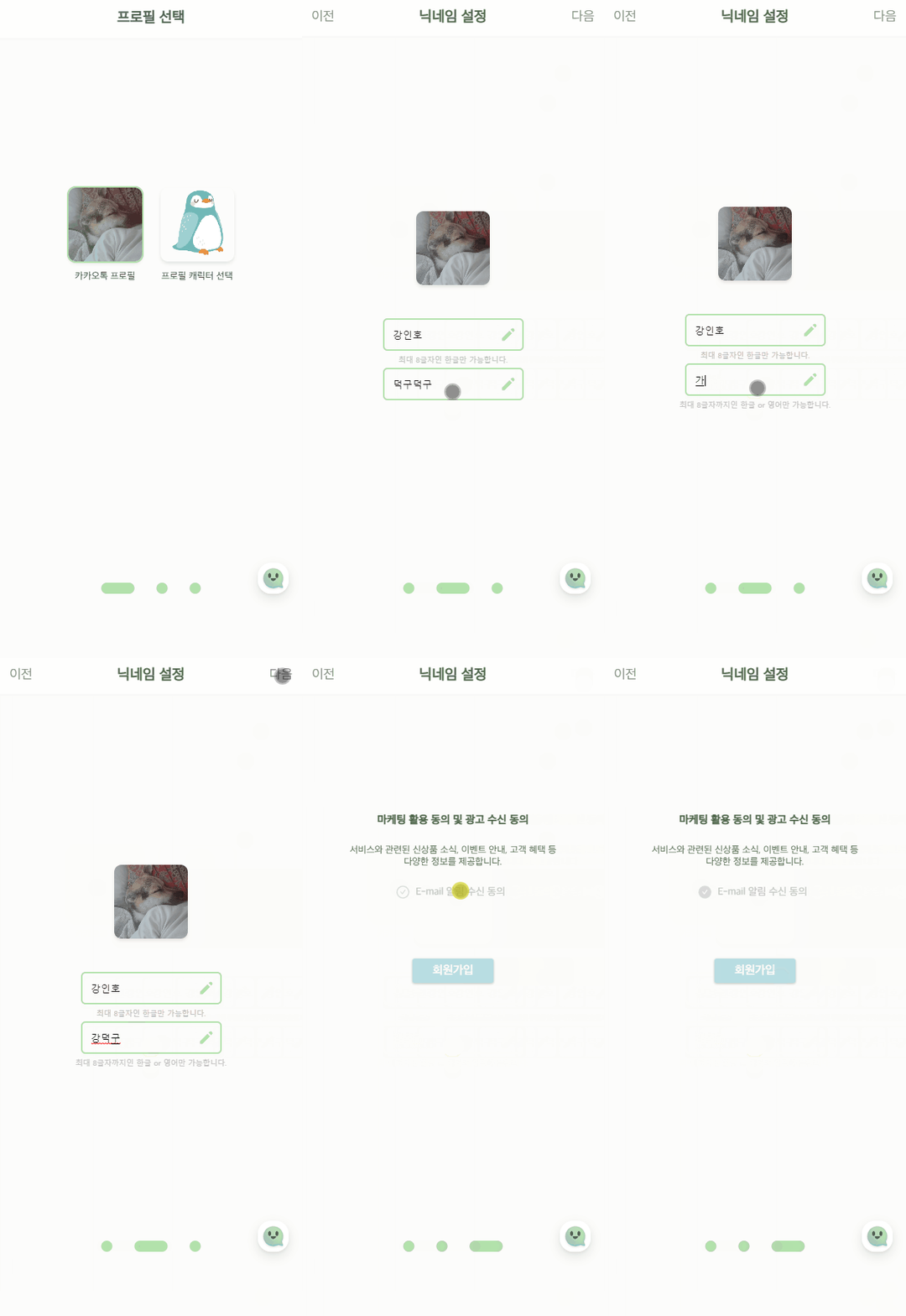
로그인은 접근성을 위해 카카오톡 로그인만 지원하도록 했습니다. 처음 접속한 유저의 경우에는 간단한 회원가입 절차 후 메인페이지로 넘어갈 수 있습니다.
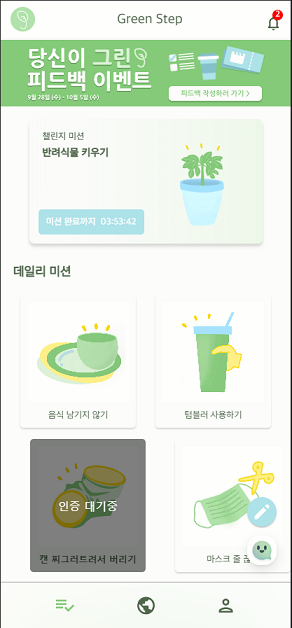
미션 페이지에 접속하면 챌린지미션, 데일리미션, 위클리미션 3가지의 미션을 만나볼 수 있고, 각 미션을 클릭해서 상세 페이지로 넘어갈 수 있습니다.
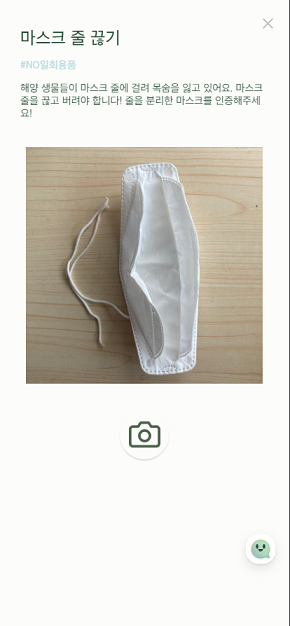
상세 페이지에 접근하면 미션에 대한 간단한 설명과 예시 사진이 안내됩니다.
미션 사진 촬영 기능
미션 인증 수락 기능
마이 페이지
포스트 아카이빙 기능
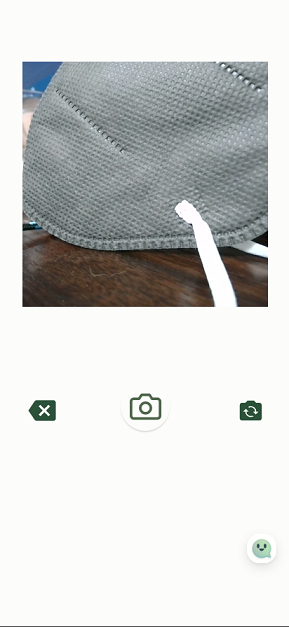
상세 페이지에서 안내받은 뒤 촬영 페이지로 접근할 수 있습니다. 앱에 내장된 카메라기능만을 사용할 수 있으며, 사진을 찍고 찍은 사진을 확인한 후 한번 더 버튼을 누르면 서버로 전송이 됩니다.
인증요청이 보내진 사진은 어드민 페이지에서 관리자가 확인 후 승인 혹은 거절을 할 수 있습니다.
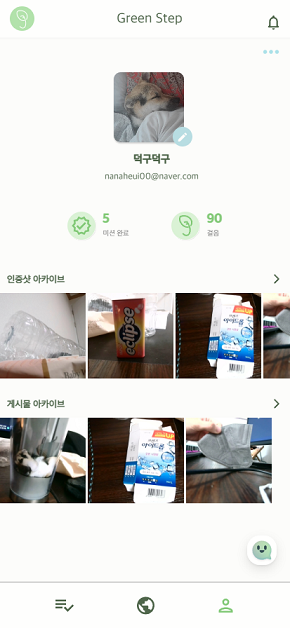
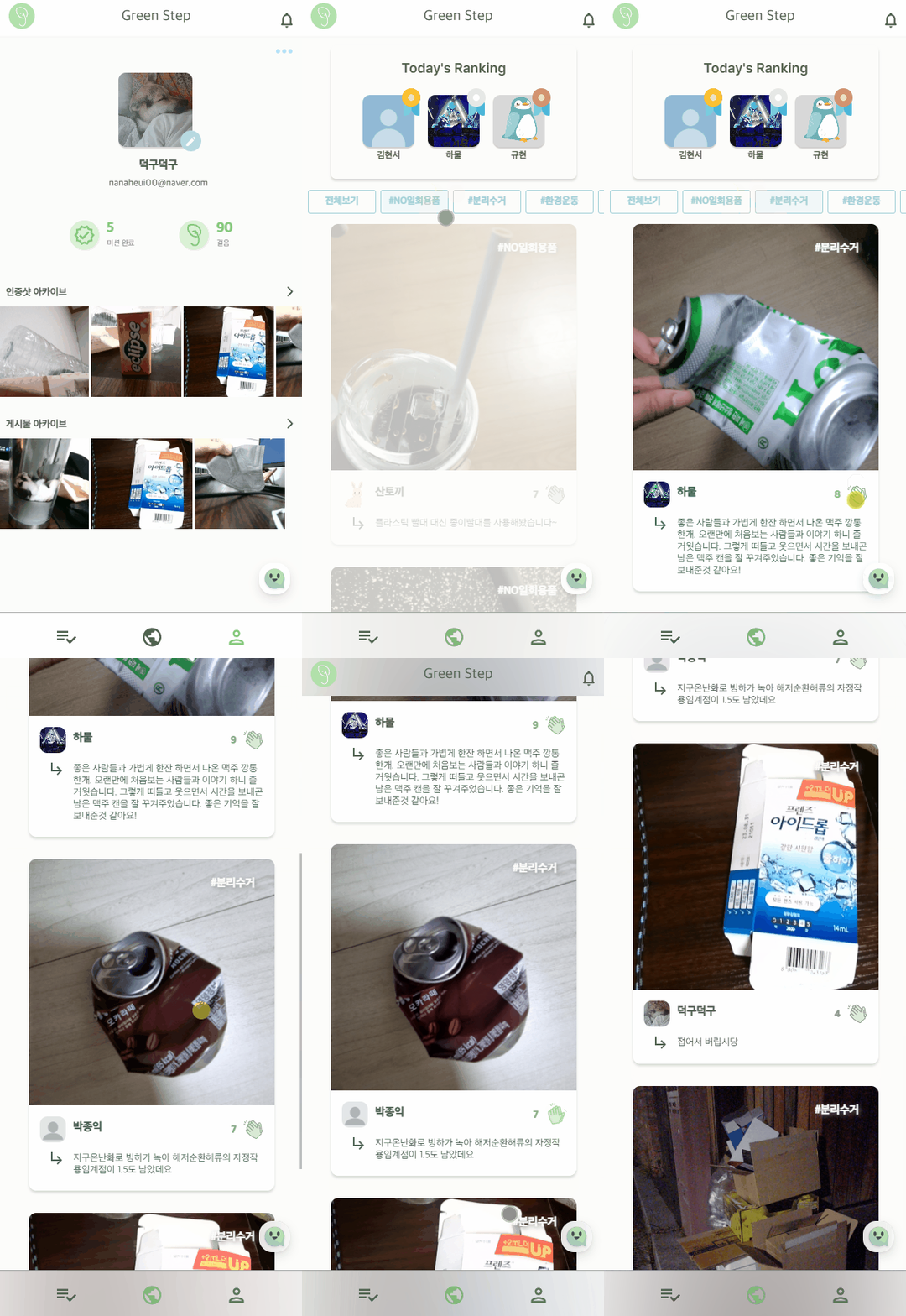
마이페이지에서는 회원정보와 달성한 미션 수, 미션달성에 따른 걸음수를 볼 수 있으며, 인증이 완료된 미션들은 인증샷 아카이브로 이동된다. 인증샷 아카이브, 게시물 아카이브, 프로필 수정 페이지 등으로 접근할 수 있다.
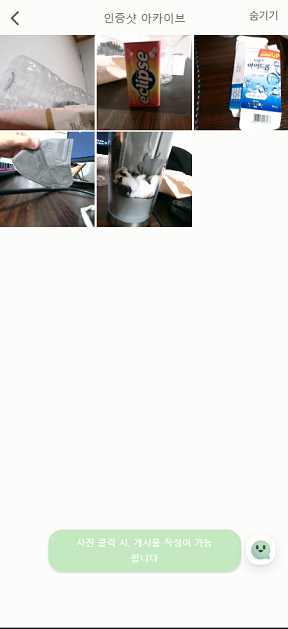
아카이브 페이지는 인증샷, 게시물, 숨김 아카이브의 3종류가 있습니다. 아카이브 페이지로 넘어가면 내가 들어간 아카이브 종류에 따라, 업로드페이지, 상세페이지로 넘어갈 수 있으며, 숨기기, 피드삭제 숨김복구 등의 작업을 수행할 수 있다.
피드 업로드 기능
피드 페이지
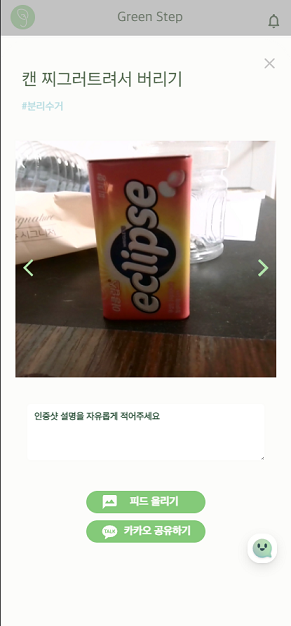
인증이 완료된 게시물들은 업로드 페이지에서 피드에 게시할 수 있습니다.
피드페이지 에서는 최상단에 일별 랭킹을 볼 수 있고, 다른 사용자들이 올린 피드를 카테고리 별로 분류해서 볼 수 있습니다. 박수 버튼을 누르면 애니메이션과 함께 박수가 쳐지고 페이지 최하단부에 닿을시 무한스크롤링으로 다음 피드들을 받아옵니다.
Wiki pages
Pages
4
Loading
Home
Uh oh!
There was an error while loading.
Please reload this page
.
Loading
Discussion
Uh oh!
There was an error while loading.
Please reload this page
.
Loading
Introduction
Loading
Trouble Shooting
Uh oh!
There was an error while loading.
Please reload this page
.
Clone this wiki locally
You can’t perform that action at this time.