Repository navigation
Adding users
-
Go to your Wekan URL like https://example.com/sign-up (your address + /sign-up)
-
Register your username, email address and password. First registered user will be admin, and next ones normal users. If you want other admins too, you can change their permission to admin at Admin Panel.
-
If you get some error about email settings, you can ignore it. Wekan works also without setting up email.
If you really want email sending, do for example:
sudo snap set wekan mail-url='smtps://user:pass@mailserver.example.com:457/'
sudo snap set wekan mail-from='Example Wekan Support <support@example.com>'
For more options see Troubleshooting Email
-
Login to Wekan at https://example.com/sign-in (your address + /sign-in)
-
Click on top right your username / Admin Panel. You can change permissions, name, email address and password in Admin Panel.
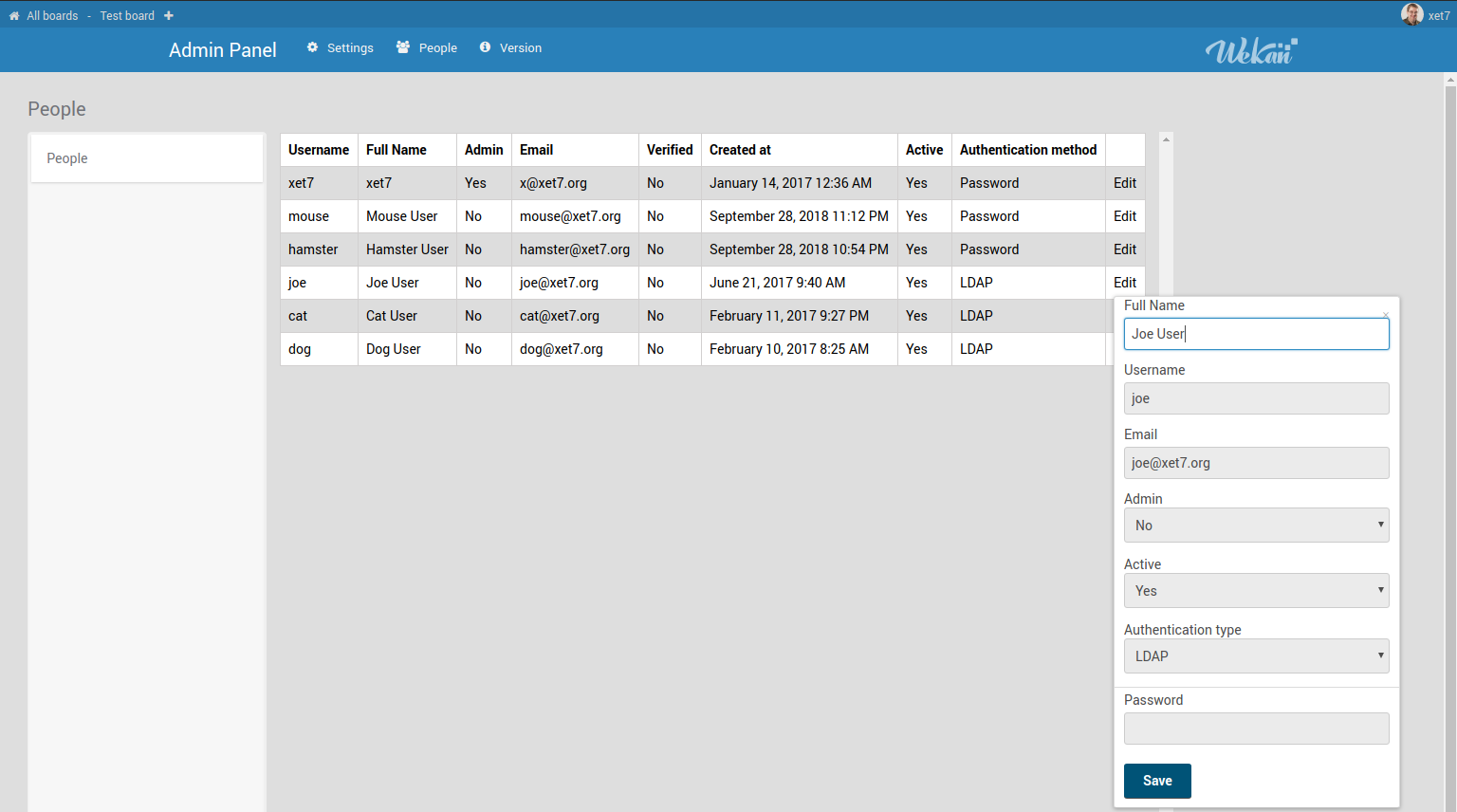
- For registering other users:
a) Let them self-register, or open webbrowser incongnito window, and register them at https://example.com/sign-up (your address + /sign-up)
b) If your email works, click Admin Panel / Settings / Registration / [X] Disable self-registration. Then invite new users to selected boards by email address.
-
Download Robo 3T on your Linux or Mac computer. Or, using ssh shell to server, login to MongoDB database using mongo cli
-
Make SSH tunnel to your server, from your local port 9000 (or any other) to server MongoDB port 27019:
ssh -L 9000:localhost:27019 user@example.com
- Open Robo 3T, create new connection: Name, address: localhost : 9000
a) If you don't have self-registration disabled, register new account at /sign-up, and make yourself admin in MongoDB database.
b) If someone else remembers their password, and his/her login works, copy their bcrypt hashed password to your password using Robo 3T.
c) Install Wekan elsewhere, create new user, copy bcrypt hashed password to your password.
d) Backup, New install, Create User, Copy Password, Restore:
- Backup Snap
- stop wekan
sudo snap stop wekan.wekan3a. Empty database by droppping wekan database in Mongo 3T 3b. Empty database in [mongo cli](mongo cli](https://github.com/wekan/wekan/wiki/Backup#mongodb-shell-on-wekan-snap):
mongo --port 27019
# look what databases there are
show dbs
# probably database is called wekan, so use it
use wekan
# delete database
db.dropDatabase()
- Start wekan:
sudo snap stop wekan.wekan
- Register at /sign-up
- Copy bcrypt hashed password to text editor
- Restore your backup
- Change to database your new bcrypt password.