Repository navigation
OAuth2
You can use any OAuth2 provider for logging into Wekan, for example:
- Rocket.Chat
- Auth0
You can ask your identity provider (LDAP, SAML etc) do they support adding OAuth2 application like Wekan.
Also, if you have Rocket.Chat using LDAP/SAML/Google/etc for logging into Rocket.Chat, then same users can login to Wekan when Rocket.Chat is providing OAuth2 login to Wekan.
If there is existing username/password account in Wekan, OAuth2 merges both logins.
Source: OAuth2 Pull Request
https://github.com/wekan/wekan-mongodb/blob/master/docker-compose.yml#L146-L166
Rocket.Chat Snap has Node at port 3000 and mongodb at port 27017.
sudo snap install rocketchat-server
Wekan Snap has Node at port 3001 and MongoDB at port 27019.
sudo snap install wekan
sudo snap set wekan root-url="https://wekan.example.com"
sudo snap set wekan port='3001'
sudo snap set core refresh.schedule=02:00-04:00
sudo snap set wekan with-api='true'
Email settings ARE NOT REQUIRED, Wekan works without setting up Email.
sudo snap set wekan mail-url='smtps://user:pass@mailserver.example.com:453'
sudo snap set wekan mail-from='Wekan Boards <support@example.com>'
Edit Caddyfile:
sudo nano /var/snap/wekan/common/Caddyfile
Add Caddy config:
wekan.example.com {
        proxy / localhost:3001 {
          websocket
          transparent
        }
}

chat.example.com {
        proxy / localhost:3000 {
          websocket
          transparent
        }
}
Enable Wekan's Caddy:
sudo snap set wekan caddy-enabled='true'
Login to Rocket.Chat at https://chat.example.com .
Accept chat URL to be https://chat.example.com .
Click: (3 dots) Options / Administration / OAuth Apps / NEW APPLICATION
Add settings:
Active: [X] True
Application Name: Wekan
Redirect URI: https://wekan.example.com/_oauth/oidc
Client ID: abcde12345         <=== Rocket.Chat generates random text to here
Client Secret: 54321abcde     <=== Rocket.Chat generates random text to here
Authorization URL: https://chat.example.com/oauth/authorize
Access Token URL: https://chat.example.com/oauth/token
Save Changes.
sudo snap set wekan oauth2-client-id='abcde12345'
sudo snap set wekan oauth2-secret='54321abcde'
sudo snap set wekan oauth2-server-url='https://chat.example.com'
sudo snap set wekan oauth2-auth-endpoint='/oauth/authorize'
sudo snap set wekan oauth2-userinfo-endpoint='/oauth/userinfo'
sudo snap set wekan oauth2-token-endpoint='/oauth/token'
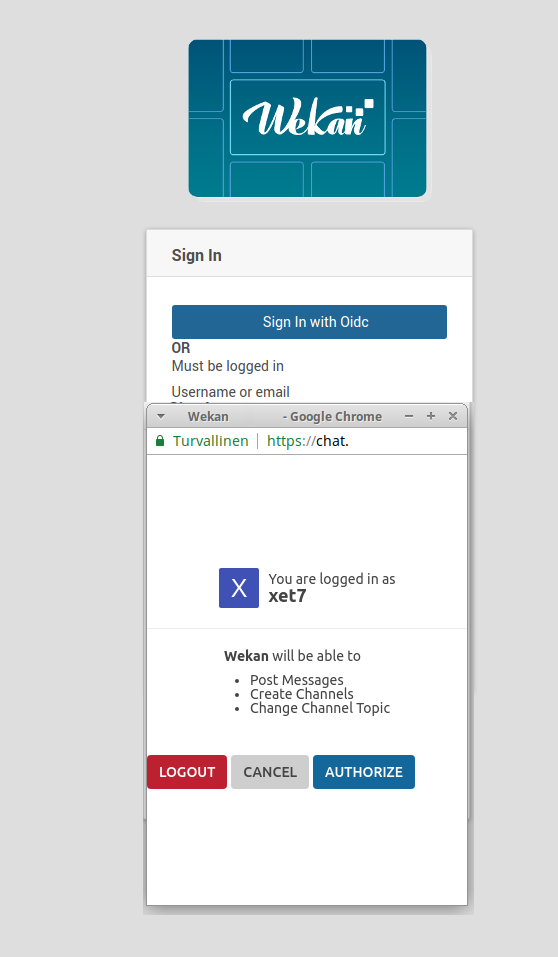
-
Click
Sign in with Oidc -
Click
Authorize. This is asked only first time when logging in to Wekan with Rocket.Chat.
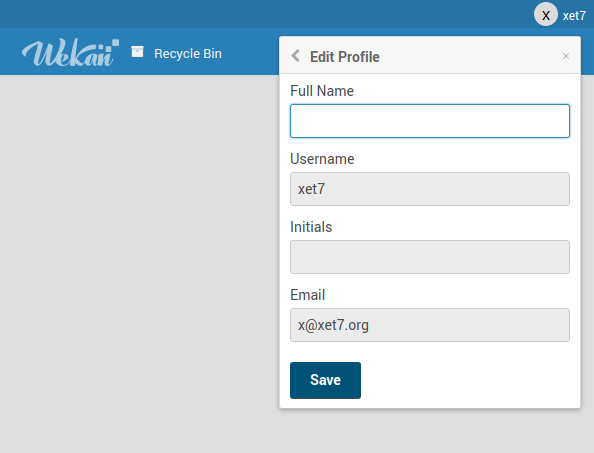
Currently Full Name is not preserved, so you need to change it.
-
Click
Your username / Profile -
Add info and Save.
-
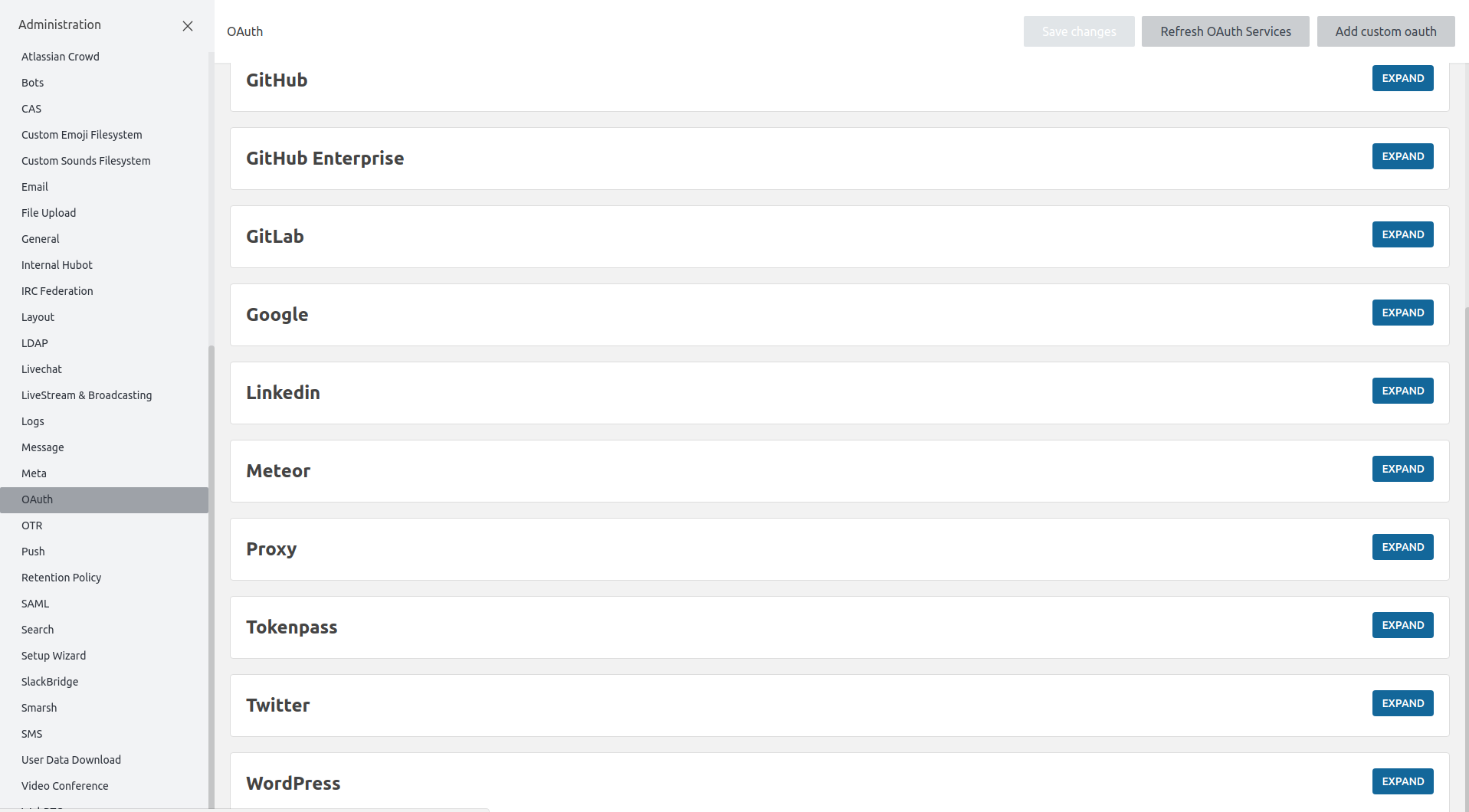
At Rocket.Chat, Click: (3 dots) Options / Administration
-
There are many options at OAuth menu. Above and below of OAuth are also CAS, LDAP and SAML.
Auth0 can provide Google/Facebook/LinkedIn etc login options to Wekan.
Client ID:                                 <== Copy to below snap settings
Secret:                                    <== Copy to below snap settings
Account url: youraccount.eu.auth0.com      <== Copy to below snap settings
Application Logo:                          <== Add your logo
Application Type: Regular Web Application
Token Endpoint Authentication Method: Post
Allowed Callback URLs: https://wekan.example.com/_oauth/oidc  <== Change your Wekan address
Allowed Web Origins: https://wekan.example.com                <== Change your Wekan address
Use Auth0 instead of the IdP to do Single Sign On: [X]
If you need more info, they are at bottom of the page Advanced Settings / Endpoint / OAuth
sudo snap set wekan oauth2-client-id='abcde12345'
sudo snap set wekan oauth2-secret='54321abcde'
sudo snap set wekan oauth2-server-url='https://youraccount.eu.auth0.com'
sudo snap set wekan oauth2-auth-endpoint='/authorize'
sudo snap set wekan oauth2-userinfo-endpoint='/userinfo'
sudo snap set wekan oauth2-token-endpoint='/oauth/token'