Repository navigation


HashCortx 3.3.0 · The focus release
Local models answer sooner: the window fits the graphics chip, and the model stays loaded.
HashCoder does what you asked, and no more. October 2026.
Faster local models · Does what you asked · Message queue · Chat versions · 3D Forge
Faster on your own computer, and focused on your request.
57 commits since v3.0.0. Local models that stay on the graphics chip and read less,
a coding agent that keeps to what you asked, and a chat you can keep talking to while it works.
Free · MIT · No backend · No telemetry · No account

 Local models, faster
A model on your computer writes fastest when all of it sits on the graphics chip. A larger window than it needs, a reload between steps and long instructions each cost time before the first word. 3.3 takes all three away.
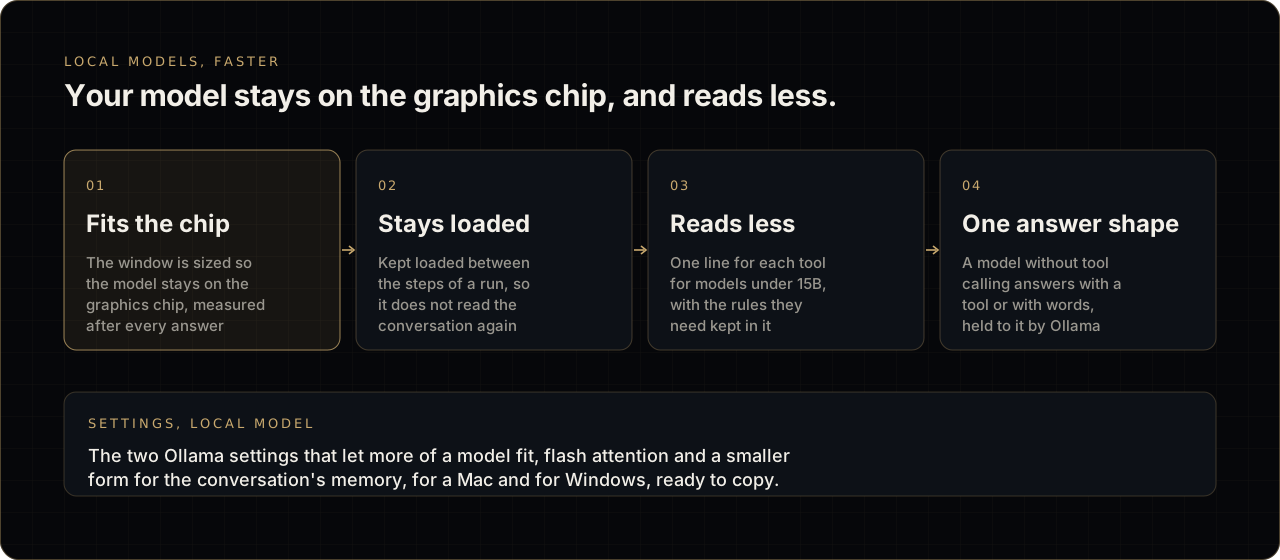
Your model stays on the graphics chip, and reads less.
| Step | What HashCortx does |
|---|---|
| 01 Fits the chip | The window is sized so the model stays on the graphics chip, measured after every answer |
| 02 Stays loaded | Kept loaded between the steps of a run, so it does not read the conversation again |
| 03 Reads less | One line for each tool for models under 15B, with the rules they need kept in it |
| 04 One answer shape | A model without tool calling answers with a tool or with words, held to it by Ollama |
- A model's window starts at 4,096 tokens, the size Ollama gives a model by itself, and grows only as a request needs.
- After every answer, HashCortx asks Ollama how much of the model sits on the graphics chip. A window that keeps it there is kept, with no reload; one that pushed part of it into main memory is given up for the smaller one the request needs.
- HashCoder and agents keep the model loaded for fifteen minutes between steps, unless you chose a time in Settings.
- Smaller models read one line for each tool instead of several sentences.
- Settings → Local model gives the two Ollama settings that let more of a model fit, flash attention and a smaller form for the conversation's memory, for a Mac and for Windows, ready to copy.
- Where local models run is a setting: Automatic, Graphics chip only, or Main memory.
- The title bar names the model answering at that moment, in every workspace.
 HashCoder does what you asked
No features, files or fixes you did not ask for. HashCoder's instructions now keep every model to the request: no extra sections, settings or refactors, no README or notes nobody wanted, and the smaller reading of a request that could mean more. It finishes in a few plain sentences: what changed, where, and what ran.
It keeps to your request
- A site is held to the standard of a new site only when you ask for one, never for a change to one you have.
- After a change to a site, only the problems that change made are sent back. Problems the site already had are left alone.
- What it took out without being asked is put back, or said.
- Fixing what a check found keeps the design you asked for.
- A run that stops at its step limit says what it did and what is not done.
It holds smaller models to what they ran and said
- A model's word that the tests pass is not taken: the tests are run.
- A change is tested even when the model only writes the command.
- The examples your request gives for a function are tried, and the result shown beside what you asked for.
- A failing test is not run again until something changes.
- An answer that says it searched, when nothing was searched, is sent back.
- A fix written as a diff is made, and a tool call that is a model's whole reply is read.
- A model that asks leave, or says what it will do, is told to do it.
- A smaller model's step can no longer run on for minutes.
It knows more, and works more cleanly
- Reads websites for what they hold: pictures, logo, colours and contact details.
- Looks things up for a model that cannot.
- Is told today's date, and how to use its tools sparingly.
- Adds to the end of a file in one step, and searches inside files with regular expressions.
- Stops going round in circles on a wrong call.
- Steps show readable times, a live count and a bar for how long each took.
- Commands find
npm,nodeand Homebrew's tools when the app is started from the Dock.
 Keep talking while it works
- Message queue. A message sent while a model is working waits in a card above the box, each one with Edit and remove, and is sent when the work ends. HashCoder reads it at its next step, without starting again.
- Send now, or Ctrl+Enter (Cmd+Enter on a Mac), does not wait.
- What you attach to a queued message waits with it and goes with it.
- Works in chat, HashCoder, Finance, 3D Forge, the ERP agent and the Agent Swarm's workspace.
- Versions in a chat. Editing a message or regenerating an answer keeps the chat as one chat. The new one is another version, and "‹ 2/3 ›" moves between them, each with the conversation that followed it.
- Edit beside a HashCoder request brings its words back to the box.
- Files dropped on the app reach it: a picture, a PDF or any file, on chat, HashCoder, Finance and 3D Forge.
 3D Forge
- Models in their own colours. Each part takes the colour the real object has there, and parts of one material share it exactly.
- Opens faster. The floor and the mark appear at once, while saved projects are read beside them.
- Draws only when the view changes. Left alone, it uses no drawing time at all.
- The intro mark floats above the floor, clear of the grid.
- Letting go of a gizmo keeps the part selected.
 Notable fixes
- Scrolling up while a reply is written stays where you put it, in every workspace.
- The Agent Swarm canvas and the memory map follow the trackpad and the mouse wheel, and dragging an agent stays smooth.
- The middle mouse button opens a link in your browser.
- A filled button keeps its colour under the pointer.
- The Agent Swarm's tab fills the last row of the sidebar.
- An edit matched loosely keeps each line at its own depth.
- Everything else, each in the changelog.
 Removed
- The Virtual OS workspace. Its tab, its panel and its chat agent are gone, and what it saved is cleared when 3.3 starts. HashCortx has seven workspaces: Chats, HashCoder, Agent Swarm, 3D Forge, ERP, Finance and Sandbox.
- The word-by-word comparison under a regenerated answer. Regenerate keeps the old answer as a version instead.
 Install
Upgrading from 3.0? Your keys, chats and settings carry over. What the Virtual OS saved is cleared at first launch, so keep anything you need from it before you update.
macOS, Apple Silicon
- Download HashCortx_3.3.0_aarch64.dmg below, open it, and drag HashCortx to Applications.
- HashCortx is not signed or notarised by Apple, so macOS refuses it the first time. The app is not damaged. Open Terminal and run this once:
xattr -cr /Applications/HashCortx.app- Open HashCortx normally. After an upgrade, run the command once more.
Windows
- Download HashCortx_3.3.0_x64_no-embeddings-setup.exe below and run it.
- Windows shows a blue Windows protected your PC box, because the installer carries no paid signing certificate. Click More info, then Run anyway, and follow the installer. HashCortx is then in your Start menu.
This build is made without local embeddings, so it starts on any 64-bit PC, including one with a processor from before 2013. The knowledge base searches by keyword instead of by meaning, and the app says so. Everything else is the same app. For search by meaning on a newer PC, build from source; the steps are in the README.
To use Ollama on Windows, run setx OLLAMA_ORIGINS "http://tauri.localhost" once and reopen Ollama. If the window opens white and empty, install the WebView2 runtime.
Linux and Intel Macs
Build from source. The steps are in the README.
 Check your download
Run this in the folder you downloaded to. If the result matches, your copy is byte for byte the file published here.
macOS:
shasum -a 256 HashCortx_3.3.0_aarch64.dmga4ff9b35aa5c5615c028982ca49f795d225b5a1a395e97ae51ea938321a01a77
Windows (PowerShell):
Get-FileHash HashCortx_3.3.0_x64_no-embeddings-setup.exe -Algorithm SHA256CA1D23B61AF4BF35A1EFB3B019959BA7B5F59B8263E44C5D931B853DB93A7FA4
Built and checked in the open. CI runs 10,567 source checks on every change, and 226 Rust tests on Linux, macOS and Windows.
The build is not code-signed, and keys are stored unencrypted, protected by your user account. SECURITY.md says everything it does, and does not.
Website · Full changelog · All changes since 3.0.0 · Discussions