Feature/add simulink library block#3
Conversation


Added a Simulink library which contains the block "HebiJoystick Input".
"HebiJoystick Input" can be used as a replacement for the "Joystick Input" block
from the "Simulink 3D Animation" toolbox.
- Splitting the release files into matlab and simulink folders.
- Include README and LICENSE.

|
Thanks for the PR 👍 I'm not particularly familiar with Simulink and don't have access for testing at the moment. Can you provide a screenshot of what the model (in the slx?) looks like? Does it match the interface in the official toolbox? What versions have you tested it on? |
|
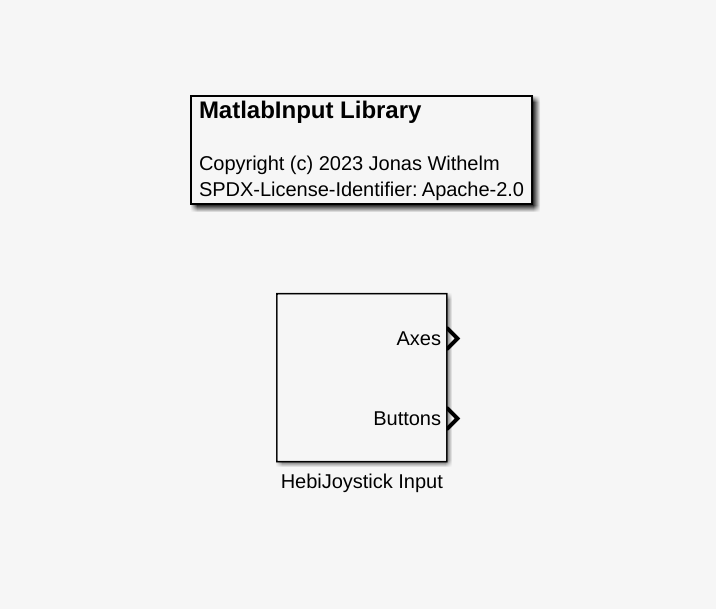
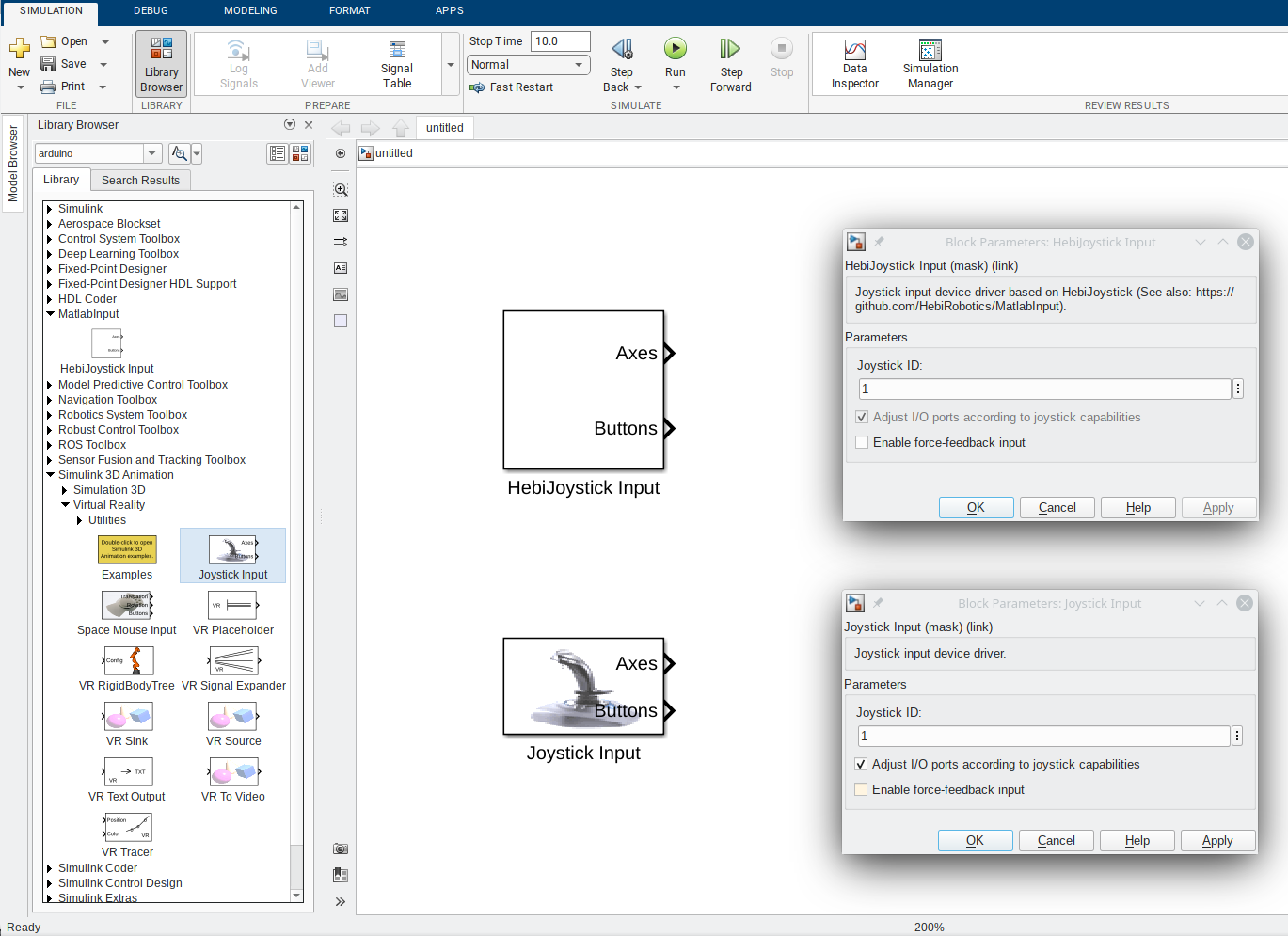
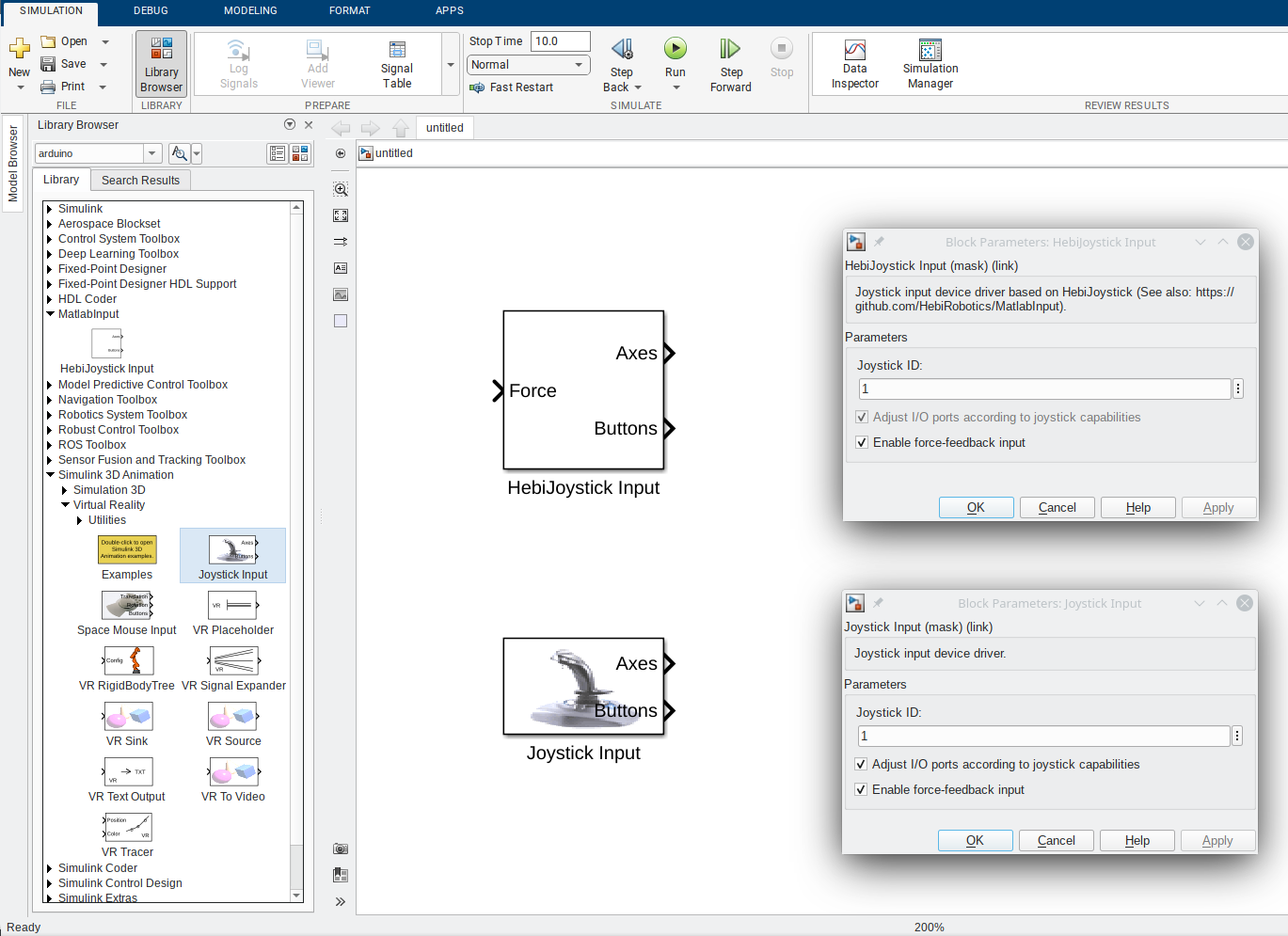
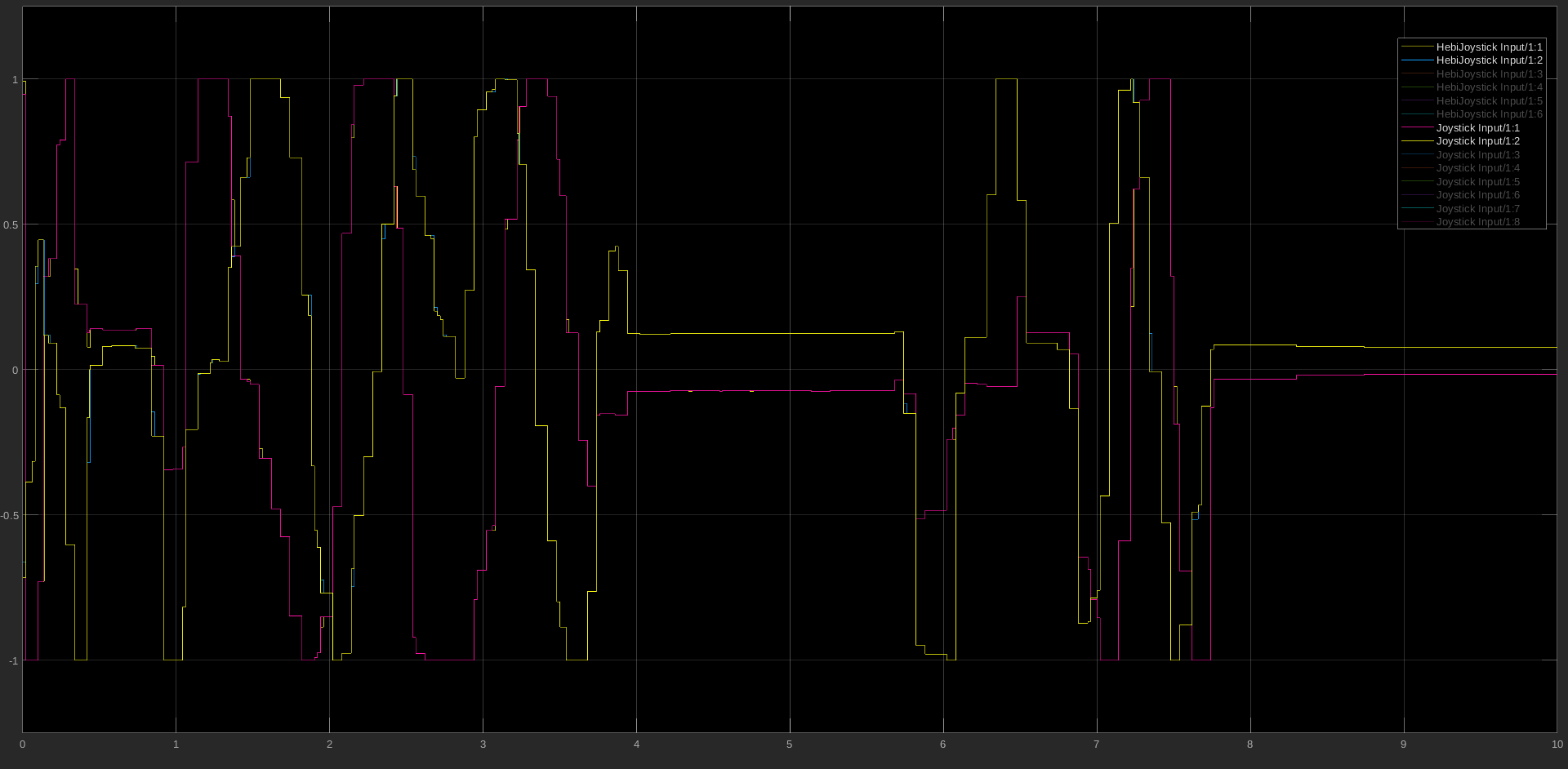
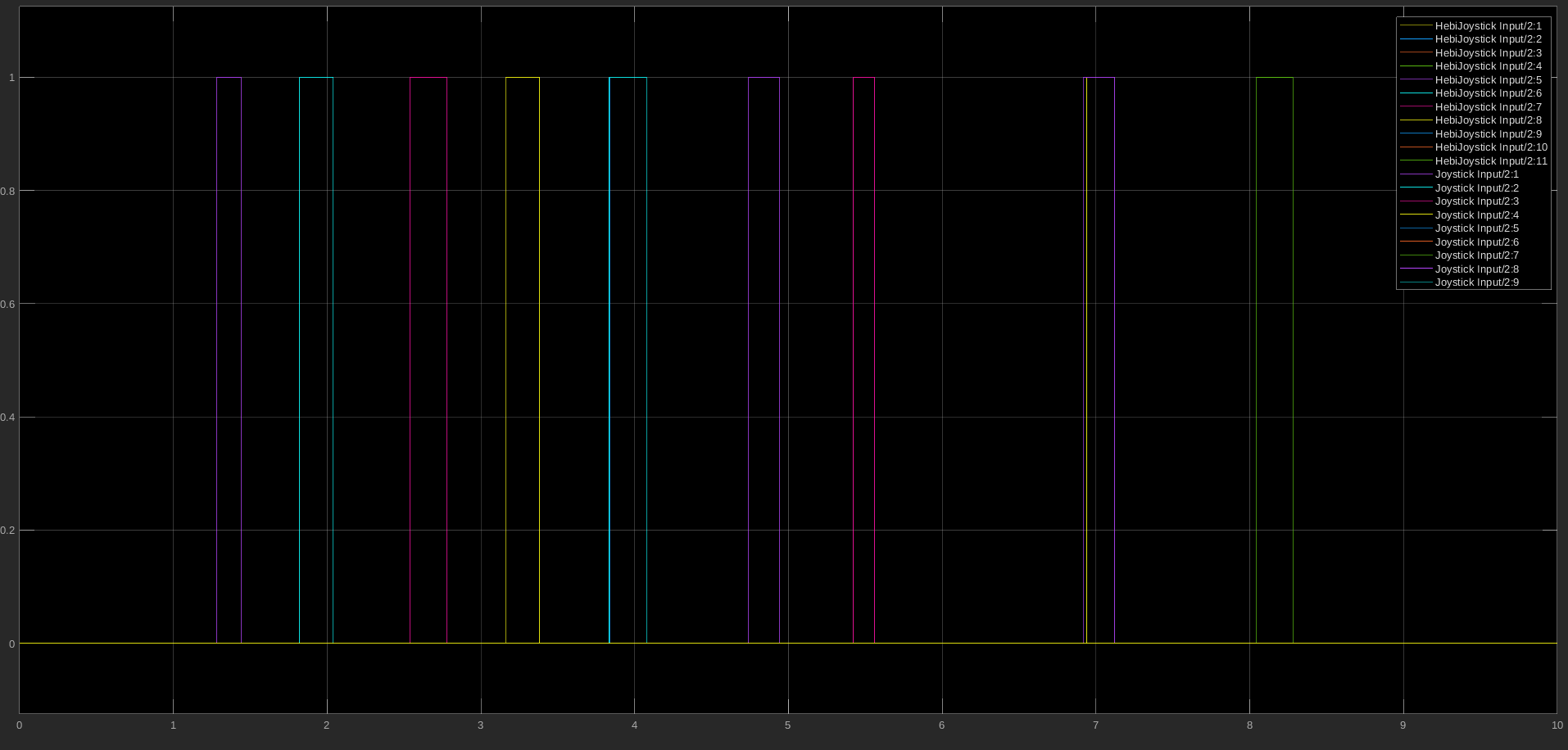
Thank you for HebiJoystick! 😄 I created the library (matlabinput_lib.slx) with Matlab/Simulink R2018b, but I also tested it with Matlab/Simulink R2022b (a test license in which I can use the original Joystick Input block from the Simulink 3D Animation toolbox). The implementation is based on a Level-2 MATLAB S-Function (hebijoyinput.m) which uses HebiJoystick. If you directly open the library file (matlabinput_lib.slx) it looks like this: As you can see here, the outputs and configuration masks of both blocks are identical: The force-feedback function is implemented and working (at least for an XBox controller) but interestingly force-feedback does not seem to work with the original Joystick Input block as you can see here: Also here are two side-by-side comparisons of the Axes and Buttons Outputs of both blocks: I configured HebiJoystick Input to use a discrete sample rate of 50 Hz to prevent Simulink from calling the instance of HebiJoystick to often. I think this is also a different behavior from the original Joystick Input block (but also very easy to change in hebijoyinput.m). As a last point, I changed the target structure of the project to achieve a better separation between the Matlab and Simulink files (If you'd like, you can view it here: https://github.com/jwithelm/MatlabInput/releases) |
|
At first glance everything looks good. I'll take a better look tomorrow and merge it in. For what it's worth, we have internally replaced all of our joystick uses with the Mobile I/O app. It acts as a cross-platform and cross-language wireless joystick with additional support for various sensors like IMU/GPS and AR tracking. Maybe that's useful for you as well. Here is an older example using the MATLAB API: Mobile I/O - ARKit & Magnetometer Demo. It supports up to 1KHz async sampling, async logging, and comes with visual debugging toos like Scope. |

|
merged and released it. thanks again |
2 participants


Added a Simulink library called 'MatlabInput' which contains the block 'HebiJoystick Input'.
'HebiJoystick Input' can be used as a replacement for the 'Joystick Input' block from the
'Simulink 3D Animation' toolbox.
The Simulink block is implemented as a Level-2 MATLAB S-Function using 'HebiJoystick'.