Repository navigation
Releases: HenryXiaoYang/realtime-tex-vsc-plugin
Releases · HenryXiaoYang/realtime-tex-vsc-plugin
Release list
v0.0.1


Realtime TeX Live Preview v0.0.1
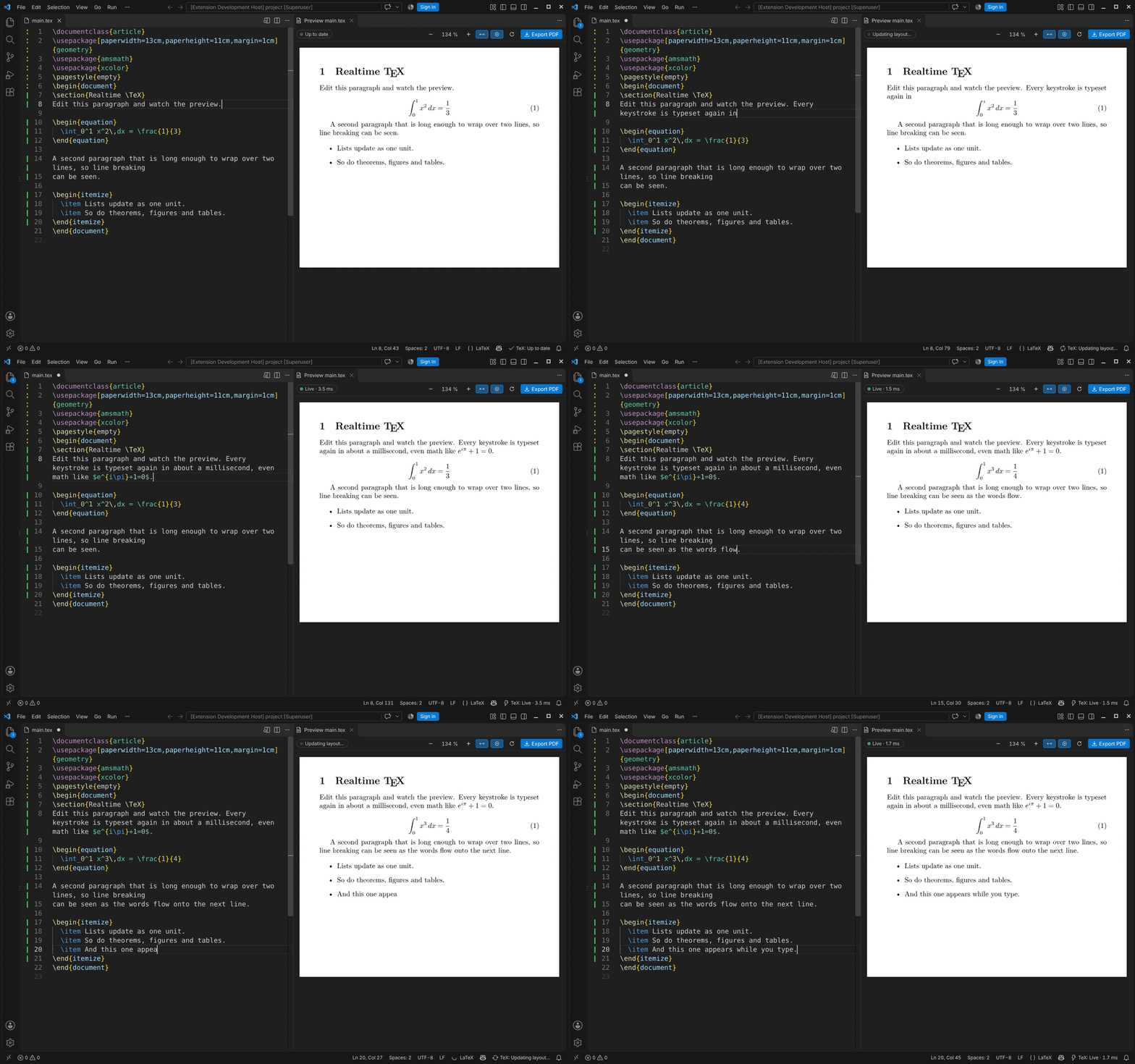
The first release of a VS Code live preview for LaTeX that keeps up with your typing. It's built on realtime-tex (rtex), which keeps LuaTeX running and re-typesets only the paragraph you're editing, in about a millisecond. Page breaks, references and bibliographies follow from a full compile in the background.
Highlights
- Live preview as you type. Body text, inline and display math,
\ref/\eqref/\cite, lists, theorems, figures, tables and headings update with each keystroke. Everything else (preamble changes, TikZ, moved floats, new page breaks) follows from the next full compile, usually a second or two later. - Live markers next to the line numbers. A solid green bar means a part updates live; a dotted amber bar means it waits for the full compile. Hover to see why.
- One-click setup. Install rtex downloads the prebuilt engine for your platform and checks its SHA-256, with no Rust needed. Build from Source is still there. If LuaLaTeX is missing, the extension can install a minimal TeX Live 2026 for you. Check Setup finds and fixes anything else.
- Linux, macOS and Windows, all native. Every platform is tested end to end in CI against the real engine.
- Two-way navigation. The preview follows your cursor (Ctrl+Alt+J), and a double-click in the preview jumps to the source.
- Errors where you work. LaTeX errors and warnings show in the Problems panel and as squiggles. A failed compile keeps the last good pages on screen and says what went wrong.
- Export PDF (Ctrl+Alt+E). The output matches a clean LuaLaTeX build.
- Fast drawing. The preview draws pages itself: OpenType/TrueType and Type1 fonts, colors, rules and images. Pages with TikZ or
\specials are shown from the background PDF, and edits on them still appear live on top. - Stays up to date. rtex is checked once a day, and Update rtex Engine updates it on demand.
Getting started
- Install the extension (see below).
- Open a folder with a LaTeX project, open a
.texfile, and click the preview icon in the editor title bar, or press Ctrl+Alt+V (Cmd+Alt+V on Mac). - If rtex or LuaLaTeX is missing, the preview walks you through installing it.
The main file is found automatically, from a % !TEX root comment, \documentclass, or the file that \inputs the one you're editing.
Requirements: VS Code 1.85 or newer, and LuaLaTeX from TeX Live 2026 (the extension can install it).
Install
Download realtime-tex-0.0.1.vsix below. In VS Code, run Extensions: Install from VSIX… and pick it, or run:
code --install-extension realtime-tex-0.0.1.vsix
Known limitations
- While a paragraph is half-typed and invalid (for example
$e^$), it briefly disappears from the preview until the LaTeX is valid again. - A full compile stopped inside the preamble can be reported as successful by rtex, showing the previous pages. This is fixed on the rtex side, not in the extension.
- See rtex's live editing guide for what can update live.