
SeekTTY v1.0.0
SeekTTY brings the native DeepSeek Harness Agent into a keyboard-first terminal interface while leaving Session, model, permission, Profile, plugin, Settings, and persistence ownership in Harness.
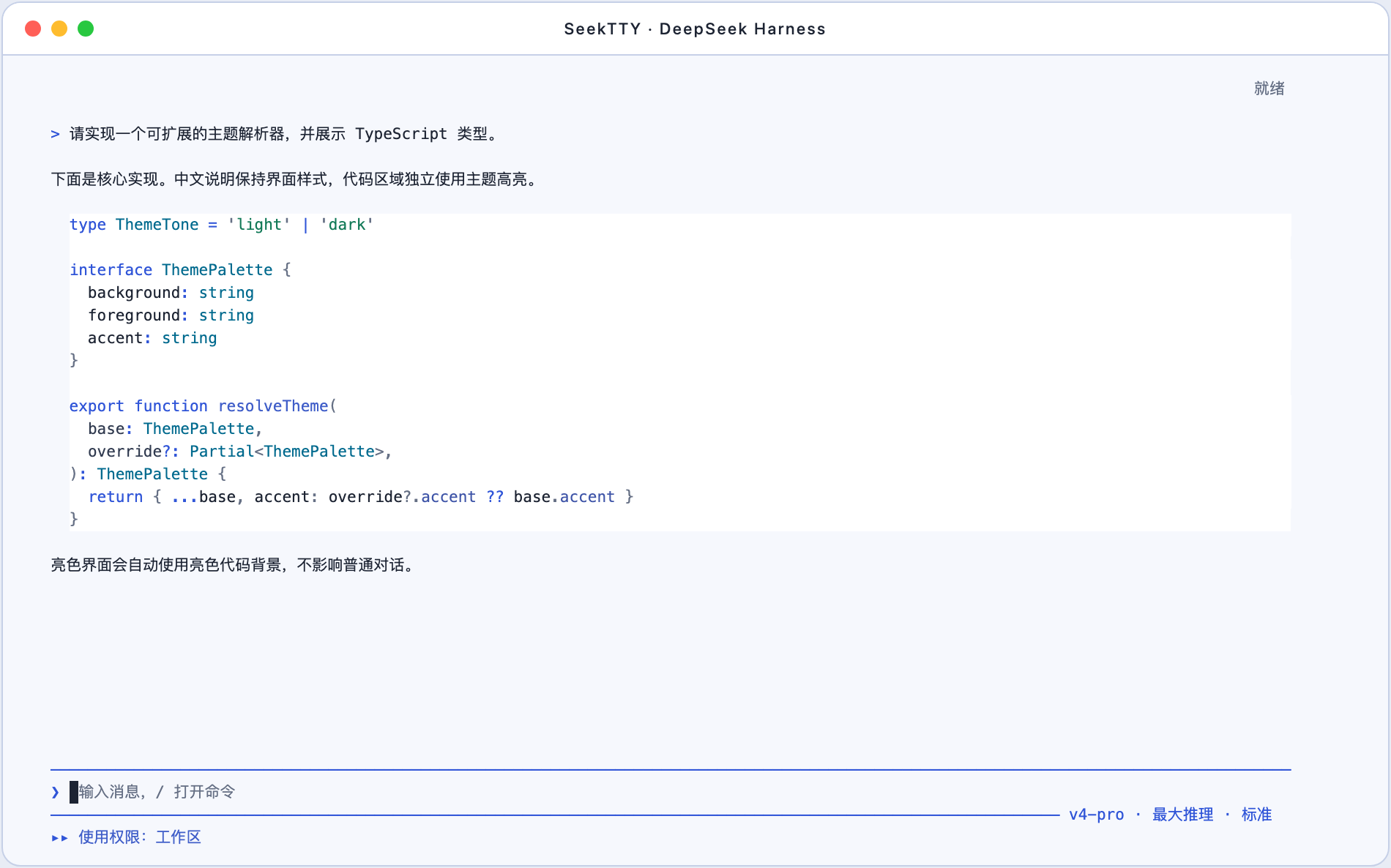
Signature feature: custom themes and VS Code-compatible code highlighting
- Customize interface background, text, semantic colors, and selection colors.
- Customize the code background, foreground, syntax colors, bold, and italic styles independently from the surrounding interface and normal Chinese text.
- Generate a complete light or dark theme from a 3–16-color palette, preview it, and keep adjusting it before saving.
- Import local VS Code JSON/JSONC themes through
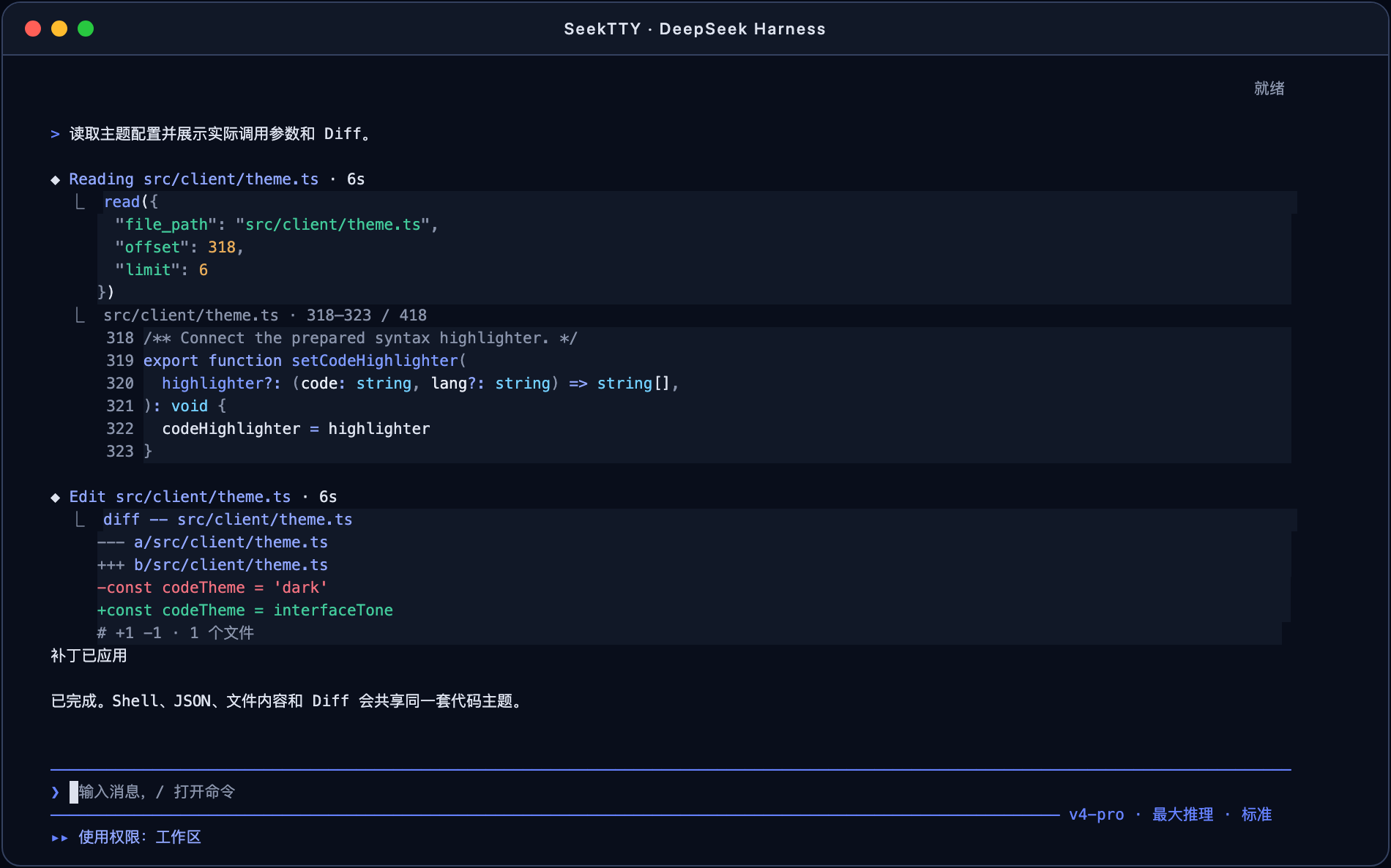
/theme import, including relativeincludefiles, portable TextMate token colors, and supported semantic token mappings. - Apply one active code theme to Assistant Markdown, Shell commands, JSON tool parameters, file reads, structured output, and Diff views.
- Render every multi-line code surface as one continuous rectangle of real terminal cells: no Markdown fences, per-line white boxes, or disconnected background stripes.
DeepSeek light interface with TypeScript highlighting
DeepSeek dark interface with tool parameters, file reads, and Diff
Full Harness-backed terminal workflow
- Run the bare
deepseekcommand from the current project and resume Sessions or select another workspace/Profile. - Switch Agent mode, model, reasoning effort, and permission directly in the TUI.
- Use Harness-native sessions, approvals, questions, attachments, queues, feedback, subagents, background jobs, workflows, exports, trajectory, statistics, Skills, MCP, and plugin lifecycle.
- Open
/pluginfor installed Bundles, discovery, details, installation, removal, updates, ordering, sources, and diagnostics. - Open
/settingsfor every non-appearance Harness Setting, with a Schema fallback for newly registered fields. - Keep the composer at the viewport bottom, use mouse-wheel scrollback, select terminal text normally, and copy with Command+C.
Install
pnpm add --global github:Hilbert-beinghappy/seektty#v1.0.0
deepseek
Native Harness installation remains available:
dsh plugin --profile tui add github:Hilbert-beinghappy/seektty#v1.0.0
dsh --profile tui
Compatibility and verification
- DeepSeek Harness: official
0.1.0-rc.6 - Platforms: macOS and Linux; Windows is not supported
pnpm run check: typecheck, 82 tests, build, and package dry-run passed- Stock dsh add, boot, remove, and reinstall lifecycle passed with the attached tarball
- A real DeepSeek two-turn session passed and retained the first-turn code value in the second response
- Light and dark visual checks covered continuous code surfaces, tool calls, file reads, Diff, long conversations, and the bottom-anchored composer
Tarball SHA-256: e556274a6ee5196450fdc8d4a907406f0eab3daa6ce4851b014439fc235b1266