The curl examples for the "Set Citation Date Field Type for a Dataset" API endpoint shows how to use the dataset's database ID (24):
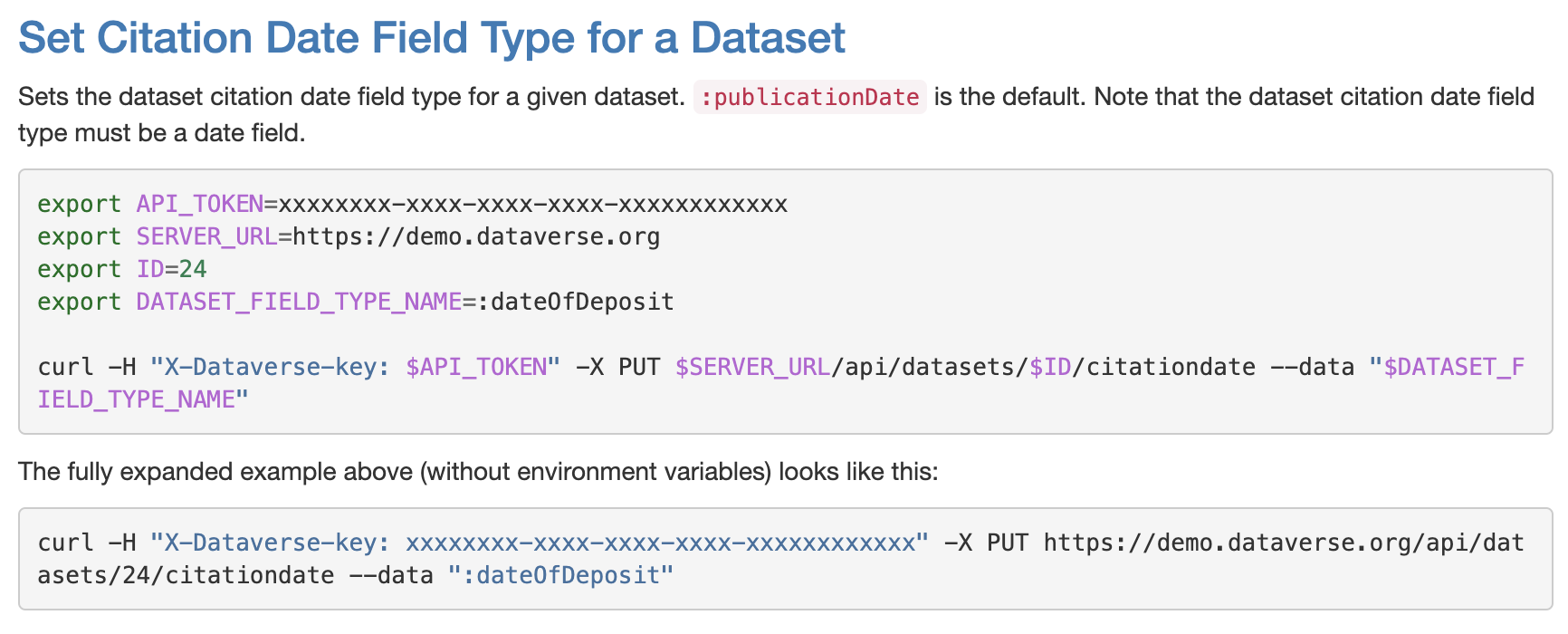
A dataset's database ID can be a pain to get for users who just want to use an API endpoint to do something once, like change the year shown in their dataset's citation. This citation date change endpoint can be used with the dataset's persistent ID, so the example should show that:
export API_TOKEN=xxxxxxxx-xxxx-xxxx-xxxx-xxxxxxxxxxxx
export SERVER_URL=https://demo.dataverse.org
PERSISTENT_IDENTIFIER=doi:10.5072/FK2/J8SJZB
export DATASET_FIELD_TYPE_NAME=:dateOfDeposit

curl -H "X-Dataverse-key: $API_TOKEN" -X PUT $SERVER_URL/api/datasets/:persistentId/citationdate?persistentId=$PERSISTENT_IDENTIFIER --data "$DATASET_FIELD_TYPE_NAME"

The fully expanded example above (without environment variables) looks like this:
curl -H "X-Dataverse-key: xxxxxxxx-xxxx-xxxx-xxxx-xxxxxxxxxxxx" -X DELETE https://demo.dataverse.org/api/datasets/:persistentId/citationdate?persistentId=doi:10.5072/FK2/J8SJZB
The same change can be made for the endpoint that restores the default citation date field type (publicationDate)


The curl examples for the "Set Citation Date Field Type for a Dataset" API endpoint shows how to use the dataset's database ID (24):
A dataset's database ID can be a pain to get for users who just want to use an API endpoint to do something once, like change the year shown in their dataset's citation. This citation date change endpoint can be used with the dataset's persistent ID, so the example should show that:
The same change can be made for the endpoint that restores the default citation date field type (publicationDate)