Repository navigation
JCTRL applications
Enter JCTRL at the JV-DOS prompt, then open a COM from Files. Startup bundles and manages JCTRL, TextEdit and Paint. WEB and Pong are optional imports. These windowed applications need desktop services; fullscreen DOS execution returns to the prompt. Only one app or media stream runs at a time.
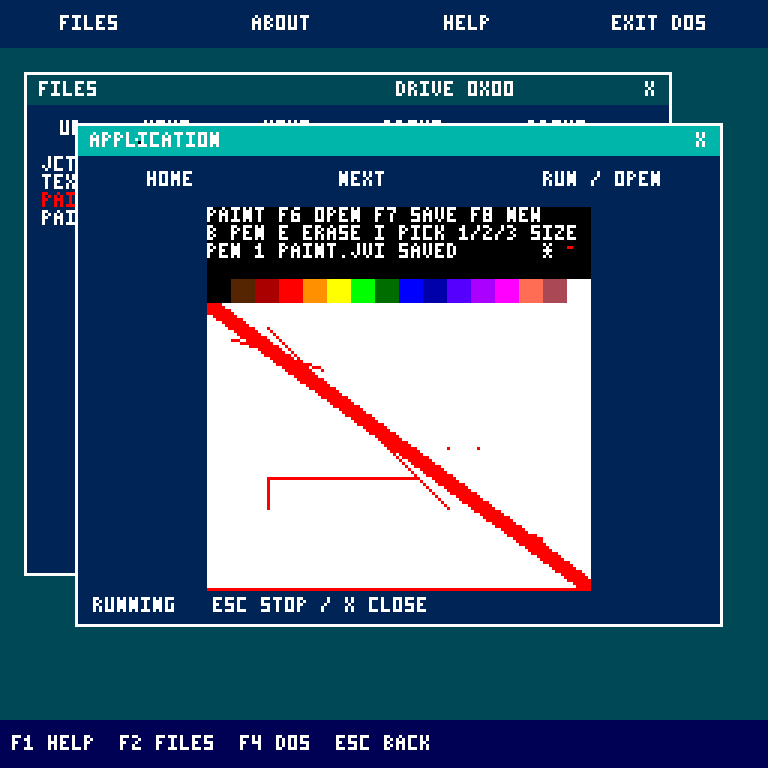
PAINT.COM provides a 128 by 96 pixel white canvas with sixteen palette swatches. Drag to draw connected strokes. * marks unsaved changes and the small status sample shows the selected color.
| Input | Action |
|---|---|
| B / E / I | Brush / white eraser / pick a pixel's color |
| Right click | Pick a canvas color without painting |
| 1 / 2 / 3 | Square brush of 1 / 2 / 4 pixels |
| F6 | Open PAINT.JVI from the launch folder |
| F7 | Save/replace PAINT.JVI in that folder |
| F8 | Start a blank white canvas |
| Y at DISCARD? | Confirm opening/clearing modified content; another ordinary key cancels |
| Esc / X | Close; save first to keep changes |
Key releases and Shift/Ctrl/Alt leave the discard prompt open. Paint uses a fixed size and filename; rename/export saved files through DOS or Workshop to keep multiple paintings. PAINT.JVI is a type-2 JVFS image: JI, width 128, height 96, followed by 12,288 palette bytes (12,292 bytes total). DOS IMAGE and the desktop image viewer can open it.
Invalid headers, dimensions, types or palette values are refused before replacing the canvas. A failed replacement save keeps the previous file, painting and dirty marker. Opening/clearing asks before discarding changes; closing does not. Paint requires JCTRL application services v7.
Paint runs as guest bytecode. Shared pixel-row transfers and resident JVFS block I/O handle image files. The shared GRAPHICS_LINE service draws connected, clipped strokes. Frontmost canvas changes publish only changed pixels and preserve the pointer background; overlapping windows and dragging use the compositor. A stationary held brush causes no repaint.
.\gradlew.bat desktopImage paintExample
.\gradlew.bat paintRegression paintInstallRegression desktopServicesRegression
PaintRegression.java checks real guest execution: palette selection, connected strokes, brush sizes, erasing/picking, bounds, make/break key events, discard guards, exact JI save/load, malformed files, full disks, pointer restoration, window movement, overlap and bounded rendering cost. It writes build/jctrl-paint.png.
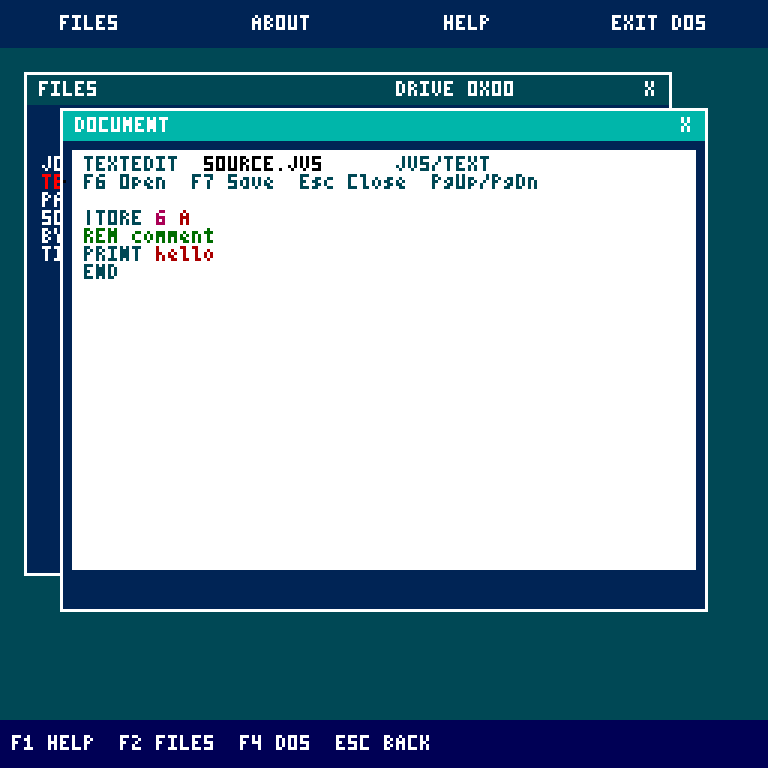
Open TEXTEDIT.COM, type a filename in the current Files folder, then Enter. A missing file starts a new document; F7 creates it. The limit is 4,096 bytes. Larger files are refused without changing them.
| Input | Action |
|---|---|
| F6 / F8 | Open another filename / new document |
| F7 | Save and clear *
|
| Arrows | Move the caret; text Up/Down retains the visual column |
| Home / End | Wrapped-row start/end in text; file start/end in binary mode |
| Page Up / Page Down / wheel | Move twenty rows |
| Backspace / Delete | Delete before/at the text caret |
| Enter / Tab | Insert newline / four spaces |
| Esc / X | Close and discard unsaved edits |
The | caret temporarily covers the current character. JVS highlights keywords, numbers, registers, comments and PRINT/ECHO text; .HEX highlights hex digits and comments. Binary entries, including COM, show twelve bytes per row. Type two hex digits to replace a byte; length stays unchanged. Opening another document asks Y to discard modified content. TextEdit preserves imported CRLF and tabs unless edited; imported tabs display as >. Lines wrap at 48 cells.
TextEdit requires services v5 or newer and uses shared keyboard/rendering and transactional filesystem writes. A failed save keeps the prior disk file.
.\gradlew.bat textEditExample textEditRegression textEditPerformanceRegression editorInstallRegressionBuild .\gradlew.bat browserExample, import examples/jctrl/WEB.COM through Workshop, then open it from Files. WEB requires services v3 or newer. This is a separate, richer application than DOS BROWSE.
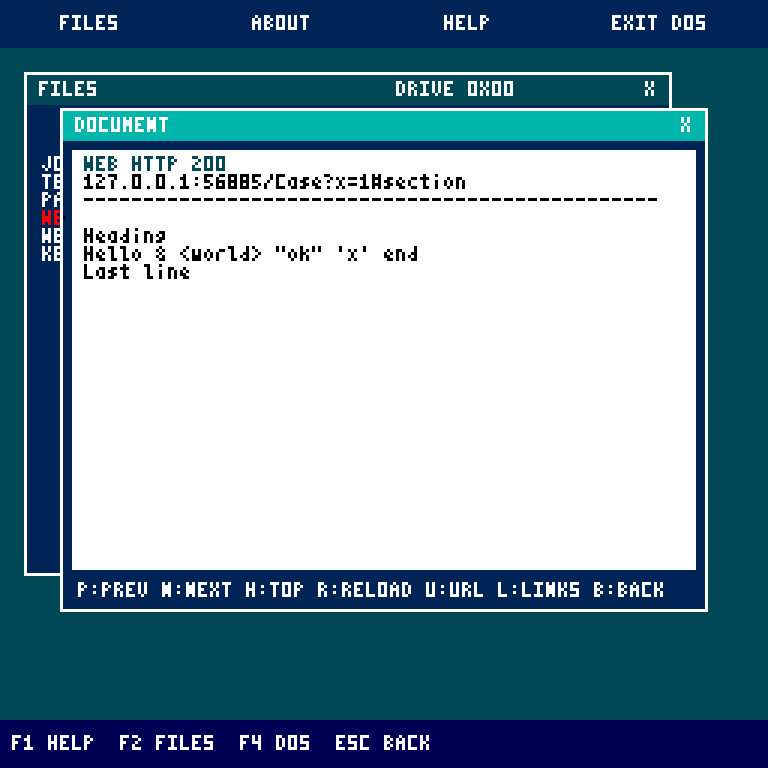
Enter host[:port]/path or an HTTP(S) address, up to 120 ASCII characters. WEB provides numbered links, grouped link choices, editable basic GET-form queries, relative URL resolution, bounded redirects, Back history, chunked HTTP and streamed text caching under WEB.CACHE. Completed cache documents are ordinary JVFS text files.
| Input | Action |
|---|---|
| N / Space / Page Down / Down | Next screen; resume a paused download |
| P / Page Up / Up / Backspace | Previous saved screen |
| H / Home | First saved screen |
| L / Tab | Link/form chooser; Tab/Up/Down selects, Enter follows |
| 1-9 in chooser | Follow a numbered destination |
| Left / Right in chooser | Refetch and scan the previous/next group of nine |
| B / R / U | Back / reload / edit address or cancel pending download |
| G in page/error/chooser | Toggle optional local gateway and retry |
| Esc / X | Close and release connection/file handle |
Direct transport is HTTP over the VM's TCP device. To use verified HTTPS and gzip/deflate decompression, run python tools/web-gateway/web_gateway.py, keep it listening on 127.0.0.1:8080, then press G in WEB. [gateway] marks relayed requests. The helper handles transport; guest bytecode still parses HTML, resolves links/redirects and renders text.
JavaScript, CSS layout, images, cookies/authentication, POST forms and complete Unicode are unsupported. Servers may refuse this client. See detailed WEB controls and gateway setup.
Build .\gradlew.bat jctrlExamples, import examples/jctrl/PONG.COM as binary through Workshop, then open it from Files. Move the mouse vertically inside the game to control the left paddle; the right paddle is computer-controlled. First to seven wins. R restarts and Esc closes. Move away from the title bar when playing.
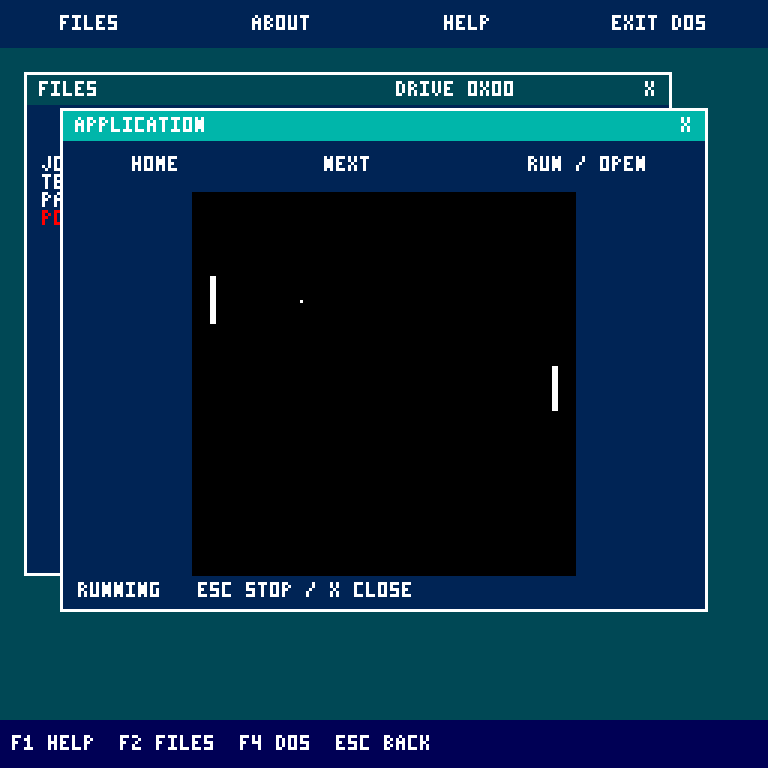
Pong uses the small graphics workspace and scaled framebuffer. It does not write storage. The storage regression suite exercises launch, mouse input, scoring, restart and exit. See application source notes and the shared application ABI.