Repository navigation
Terminal Interface
Install and launch the beta full-screen interface:
pipx install "imap-migration-tools[tui]"
imap-tools
It provides one workspace for Configuration, Tools, Operation settings, History, and Output.
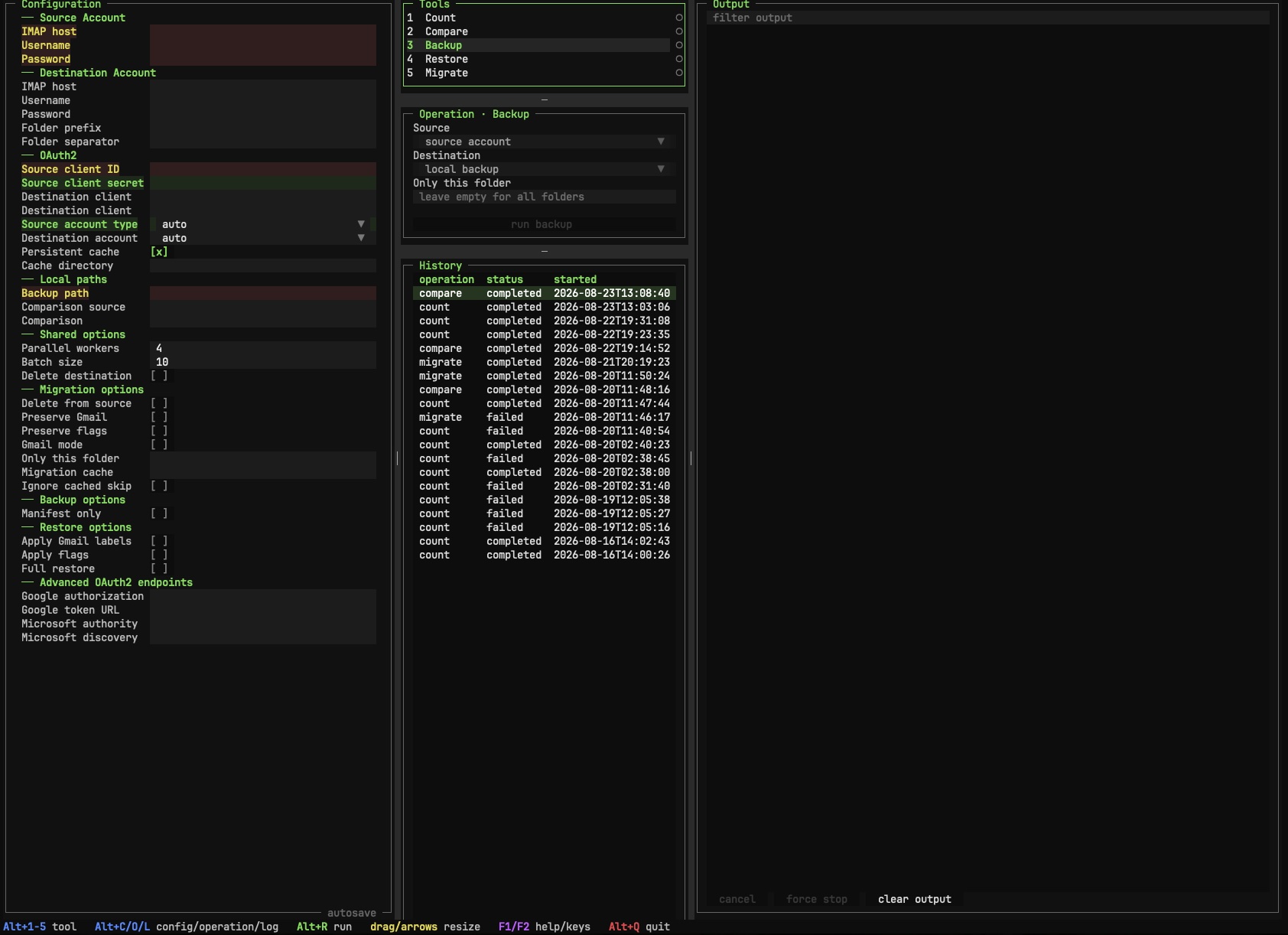
Selecting an operation shows a floating status such as:
Ready to runMissing: source password or OAuth client IDWarning: destination deletion enabled
The same centralized result controls the Run button, Tools marker, and missing-field highlights. Authentication choices are alternatives; a password and OAuth client ID are not both required.
- Press
F1for help andF2for the complete keyboard reference. - Use
F5to refresh andF10to quit. - Drag visible separators to resize panels, or focus them with
Taband use the indicated arrow keys. - Double-click a separator to reset it.
- Press
Alt+0to reset the complete layout.
The interface adapts to narrow and medium terminals. In wide layouts, saved leading-divider positions are restored while Output always consumes the remaining width.
imap-tools --display-mode asciiASCII mode uses portable borders and markers plus bold or reverse-video cues that do not depend on color. Set
IMAP_TOOLS_DISPLAY_MODE=ascii to persist it. Supported values are auto, standard, and ascii; NO_COLOR is
honored in every mode.
The form autosaves valid .env changes and reloads valid external edits. Invalid external files leave the form intact
and display an error.
History is shared across instances using the same user data directory. Another instance's active run remains hidden until its summary and log are finalized. Refreshes preserve focus and the selected record when possible; if that record is deleted elsewhere, an available replacement is selected and its log is displayed.
Destructive runs require typing DELETE before execution.