Feature Overview
A visual tour of what the CK3 Modding Toolkit does. Every screenshot below is the extension running on a real mod (Cultivation: The Path to Immortality). Each section links to the wiki page with the full details.
Open your mod folder and everything lights up: syntax highlighting for CK3 script, the file tree with per-language icons, localized text inlined next to loc keys, and vanilla format docs one click away.
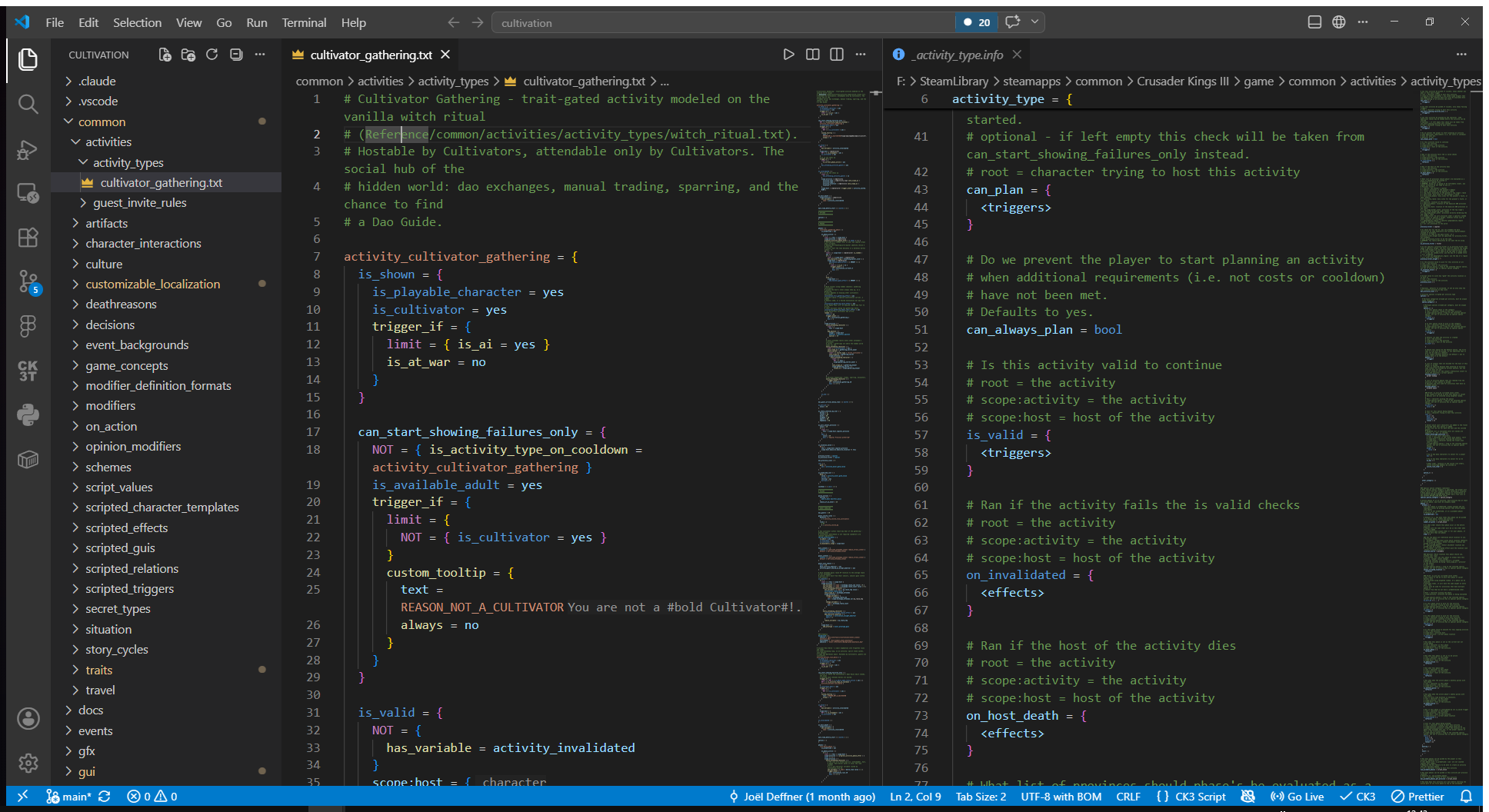
Completion knows whether you are in a key or value position and what scope you are in. Effects, triggers, scripted effects, traits, events and loc keys are all offered where they are valid, with documentation for the selected entry.
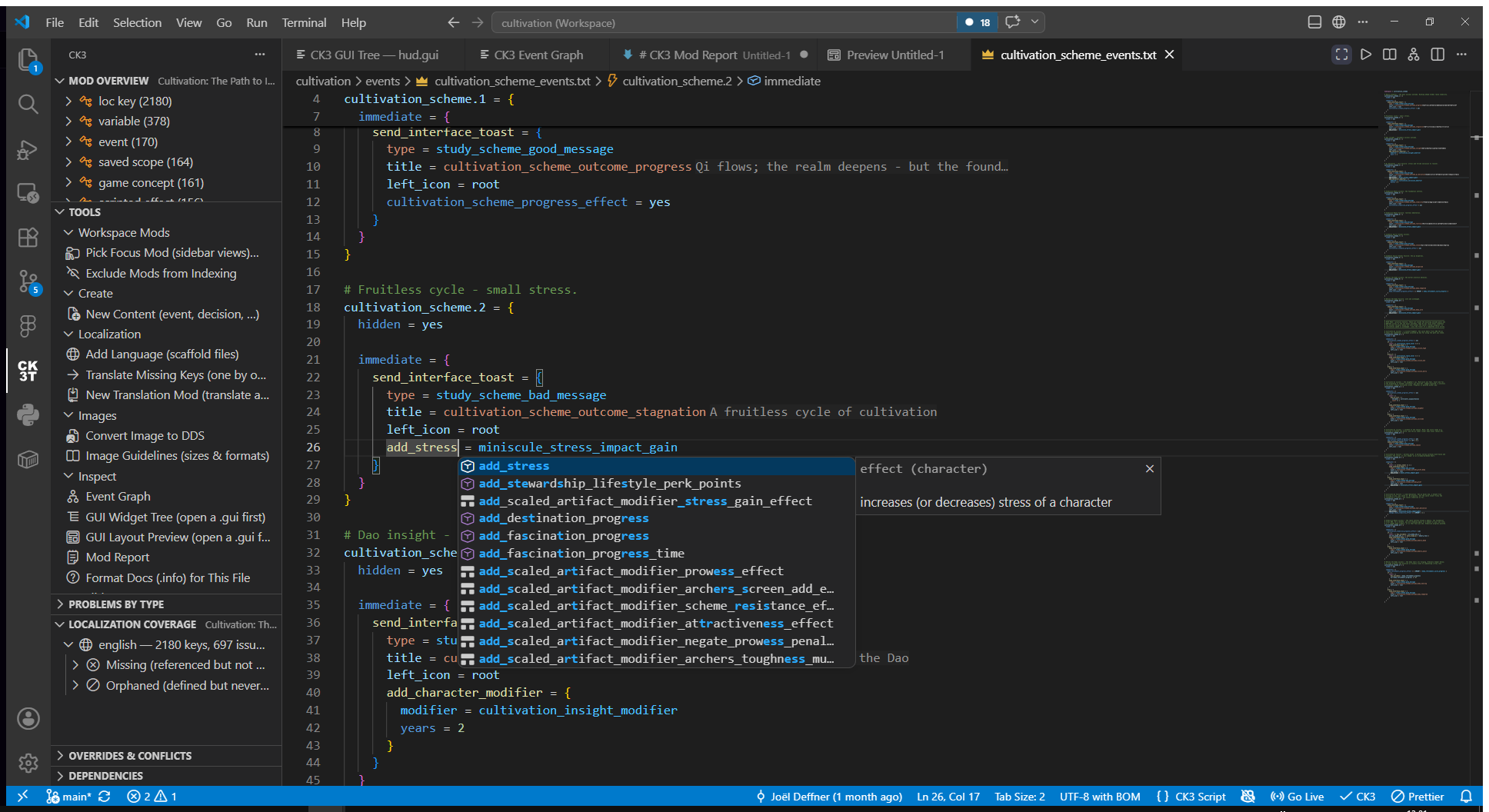
Write a # comment block above any definition and it becomes hover documentation everywhere that definition is used. The hover also shows a clickable definition link, a clickable reference count, and the scope at the cursor. Engine tokens (effects, triggers, scopes) get merged docs from script_docs and the wiki.
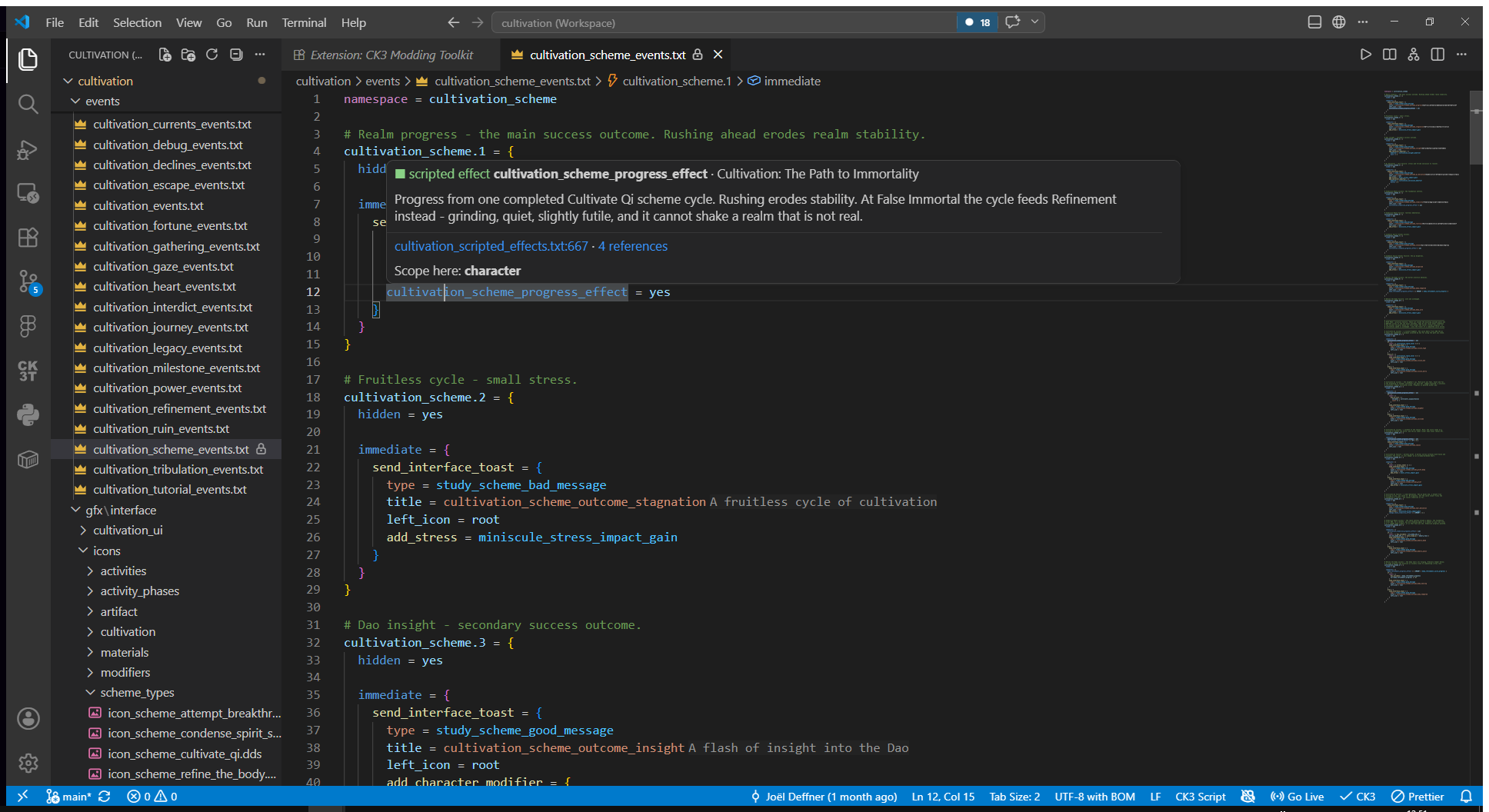
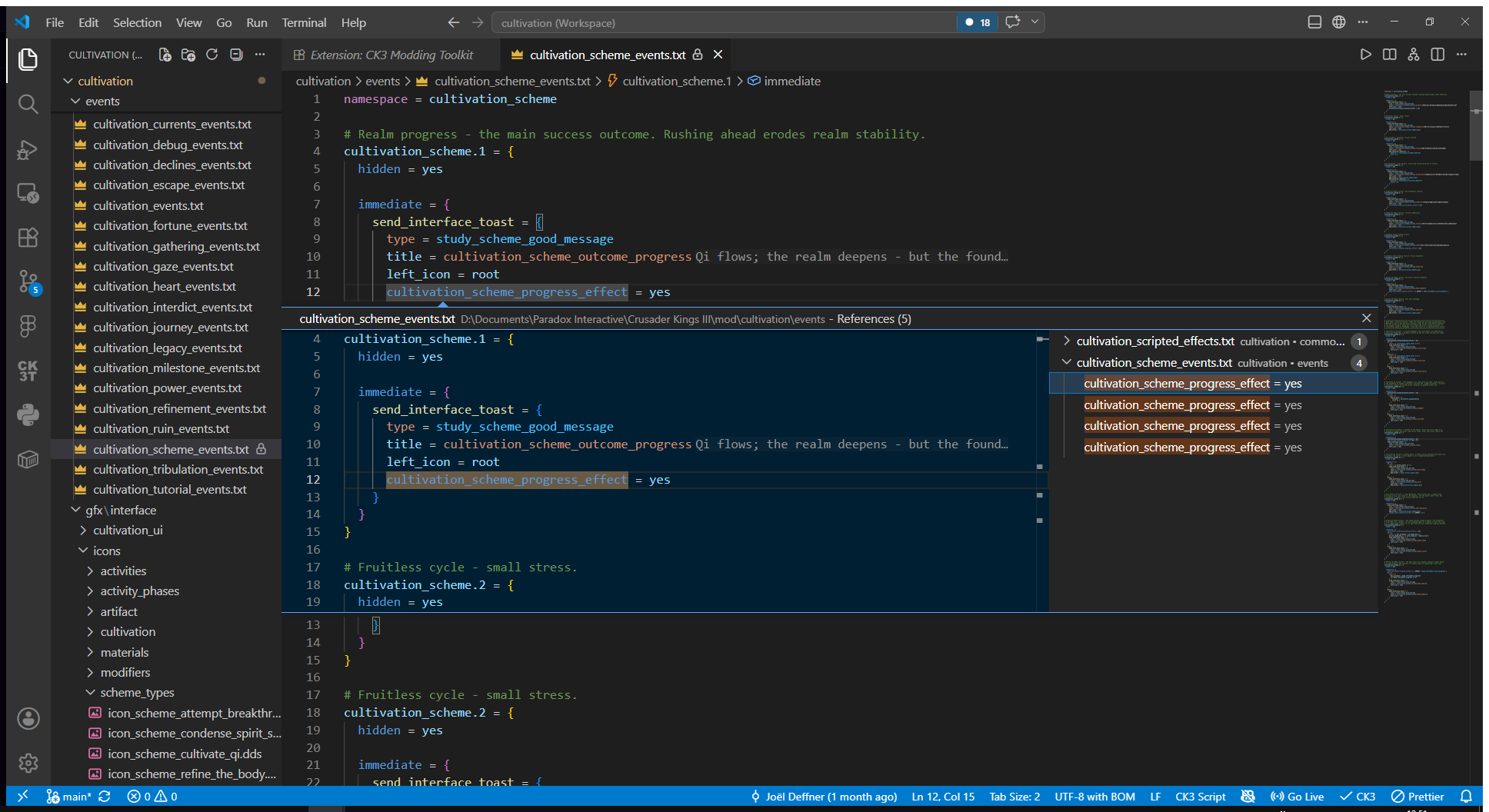
Go to definition, find all references, rename, document outline and workspace symbols all work across script and localization. References are indexed across the whole mod.
The extension catches the silent-failure class of bugs as you type: unbalanced braces, missing UTF-8 BOM, localization header and filename mismatches, folder-name traps, unknown event references. These are certain errors with no false positives, so they run live.
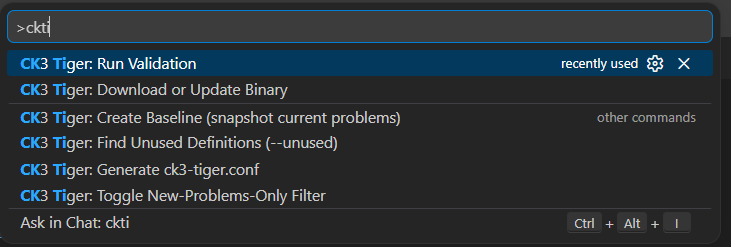
Semantic validation is delegated to ck3-tiger. You can run it manually with a command or the sidebar button, or automatically on every save (ck3.tigerRunOn). Reports land in the native Problems panel with the tiger error key, so inline suppression via # ck3m:ignore works too. The extension can download and update the tiger binary for you, generate a ck3-tiger.conf, snapshot a baseline so legacy mods only surface new problems, and run tiger's unused-definition scan.
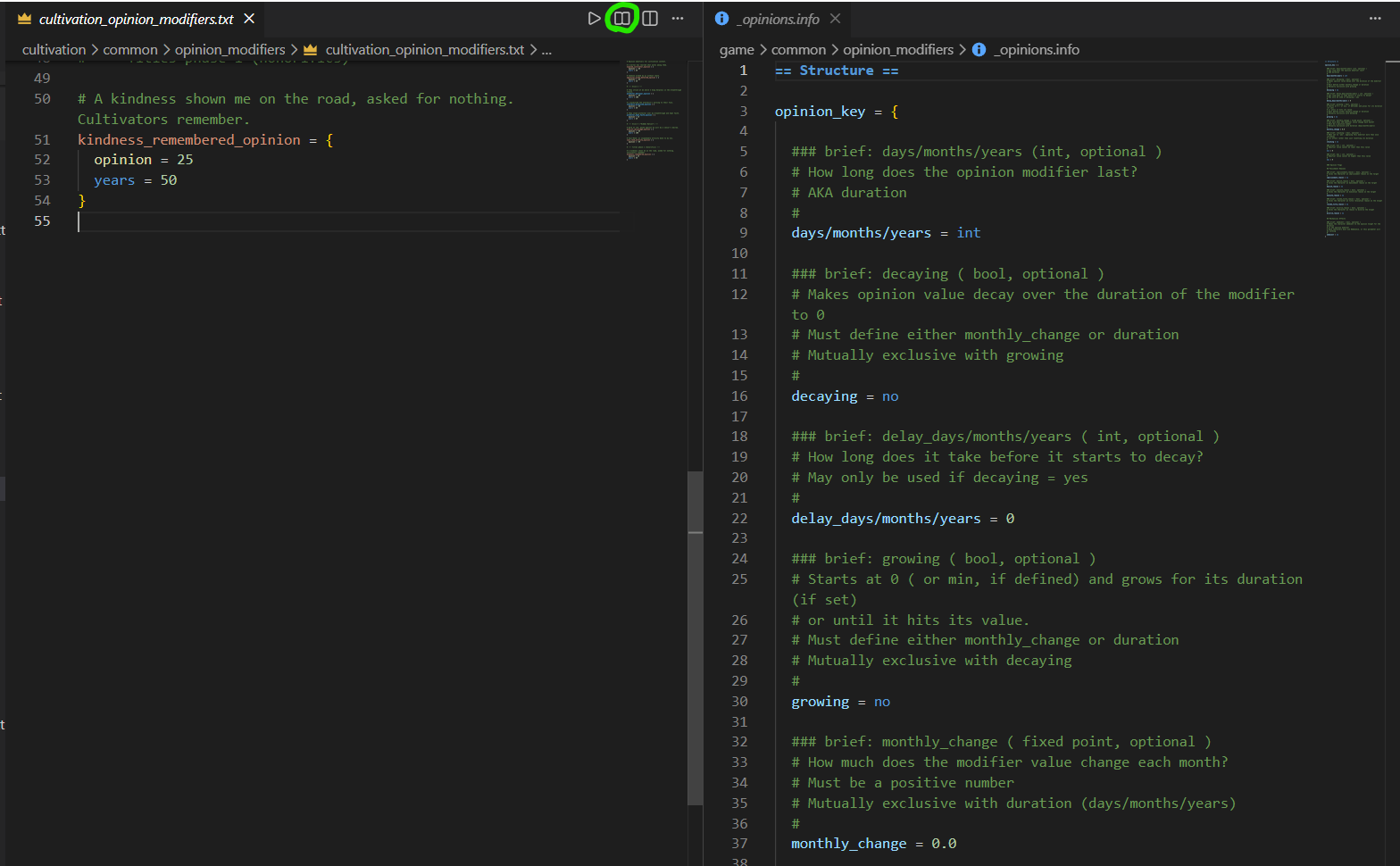
When the extension finds a matching .info format doc in the vanilla game directory for the file you are editing, a title-bar button opens it side by side. You get Paradox's own schema documentation, syntax highlighted, right next to your file.
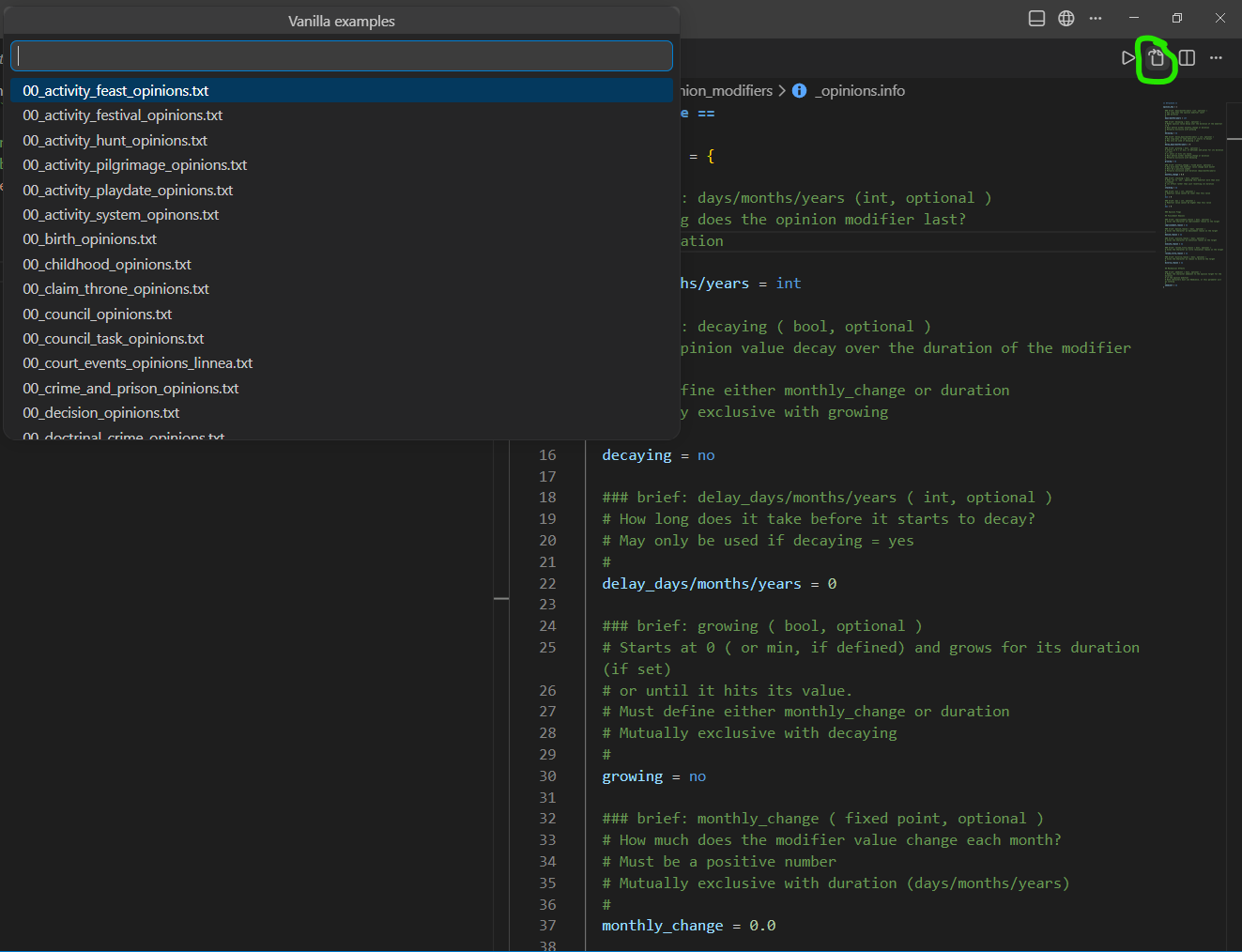
Inside an .info doc, another title-bar button lists the vanilla files that live in the same folder, so you can jump from the schema straight into real working examples.
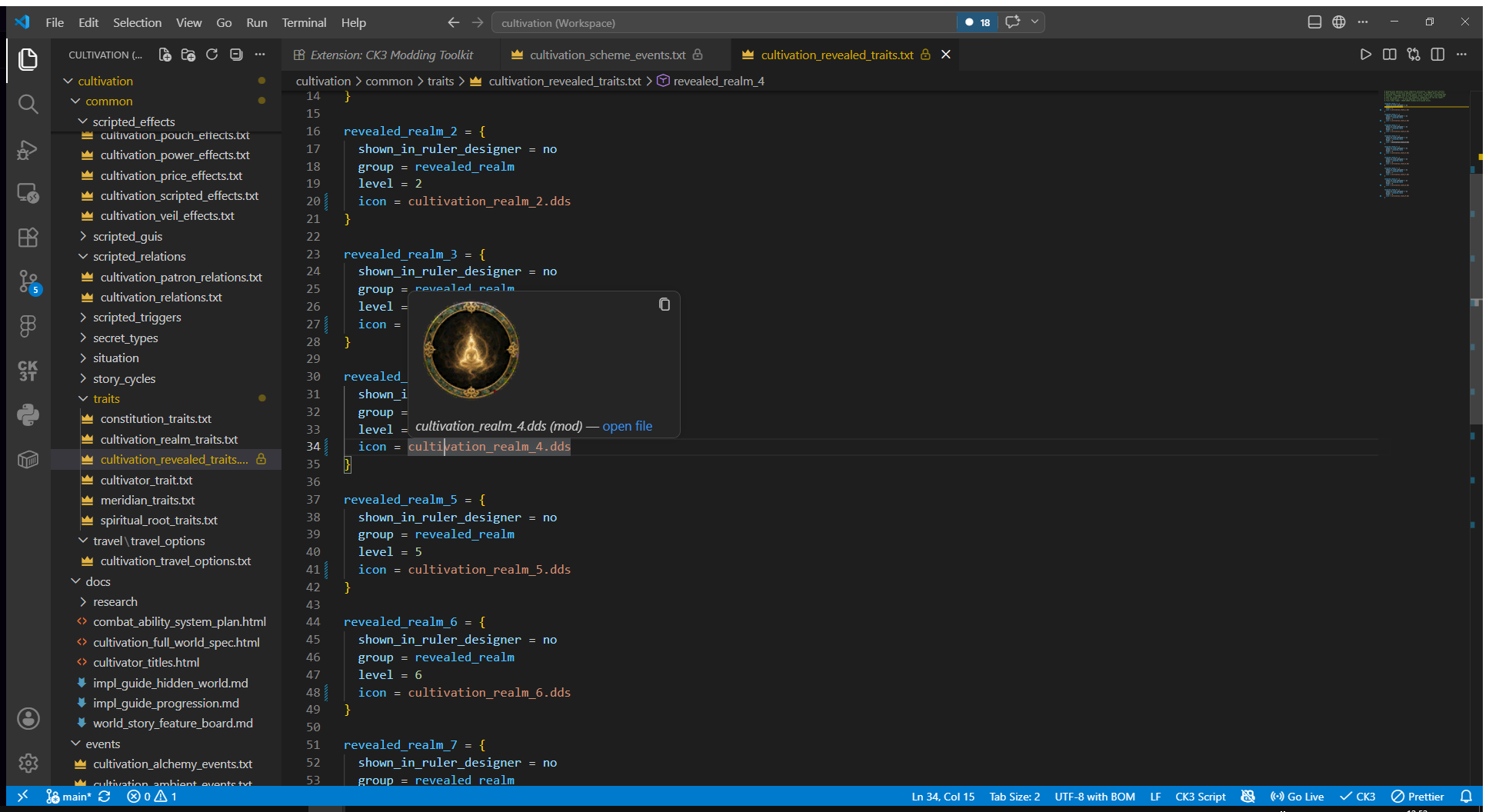
Hover any .dds path in script and the texture is decoded and shown inline. Resolution is mod-first, then parent mods, then vanilla. No external tools, the decoder is pure TypeScript.
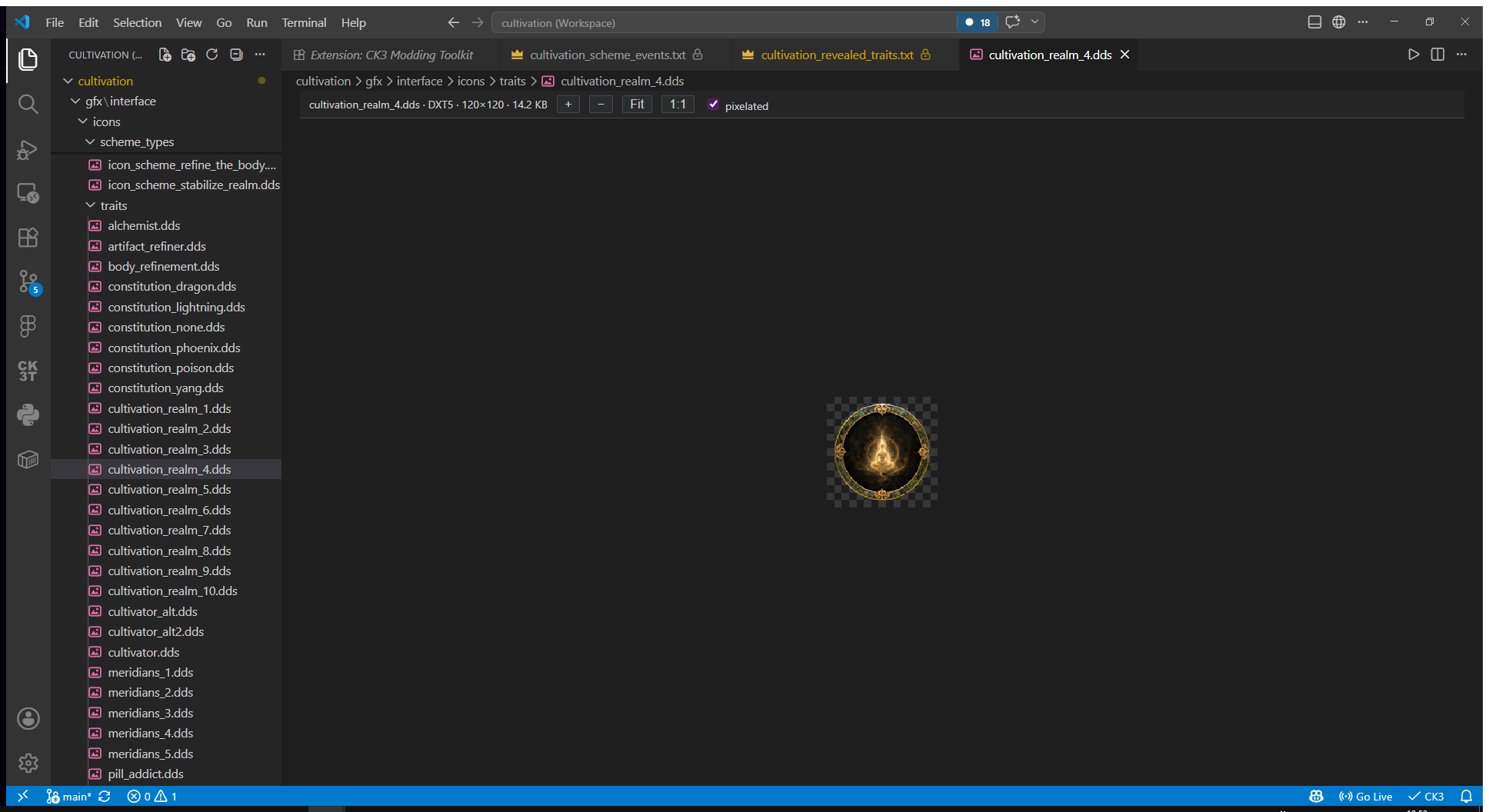
Clicking a .dds file opens a zoomable viewer showing the format, dimensions and file size. DXT1/3/5, BC7 and uncompressed formats are supported. There is also a converter (right-click a PNG/JPEG/WebP) and a reference page with vanilla's measured image sizes and formats per asset type. See DDS and Images.
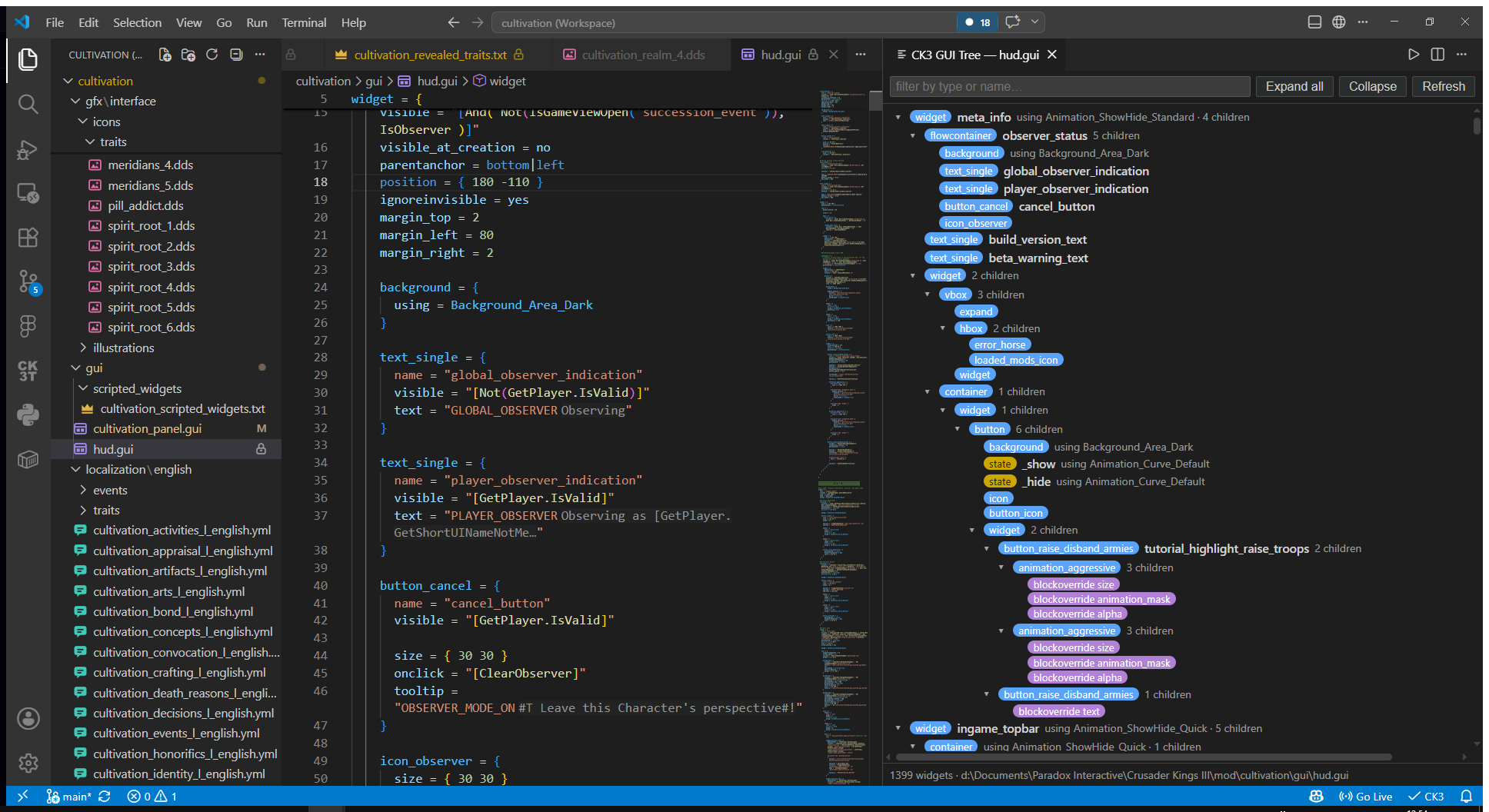
CK3: Show GUI Widget Tree renders any .gui file as a collapsible hierarchy: windows, containers, widgets, templates and animation states, with type badges, filtering, click-to-jump and auto-refresh on save.
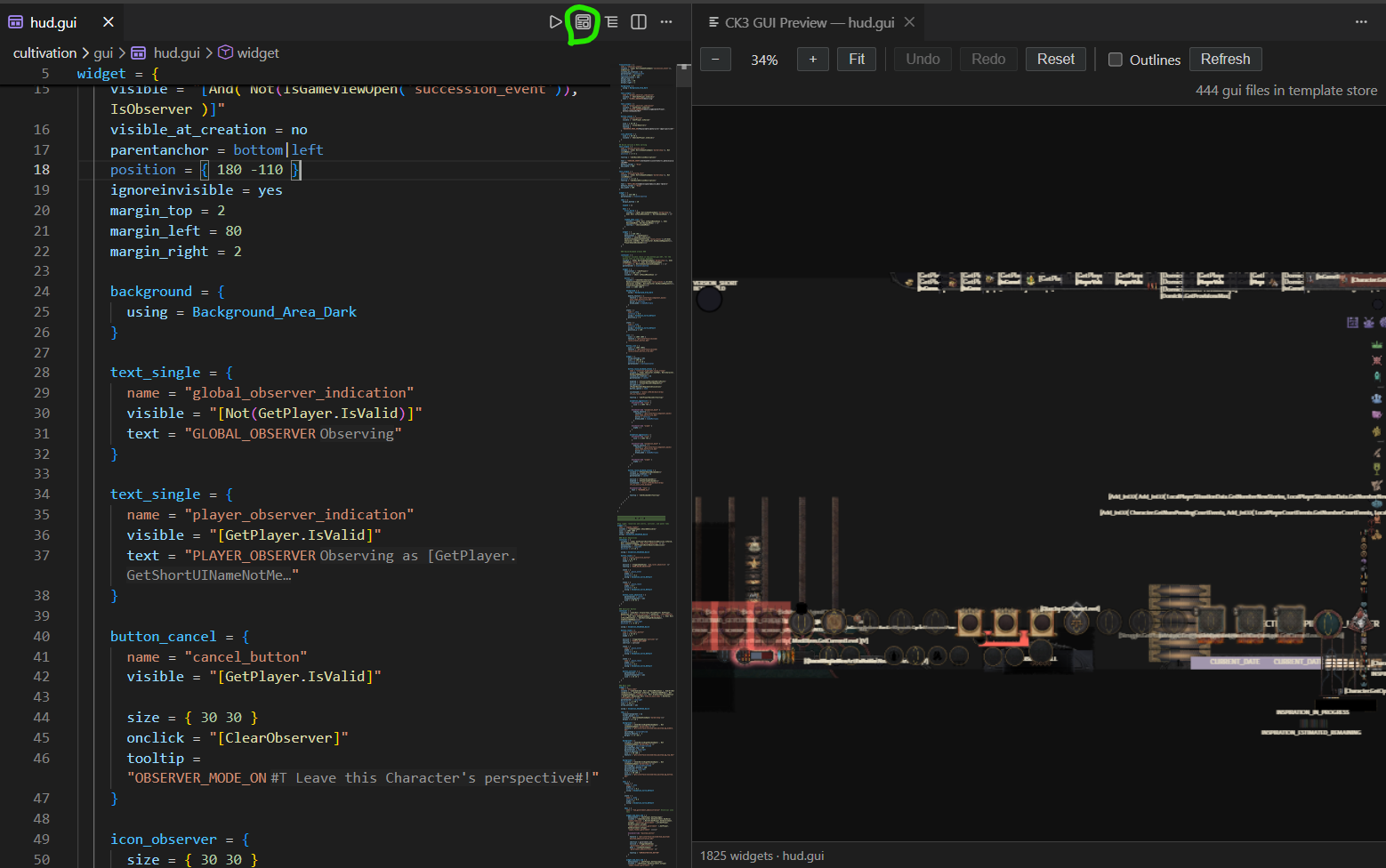
CK3: Preview GUI Layout goes further and renders the file the way the game lays it out, with real DDS textures and the game font. You can hover to inspect widgets, click to select them, and drag widgets whose statement lives in your open document. Edits round-trip as precise text edits to the source.
These two views exist because the long-term goal is to make GUI development possible directly inside the preview. That is far in the future. If you want to work on it, contributions are very welcome, see the GitHub repository.
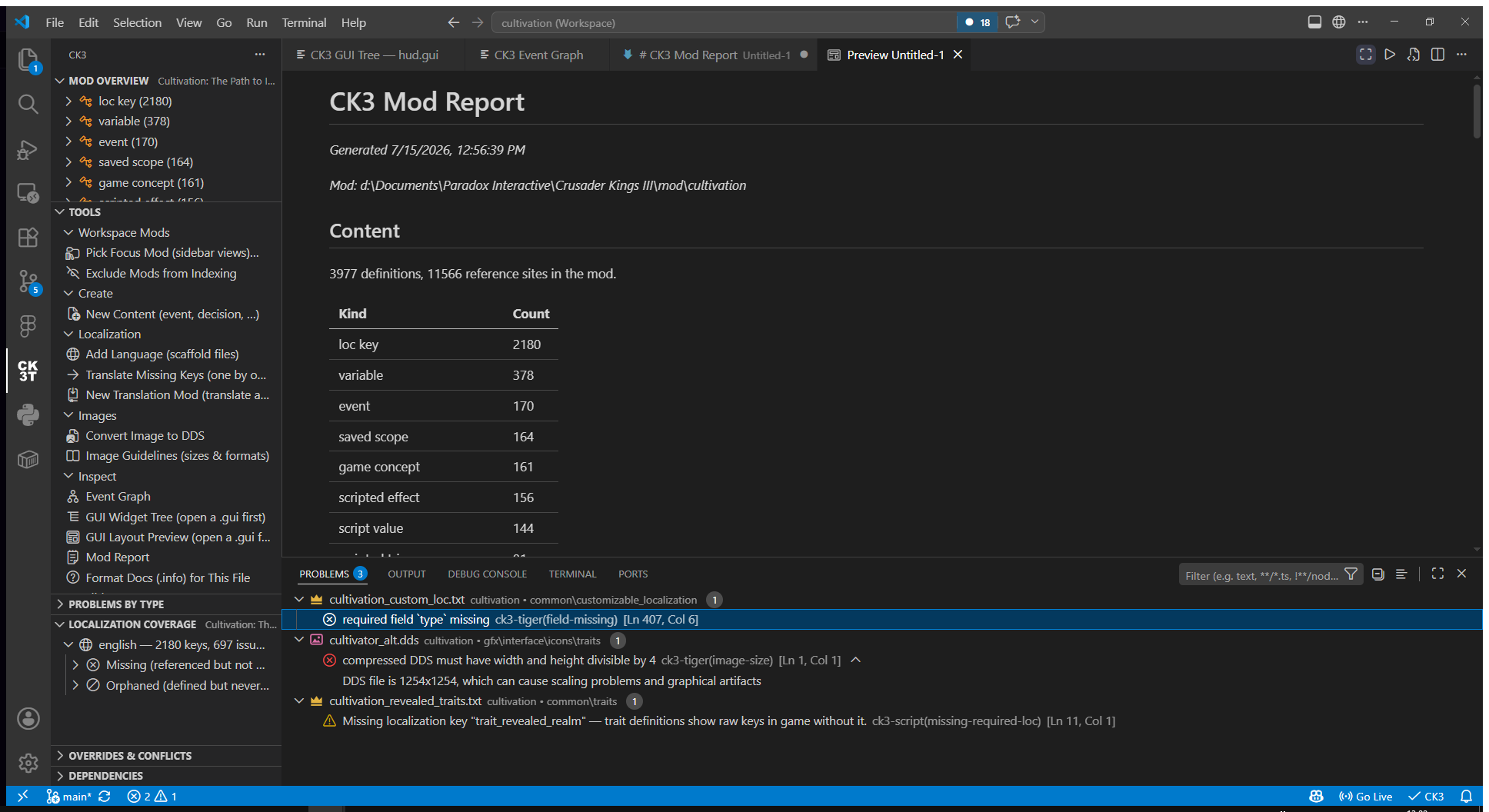
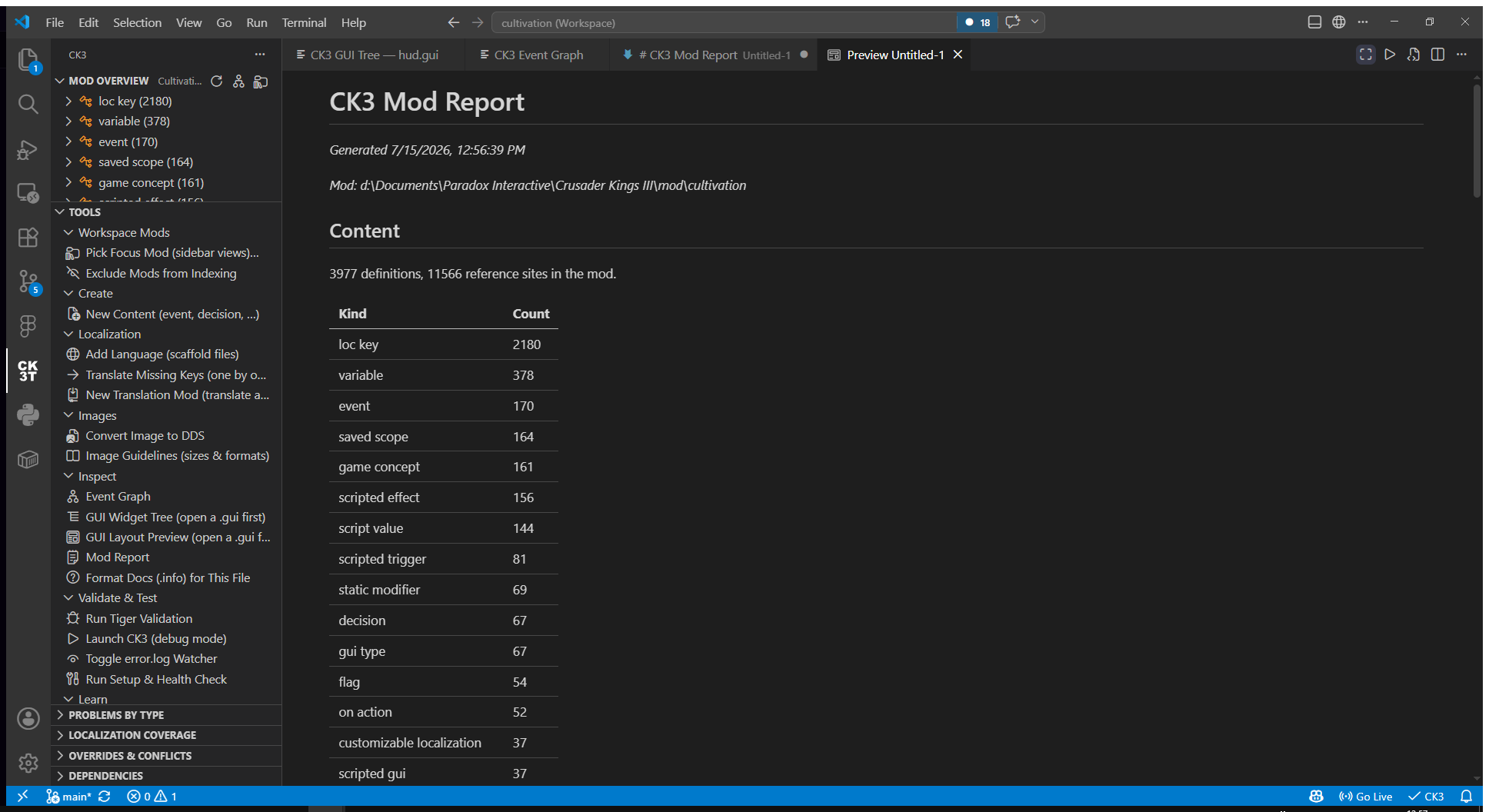
The CK3T icon in the activity bar opens an overview of the available tools and information about your currently selected mod: a content inventory (Mod Overview), one-click launchers for every workflow (Tools), plus Problems by Type, Localization Coverage, Overrides & Conflicts and Dependencies views. When you work on several mods, Pick Focus Mod pins which one the views show. See Sidebar Views.
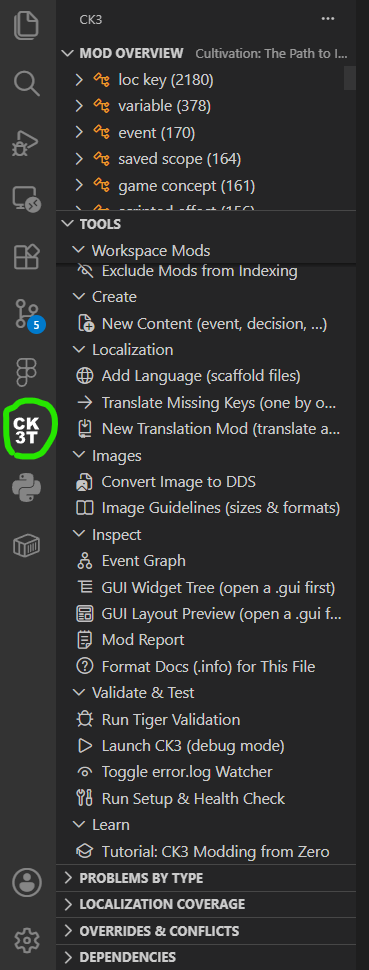
Per-language counts of missing, orphaned and untranslated keys, with quick actions to add or translate them one by one. Translation tooling goes as far as generating a complete standalone translation mod. See Multi Mod and Translation.
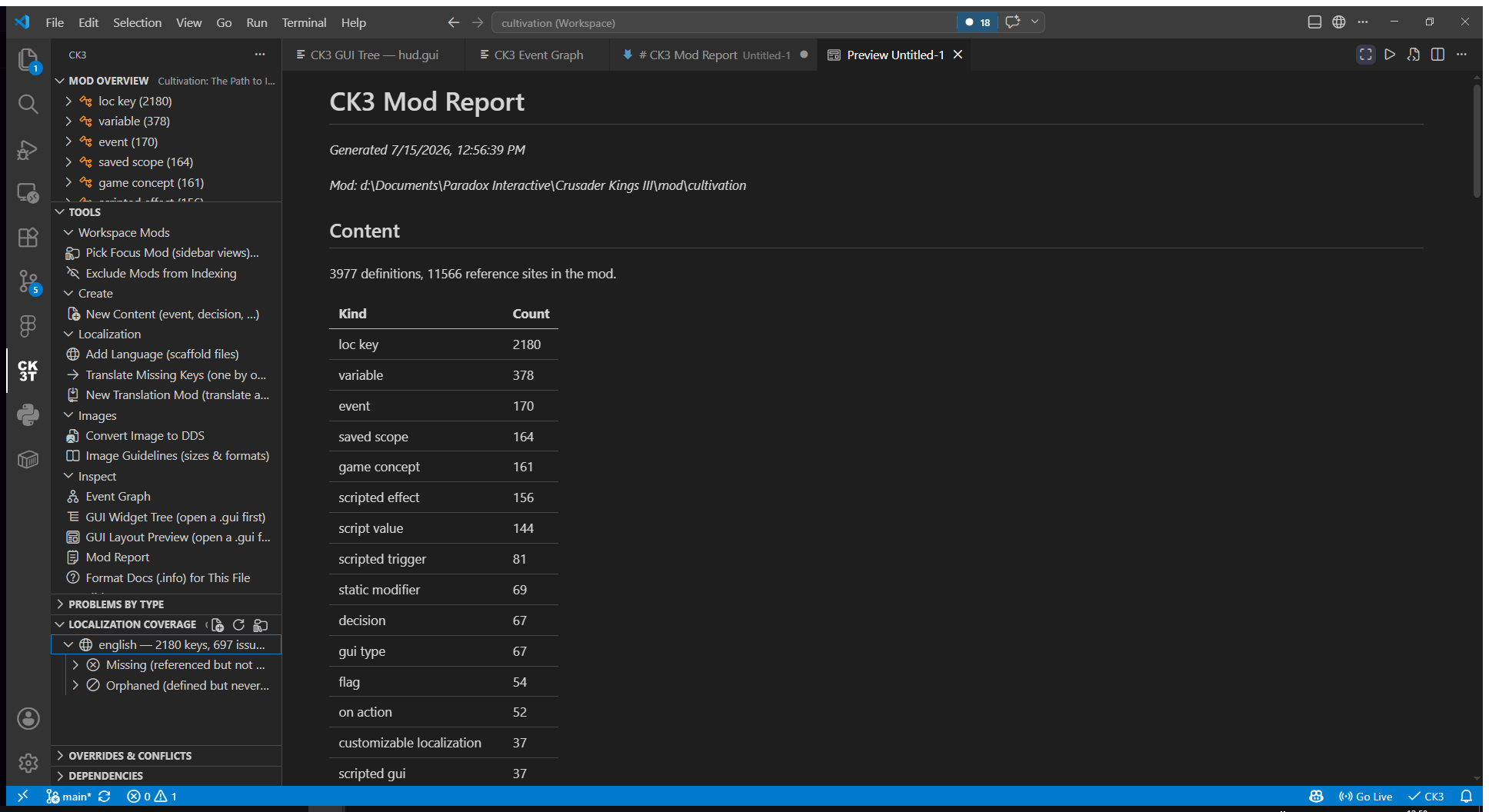
CK3: Show Mod Report builds a one-page dashboard of your mod: definitions by kind, problems, localization coverage and overrides.
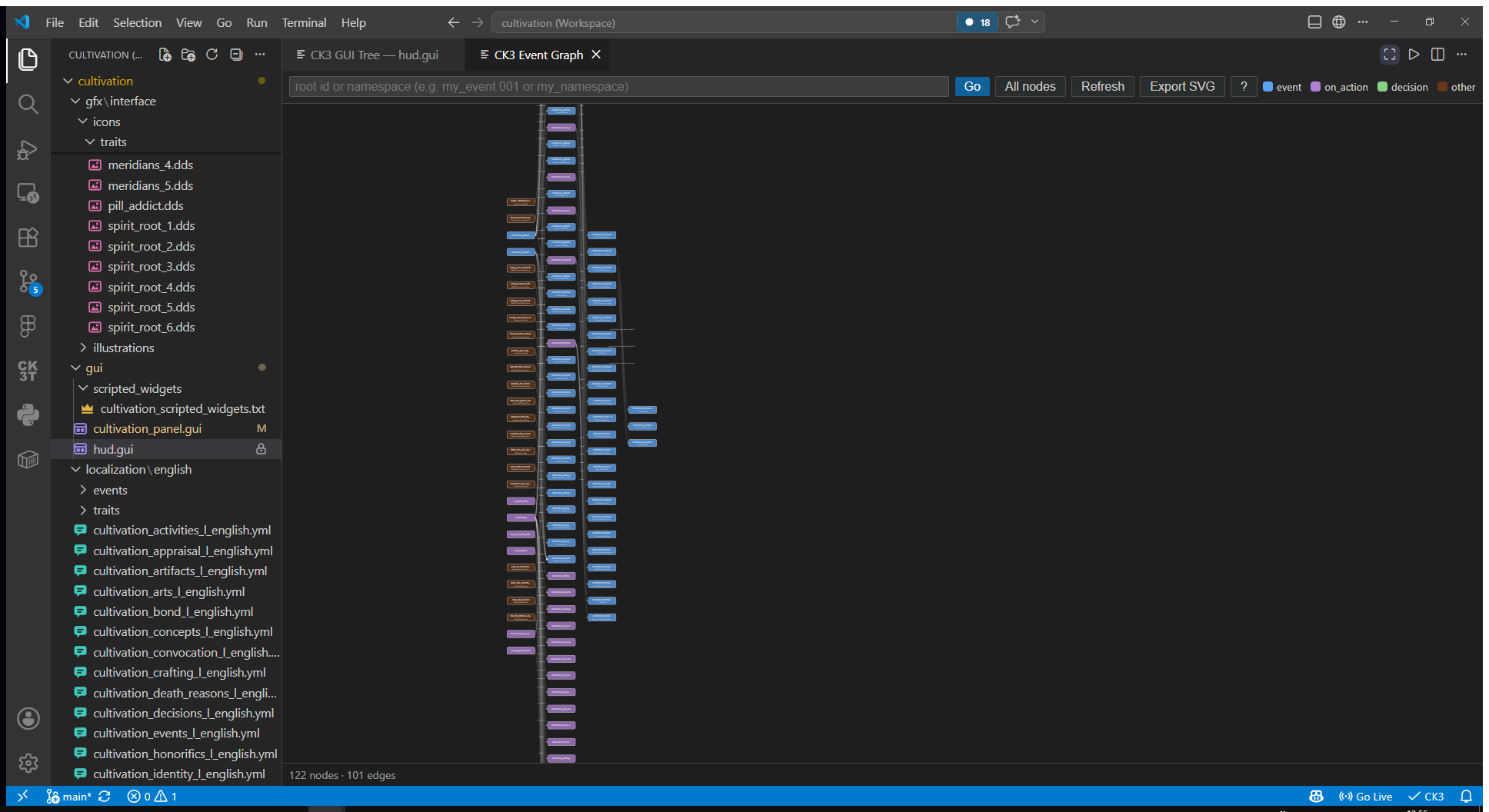
CK3: Show Event Graph draws the chains between events, on_actions and decisions as an interactive graph. Clicking a node shows its localized title, description and options, with jump-to-definition for everything it references, and the graph can be exported as SVG.
-
Content scaffolding:
CK3: New Contentgenerates events, decisions, interactions, on_action hooks and scripted effects/triggers that are correct by construction (right folder, BOM, namespace, APPEND-style on_actions). -
Live debugging: launch CK3 in debug mode and tail the game's
error.logwhile you play; new entries appear as diagnostics on your files. -
Setup and health check: detects your game install, mod folder and logs, and can upgrade the bundled data to your exact game patch from your own
script_docsdumps. See Getting Started. - Multi-mod workspaces: every CK3 mod in the workspace is indexed together, with read-only parent mods for submods and compatibility patches. See Multi Mod and Translation.
-
AI agent skill: a bundled
SKILL.mdthat teaches Claude (or any agent that reads skills) CK3 modding end to end. See Claude Skill.
For the full guided tour of the editor features, continue with Editor Features.