Welcome to my Restaurant Point-of-Sale System.
Jimmy Tran
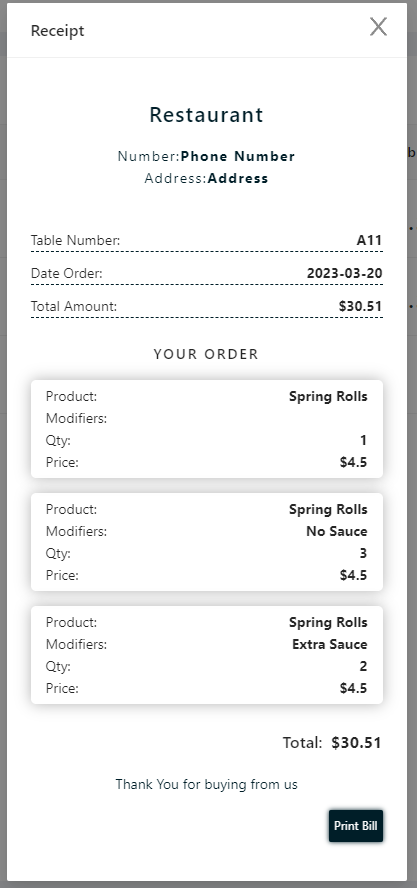
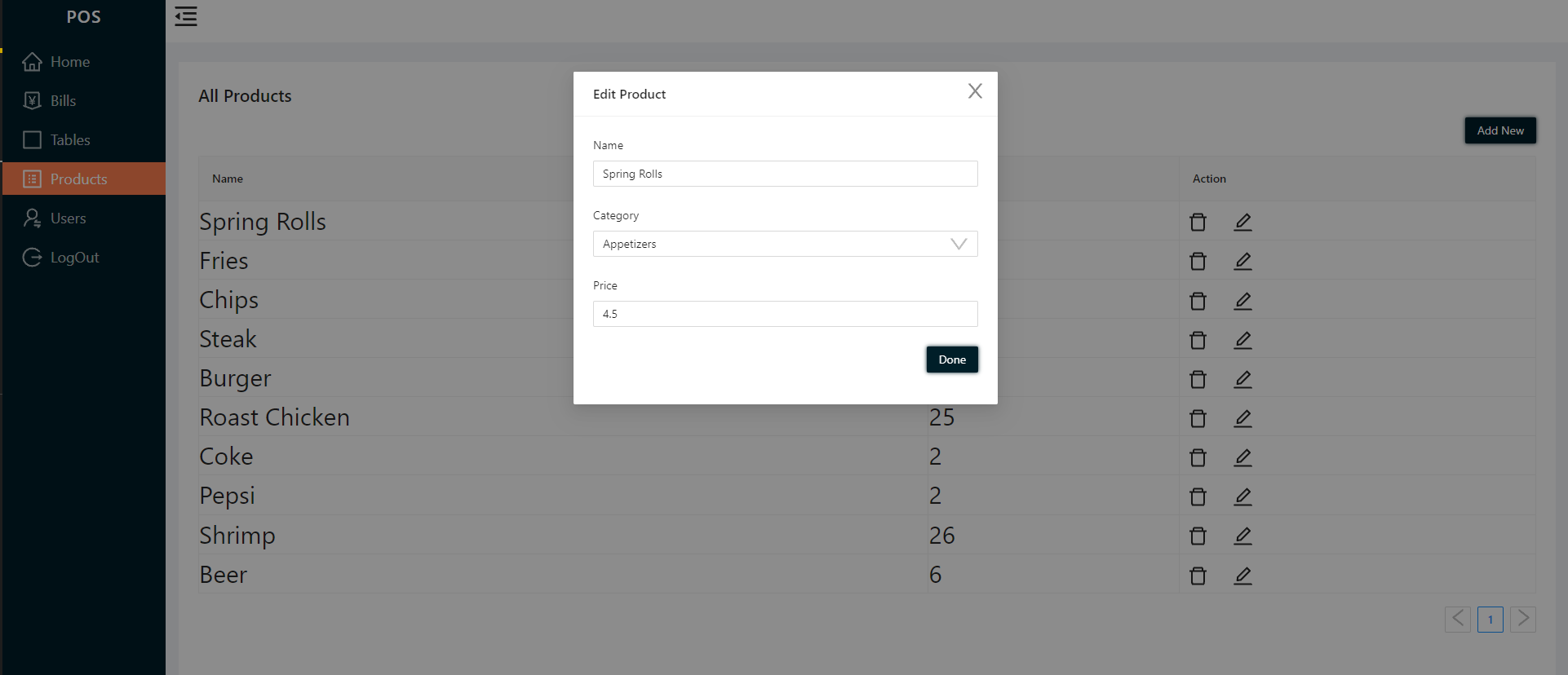
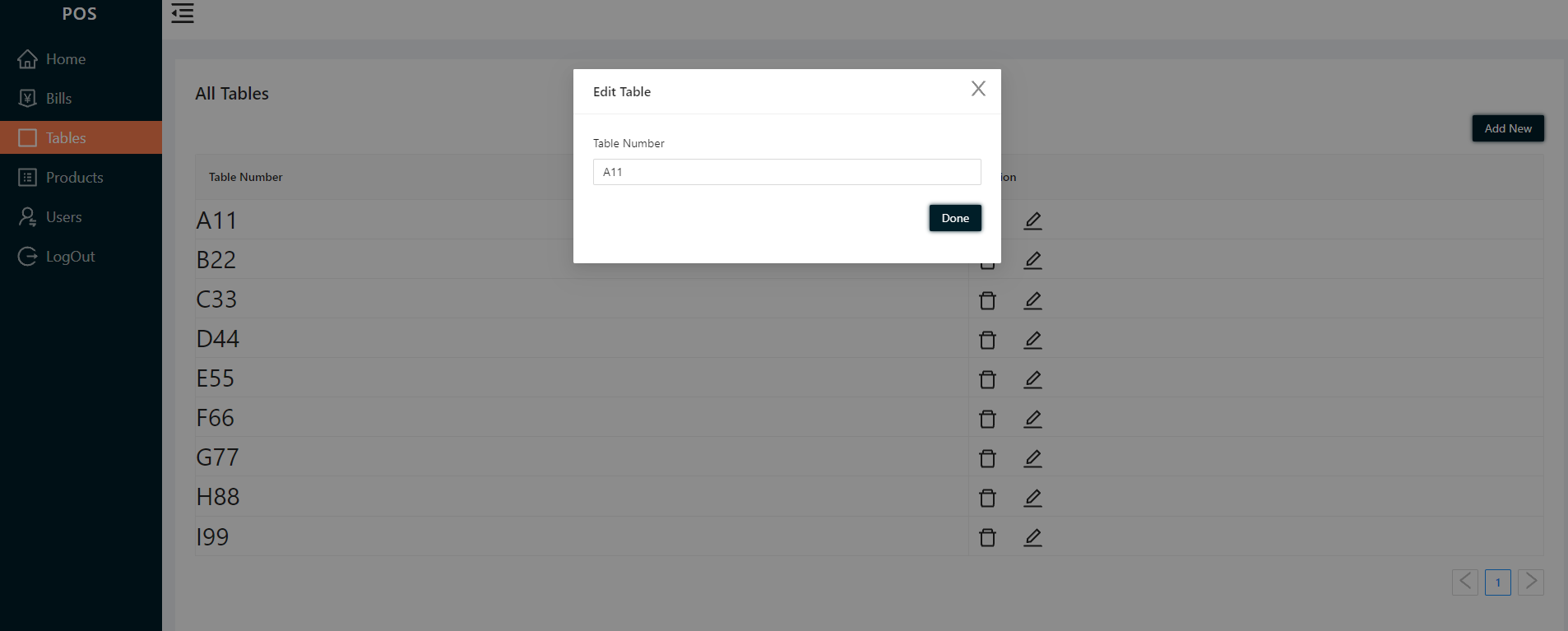
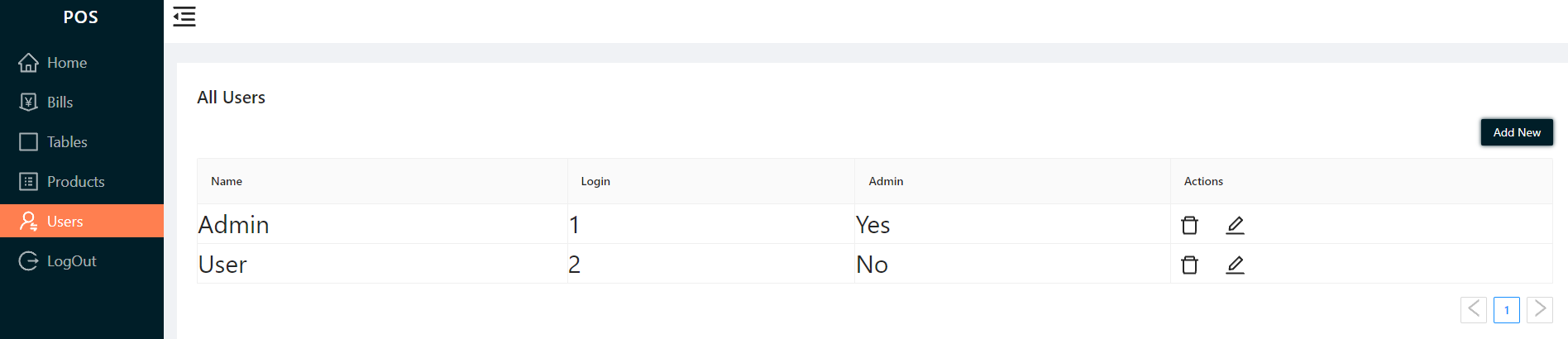
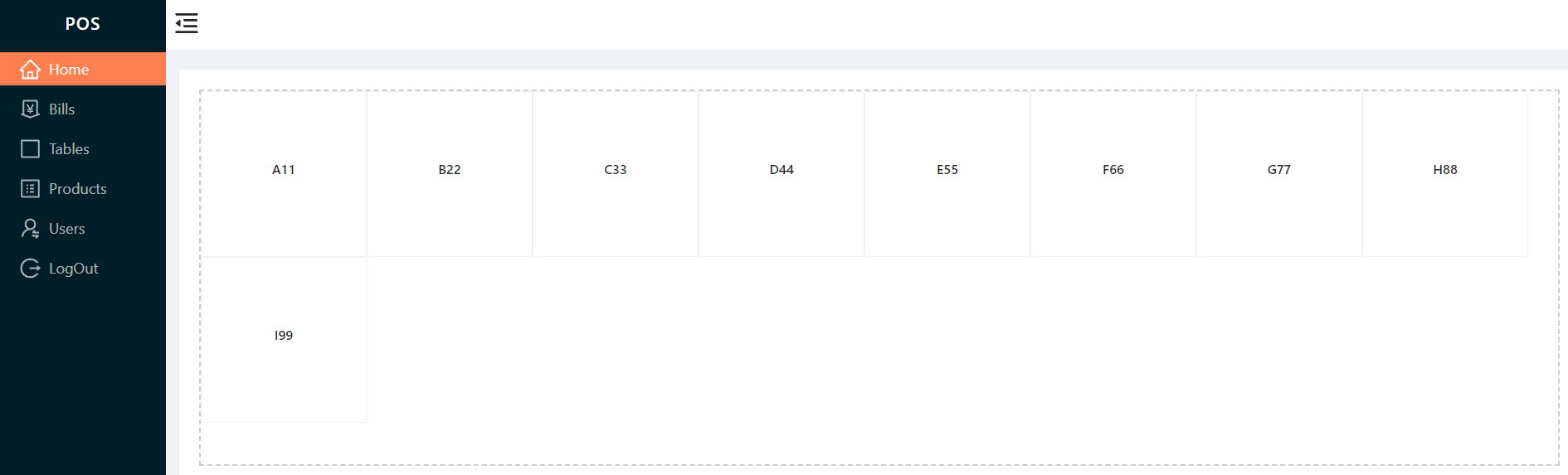
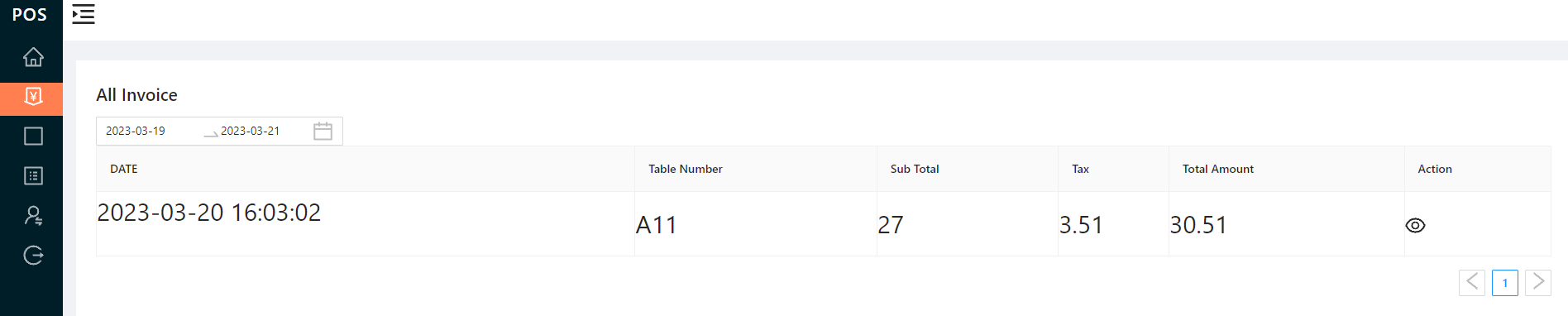
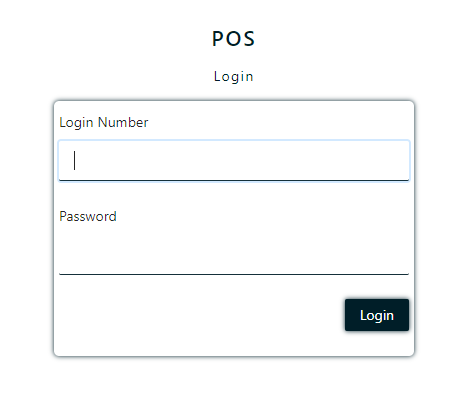
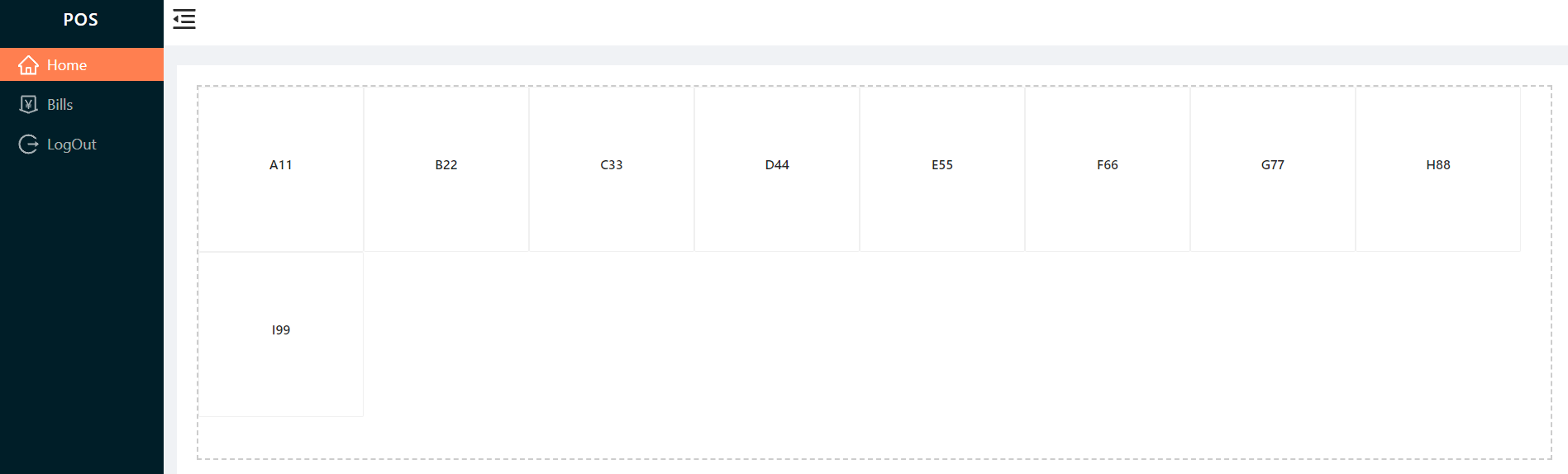
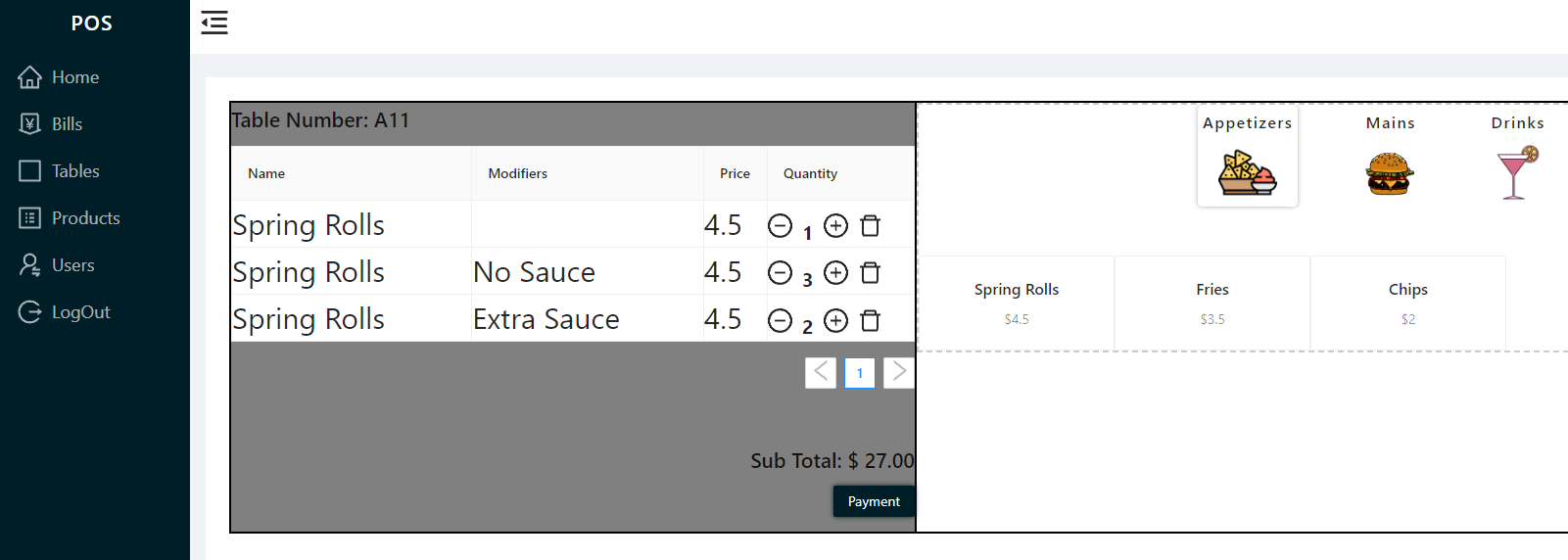
npm run installdepend: installs all packages in frontend and backend folder from the main folder.
npm run dev: Runs both the front and back ends.
MONGO_URI: URL for the database
PASS_SEC: Secret Key for encrypting passwords when storing them in database.
'PORT': Port number server will be running on. (Default 5000)
Used to configure API security. This was used to allow for secure communication between the front-end and back-end servers. | View Dependency
Crypto-JS is a growing collection of standard and secure cryptographic algorithms implemented in JavaScript using best practices and patterns. I used it to encrypt password data. | View Dependency
A prebuilt NodeJS framework that makes creating server side applications simple, fast, and flexible. NodeJS is powered by Google's V8 Engine which means it's powerful and can handle a large number of requests without lapsing in dependability. Also, this means that this is a highly scalable choice when you consider the Event Loop which manages all asynchronous operations allowing the program to continue to run as expected without stops. | View Dependency
Moment used to format dates to be more readable. View Dependency
MongoDB is an object-oriented, simple, dynamic, and scalable NoSQL database. Due to the minimal about of data relationships I felt this was a good choice for my POS. | View Dependency
Provides a straight-forward, schema-based solution to model application data with MongoDB. It also offers out of the box perks such as validation. | View Dependency
Realizing that there is not inherent benefit to using tokens over sessions, I chose to implement jwts due to the added benefit of storing the session on the client side as opposed to being in-memory. My POS is built with the active server in mind and the potential to have the application be accessed from various devices in different locations. With this, instead of running the risk of having a session be interrupted due to data roaming, connection issues, or server side problems, I chose to store the session information on the client side. We also found this to be more efficient for our needs, as jwts eliminate the need to fetch additional information from the DB to validate the user. This being said, I am in the process of changing over the local storage to online database storage for learning purposes. | View Dependency
This provides the ability to conveniently run both the back-end and front-end servers simultaneously on one terminal, which makes keeping track of errors easy during development as well as cutting back on time switching between terminals. | View Dependency
An HTTP request logging middleware used for production to easily identify bugs in routes. | View Dependency
Automatically restarts the server on save making production more efficient. | View Dependency
Has a thriving community and offers the ability to directly style multiple components within a file. The syntax used is familiar to JavaScript and improves code cleanliness and makes it easy to get up and going for those without a lot of css experience. Styled components are also very efficient, improving load time for users. | View Dependency
A lightweight, promise-based HTTP client with an intuitive API that makes interfacing with a REST API simple. | View Dependency
React is the current industry standard that offers a lot of out of the box benefits. It is fast, efficient, and scalable. Due to the large community, finding solutions to potential problems and reference material is much easier, even for a potential dev without a lot of experience who would like to contribute to application. | View Dependency
A state management tool making it possible to store the entire state of the application in a single store. This means a unidirectional data flow, and as the application scales it will have predictable state updates which subsequently make things easier to test and introduce new features. Redux also has solid documentation and an active community, meaning that as new devs become introduced to the project it's likely that any problems they face would have already been encountered by someone else, thus making solutions easy to find. | View Dependency
A middleware that allows you to write action creators that return a function instead of an action. The thunk can be used to delay the dispatch of an action, or to dispatch only if a certain condition is met. This functionality makes it easier to scale and implement features given diverse needs in a growing project. | View Dependency
Allows for the ability to synchronize state with redux store through uni-directional data flow, time traveling, and dispatching of history methods. This makes for an incredibly useful tool when dealing with various stages of state and subsequent routing for a seamless and intuitive UI. | View Dependency
POST /api/users/register
Requires: Authentication, must be an admin or a manager to see the users page.
Registers a new employee.
Request body should look like this:
{
name:"Jimmy"
loginNumber:"123"
password:"123"
isAdmin:"true"
}
name: String, required
loginNumber: String, required
pass: String, required
isAdmin: Boolean, required
Password will be protected in responsee via CryptoJS
Response:
{
createdAt: "the date user was registered"
isAdmin:true
loginNumber:"1528"
name:"Admin"
password: "U2FsdGVkX1932LX4ffxvKk3VJY5xtIlSUZnNSPhEUhY"
updatedAt: "the date user information was updated"
__v: 0
_id: "63e4067d2d1a17c769b0257a"
}
POST /api/users/login
Logs an existing user into the application.
Request body should look like this:
{
  "loginNumber": "123",
  "password": "123"
}
loginNumber: String, required
password: String, required
Password will be protected in responsee via CryptoJS
Response:
{
createdAt: "the date user was registered"
isAdmin:true
loginNumber:"1528"
name:"Admin"
password: "U2FsdGVkX1932LX4ffxvKk3VJY5xtIlSUZnNSPhEUhY"
updatedAt: "the date user information was updated"
__v: 0
_id: "63e4067d2d1a17c769b0257a"
}
GET /api/users/getusers
Requires: Authorization
Retrieves a list of employees from the database. Admins can see all employees in the restaurant, managers can see only servers.
Response:
{
  "users": [
    {
        "_id": "63e4067d2d1a17c769b0257a",
        "name": "Admin",
        "password": "U2FsdGVkX1932LX4ffxvKk3VJY5xtIlSUZnNSPhEUhY",
        "createdAt": "the date user was registered",
        "updatedAt": "the date user was updated",
        "__v": 0,
        "loginNumber": "1",
        "isAdmin": true
    },
    {
        "_id": "63e40fa28ec0c7005c4412f2",
        "name": "User",
        "password": "O2ssdGVkX1932LX4ffxvKk3VJY5xX1932LX4ffxvUwZ",
        "isAdmin": false,
        "createdAt": "the date user was registered",
        "updatedAt": "the date user was updated",
        "__v": 0,
        "loginNumber": "2"
    }
]
}
PUT /api/users/updateuser
Requires: Authorization
Changes the name, login number, password or admin permission for the user. only a current admin can access user page.
Request body should look like this:
{
  "name": "New Name",
  "loginNumber": "1234",
  "password": "New Password"
  "isAdmin": "true or false"
}
name: String, optional
loginNumber: String, optional
password: String, optional,
isAdmin: String, optional
Everything is optional because it is not required to update a user.
Response will be a success message.
Response:
{
  "msg": "User updated successfully!"
}
DELETE /api/users/deleteuser/
Requires: Authorization
Deletes an employee from the database. Only admins can access the users page.
Response includes a success message.
Response:
{
  "msg": "User deleted successfully"
}
GET /api/users/logout
removes authorization token from local storage, prohibitting any access to pos system unless authorized credentials are entered.
POST /api/products/addproducts
Requires: Authorization
Adds a new food item to the database. Only admins can view products page.
Request body should look like this:
{
  "name": "Spring Rolls",
  "category": "Appetizers",
  "price": "4.50",
}
name: String, required, must be unique
price: Number, required
category: String, optional
Response includes the added item's:
- name
- category
- price
Response:
{
    "_id": "63d95b2fc9fa35bc2bb12841",
    "name": "Spring Rolls",
    "category": "Appetizers",
    "price": 4.5,
    "modifier": [],
    "createdAt": "date item was created",
    "updatedAt": "date item was updated last",
    "__v": 0
},
  "msg": "Product Added Successfully!"
}
GET /api/products/getproducts
Retrieves all of the food items from the database.
Each element in the response array includes and item's:
- name
- category
- price
Response:
{
  "items": [
    {
    "_id": "63d95b2fc9fa35bc2bb12841",
    "name": "Spring Rolls",
    "category": "Appetizers",
    "price": 4.5,
    "modifier": [],
    "createdAt": "date item was created",
    "updatedAt": "date item was updated last",
    "__v": 0
    },
    {
    "_id": "63d95c51c9fa35bc2bb1284c",
    "name": "Fries",
    "category": "Appetizers",
    "price": 3.5,
    "modifier": [],
    "createdAt": "date item was created",
    "updatedAt": "date item was updated last",
    "__v": 0
    },
	.....
  ]
}
PUT /api/products/updateproducts
Requires: Authorization
Updates information for an existing food item. Only admins can view products page.
Modal will open up with all of products information and will overwrite product with any changed information.
pre updated item
{
    "_id": "63d95c51c9fa35bc2bb1284c",
    "name": "Fries",
    "category": "Appetizers",
    "price": 3.5,
    "modifier": [],
    "createdAt": "date item was created",
    "updatedAt": "date item was updated last",
    "__v": 0
}
inputting new item detail (price in this case)
{
    "_id": "63d95c51c9fa35bc2bb1284c",
    "name": "Fries",
    "category": "Appetizers",
    "price": 4.5,
    "modifier": [],
    "createdAt": "date item was created",
    "updatedAt": "date item was updated last",
    "__v": 0
}
name: String
price: Number
category: String
You only need one field!
Response includes the updated item's:
- name
- price
- category
Response:
{
    "_id": "63d95c51c9fa35bc2bb1284c",
    "name": "Fries",
    "category": "Appetizers",
    "price": 4.5,
    "modifier": [],
    "createdAt": "date item was created",
    "updatedAt": "date item was updated last",
    "__v": 0
}
DELETE /api/products/deleteproducts/
Requires: Authorization
Deletes an item from the database. Only admins can view the products page.
Response includes a success message and the deleted item's:
- name
- price
- category
- description
Response:
{
    "_id": "63d95c51c9fa35bc2bb1284c",
    "name": "Fries",
    "category": "Appetizers",
    "price": 3.5,
    "modifier": [],
    "createdAt": "date item was created",
    "updatedAt": "date item was updated last",
    "__v": 0
}
  },
  "msg": "Product Deleted Successfully!"
}
POST /api/tables/addtables
Requires: Authorization
Adds a new table to the database
Request body should look like this:
{
  "tableNum": "A11"
}
number: Number, required
Response includes the added item's:
- Table number
Response:
  "tables": [
    {
      "_id": "5ba6c6860c6f7f7f7e859dc6",
      "tableNum": 1,
      "__v": 0
	  "createdAt": "date item was created",
	  "updatedAt": "date item was updated last",
    }
  ],
  "msg": "Table added successfully
GET/api/tables/gettables
Requires: Authorization
Get all tables.
Response:
{
  "tables": {
    "id": "5ba6c19f0c6f7f7f7e859dc4",
    "number": 1,
    "__v": 0
	"createdAt": "date item was created",
    "updatedAt": "date item was updated last",
  },
  {
    "id": "5ba6d19f0c6f7f7f7e859db4",
    "number": 1,
    "__v": 0
	"createdAt": "date item was created",
    "updatedAt": "date item was updated last",
  },
  ...
}
POST api/tables/update
Requires: Authorization
Updates all the tables in array in the request body.
Request body should look like this:
{
	"_id": "5bb91ad8d5461a87502efc83",
	"tableNum": "A11"
	"__v": 0
	"createdAt": "date item was created",
	"updatedAt": "date item was updated last",
}
tables: Array of Objects with Table information
Response includes the added item's:
Response:
{
	"_id": "5bb91ad8d5461a87502efc83",
	"tableNum": A11,
	"__v": 0
	"createdAt": "date item was created",
	"updatedAt": "date item was updated last",

}
Delete api/tables/deletetables
Requires: Authorization
Deletes a table by its ID. The ID will be pulled off of the request parameters. No request body is required for this route. Only admins can view tables page.
Response:
{
  "tables": [
    {
      "_id": "5ba6c6860c6f7f7f7e859dc6",
      "tableNum": 1,
      "__v": 0
	  "createdAt": "date item was created",
	  "updatedAt": "date item was updated last",
    }
  ],
  "msg": "Table deleted successfully
POST api/bills/addbills
Adds a new bill to the database
Request body should look like this:
{
	"_id": "5bb91ad8d5461a87502efc83",
	"" : "12",
	"cartItems" : [...],
	"__v": 0
	"createdAt": "date item was created",
	"updatedAt": "date item was updated last",
}
bills: Array of Objects with items in bill.
Response includes the added items as an Array labelled cartItems:
Response:
{
"_id": "63d95f62c9fa35bc2bb12886"
"tableNumber" : "12"
"subTotal" : "77"
"totalAmount" : "87.01"
"tax" : "10.01"
"paymentMethod" : "cash"
"cartItems" : [],
"createdAt" : "2023-01-31T18:35:14.220+00:00"
"updatedAt" : "2023-01-31T18:35:14.220+00:00"
__v : 0
},
msg: "Bill Created Successfully
get api/bills/getbills
Response:
{
_id: 63d95f62c9fa35bc2bb12886
tableNumber : "12"
subTotal : 77
totalAmount : 87.01
tax : 10.01
paymentMethod : "cash"
cartItems: Array
createdAt : 2023-01-31T18:35:14.220+00:00
updatedAt : 2023-01-31T18:35:14.220+00:00
__v : 0
},
...