
TERMINAL mode added!
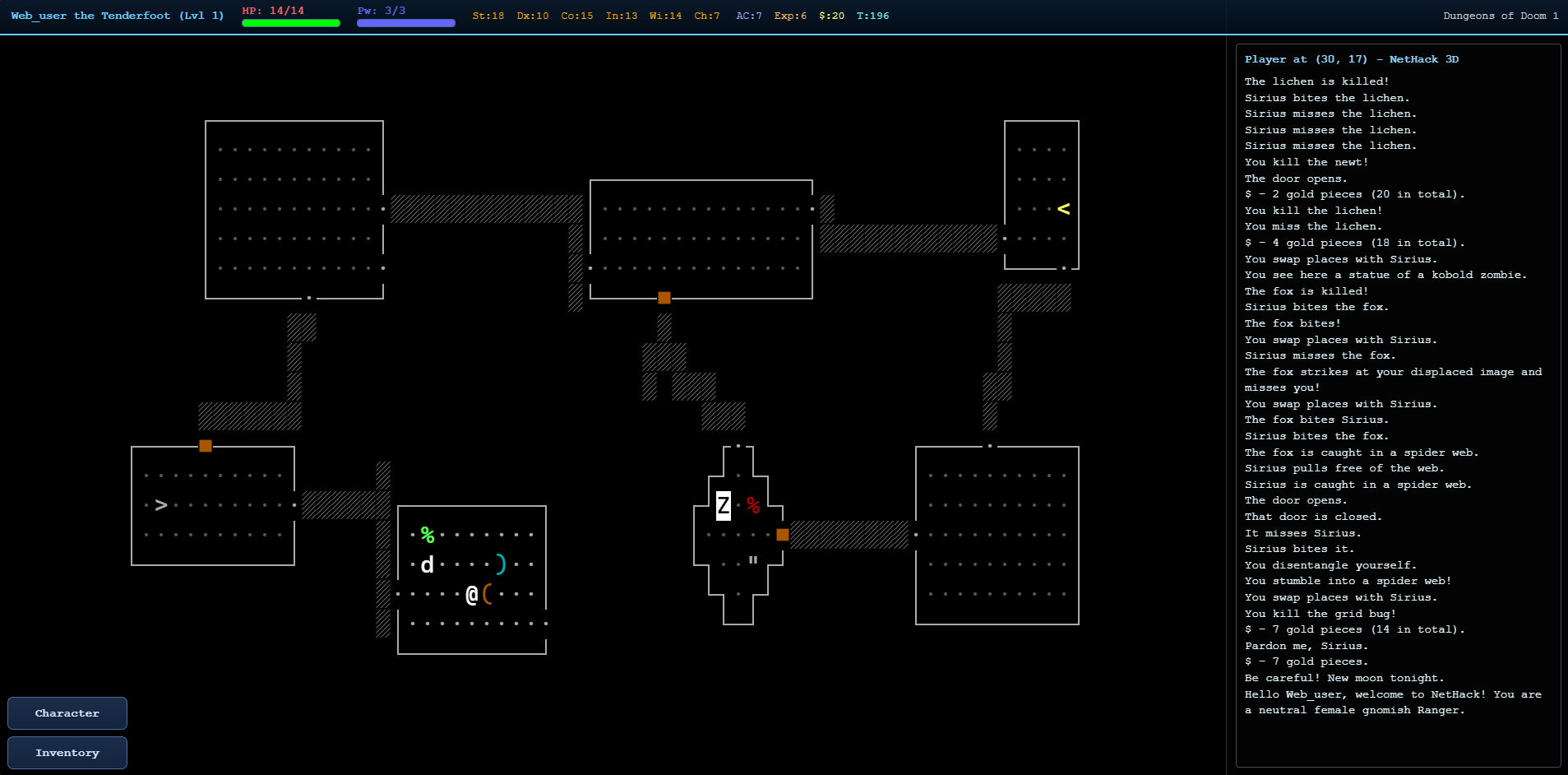
The Terminal update is designed for people who want NetHack 3D's ease-of-use improvements and UI conveniences while playing the game in an authentic terminal.
No fuss setting up a terminal. Fully configurable and supporting real NetHack terminal settings.
Highlights
- Added Terminal display mode: a classic terminal-style view using the raw NetHack terminal characters it outputs to render the game. Supporting colors, IBMgraphics/DECgraphics, reverse-video highlights, crisp pixel-aligned rendering, and a dedicated right-side message-log gutter.
- Terminal mode fully supports zoom, while keeping text rendering crisp at all times.
- For the existing 3D ASCII mode, added the Classic and Terminal color schemes, using the active NetHack runtime's character colors and symbol sets while retaining the 3D presentation.
- Added a Highlight Pets visual: highlighted pets display a heart marker in 3D views (defaulted on).
Improvements
- Added an option to disable animated movement for ASCII and tile views; Terminal mode never animates.
- Added an option to skip the NetHack 5 tutorial when starting a new game.
- Improved settings usability with information popovers for option descriptions.
- Improved save handling across NetHack 3.6.7, NetHack 5.0, and Slash’EM, including preservation of per-save runtime settings.
Fixes
- Expanded Slash’EM action-menu support with its complete keyboard-command set and correct modifier bindings.
- Fixed NetHack 5 startup after the Terminal-mode changes.
- Added IBMgraphics and DECgraphics support, including Slash’EM’s legacy symbol-set behavior.
- Fixed ASCII/Terminal glyph colors, wall backgrounds, entity rendering, and visual consistency in overhead and FPS views.
- Fixed Terminal text sharpness across zoom levels.
- Fixed GitHub Pages deployment dependency installation.