

Note
A port is where you dock and take stock before heading back out — portside is where you dock your work.
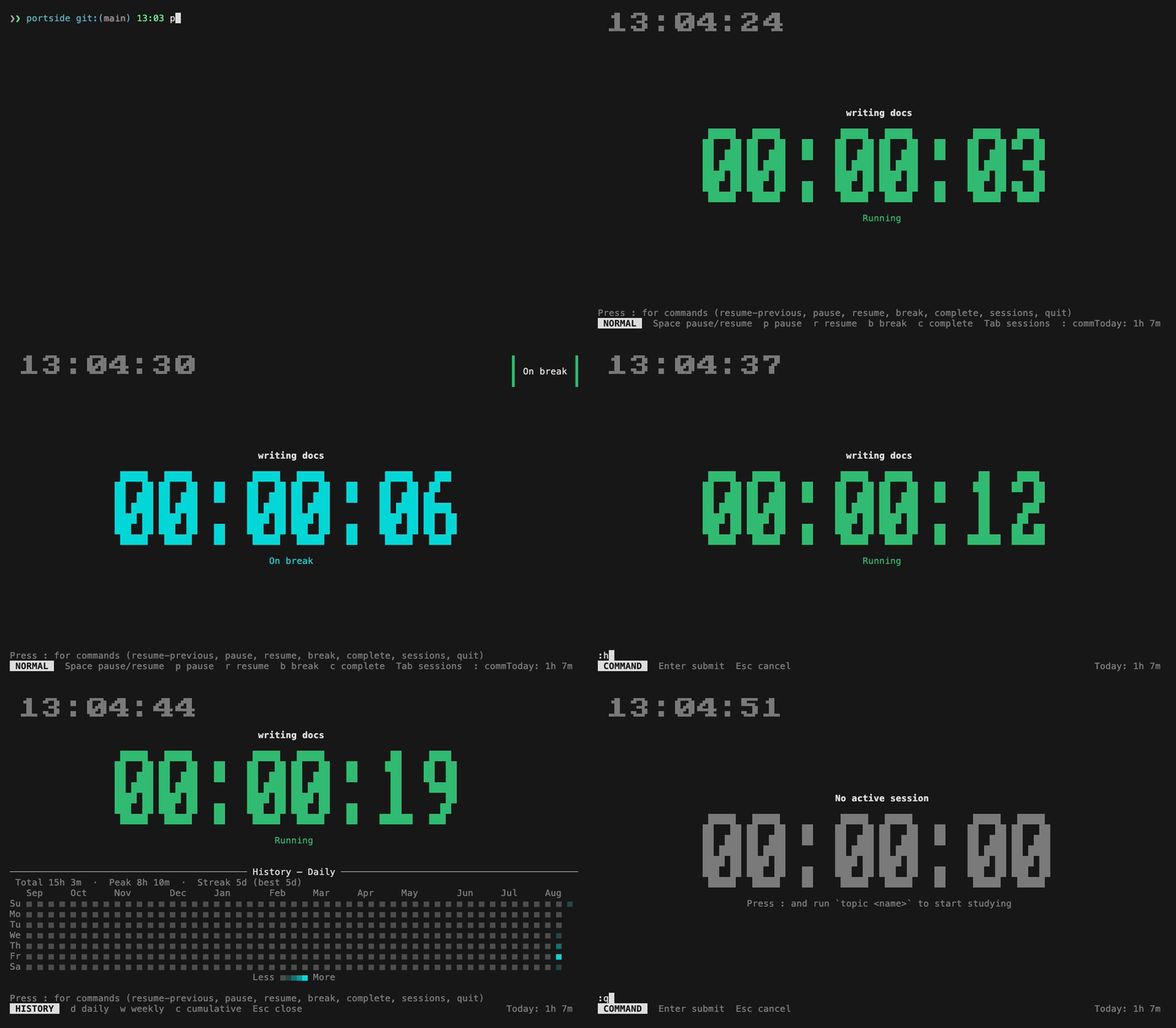
portside is a terminal-based work-session tracker. Start a session with a topic, pause and resume it, take timed breaks, and review how you've spent your time with a daily/weekly/cumulative history chart — all without leaving the terminal.
- Track work sessions by topic, with pause/resume and break states
- Timed or open-ended breaks, with a terminal bell + desktop notification when a timed break expires
- Resume any previous session, even one started days ago — its newly-accrued time is correctly split across days
- Drawer view of recent sessions for quick lookup and resuming
- History pane with daily, weekly, and cumulative views of time worked
- Neovim-style
:commandline alongside single-key normal-mode shortcuts - Persistent local storage via SQLite — nothing leaves your machine
cargo install portside-tui- Clone the repository:
git clone https://github.com/jayanaxhf/portside.git- Navigate to the project directory:
cd portside- Build the project:
cargo install --path .Run the app with:
portsideSession data is stored in a SQLite database under your platform's standard data directory (via the directories crate), so it persists across runs.
| Key | Action |
|---|---|
Space |
Pause / resume active session |
p |
Pause |
r |
Resume |
b |
Toggle break |
c |
Complete session |
Tab / s |
Open the session list drawer |
: |
Enter command mode |
q |
Quit |
Enter command mode with : and type one of the following:
| Command | Description |
|---|---|
topic <name> |
Start a new session under the given topic |
pause |
Pause the active session |
resume / play |
Resume the active session |
break [duration] |
Toggle a break; optional duration like 5m or 30s |
resume-previous [id] |
Resume the most recent resumable session, or a specific one by id |
sessions |
Open the session list drawer |
history / hist [view] |
Open the history pane (daily, weekly, or cumulative) |
complete / end / done |
Mark the active session as complete |
quit / q |
Quit the application |
| Key | Action |
|---|---|
j / k |
Select session |
Enter |
Resume selected |
Esc / Tab |
Close drawer |
| Key | Action |
|---|---|
d |
Daily view |
w |
Weekly view |
c |
Cumulative view |
Esc / Tab |
Close pane |
Contributions to portside are welcome! If you have an idea for a new feature or have found a bug, please open an issue or submit a pull request on the GitHub repository.
portside is dual-licensed under the MIT License and the Unlicense, at your option.