FlashNX v1.2.0: Library, Flashpoint & feedback

FlashNX v1.2.0: Library, Flashpoint & feedback 🎮
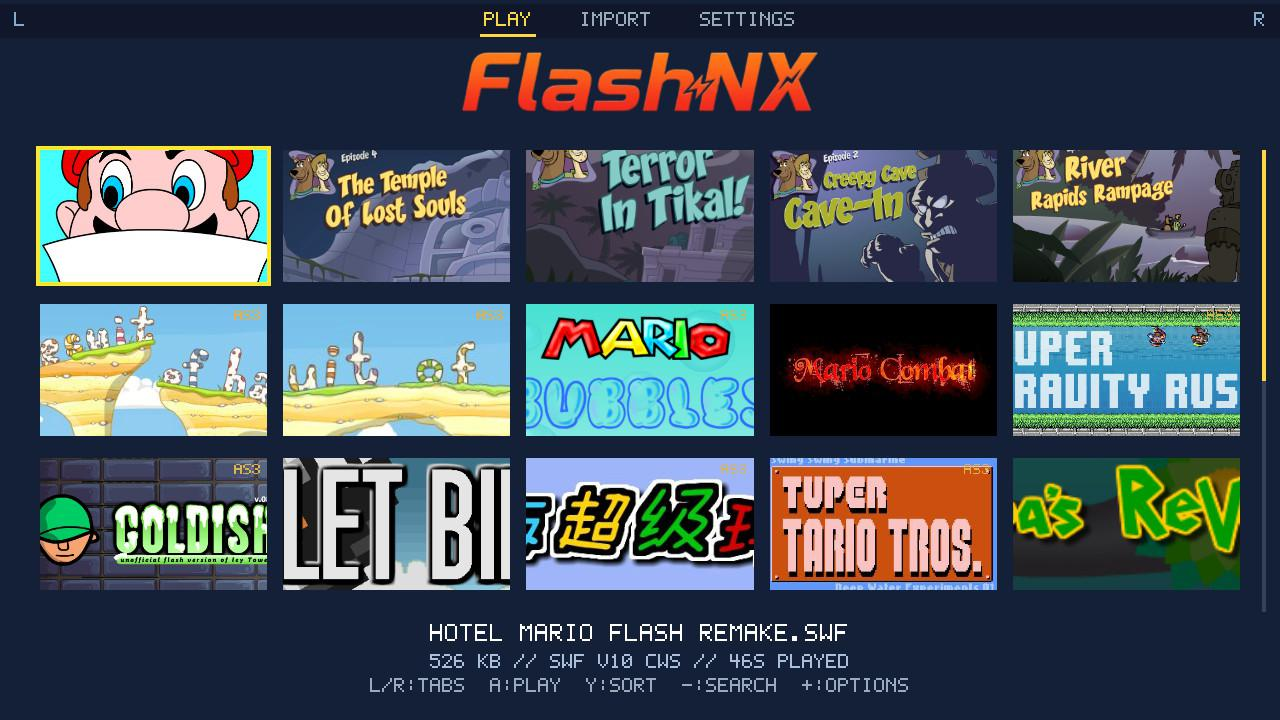
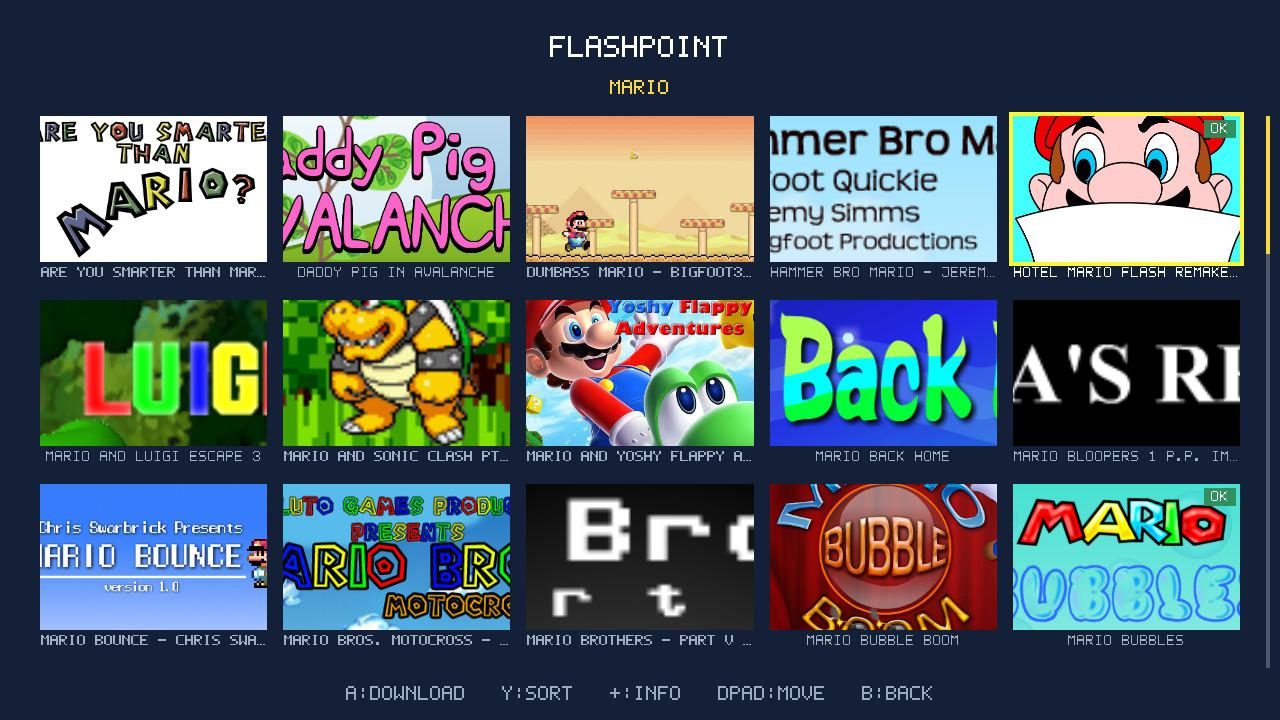
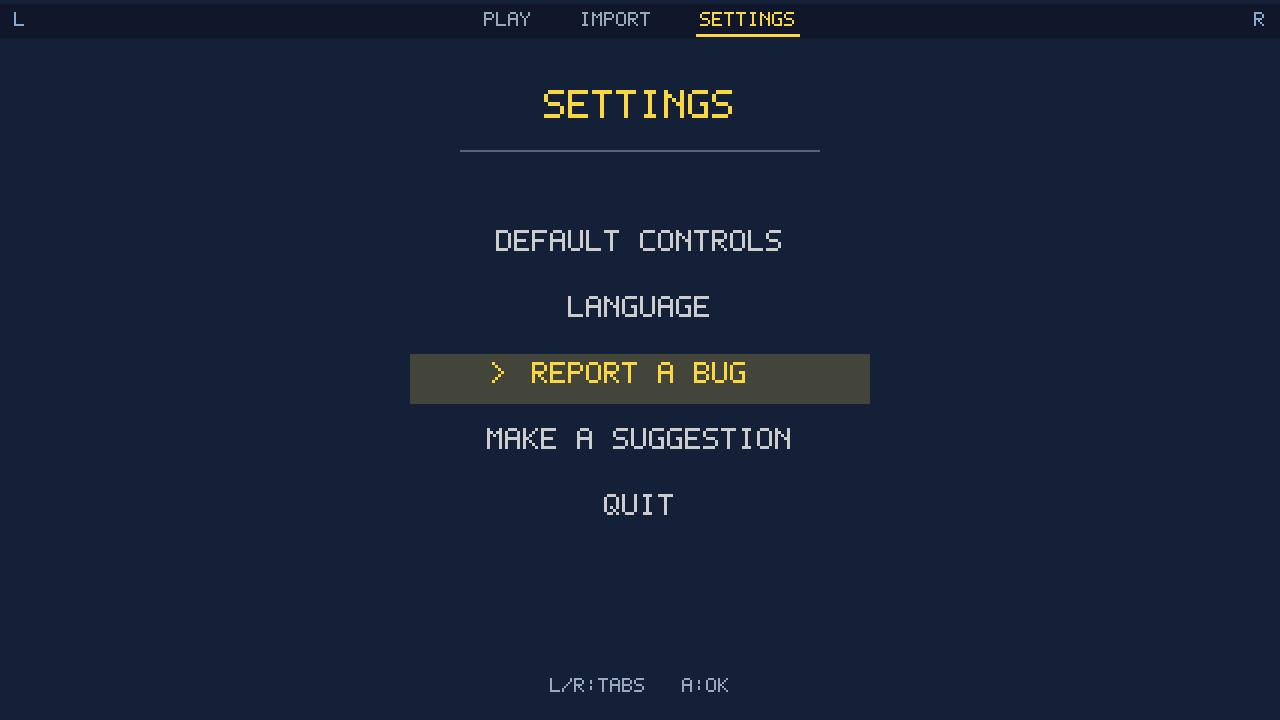
A big launcher update: a tabbed navbar, a cover-art gallery, one-tap game downloads from the Flashpoint Archive, library sorting, playtime, and an in-app way to report a bug or send a suggestion (no account needed).
What's new
- Tabbed navbar: L / R switches between Play, Import and Settings.
- Cover gallery: your library is now a grid of cover art, 5 per row. Drop a
<game>.png/.jpgnext to the.swf, or fetch artwork from the Flashpoint Archive in a game's options. - Download games from Flashpoint: in the Import tab, press X to search the Flashpoint Archive and download a game's
.swfdirectly. Its cover and real title come along, and + on a result shows its details and download size. - Sort your library (Y): by name, date added, last played, most played or size. X reverses the order.
- Playtime: each game tracks how long you have played it (feeds the "most played" sort).
- Report a bug or send a suggestion (Settings tab): flag a game that misbehaves or send an idea. It opens an issue on the repo, with no account and no login.
- Polish: the in-app sound now matches the rest of the Switch (it used to be too loud), plus accent fixes and tidier menus.
Installation
FlashNX.nrotosdmc:/switch/FlashNX/- Your
.swffiles tosdmc:/flashnx/ - Launch FlashNX from the Homebrew Menu (modded Switch with Atmosphère).
Full details: README and CHANGELOG.
Switch integration layer under the MIT License. All Flash emulation credit goes to Ruffle (Apache-2.0 / MIT).