Releases: Jonathan8520/FlashNX
FlashNX v1.4.0

Community control profiles, more languages, and Flashpoint games that were impossible to import before.
Added
- Community control profiles (#20): share your key bindings for a game and download other players' setups. In a game's options (+), pick "Share my controls" to publish your profile, or "Apply a profile" to browse what the community has shared for that game and try it. Applying a profile is non-destructive and can be reverted, and profiles you shared can be deleted again. Verified and most-applied profiles sort to the top.
- More languages: German, Italian, and Brazilian Portuguese join the menus, plus Simplified Chinese (#41), rendered from the Switch's own shared font.
- Numpad keys in the controls editor: the editor now offers Num0–Num9 (the numeric keypad), listed first, for games that read keypad keys separately from the top-row digits. Player 2 defaults to the numpad.
Fixes
- Flashpoint games with a non-ASCII title now import and launch (#51): a game whose file name uses non-Latin characters (for example 包丁少女幻窓曲) failed to download with an error -2. Its address is now encoded correctly.
- Flashpoint games that load their assets on the fly now play (#51): some games build the paths to their data and art files while running, so those files could not be fetched ahead of time and the game stayed on a blank screen (for example Racing is Magic). Missing files are now pulled from the Flashpoint mirror on demand and cached, for games imported from the Flashpoint search.
Install: copy FlashNX.nro to /switch/FlashNX/ on your SD card and launch it from the homebrew menu. Powered by Ruffle.
FlashNX v1.3.1
Local two-player, a touch-driven launcher, and a batch of game fixes.
Added
- Local two-player (two controllers): a second controller drives Player 2 through its own key bindings, for Flash games where two players share one keyboard (for example Fireboy & Watergirl, Dragon Ball Z Devolution). The controls editor has a Player 1 / Player 2 toggle (press X), and both players' keys are saved per game. Player 2 defaults to WASD so it does not clash with Player 1's arrows. Needs two full controllers (a Pro controller or a Joy-Con pair each). (#40)
- Touch controls in the launcher: in handheld mode, drag the game gallery to scroll, tap a game to select it, and tap it again to launch.
- Flashpoint content filter toggle: press ZL+ZR in the Flashpoint search results to turn the filter on or off; importing a game also fetches its cover. (#33)
- Download of non-zipped Flashpoint games through the htdocs mirror. (#26)
Fixes
- Super Smash Flash: the announcer now plays, and the game no longer freezes on a blank screen after a fight instead of showing COMPLETE. Its audio uses the Nellymoser format, which was not enabled. (#29)
- No more crash when some games save a self-referential object (for example Hemp Tycoon). (#33)
- Color speckle on translucent effects fixed (for example the smoke in Offroaders). (#38)
- Flashpoint games with a space in their name now launch the right file instead of the first one found in the archive.
- The "&" character now shows in the menus (it was missing from the UI font, so titles like "Fireboy & Watergirl" dropped it).
Powered by Ruffle.
FlashNX v1.3.0
Multi-file games, Flashpoint downloads that actually start, an in-game keyboard, favorites, a more configurable control editor, and a fix for games that showed a blank white screen.
Highlights
- Multi-file games: games that load other
.swffiles at runtime now find them in a<game>.files/folder. Companions are fetched automatically on a Flashpoint download. Garfield's Scary Scavenger Hunt plays start to finish. - Flashpoint downloads bring the whole game and launch the right version. Papa Louie 2 now starts instead of getting stuck on a sponsor screen.
- In-game keyboard: the Switch keyboard opens when a Flash game wants text (names, passwords, level codes).
- Favorites: pin games to the top of the Play gallery.
- More configurable controls: assignable mouse clicks, SL/SR, stick presses, the right stick as a d-pad, and translated control labels.
- Much faster Flashpoint downloads (about ten seconds for a large game instead of two minutes).
- Home-menu shortcuts: boot straight into a single game with a forwarder, or via a Sphaira
.swfassociation. - Blank white screen fixed: very art-heavy games (for example The Binding of Isaac) used to render almost entirely invisible. They now display correctly. (#16, #23)
Install
Copy FlashNX.nro to /switch/FlashNX/ on your SD card.
See the CHANGELOG for the full list.
FlashNX v1.2.1: PixelBender games fixed
FlashNX v1.2.1: PixelBender games fixed 🛠️
A small fix release.
Fixes
- PixelBender games no longer crash: some games build a Flash
Shader/ShaderFilterat runtime (for example The Terminal). They used to abort the app the moment the shader was created. They now run normally. The shader's visual effect itself is skipped (this renderer does not run PixelBender), but gameplay and input work. As a bonus, crash messages from the game thread are now captured to the crash log instead of being lost.
Changes
- Clearer bug reports: an in-app report now includes the game's import URL when it was added from a link, so a game imported under an arbitrary filename can still be identified. The report also reminds you it opens a public issue on the FlashNX repository, and you can add your GitHub handle if you want a follow-up.
Install
Copy FlashNX.nro to sdmc:/switch/ and launch it from the homebrew menu. Your games in sdmc:/flashnx/ and your settings are kept.
FlashNX v1.2.0: Library, Flashpoint & feedback
FlashNX v1.2.0: Library, Flashpoint & feedback 🎮
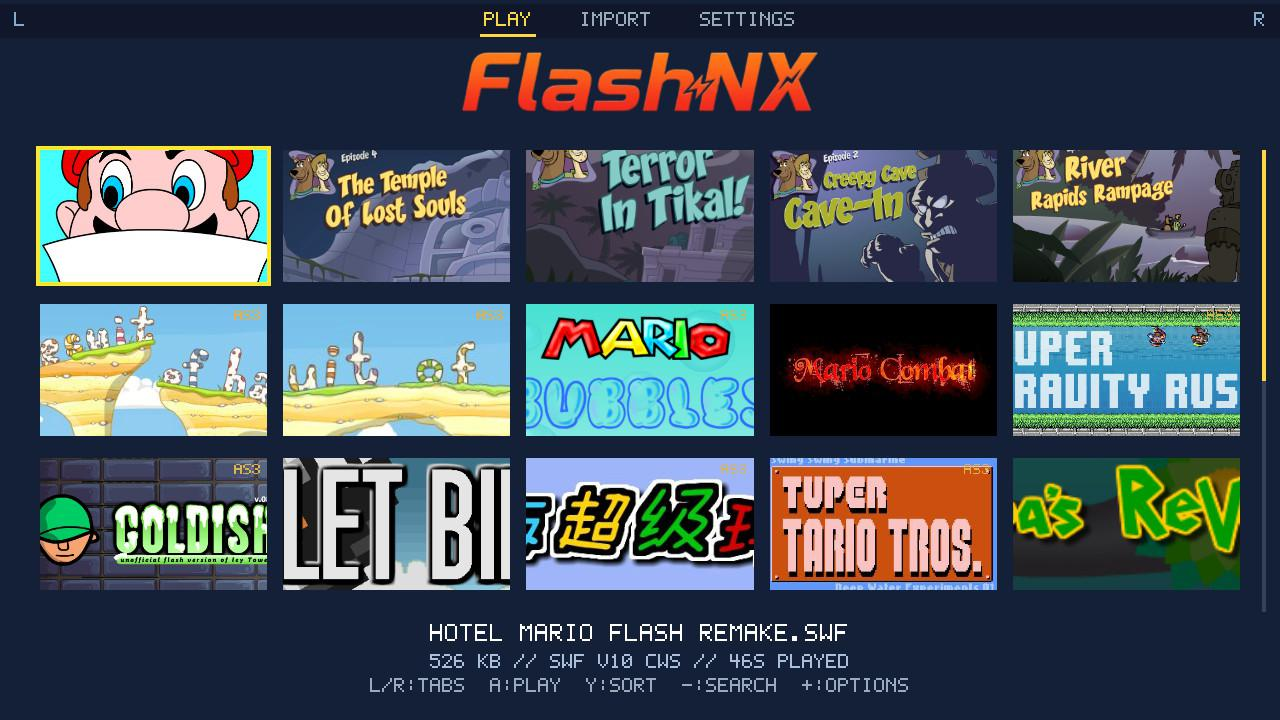
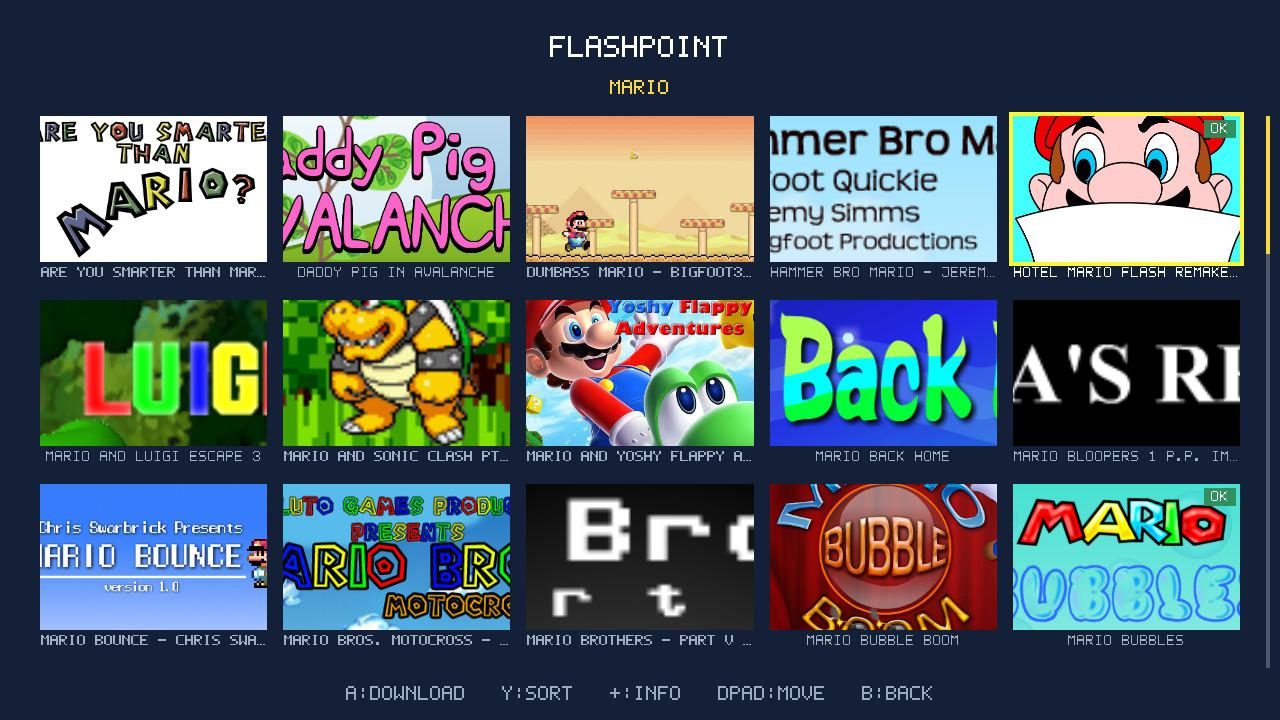
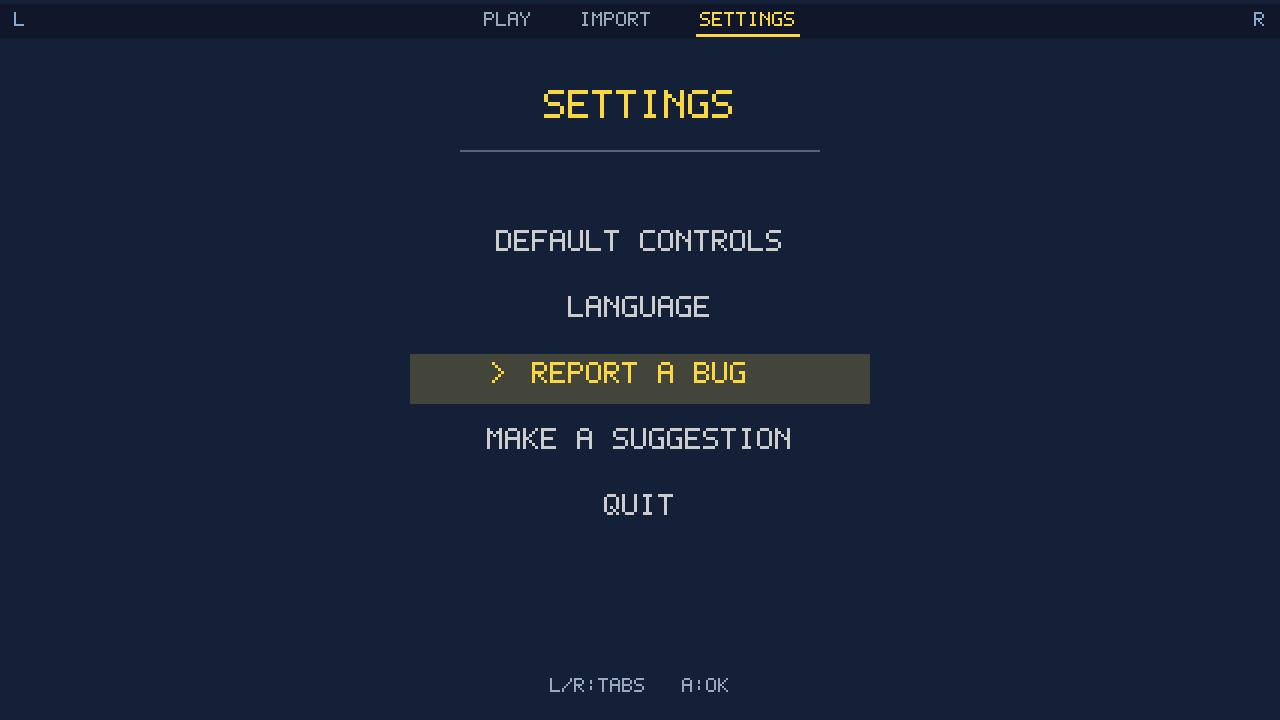
A big launcher update: a tabbed navbar, a cover-art gallery, one-tap game downloads from the Flashpoint Archive, library sorting, playtime, and an in-app way to report a bug or send a suggestion (no account needed).
What's new
- Tabbed navbar: L / R switches between Play, Import and Settings.
- Cover gallery: your library is now a grid of cover art, 5 per row. Drop a
<game>.png/.jpgnext to the.swf, or fetch artwork from the Flashpoint Archive in a game's options. - Download games from Flashpoint: in the Import tab, press X to search the Flashpoint Archive and download a game's
.swfdirectly. Its cover and real title come along, and + on a result shows its details and download size. - Sort your library (Y): by name, date added, last played, most played or size. X reverses the order.
- Playtime: each game tracks how long you have played it (feeds the "most played" sort).
- Report a bug or send a suggestion (Settings tab): flag a game that misbehaves or send an idea. It opens an issue on the repo, with no account and no login.
- Polish: the in-app sound now matches the rest of the Switch (it used to be too loud), plus accent fixes and tidier menus.
Installation
FlashNX.nrotosdmc:/switch/FlashNX/- Your
.swffiles tosdmc:/flashnx/ - Launch FlashNX from the Homebrew Menu (modded Switch with Atmosphère).
Full details: README and CHANGELOG.
Switch integration layer under the MIT License. All Flash emulation credit goes to Ruffle (Apache-2.0 / MIT).
FlashNX v1.1.1
Data-safety and import-diagnostics fixes, plus library search.
Fixes
- URL history no longer disappears in applet mode: history (and saves, settings, renamed-game sidecars) is now read with a bounded reader and committed to the SD card after every write, so it survives switching between applet (album takeover) and full title-takeover modes. Previously the history could read empty in applet mode, or get overwritten by the next change.
- HTTPS import errors are now readable: a failed import shows the real cause (libcurl code and message, HTTP status) instead of an opaque "code -2", so you can tell whether it is the console clock, DNS, the certificate bundle, or a blocked link.
Features
- Search the local library: press X to filter the game list by name (empty input clears the filter), the same way the archive.org screen already works.
- Clear applet-mode notice: trying to launch a game without the full app memory now shows a readable message ("launch via title takeover") instead of a red screen.
Changes
- More consistent controls: X is search on every list, and ZL manages the selected item (game options in the library, delete URL in the import history). The on-screen footers reflect the new layout.
- The default example URL is now a neutral placeholder.
FlashNX v1.1.0
FlashNX v1.1.0 — Localization 🌍
FlashNX now speaks English, French, Spanish and Russian — auto-detected from your Switch's system language, and switchable any time.

What's new
- 4 languages (EN / FR / ES / RU) — the whole UI, auto-detected from the console language on first boot.
- Settings screen — press + in the library to change the language and edit the global default controls (used by every game without a per-game override).
- Remote import — press X to remove a URL from the archive.org history (with confirmation).
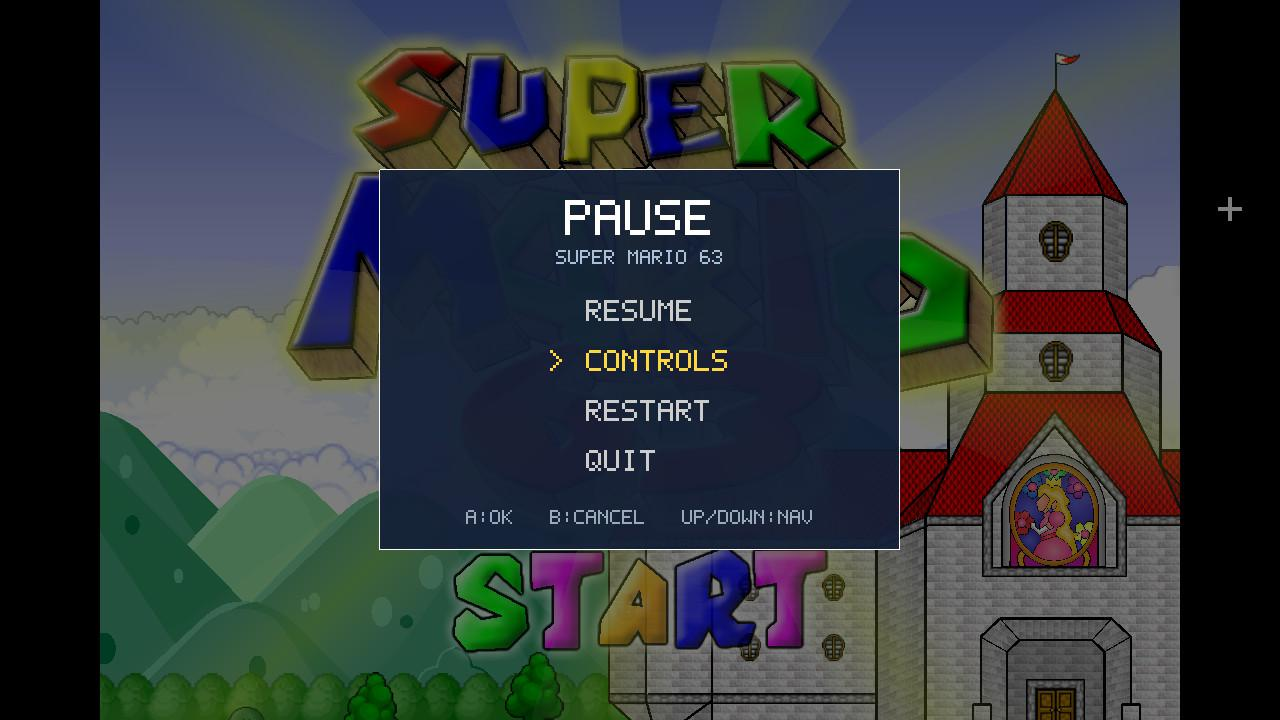
- Quality of life — quitting a game returns the cursor to that game; the pause menu shows the current game's title; the library now shows 8 games at once; the remote file count uses real singular/plural.
- Pixel font extended with Cyrillic, French/Spanish accents, the apostrophe and previously-missing punctuation.
Installation
FlashNX.nro→sdmc:/switch/FlashNX/- Your
.swffiles →sdmc:/flashnx/ - Launch FlashNX from the Homebrew Menu (modded Switch with Atmosphère).
→ Full details: README · CHANGELOG
Switch integration layer under the MIT License — all Flash emulation credit goes to Ruffle (Apache-2.0 / MIT).
FlashNX v1.0.0
FlashNX v1.0.0 — first release 🎉
The homebrew Flash player for Nintendo Switch. Copy your .swf files to the SD card, launch, play. Powered by Ruffle.
Installation
FlashNX.nro→sdmc:/switch/FlashNX/- Your
.swffiles →sdmc:/flashnx/ - Launch FlashNX from the Homebrew Menu (modded Switch with Atmosphère).
What's inside
Joycon-navigable library (banner, color chip, AS3 badge) · HTTPS .swf import from archive.org · in-game editor for the 48 Flash keys, remappable per game · native .sol saves on the SD card · OpenGL rendering (switch-mesa) + audren audio + right-stick / touchscreen mouse.
Good to know
Frame-rate drops on heavy games come from Ruffle's CPU interpreter (no JIT), not from the rendering. AS3 support is partial, inherited from Ruffle. No savestate.
→ Details, usage and credits: README · full log: CHANGELOG
Switch integration layer under the MIT License — all Flash emulation credit goes to Ruffle (Apache-2.0 / MIT).