PyCGAD Example 1 Status App
Here we will look at an example application built with Py-CGAD. If you are not familiar with how to setup an application with GitHub please see the documentation located at the Py-CGAD wiki home page.
At this point I'm assuming that you have registered an application with GitHub and you have the App id which can be found on the Application Settings Page.
-
First make sure Py-CGAD is installed.
-
We are going to create an application that will simply allow us to indicate if a git commit is passing or failing by sending a status payload to the GitHub RESTful api. So we will open a file and call it status_app.py. The contents of the file are shown below.
from py_cgad.githubapp import GitHubApp
import os

class StatusApp(GitHubApp):
    def __init__(self, verbosity_in = 0):
        """Status app uploads, status for a commit, can also retrieve"""
        if isinstance(verbosity_in, list):
            verbosity_in = verbosity_in[0]
        super().__init__(
            117711,
            "StatusApp",
            "JoshuaSBrown",
            "PyCGADExample",
            os.path.abspath(__file__),
            verbosity=verbosity_in
        )
The GitHubApp base class is imported from Py-CGAD. This base class is used to create the StatusApp class. We provide the user with the ability to set the verbosity of commands executed with StatusApp, a value of 0 for the verbosity is equivalent to turning debugging print statements off. The other arguments provided to the super initialization method are.
- App Id
- The name of the app
- The name of the organization or user the repo that the application will be working on. Note that you could make these arguments to StatusApp alongside the verbosity but because we will only be working with a single repository for the purposes of this example they have been hard coded in.
- The name of the repository the application will be interacting with.
- The path to the status_app.py file.
- The verbosity level.
At this point the app can be created, however it still needs a way of authenticating. After creation an initialize method needs to be called.
app = StatusApp()
app.initialize(pem_file=pem_file_path, path_to_repo='local_path_to_repo')
Where here you would replace the local_path_to_repo with the actual path to the repository. Now the key functionality for this app is to be able to upload a status to a commit.
test_commit = "5ac6e084ccdfd9375537a485345f2909b748648e"
app.postStatus("pending", commit_sha=test_commit)
Here we have pushed the state pending to the commit shown. We can verify that the state is correct by calling the getState method.
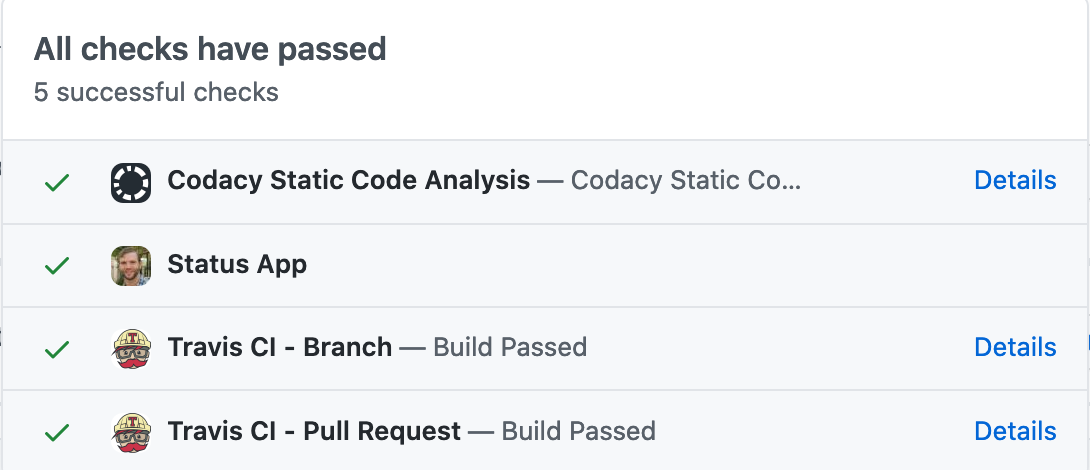
state, _, _ = app.getState(test_commit)This will return the state which we can verify is 'pending'. Assuming we passed a successful check for an open pr, our application should show up in the checks window next to all the other applications as shown below.