Configure XNAT Post Install
Several optional scripts are available to run on the host, under scripts_host directory.
cronjobs.txt - this contains suggested cronjobs.
Nginx base image is alpine and does not have cron installed. Therefore to perform logrotate, it needs to be performed as a cron job on the host server. It is HIGHLY recommended to install this, else your nginx log files will increase to a very large size.
site_monitor.sh: This will restart the xnat containers if the server is not responding.
You may want to rsync backups from the server. A cronjob exists to do this.
As of XNAT 1.9, the container service sets the Image Hosts registry as https..dockerhub. This will fail with Swarm mode enabled, and 'https://' must be removed. Edit the settings. If using a private registry, omit the https://.
- Click on Plugin Settings under Administer.
- Click on Edit for the registry: Compute Backend -> Image Hosts -> Edit
- remove https:// - https:// hub.docker.com -> hub.docker.com
- Log on as user: admin, pwd: admin.
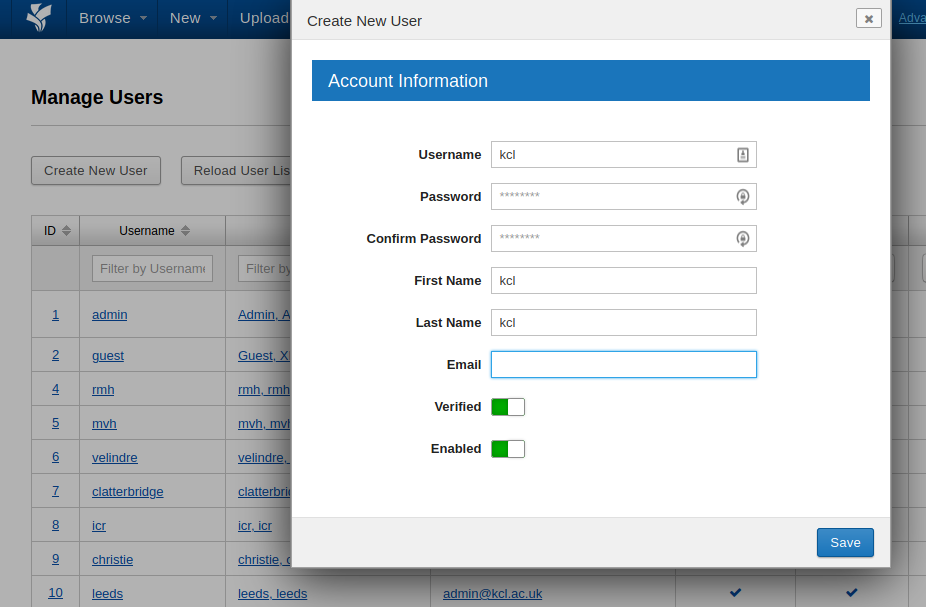
- Click on Users under Administer.
- Click on the xnat_admin user defined in xnat.cfg. Make sure the user is Verified and Enabled. Click on Change Password to set a new password.
- Click Save
- Log off the default Admin user. Log on using the new admin account. Go back to the Users page.
- Click on user Admin.
- Deselect Enabled.
- Repeat for Guest.
Under ./Linux/LDAP is a script and instructions to install LDAP connectivity. You need the LDAP xnat plugin installed (configure in xnat.cfg).
Please read the documentaion fully:
https://wiki.xnat.org/xnat-tools/xnat-ldap-authentication-plugin
In ./Linux/LDAP edit the *-provider.properties file(s) with your authenticator server(s).
Run:
`./build_ldap_image.sh`
Follow the instructions given at the end of the script. Change the docker image used by xnat-web in docker-compose.yml and restart XNAT.
In User Auth Settings add additional authenticator, for example:
localdb,ldapsandbox
The dockerfile-add-ldap file adds the authenticator properties file inside the container:
/data/xnat/home/config/auth/
A nightly backup of the database is made. Read Backup and Restoring PostgreSQL Database for setting the format of the postgresql database and how many backups to keep.
The archive, database and log files are located in the /xnat-data directory as explained the XNAT Setup Overview
To change the location, for example locating the archive data on external storage, read Maintenance and Scripts
A nightly cronjob runs that cleans the server of log files etc. This file is:
/xnat-data/xnat-scripts/cronjobs/clean_logs.sh
You may want to add the postgresql backups to the list:
find /data/scripts/pg_backup/ -type f -mtime +10 -delete
find /data/scripts/pg_backup/* type d -mtime +10 | xargs rm -rf
This will remove backups older than 10 days.
You can backup all the containers and storage using the script:
cd Linux sudo ./save_and_restore.sh save
This will create a directory backup. Back this up.
All the storage is located by default under /xnat-data.
The archive is located in:
/xnat-data/xnat/archive
The postgresql database is located in:
/xnat-data/postgresql
A nightly dump of the database is made:
/xnat-data/xnat/scripts/pg_dump
These should be regularly backed up. For example, if you have network storage, you could sync this folder nightly and add as a nightly job. This example syncs pg_dump at 2am every night:
sudo crontab -l > mycronjobs
echo "00 02 * * * rsync -avu --delete /xnat-data/xnat/scripts/pg_dump  [path to network location]" >> mycronjobs
sudo crontab -u root mycronjobs
If you selected False for docker-tls in the xnat.cfg, the file ./Linux/Dockerfile-AddDockerTLS contains the instructions to rebuild the XNAT container image to configure for TLS (docker build...)
Copy your directory containing the certificates to /xnat-data/xnat/scripts
Restart XNAT.
https://gitlab.com/KCL-BMEIS/Data-Analytics/DaDa/-/wikis/DQR-Pluigin-and-Testing