Releases: KnigguKniggu-droid/voxflow
Release list
VoxFlow v0.1.2

Reliability fix: VoxFlow now restarts Ollama automatically before every draft, so a stopped or crashed Ollama server can no longer hang a request to the timeout. Includes the polished UI and pillow 12.3.0 from v0.1.1.
Download VoxFlow-windows.zip, extract, run VoxFlow.exe. Local and offline: faster-whisper + Ollama llama3.2:3b. Hold Ctrl+Alt+R, speak, release.
VoxFlow v0.1.1
VoxFlow v0.1.1
Windows build. Unzip and run VoxFlow\VoxFlow.exe. Runs fully local (faster-whisper + Ollama); no data leaves your machine. Hold Ctrl+Alt+R, speak, release; the drafted text appears in the overlay with Insert/Copy.
Changes since v0.1.0
- Redesigned overlay: clearer hierarchy, Vox-Flow branding, pulsing mic, hover states, styled scrollbar, fade-in.
- Overlay is draggable by its title bar.
- Window no longer shows in the taskbar or Alt+Tab (tray-only).
- Drafts route through the result panel with Insert / Copy.
- Security: bumped Pillow 11.1.0 -> 12.3.0 (font-loading advisory).
VoxFlow v0.1.0
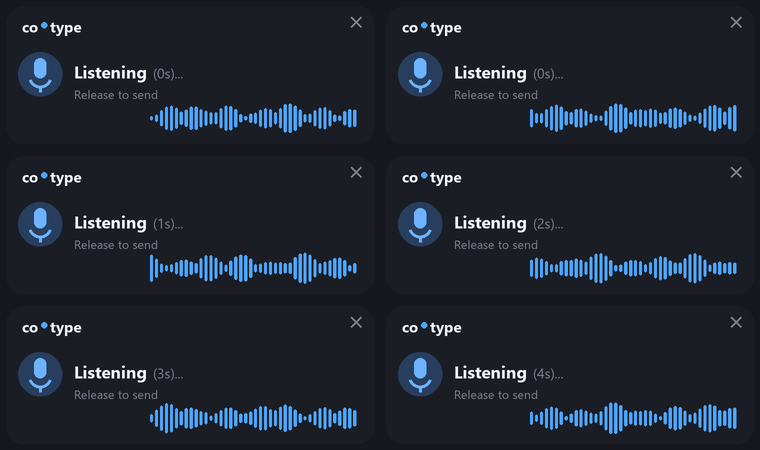
First release. Local, offline voice writing assistant for Windows.
- Hold Ctrl+Alt+R, speak, and it writes the finished text in your tone and types it in at your cursor.
- Fully local: faster-whisper for speech-to-text, Ollama (llama3.2:3b) for generation.
Download: grab VoxFlow-windows.zip below, unzip, run VoxFlow.exe. Requires Ollama running with ollama pull llama3.2:3b.