




Kubernetes on Mac provides the local development environment for container orchestration — running a local Kubernetes cluster through Docker Desktop, Minikube, or k3d that enables developers and DevOps engineers to develop, test, and validate Kubernetes workloads on Mac before deploying to production cloud clusters.
The local cluster deployment runs a Kubernetes control plane and worker nodes on the Mac — either as a Docker Desktop built-in cluster, a Minikube VM-based cluster, or a lightweight k3d cluster — providing a fully functional Kubernetes environment that behaves like production clusters for development and testing purposes. Developing against a local cluster means workload definitions, deployment configurations, and service meshes test with the actual Kubernetes API rather than approximations, catching issues before they reach production. The kubectl command interface is the primary interaction mechanism — the Kubernetes command-line tool that creates, reads, updates, and deletes every resource in the cluster. Deploying a pod, creating a service, applying a config map, checking deployment status, reading logs, and every other cluster operation flows through kubectl commands that Mac developers learn on local clusters and apply directly to production.
The pod and deployment management defines the containerized workloads that run in the cluster — writing deployment manifests that specify container images, resource requirements, replica counts, environment variables, and health checks, then applying them to the cluster and observing the resulting pod lifecycle. Service and networking configuration exposes deployed workloads — creating services that route traffic to pods, configuring ingress controllers for external access, and managing the networking model that connects components within the cluster.
ConfigMaps and Secrets management handles application configuration and sensitive data — storing configuration values separately from container images and injecting them at runtime, following the twelve-factor app model that Kubernetes-native applications follow. Namespace organization partitions cluster resources — creating separate namespaces for different environments, teams, or applications within the same cluster for isolation and resource quota management.
Horizontal scaling adjusts replica counts in response to load — manually scaling deployments for different test scenarios or configuring the Horizontal Pod Autoscaler for automatic scaling based on CPU and memory metrics. Persistent volume management handles stateful workloads — creating persistent volume claims for applications that need storage that survives pod restarts, testing stateful sets, and understanding storage provisioning on local clusters.
- Local Cluster Deployment — Docker Desktop, Minikube, k3d — fully functional Kubernetes environment on Mac for development.
- kubectl Interface — Create, read, update, delete every cluster resource — production commands learned and tested on local cluster.
- Pod and Deployment Management — Deployment manifests, replica counts, health checks — container workloads deployed and lifecycle observed.
- Service and Networking — Services, ingress controllers, cluster networking — component connectivity configured and tested locally.
- ConfigMaps and Secrets — Configuration values and sensitive data separated from images — twelve-factor app model implemented correctly.
- Namespace Organization — Separate namespaces per environment, team, or application — isolation and resource quota management.
- Horizontal Scaling — Manual replica adjustment and Horizontal Pod Autoscaler — scaling behavior tested before production.
- Persistent Volume Management — Stateful workloads with storage surviving pod restarts — stateful sets and storage provisioning tested locally.
- Software developers — local Kubernetes cluster for developing containerized microservices with production parity
- DevOps engineers — Kubernetes workflow learning and infrastructure automation development
- Platform engineers — internal developer platform development and Kubernetes tooling
- Cloud-native architects — distributed system design and service mesh configuration experimentation
Kubernetes · Container orchestration · Cloud-native development · DevOps · Local development · Microservices · Developer tools · Containerization · Platform engineering · CI/CD
Local Kubernetes development on Mac provides the most significant benefit through production parity — developing against the same API and the same resource model as production clusters means issues that would only appear in production manifest during local development. Configuration that works on a local cluster generally works on production; behavior that fails locally is caught before it reaches users. This parity is what distinguishes Kubernetes local development from simpler container development approaches.
"Local Kubernetes cluster for microservices development. I write the deployment manifest, apply it to local cluster, verify the service works, then apply the same manifest to staging. No surprises in staging because I tested the actual Kubernetes behavior locally. Production parity is the point." — Marcus T., Backend Developer
"Learning Kubernetes with Minikube on my Mac before taking over our team's production cluster. Every kubectl command, every concept, every failure mode — explored in a local environment where mistakes don't wake anyone up at 3am. By the time I touched production I was confident." — Elena K., DevOps Engineer
- Go to the installation site using the button above.
- Follow the on-screen instructions to install Kubernetes on your Device.

How do I run Kubernetes locally on Mac?
The most common options are Docker Desktop's built-in Kubernetes, Minikube, kind (Kubernetes in Docker), or k3d. Each provides a local Kubernetes cluster with different trade-offs in resource use and cluster topology.
What is kubectl?
kubectl is the Kubernetes command-line tool for interacting with any Kubernetes cluster — creating and managing pods, deployments, services, config maps, and all other cluster resources.
Does local Kubernetes behave like production?
Yes. Local clusters run the actual Kubernetes API and resource model, so manifests and behavior that work locally work on production clusters.
What is a pod in Kubernetes?
A pod is the smallest deployable unit in Kubernetes — one or more containers that share networking and storage and run together on a single node.
What are Kubernetes namespaces?
Namespaces partition cluster resources for isolation — different environments, teams, or applications can use the same cluster with separate resource spaces and quota controls.
What is Helm in Kubernetes?
Helm is a package manager for Kubernetes — templating deployment manifests, managing releases, and packaging applications for repeatable deployment.
Can Kubernetes scale applications automatically?
Yes. The Horizontal Pod Autoscaler adjusts replica counts based on CPU, memory, or custom metrics automatically.
What is a Kubernetes service?
A service provides stable networking access to pods — abstracting the pod IP addresses with a consistent endpoint that load-balances across the pods backing the service.
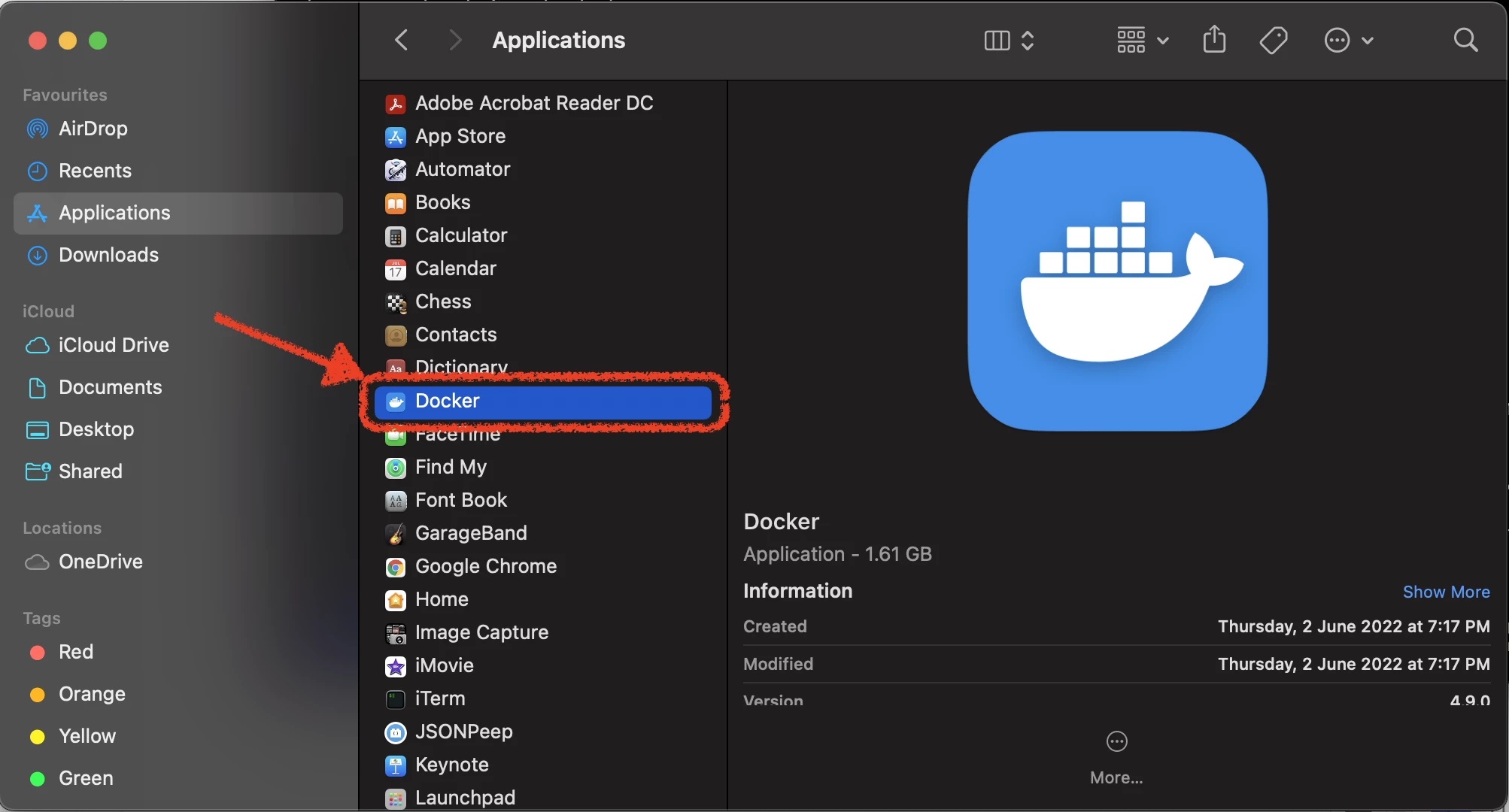
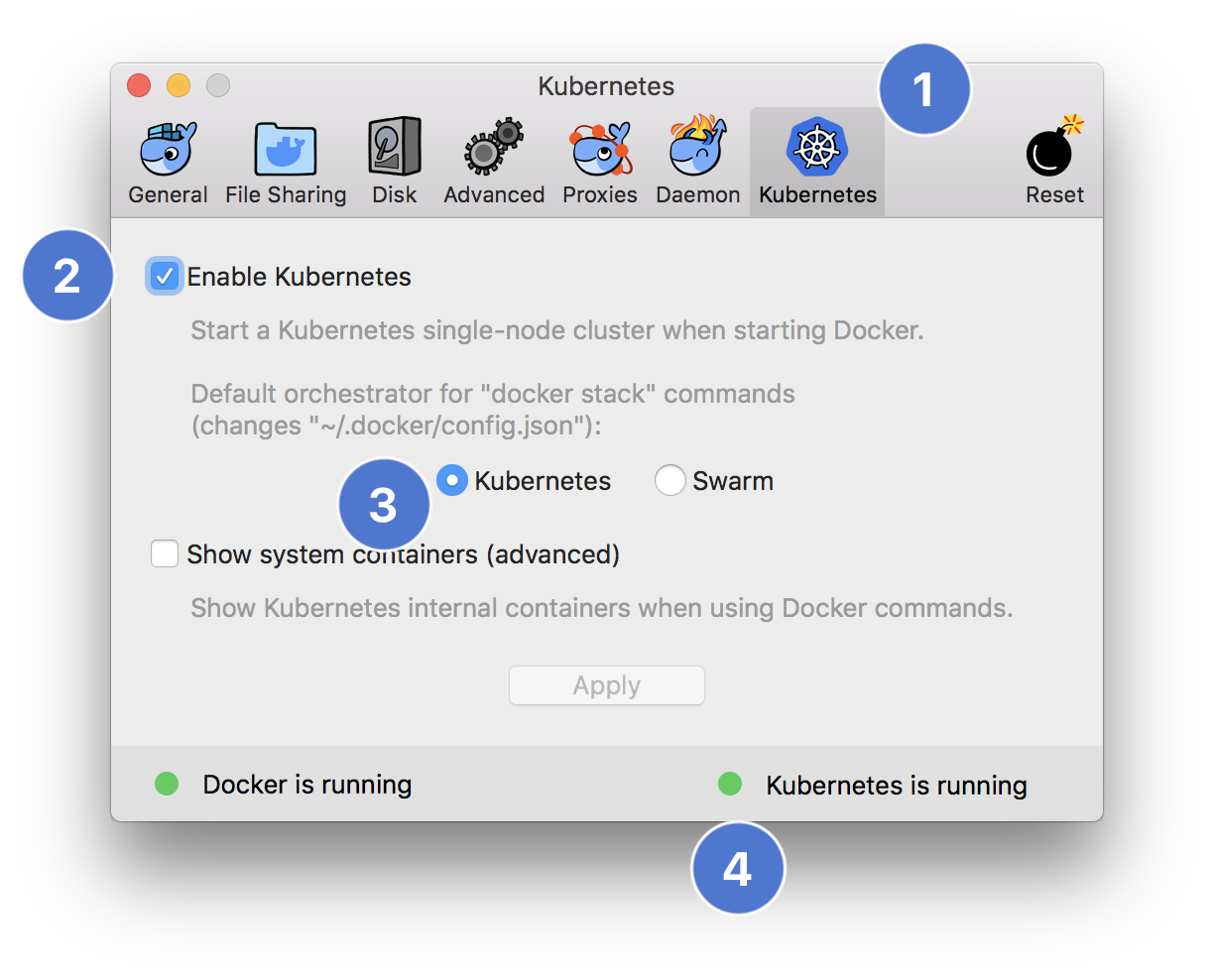
Does Docker Desktop include Kubernetes?
Yes. Docker Desktop for Mac includes an optional Kubernetes cluster that enables with a single setting toggle.