View activity details student
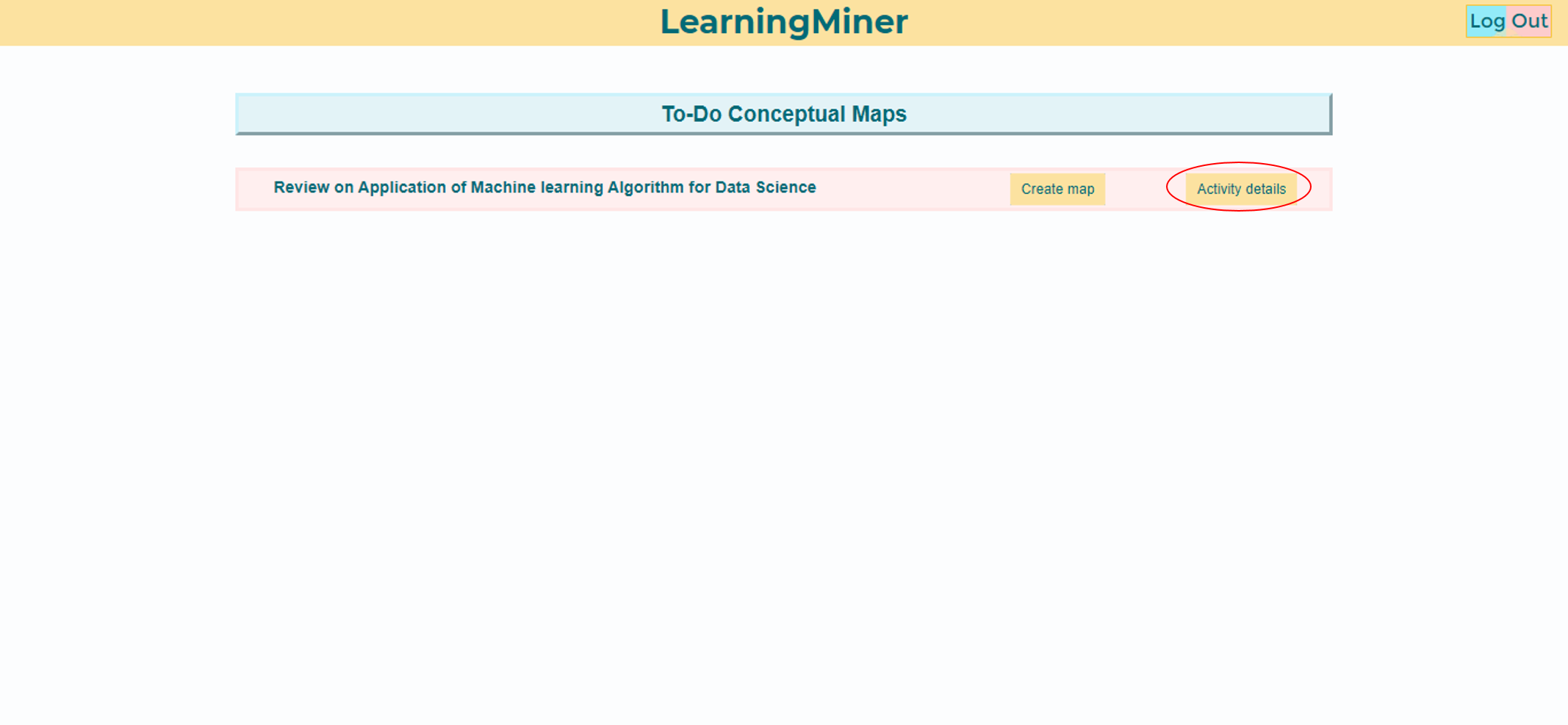
At the to-do maps menu, the student will find two things, a create map button, or, a activity details button. In this case, the student should select the activity details button.
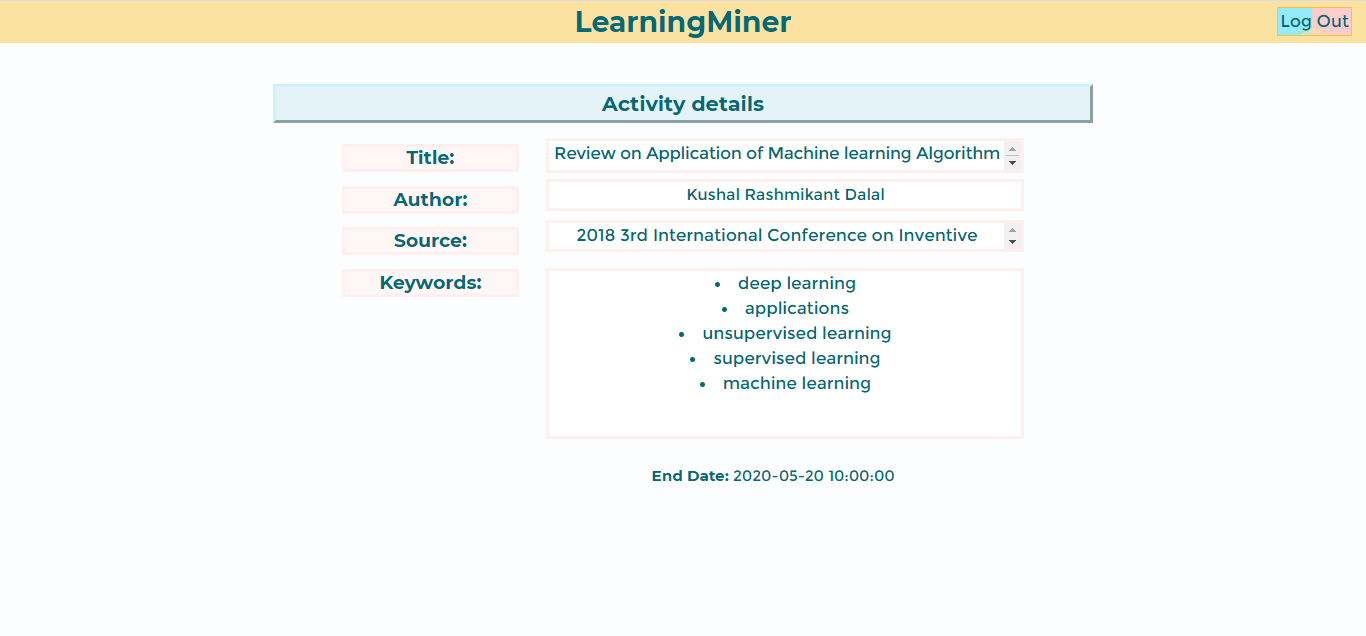
After that, the student will see the activity details, like this:
Return to home users manual
Go to to-do maps
Go to editing maps