Axis File Open Abort Bug #414

Description

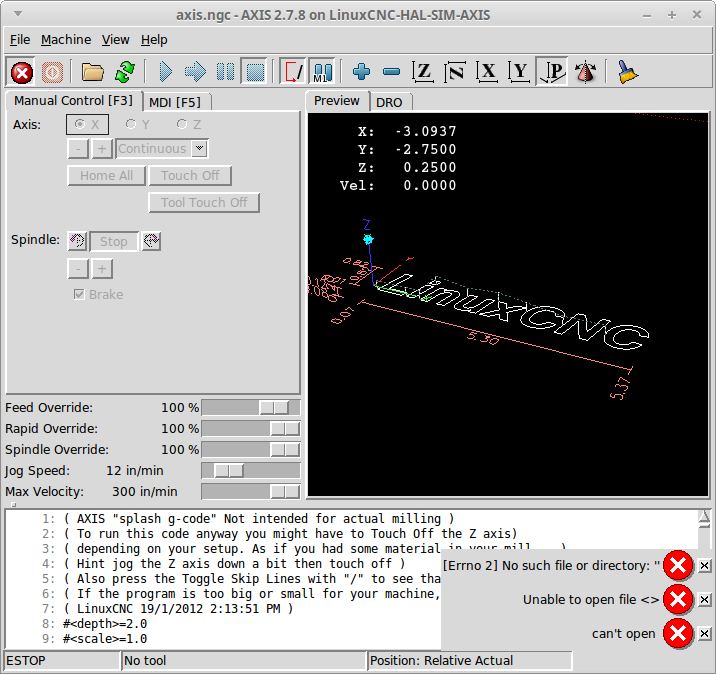
Here are the steps I follow to reproduce the issue:
- Start the Axis Simulator
- Click on the File Open Button
- Click on the Cancel Button
This is what I expected to happen:
I expected the File Dialog to close without an error.
This is what happened instead:
I got 3 Errors
[Error 2] No such file or directory: ""
Unable to open file <>
can't open
Information about my hardware and software:
- I am using this Linux distribution and version Linux Mint 17.3 Rosa
- I am using this kernel version 3.4-9-rtai-686-pae use Tcl_SetResult and Tcl_GetStringResult #1 SMP PREEMPT
- I am running ...
- A binary version from linuxcnc.org (including buildbot.linuxcnc.org)
- A binary I built myself
- A binary version from some other source besides linuxcnc.org
- I am using this LinuxCNC version 2.7.8
- I am using this user interface AXIS
- I am using this interface Simulator