PKG Sender v1.0.0
Send and install PS5 / PS4 PKG files directly over your local network.
PKG Sender is a Windows application for sending PKG files to a jailbroken PS5 or PS4 using the local network.
No USB drive. No manual IP entry in the usual setup. Just start the receiver, open PKG Sender, and send your games.
📥 Files
PkgSender-Setup-1.0.0.exe— self-contained installer, no .NET needed, no admin needed.pkg-receiver.elf— the console payload. Send it to your jailbroken console first (it also ships inside the install folder).
✨ Highlights
- 🎮 PS5 & PS4 support
- 🔎 Automatic console discovery
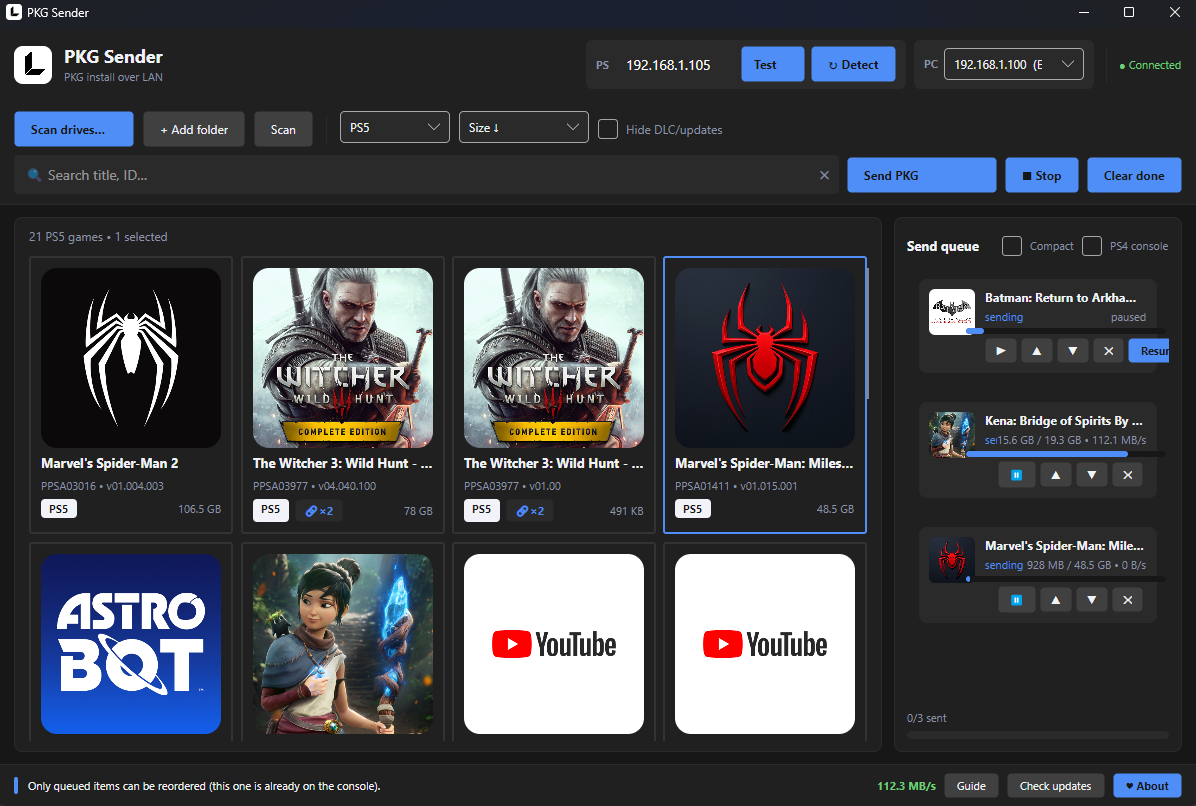
- 📚 Game Library with game names, cover art, Title IDs, versions and file sizes
- 🖼️ Game information during installation — display the game name and cover art on the console while installing
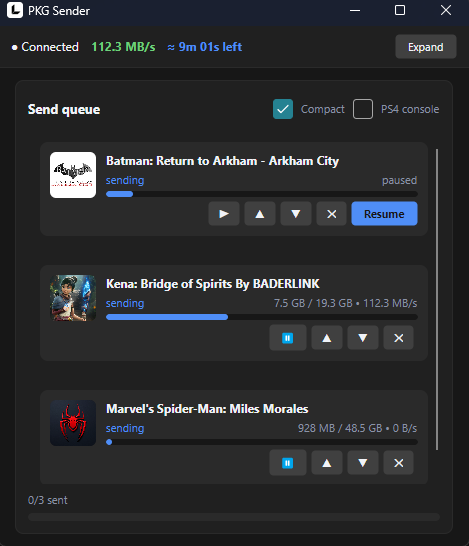
- 📤 Send queue for sending multiple files
- 📊 Transfer progress for active transfers
- 🔗 Game family linking for games, updates and DLC
- 🌐 LAN transfer over your local network
- 🔌 Direct Ethernet connection supported
- 🔄 Automatic updates
- 📦 Self-contained — no .NET runtime needed, no administrator privileges required
🌐 LAN Connection
PKG Sender supports two network setups:
Router — Connect your PC and PS5/PS4 to the same router. PKG Sender will automatically discover the console.
Direct Ethernet — You can also connect your PC directly to the console with an Ethernet cable.
Because there is no DHCP server in a direct connection, you need to configure static IP addresses:
PC      192.168.10.1
Console 192.168.10.2
Subnet  255.255.255.0
PKG Sender intentionally ignores automatic 169.254.x.x addresses, so static IP configuration is required for this setup.
See the built-in Guide or the README for the complete LAN setup instructions.
🔍 Firmware compatibility
So far tested on PS5 firmware 6.02 only — it is not yet clear which other firmware versions work.
If you test it, please report your console model + firmware version + result in Issues. Thank you!
📦 Requirements
- Windows 10/11
- Jailbroken PS5 or PS4
- Compatible PKG Receiver
- PC and console connected to the same local network
🚀 Getting Started
- Download PKG Sender.
- Start the PKG Receiver on your PS5/PS4.
- Connect your PC and console to the same network.
- Launch PKG Sender.
- Wait for your console to be discovered.
- Add a PKG file or select one from your Library.
- Start the transfer.
That's it.
This is the first public release of PKG Sender.
More features and improvements are planned as development continues.
If you find a bug or have an idea for improving PKG Sender, feel free to open an issue or start a discussion.
Thanks for trying PKG Sender. ❤️
Screenshots