Repository navigation
Releases: Mach21st/Silk-Quest
Release list
🧵 Silk Quest 1.0 — Your first quest

A little journal for a bigger journey.
A Silksong-inspired home for your quests, focused work, and rewards worth earning.
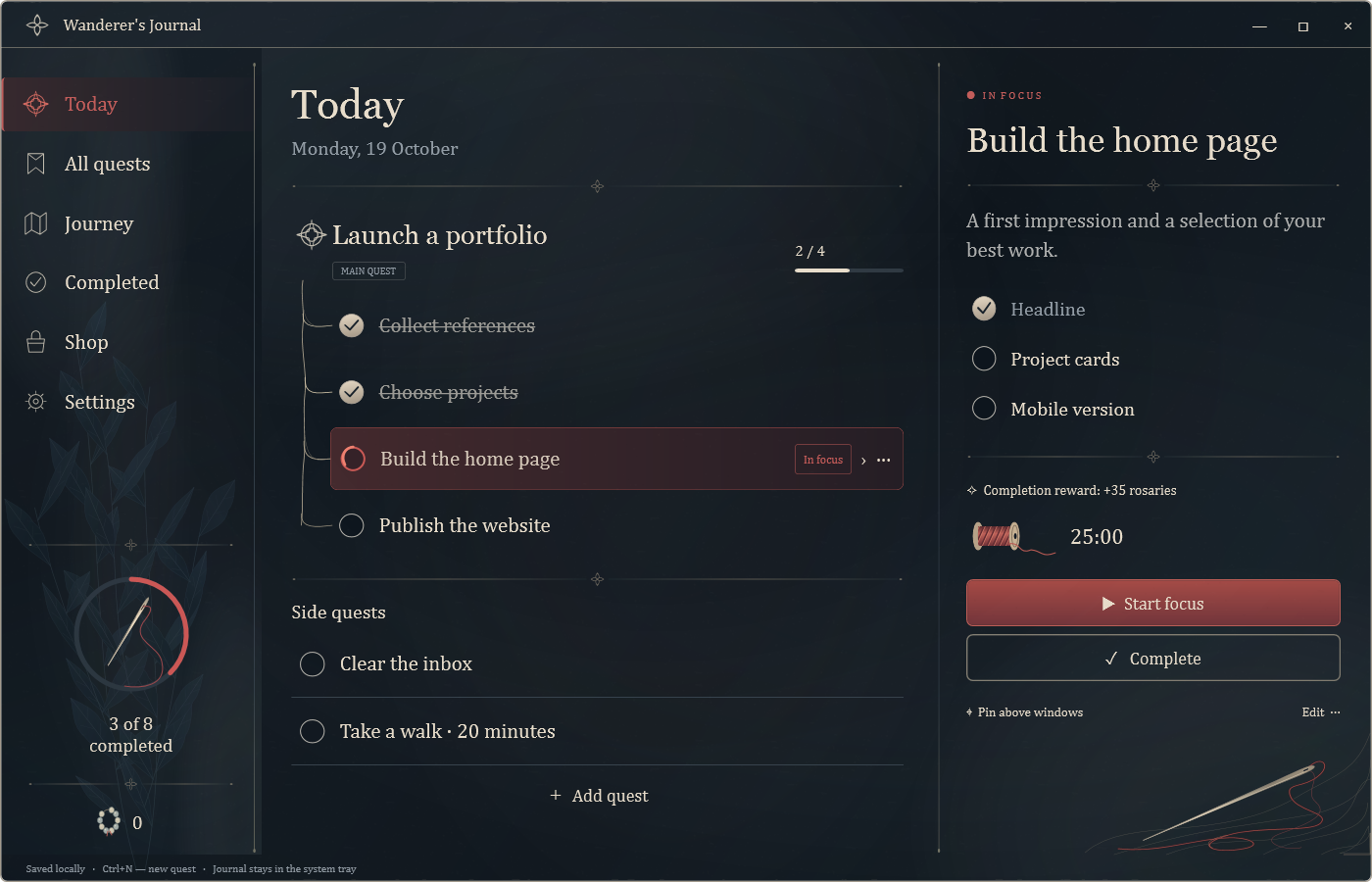
🧵 Follow your own thread
- Quests that unfold — nested steps, progress, and main or side quests.
- Room to focus — a 1–180 minute timer with an unwinding thread animation.
- Keep your quest close — a movable, compact window above your other apps.
- Rewards you choose — earn rosaries and spend them in your personal reward shop.
- Progress kept safe — undo, export, and automatic local snapshots.
🖥️ Windows · the journal
| Download | What you get |
|---|---|
| SilkQuest-Windows-x64.zip | Recommended — app, user guide, and third-party notices |
| SilkQuest.exe | Standalone executable |
Extract the ZIP into a writable folder and open SilkQuest.exe.
Windows 10/11 · x64 · .NET included
📱 Android · a quest in your pocket
Download SilkQuest-Android.apk
An optional companion that keeps a quest in your notification shade. Pair it from Settings → Phone · Wi-Fi while both devices are on the same home network. Your computer must stay on with the journal running.
The companion currently uses Russian UI. Camera and background notification behavior have not yet been verified on a physical Android device.
💾 Keep your progress
Your journal lives in the data folder beside the executable. When updating, quit through the tray menu, replace the app, and keep that folder.
No account or cloud server required. Release downloads contain no personal journal or pairing credentials.
Verify downloads · SHA256 checksums
💬 Along the way
Silk Quest 0.3.0 — Your first quest
The first public release of Silk Quest — a Silksong-inspired quest journal for real-life goals.
Start here
Download SilkQuest-Windows-x64.zip, extract it into a writable folder, and open SilkQuest.exe. Windows 10/11 x64; .NET is included.
The first launch is in English, with editable example quests and a Pepsi Bottle reward. Russian is available in Settings.
Inside the journal
- Nested quests, steps and progress.
- A 1–180 minute focus timer with an unwinding thread animation.
- A movable, compact quest window above other apps.
- Rosary rewards and a shop for your own symbolic rewards.
- Undo, export and automatic local snapshots.
- Optional encrypted home Wi-Fi pairing with an Android notification companion.
Downloads
| File | Purpose |
|---|---|
| SilkQuest-Windows-x64.zip | Recommended Windows download, with guide and third-party notices |
| SilkQuest.exe | Standalone Windows executable |
| SilkQuest-Android.apk | Optional Android companion; currently Russian UI |
| SilkQuest-source.zip | Windows + Android source, docs and screenshots |
| SHA256SUMS.txt | File checksums |
Your journal lives in data beside the executable. When updating, quit through the tray menu and keep that folder. This release contains no personal journal or pairing credentials.
The Windows app and local HTTPS protocol have been tested. Camera and background notification behavior have not yet been verified on a physical Android device.