v1.1.1

important:
Mobile pdf js plugin need to download again
PC : Pdf js plugin
Andriod Andriod pdf js plugin
iPhone/iPad : iPhone/iPad pdf js plugin
- fix iPhone/iPad cannot use pdf annotate bug
Please set up pdfjs path in setting tab , this is a absolute path ,( you can find absolute path of your vault in obsidian app ) the best way is create a folder in your vault , for example :plugin folder, then put pdfjs plugin in it
About iPhone/iPad pdfjs path:
for example (iPad), you create plugin folder in your vault , then put pdfjs plugin into it , the path will like this
/var/mobile/Containers/Data/Application/FACF6387-DAA2-45B3-8F52-3536E1EC29A1/Documents/plugin/pdfjs
FACF6387-DAA2-45B3-8F52-3536E1EC29A1 are different on each device
About andriod pdfjs path,for example,like this
/storage/emulated/0/Documents/obsidian/obsidian/plugin/pdfjs
About PC pdfjs path,like this
D:plugin/pdfjs
How change mindmap node style?
Because there are many Obsidian skins, the default mind map style cannot match all skins, so you can modify the CSS style to match specific skin
You can change css , the node style is
/* normal node */
.mm-node .mm-node-content {
  padding: 2px 4px;
  max-width: 600px;
  word-break: break-word;
  display: flex;
  align-items: center;
  min-height: 24px;
  min-width: 10px;
}

/* root */
.mm-node.mm-root  .mm-node-content {
  color: #333;
}

/* background */
.mm-mindmap{
  background-color: #fff;
}

/* focus style */
.mm-node :focus{
  color:#b1b0b0;
}
重要提示
本次版本主要修复iPhone和iPad 无法使用pdf 标注的问题
需要重新下载pdfjs插件
PC : Pdf js plugin
Andriod Andriod pdf js plugin
iPhone/iPad : iPhone/iPad pdf js plugin
请在设置页面设置pdfjs插件路径,这是一个绝对路径 , 你可以在obsidian app 中发现您的库文件夹的绝对路径 , 最好在库内新建一个plugin文件夹 , 然后将 pdfjs 插件放进去 , 路径最好是英文,不会出现问题
比如iPad 中pdfjs插件路径 , 首先找到库文件夹的绝对路径(这个在app中有显示),然后再库内创建plugin文件夹,把pdfjs插件放入其中,路径设置类似下面
/var/mobile/Containers/Data/Application/FACF6387-DAA2-45B3-8F52-3536E1EC29A1/Documents/plugin/pdfjs
路径最后的pdfjs ,您可以设置成自己文件夹的名称,不一定要使用pdfjs
FACF6387-DAA2-45B3-8F52-3536E1EC29A1 似乎每次安装obsidian都会重新生成,这里要注意
关于 andriod pdfjs 插件路径, 在您的库文件夹下创建一个文件夹plugin,然后将pdfjs插件放进去 ,路径设置类似于下面这种
/storage/emulated/0/Documents/obsidian/obsidian/plugin/pdfjs
关于电脑版 pdfjs 插件路径, 类似于下面
D:plugin/pdfjs
@free-150 感谢测试工作
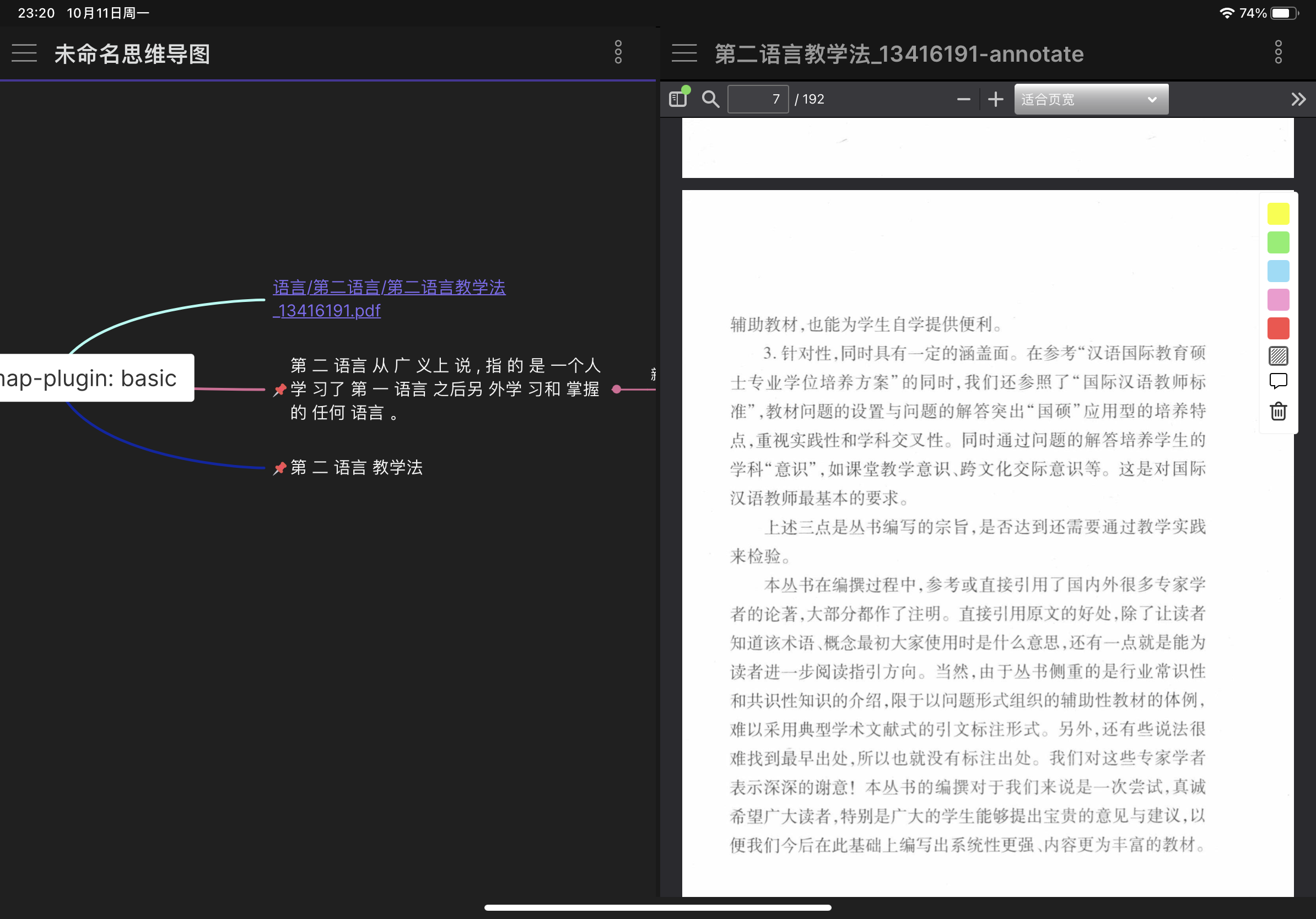
iPad screen short ( iPad 截图 )
如何更改节点样式?
由于obsidian 主题非常多,默认的思维导图样式并不能匹配所有主题,因此您可以通过修改css样式来匹配特定的主题
节点样式代码如下:
/* 普通节点 */
.mm-node .mm-node-content {
  padding: 2px 4px;
  max-width: 600px;
  word-break: break-word;
  display: flex;
  align-items: center;
  min-height: 24px;
  min-width: 10px;
}

/* 根节点 */
.mm-node.mm-root .mm-node-content {
  color: #333;
}

/* 背景颜色*/
.mm-mindmap{
  background-color: #fff;
}

/* 选中节点文字(聚焦) */
.mm-node :focus{
  color:#b1b0b0;
}