Releases: MaxGramser/homeassistant_espscreen
Release list
ESP Screens 0.2.85 / firmware 0.2.71: off looks off, in Home Assistant's colours

Off looks off on every tile, in Home Assistant's colours.
What Home Assistant calls off is grey. Tiles now follow the rule Home Assistant's own cards colour by (its stateActive()). An airco or fan that is off, a closed blind, a docked or paused robot, a player that is off or in standby, a script that isn't running, a paused timer and a camera that isn't streaming turn grey, as an off light or door sensor already did. The airco was the one that stood out: its tile stayed orange while the airco was off.
An airco that is off says Off. Its tile showed the temperature it was set to, even while off. It now reads Off, with the room's temperature when the device reports one (Off · 21.5°), as Home Assistant's tile does. While it runs, the tile still shows the set temperature.
Home Assistant's colours for the rest. An alarm that goes off is red on its tile, as in the top bar: smoke, gas, carbon monoxide, a leak, heat, a problem, safety, sound, tampering, a low battery and an unlocked lock. A battery sensor is green from 70 %, orange from 30 % and red below that. A running script or timer and a streaming camera are amber. The weather takes the colour of its condition: clouds light grey, fog grey, rain blue, pouring rain indigo, snow pale blue, lightning yellow and wind green. The sun is amber by day and indigo at night, and someone in a zone other than home is blue. Scenes, selects, numbers and sensors keep their own colour per kind, where Home Assistant draws them all in one neutral blue.
A full-page tile lights up only when it is on. It now also lights up for an open blind, a speaker that is on, a robot at work or on its way back, a running script, a streaming camera and someone at home or in a zone. Sensors, numbers, selects, scenes, the weather and the sun stay plain, because Home Assistant calls them active all the time; the sun no longer lights up by day.
The top bar knows the same alarms. A heat, sound or lock sensor and a low battery now turn red in the top bar too. That part is the add-on's and needs no firmware.
A closed blind's small slider keeps its colour while its tile is grey, as in Home Assistant.
Needs firmware 0.2.71: press Update on the screen. Includes everything from 0.2.84. CYD firmware: 1,677,488 bytes, 91.4 % of the update slot (576 bytes more than 0.2.84). Test report: docs/TEST_RESULTS_0285.md.
0.2.84: one shared core for every board (firmware stays 0.2.70)
One shared screen for every board: the two board profiles became one core plus a small file per board. Nothing changes on a screen, and there is no firmware update.
packages/core.yaml is the screen, every board builds from it. Before, the CYD and the Guition each had a 5,000-line profile of which 87 % was the same text; every change had to be made twice, and the two had drifted apart in small ways. Now the LVGL tree, the cards, the scripts, the API actions, the entities and the fonts live once. A board file under packages/boards/ holds what is that board's: its hardware, a table with its 84 sizes and font sizes, the lines of C++ only it adds to a shared lambda (18 named hooks), and its own parts (the CYD's calibration wizard, the Guition's camera images and Rotation). docs/PROFILES.md explains the files and how a new board is added: copy the nearest board file, fill the table, go through the hooks.
Nothing changes on a screen. packages/cyd.yaml and packages/guition.yaml keep their names and places, so a screen installed from ESP Screens builds as before, and the firmware stays 0.2.70. The C++ ESPHome generates for each board was compared line by line with that of the old profiles, through the checkout profiles and through the GitHub route the add-on uses: every value, every lambda and every component is the same; what differs is whitespace, line numbers, the order in which ESPHome lists fonts, entities and scripts, one boot lambda on the CYD that now holds the calibration setup together with the effects page's hooks (the same statements in the same order), and the alert's picture frame on a Guition being created after the OK button (they never overlap). docs/TEST_RESULTS_0284.md has the method and the figures, down to the ELF sections.
tools/check_packages.py(run bytools/check.shand CI) fails when a board file leaves out a name the core uses, so a new board cannot forget a size or a hook;tools/generate_packages.pyis gone.- No firmware update: press nothing on the screens. A screen built again anyway gets the same code (CYD image 1,676,912 bytes, 91.4 % of the update slot; the 1,440 bytes it gained sit in ESPHome's generated
setup(), where the components are now registered in the merge's order).
ESP Screens 0.2.83 / firmware 0.2.70: a lamp's effects page
A lamp's modes on the screen: the effects, palettes and presets of a WLED, and the effect of any light that has one.
An effects page behind the light's colour card. A light that offers effects (a WLED, a Hue with its candle effect) gets a sparkles key at the top right of its colour card. It opens a page with one row per thing the lamp offers: the light's Effect, and the select entities on the lamp's device (a WLED's Color palette, Preset and Playlist), each with what it is set to. Under them a slider per number entity of the device (a WLED's Speed and Intensity). Nothing is hardcoded for a brand: the rows, their English names and their icons are what Home Assistant lists for the device, so another lamp shows its own rows and a lamp without any shows none.
A picker that turns like a drum. A row opens LVGL's roller with every name Home Assistant has at that moment, the effects alphabetically with Solid on top and a select's options in Home Assistant's order. Turn it to a name and press the check at the top right: that sends one action (light.turn_on with the effect, select.select_option; a slider sends number.set_value when you let go), the row shows the choice at once, and the back key sends nothing. The list is asked for when the picker opens (event esphome.screen_options, answered with op: options, one page of names per message), so the screen holds no list while it is closed and a WLED update shows its new effects the next time.
The tile names the effect. A light tile reads TV Simulator instead of 100 % while an effect runs; Solid, off and None count as none.
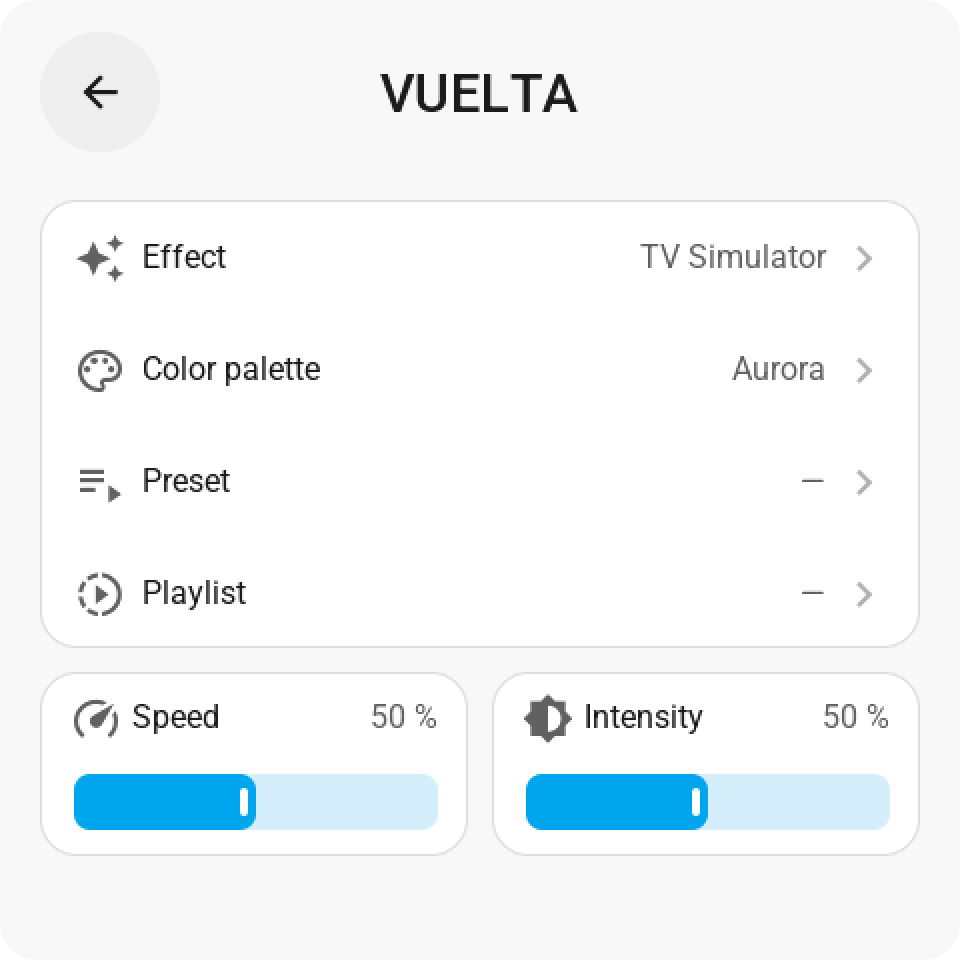
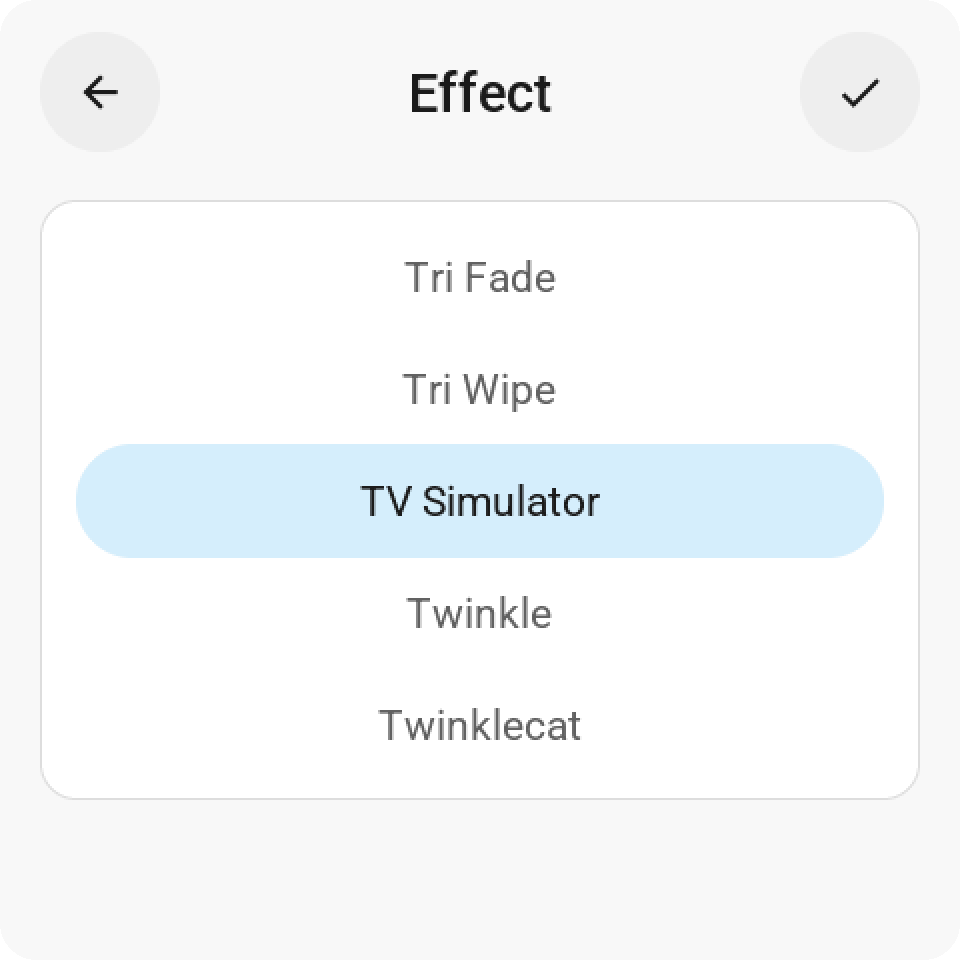
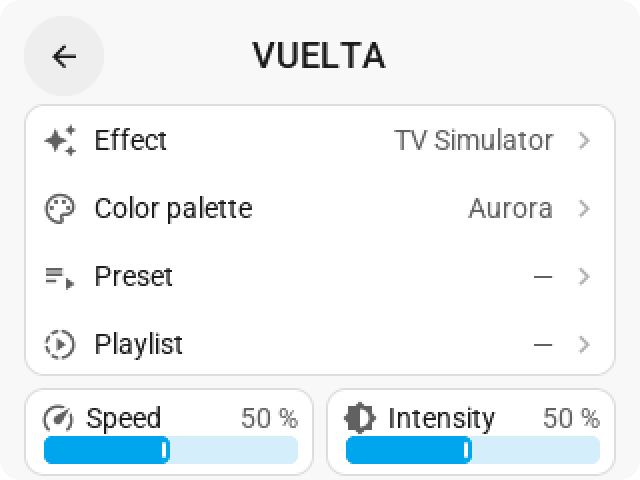
Needs firmware 0.2.70: press Update on the screen. Includes everything from 0.2.82. CYD firmware: 1,675,424 bytes, 91.3 % of the update slot (20,288 bytes more than 0.2.82: LVGL's roller is compiled in for the first time, plus the page and five icons). Test report: docs/TEST_RESULTS_0283.md.
ESP Screens 0.2.82 (firmware 0.2.69)
The page buttons can make way, and the tiles fill the screen.
- Page buttons: a setting to take the bar under the tiles away. Turned off, a screen with more pages has no buttons under its tiles, and the three rows of cards share their room: every card grows by 14 px on a Guition (108 to 122) and 9 px on a CYD (52 to 61). Pages then change by swiping or with Go to page tiles. It sits with the other screen settings: on the screen's own settings page (Screen), in the editor's Screen settings, and as
switch.<screen>_page_buttonsin Home Assistant. On by default. (GitHub issue #9) - The editor says which pages you can't reach. With the page buttons and swiping both off, only Go to page tiles change the page. The editor then says where your Go to page tiles lead and which pages that leaves out ("You have 3 Go to page tiles, to pages 1, 2 and 3, but none to page 4, so you can't reach it"), and it names a page with no way back to page 1. The warning shows above the pages and under the setting.
- New page buttons: a chevron in each corner and a dot per page. The words Previous and Next and the "2 / 4" are gone. Each half of the bar is still one big key and lights up under your finger. On the first and last page the chevron that leads nowhere is dimmed. The settings page on the screen uses the same buttons.
- A screen with one page uses the whole screen. Its bar was already hidden, but the tiles kept their size. Now they grow into that room the same way.
- A card keeps its layout as it grows: the name, state and circle stay in its middle, and the analog clock on a single tile keeps its dial size so the date beside it still fits. The small slider of 0.2.81 still claims the whole card when the card is taller.
- Needs firmware 0.2.69: press Update on the screen. Includes everything from 0.2.81. CYD firmware: 1,655,136 bytes, 90.2 % of the update slot (1,632 bytes more than 0.2.81).
ESP Screens 0.2.81 (firmware 0.2.68)
A card's slider takes the whole card, and a quick drag on it never turns a page.
- Dragging anywhere on a card with a small slider drags the slider. The strip at the bottom of a compact card is 8 px high on a CYD, so a finger that landed a little above it pressed the card instead: the light's card opened, the light toggled, or a quick drag turned the page. The whole card now belongs to the strip, on both boards. A press that never moves is still the card's tap and a finger resting on it is still its hold, with the card lighting up as before; only a moving finger drags. The log says
Tap beside the strip of light.x: the tile's. - A quick drag on a slider is never a page swipe. The CYD's swipe between pages caught fast drags on sliders and turned the page without a word in the log. The log now says
page swipe: page 0 -> 1when a swipe turns a page andpage swipe ignored: a slider is being draggedwhen a slider had the finger. A swipe that starts on a card with a slider no longer turns the page: start it on another card, between cards, or use the buttons. The Guition's flick rule leaves a slider's drag alone the same way. - A second drag right after the first counts. A slider's send within 600 ms of its previous one was dropped as a bounce, silently. That window is for buttons; a slider sends once per touch, on release.
- The edge band on a CYD is 20 px (was 56). Its resistive panel reports a finger up to the bezel, and on a single card's 131 px slider the old band turned a release at 71 % into 100 %. The Guition keeps its centimetre.
- Needs firmware 0.2.68: press Update on the screen. Includes everything from 0.2.80. CYD firmware: 1,653,504 bytes, 90.1 % of the update slot (720 bytes more than 0.2.80).
ESP Screens 0.2.80 (firmware 0.2.67)
A slider swiped off the edge of the glass goes all the way.
- Swiping a slider off the screen sets it to the end. A fast swipe to the right that leaves the glass ended at 93 to 98 % instead of 100 %: a capacitive panel loses a fast finger 30 to 50 px before the edge, and a wide tile's slider ends only 29 px from it, so the screen never saw the finger past the end (measured on a Guition: the last touch landed 33 to 48 px inside the edge, seven times out of seven). A slider whose end lies within about a centimetre of the left or right edge now takes a finger let go in that band as that end: off the right is 100 %, off the left is the minimum (1 % for a light, as in Home Assistant, where a pointer past the bar's end counts as its end too). Letting go anywhere else keeps the exact value. Tile sliders and the sliders on the light card do this;
SLIDER_EDGE_SNAP_PXin the board profile sets the band (Guition 67 px, CYD 56 px, 0 turns it off). The log says when it happened (Let go 39 px from the right edge: slider 973 -> 1000). - Needs firmware 0.2.67: press Update on the screen. Includes everything from 0.2.79. CYD firmware: 1,652,784 bytes, 90.1 % of the update slot.
ESP Screens 0.2.79 (firmware 0.2.66)
A blind's bar reads the same way on the tile and on its card.
- The small slider of a blind fills with the closed part. A closed blind is a full bar, an open one an empty bar, and dragging to the right closes it, as on the blind's card and in Home Assistant's own cover dialog, where the blind hangs down from the top. Before, the tile filled with the open part, so a closed blind looked open next to its card. The editor's mockup draws it the same way. The position in the text stays how far the blind is open, as Home Assistant says it.
- Needs firmware 0.2.66: press Update on the screen. Includes everything from 0.2.78.
ESP Screens 0.2.78 (firmware 0.2.65)
Fixes from a full test round of 0.2.72 to 0.2.76, a light switch that works in the dark, and a way back to the menu.
- The analog clock on a single tile ticks again. Since 0.2.74 its second hand stood still; only the wide and full-page clocks moved.
- A full-page light switch works with one push in standby. On a dimmed screen the first touch only woke it, so the switch by the door needed two pushes most of the day. On a page that is one full tile switching something on or off, the waking push now switches it too; every other page still only wakes.
- A swipe is never a tap (Guition). A quick flick or wipe across a tile, a full-page light above all, switched it. A swipe now only swipes, and a finger that slides off a tile before letting go no longer taps it, as 0.2.33 meant. A firm press that drifts a little still counts.
- Previous and Next react to a firm or slow press. A press longer than about half a second did nothing; the pages of the screen's settings page too.
- The same Go to page tile can sit on several pages, such as a way back to page 1 on every sub-page. Goes to page lists the pages the screen has plus the next one, marked (empty). Claude in Home Assistant names each copy by its page or spot. Needs firmware 0.2.65.
- Save refuses what could never reach the screen, with a sentence that says why: tiles whose entity IDs together are too long for one message, or tiles that don't fit on eight pages. Before, such a layout saved and then kept failing to send. Big layouts with actions on their taps save again (the request limit went from 16 to 128 KB).
- A screen that is offline or restarting keeps its 48 tiles in the editor and can still be saved: ESP Screens uses the firmware version Home Assistant remembers for the device instead of treating it as a very old screen.
- Editor: clicking the open screen in the sidebar (the way back from Firmware & USB, Alerts or Settings) no longer throws away unsaved changes, and a change made while Save & send is on its way stays unsaved. Every tile's settings have a Page row to move it without dragging, and on a phone the pages scroll sideways and a dragged tile reaches page 2 and beyond. When Home Assistant refuses Identify or Try it, the editor says so instead of "That didn't work". What's new no longer shows asterisks. The editor opens faster: the browser keeps its scripts and fonts.
- The app stops in a moment instead of ten seconds, and a firmware build that is running stops cleanly. An unreadable changelog no longer stops the app from starting.
- The screen stays up when memory runs out: a layout the screen has no room for is refused with a message instead of crashing it. Tiles 33 to 48 no longer redraw the whole page on every change. The CYD firmware is about 14 KB smaller (LVGL's unused Montserrat font is no longer built in).
- Every push now runs the release checks on GitHub (
tools/check.sh), including a compile of both firmwares and a flash budget for the CYD. The guides match the current editor (48 tiles, the sidebar), and the 0.2.75 notes now give the real cost of the smoother icons: 108 KB, 90 % of the CYD's update slot. - Needs firmware 0.2.65: press Update on the screen. Includes everything from 0.2.77.
ESP Screens 0.2.77 (firmware 0.2.64): the media card
A media card like a phone's "now playing", with the album cover on a Guition.
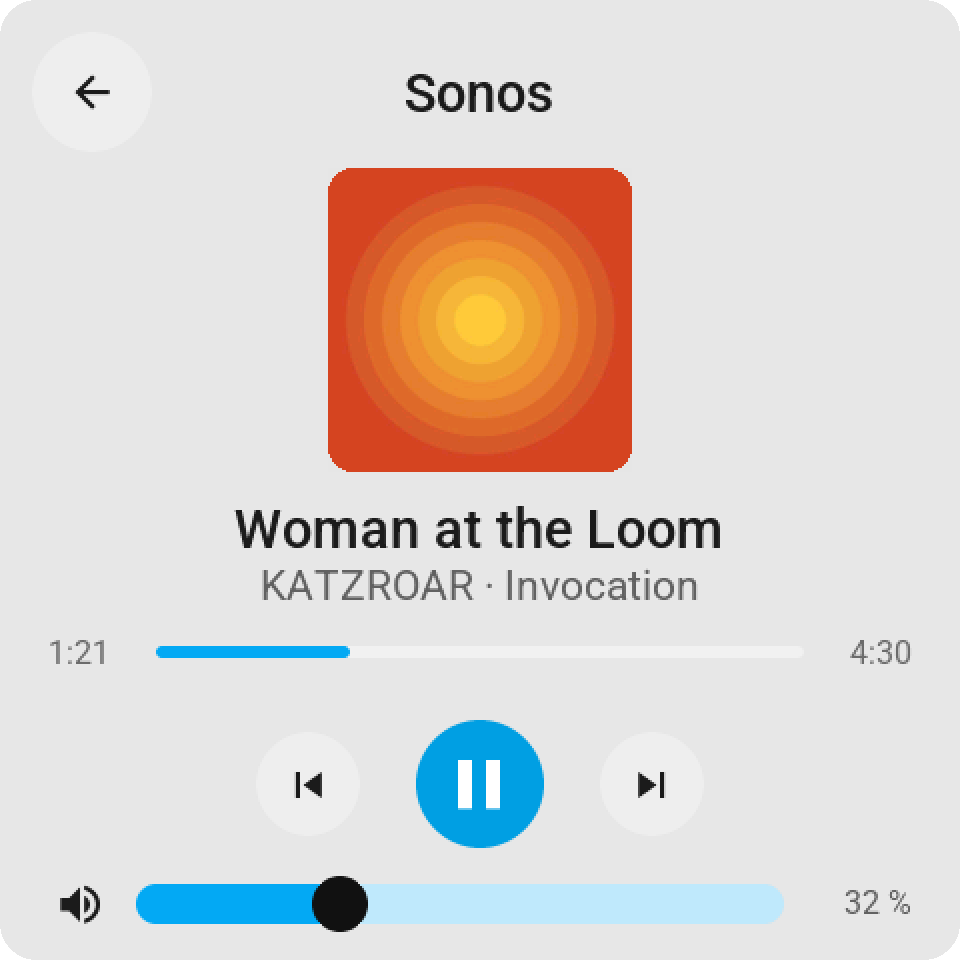
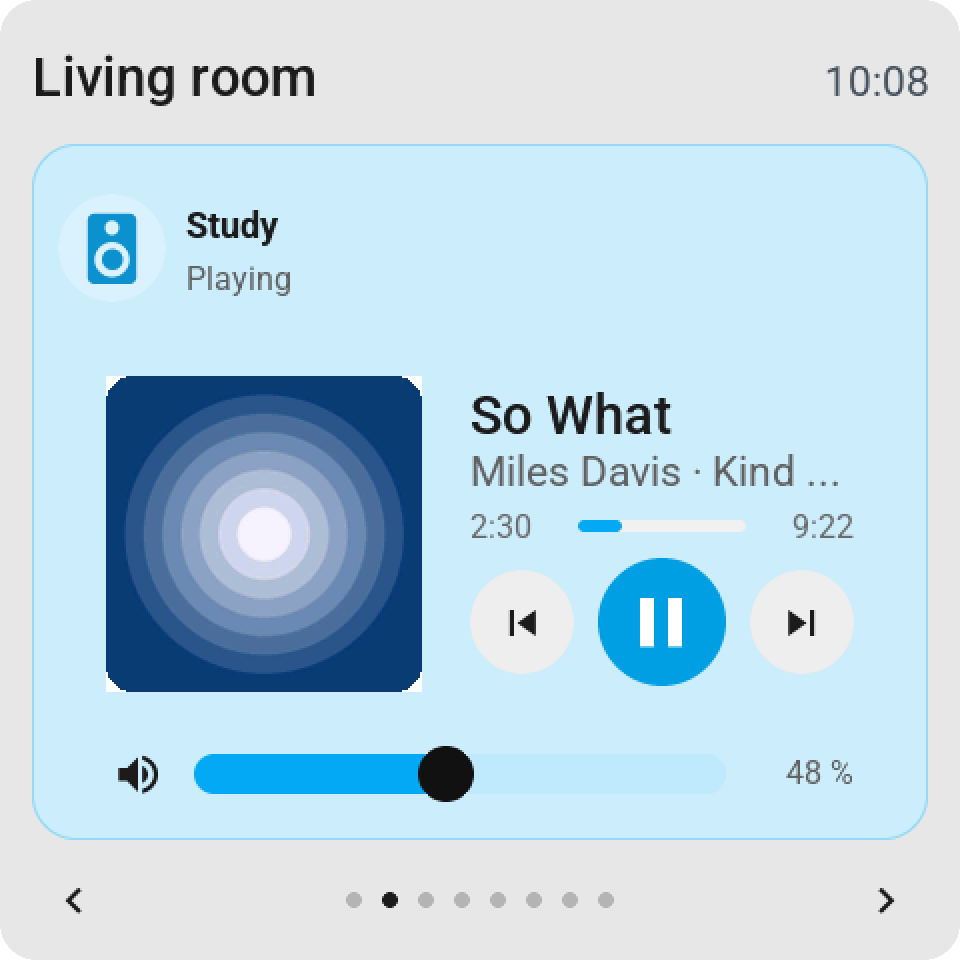
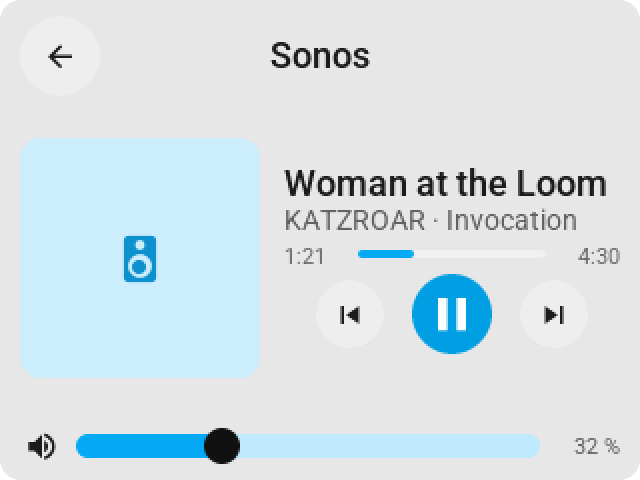
- The media card is new. Tap a media player's tile and the card shows the album cover, the title, the artist and the album, a progress bar that runs while the track plays with the elapsed and total time at its ends, three round keys (previous, play or pause on the blue key, next) and a volume row: a mute key, a wide slider with a round knob, and the percentage. The keys the player does not offer are faded, the mute key and the slider follow what Home Assistant reports (a muted player shows a grey fill and Muted), and a player that is off shows one power key. A stream without a length shows no bar and no times. It works in the light and the dark look.
- The album cover comes the way camera images do (app 0.2.66): the screen asks ESP Screen Manager, the app fetches the picture from Home Assistant with its own access, makes it exactly the size the card asks for with the corners already rounded over the card's colour, and serves it on port 8098. A Guition loads it once and keeps it until the picture changes, the card closes or the page turns. The CYD has no memory for pictures and shows the player's icon in the cover's place, as it does when a player has no picture (a radio station, a player that is off).
- A media tile over the whole page (size Full page) is the same card under the tile's head: the cover at the left, the track, the bar and the keys beside it, the volume row along the bottom. The keys and the slider work on the tile; holding the tile still opens the card.
- One picture at a time. A download shares the screen's loop with touch and drawing, so a Guition never loads two pictures at once. An alert closes an open card, and the card's cover goes with it. A media tile over the whole page stays under the alert, and there the alert's picture goes first: a cover that has not started waits until the alert's picture is there, and a cover already on its way finishes before the alert's picture starts. A camera full screen and the cover share one picture, so they never load together. Memory is not the limit: the pictures live in PSRAM (a cover about 70 KB, the alert's 172 KB).
- The card's clock runs on the screen. Home Assistant reports where a track was and when; the bar and the elapsed time run on from there every second without any traffic, and stand still while the track is paused.
- Claude in Home Assistant and the editor need nothing new: a
media_playertile is the same tile, with the new card behind it. - Needs firmware 0.2.64 for the new card; the app serves covers only to a Guition on that firmware. Older firmware keeps the old card. Includes everything from 0.2.76.
ESP Screens 0.2.76 (firmware 0.2.63)
The CYD in the editor shows the whole tile again.
What changed
- A tile on the mockup looks like the tile on the screen. Both boards draw a normal tile with the icon on the left and the name and value beside it; the editor stacked the icon, the name and the value on top of each other. On a CYD's short tiles that did not fit, so the value under the name was cut in half and a large value hid the name. The mockup now uses the screen's layout on both boards: icon left, name and value next to it, the small slider underneath, and for a large value the name at the top with the number below it.
Update
- Update the add-on to 0.2.76. Only the editor changed: no new firmware, 0.2.63 stays current.
- Includes everything from 0.2.75 (smooth icons on the CYD).
Test results: docs/TEST_RESULTS_0276.md.