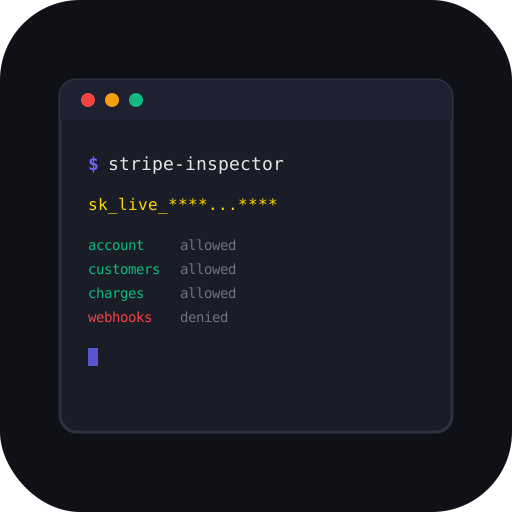
Security research tool for Stripe API key enumeration and inspection



StripeInspector takes a Stripe API key and enumerates everything accessible through it — account details, customers, charges, payouts, products, webhooks, and more. Built for security researchers, penetration testers, and bug bounty hunters.
- 17 inspection modules — account, balance, customers, charges, payment intents, products, payouts, subscriptions, invoices, webhooks, events, connected accounts, disputes, refunds, balance transactions, coupons
- Permission scanner — probes 35+ Stripe API endpoints to build a full access matrix
- CLI + Web UI — both treated as first-class interfaces
- 5 output formats — colored terminal tables, JSON, HTML inspection reports, PDF, CSV
- Deep pagination —
--deepfetches all pages, not just first 100 - PII exposure summary — auto-detects emails, names, phones, card numbers across all modules
- Key type detection — auto-identifies test/live, secret/restricted keys
- Multi-key batch mode — scan a list of keys from a file
- Diff mode — compare permissions between two keys
- Self-hosted web UI — dark/light theme, real-time SSE streaming, shareable inspections
- Optional auth — bearer token support for securing the web UI
pip install stripe-inspectorOr with uv:
uv pip install stripe-inspectorFor PDF report support:
pip install stripe-inspector[pdf]Or with Docker:
docker compose up
# Open http://localhost:8000

# With auth token:
TOKEN=mysecret docker compose up# Inspect a key (all modules)
stripe-inspector inspect sk_test_xxxx
# JSON output (pipe to jq, scripts, etc.)
stripe-inspector inspect sk_test_xxxx --output json
# Generate an HTML inspection report
stripe-inspector inspect sk_test_xxxx --report findings.html
# Deep scan — fetch all pages
stripe-inspector inspect sk_test_xxxx --deep
# Specific modules only
stripe-inspector inspect sk_test_xxxx --modules account,customers,charges
# Silent mode — no table output, just save report
stripe-inspector inspect sk_test_xxxx --silent --report findings.html
# Export per-module CSV files
stripe-inspector inspect sk_test_xxxx --csv ./output
# Batch scan multiple keys
stripe-inspector batch keys.txt --report-dir ./reports
# Compare two keys
stripe-inspector diff sk_test_key1 sk_test_key2
# List all available modules
stripe-inspector list-modules# Start on localhost:8000
stripe-inspector serve
# Custom port with auth token
stripe-inspector serve --port 9000 --token mysecrettoken
# Expose to network (use with --token)
stripe-inspector serve --host 0.0.0.0 --token mysecrettokenOpen http://localhost:8000 in your browser, paste a key, and hit Inspect. The web UI features real-time progress streaming, module selection, dark/light theme, and shareable inspection links.
| Module | Endpoint | What It Finds |
|---|---|---|
account |
/v1/account |
Owner name, email, country, address, business type, MCC, capabilities |
balance |
/v1/balance |
Available and pending balances per currency |
customers |
/v1/customers |
Customer names, emails, phone numbers, metadata |
charges |
/v1/charges |
Payment amounts, payer details, card info, countries |
payment_intents |
/v1/payment_intents |
Intent status, amounts, payment methods |
products |
/v1/products |
Product names, types, pricing, active status |
payouts |
/v1/payouts |
Payout amounts, bank destinations, schedules |
subscriptions |
/v1/subscriptions |
Active plans, billing cycles, customers |
invoices |
/v1/invoices |
Invoice amounts, payment status, hosted URLs |
webhooks |
/v1/webhook_endpoints |
Endpoint URLs, subscribed event types |
events |
/v1/events |
Recent API activity and event log |
connected |
/v1/accounts |
Connected accounts (Stripe Connect platforms) |
disputes |
/v1/disputes |
Chargebacks, fraud disputes, resolution status |
refunds |
/v1/refunds |
Refund amounts, reasons, associated charges |
balance_transactions |
/v1/balance_transactions |
Full money flow: charges, fees, payouts, refunds |
coupons |
/v1/coupons |
Discount codes, percent/amount off, redemption counts |
permission_scan |
35+ endpoints | Full endpoint access matrix (allowed/denied/error) |
| Prefix | Type | Risk Level |
|---|---|---|
sk_test_ |
Secret test key | Low — sandbox data only |
sk_live_ |
Secret live key | High — real customer data |
rk_test_ |
Restricted test key | Low — limited permissions |
rk_live_ |
Restricted live key | Medium — limited but real data |
- Keys are never logged or stored to disk
- The web UI sends keys only to Stripe's API from the backend — never to third parties
- Inspection reports mask keys (show first 8 + last 4 characters only)
- Shared inspections contain no API keys and expire after 24 hours
- Use
--tokento protect the web UI when exposing beyond localhost - All timestamps include both raw Unix epoch and human-readable format
This tool is intended for authorized security testing, bug bounty programs, penetration testing engagements, and educational purposes only. Only use it on API keys you own or have explicit written authorization to test.
Unauthorized access to third-party systems is illegal. The author assumes no liability for misuse of this tool.
See CONTRIBUTING.md for development setup and guidelines.
MIT - Ijaz Ur Rahim