Repository navigation
Abyss Linux 27.0

The first public release of Abyss Linux: a minimalist, rolling-release, systemd-free desktop built on Void Linux and the suckless tools.
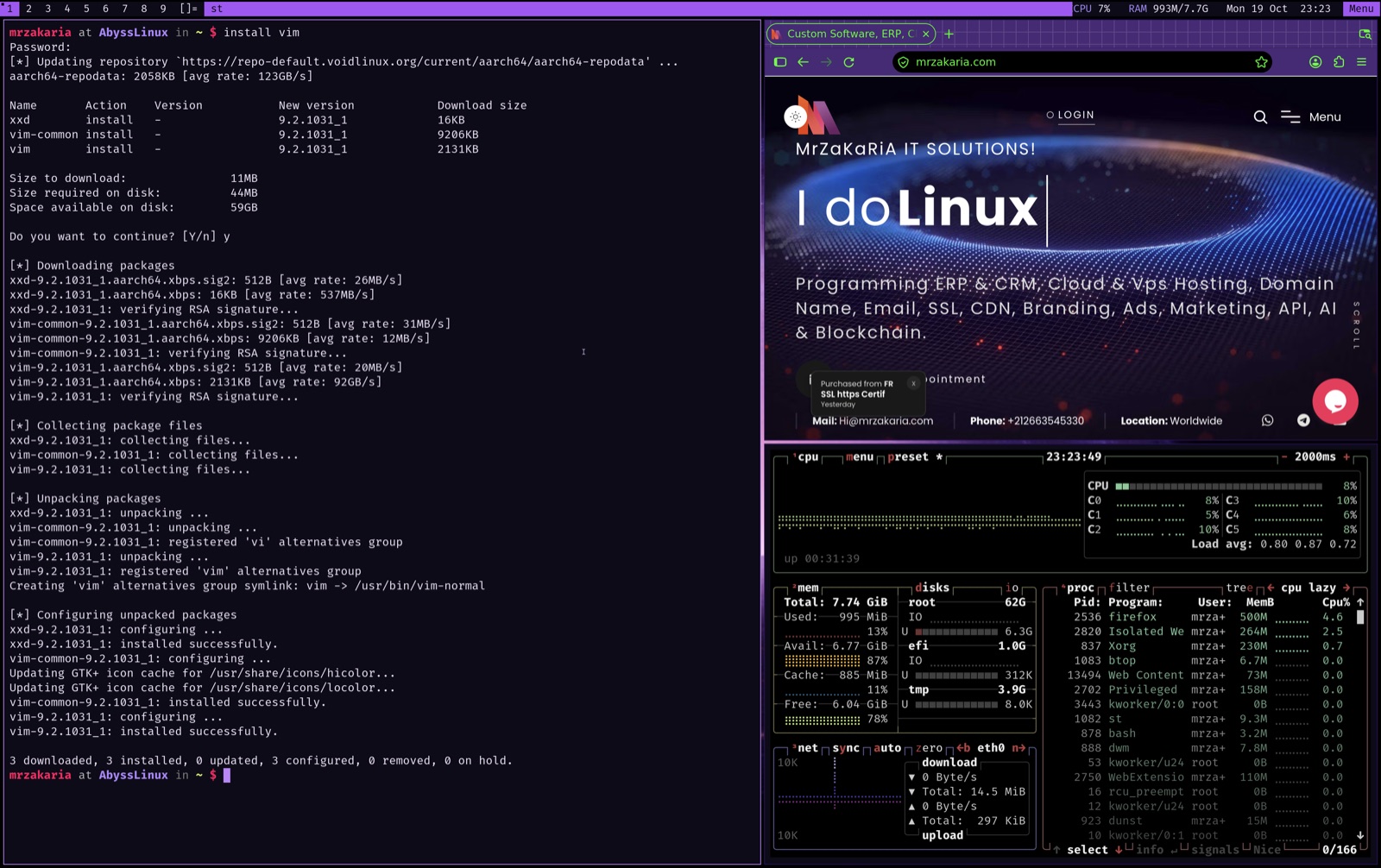
Downloads
| File | Architecture | Boot | For | Size | SHA-256 |
|---|---|---|---|---|---|
abyss-linux-27.0-aarch64.iso |
ARM64 | UEFI | Apple Silicon (Apple Virtualization / Lumen, UTM, Parallels, QEMU), ARM64 servers and boards | 1.58 GiB | d511029fb5118650c0e69c14df993eb65880c9e9a7c333ee70951c19e2b1ed37 |
abyss-linux-27.0-x86_64.iso |
x86-64 | UEFI + BIOS | PCs, laptops, VirtualBox, VMware, QEMU/KVM, Hyper-V | 1.59 GiB | 4ba82005000edd24eb93a854912bfafbdf06c22b8bedaff6d09f6425096e7141 |
Verify: sha256sum -c SHA256SUMS (Linux) or shasum -a 256 -c SHA256SUMS (macOS).
Requirements: 2 cores, 2 GB RAM (4 GB recommended), 16 GB disk.
Live session: user anon, password voidlinux (root: voidlinux). To install: Menu → Install Abyss Linux, then Partition → auto.
What's inside
| Layer | Components |
|---|---|
| Base (Void Linux, glibc, rolling) | Linux 6.18.57 · glibc 2.41 · runit · XBPS 0.60.7 · dracut 112 · GRUB 2.12 · elogind 252.39 · dbus 1.16.2 · polkit 127 · opendoas 6.8.2 |
| Suckless (Abyss PMR) | abyss-dwm 6.8_1 (systray, status2d, vanitygaps, scratchpad, attachaside, autostart) · abyss-st 0.9.3_1 (clipboard, HiDPI font) · abyss-dmenu 5.4_1 (center, border, line-height, password, case-insensitive) · abyss-slock 1.7_1 · abyss-tabbed 0.9_1 · abyss-wmname 0.1_1 |
| Desktop | Xorg · xmenu 4.5.5 (Abyss menu) · sxhkd 0.6.3 · rofi 2.0.0 · dunst 1.13.2 · feh 3.13.1 · PipeWire 1.6.9 + WirePlumber 0.5.18 · NetworkManager 1.56.0 · Mesa 26.2.5 · JetBrains Mono + Nerd Font symbols |
| Apps | mpv 0.41.0 · vim 9.2.1031 · lf r42 · Thunar 4.20.10 · Alacritty 0.17.0 · btop 1.4.7 · fastfetch 2.69.0 · eza · bat · fzf · ripgrep · fd · jq · OpenSSH 10.6p1 · rsync 3.5.1 |
Highlights
- Updates without reinstalling. The suckless tools come from the signed Abyss Linux PMR (
https://mrzakaria.github.io/AbyssLinuxPMR/current, keyc6:f0:d1:05:cb:f1:89:83:58:c2:e2:e4:4c:c9:09:9a), which is preconfigured next to the Void repositories.sudo xbps-install -Suupdates everything. - A clean, minimal bar with a one-click Menu (Apps, System settings, Tools, Power).
- HiDPI out of the box in Apple Virtualization and on large screens.
- A readable installer: dark theme, large font, one-step automatic UEFI partitioning.
- Silent boot straight to the desktop.